1
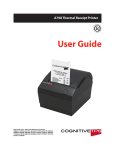
ATX23/24 Printer User Manual File: UMATX403.pdf
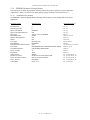
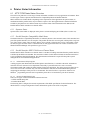
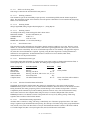
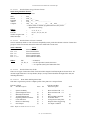
Table of Contents:
1
ADMINISTRATIVE INFORMATION ..................................................................................................... 8
1.1
How To Contact Us............................................................................................................................... 8
1.2
Limited Product Warranty..................................................................................................................... 8
1.2.1
Warranty Terms ............................................................................................................................ 8
1.2.2
Warranty Procedure....................................................................................................................... 8
1.3
FCC Notification .................................................................................................................................. 9
1.3.1
Regulatory Compliance ................................................................................................................. 9
1.3.1.1 Regulatory Compliance Caution ................................................................................................ 9
1.4
2
Trademarks........................................................................................................................................... 9
ATX 23/24 OVERVIEW .......................................................................................................................... 10
2.1
Introduction........................................................................................................................................ 10
2.2
Product Description............................................................................................................................ 10
2.3
MODEL NUMBER INFORMATION ................................................................................................... 11
2.3.1
ATX 23/24 System Model Number.............................................................................................. 11
2.3.2
ATX 23/24 Separate Component Model Numbers ....................................................................... 11
3
PREPARATION FOR USE...................................................................................................................... 12
3.1
Unpacking and Inspection................................................................................................................... 12
3.2
Installation Location........................................................................................................................... 12
3.3
Power Connection............................................................................................................................... 12
3.4
Data I/O Interface Connection - Parallel ............................................................................................ 12
3.5
Paper Supply ...................................................................................................................................... 12
3.6
Paper Loading .................................................................................................................................... 12
3.7
Test Print ............................................................................................................................................ 13
3.8
Printer Set-up Confirmation................................................................................................................ 13
3.8.1
Configuration PCB DIP Switch Settings...................................................................................... 13
3.8.2
EEPROM Settings....................................................................................................................... 13
3.9
Printer Driver Installation .................................................................................................................. 13
3.9.1
WindowsTM 95, 98, and NT – Installing the Driver...................................................................... 13
3.9.2
Selecting the Driver..................................................................................................................... 13
3.10
4
Configuring the Printer Port ............................................................................................................... 13
OPERATOR CONTROLS and INDICATORS....................................................................................... 14
4.1
Rear I/O Panel.................................................................................................................................... 14
4.2
Switch and Display Panel ................................................................................................................... 14
4.3
Panel LED Indicators ......................................................................................................................... 14
4.3.1
Power/Paper ................................................................................................................................ 14
4.3.2
Ready.......................................................................................................................................... 14
4.3.3
Attn/Err ...................................................................................................................................... 14
4.4
Panel Switches.................................................................................................................................... 15
-2- (V1.03 Dated 9/2/03)