1
ATX23/24 Printer User Manual File: UMATX403.pdf
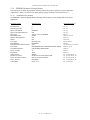
5 PRINTER PROGRAMABLE CONFIGURATION SETTINGS
5.1 Overview
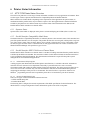
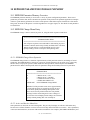
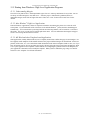
The ATX23/24 printer has programmable or configuration features permitting it to be customized to almost any
printing task. This programmability resides in four areas: Interconnect & Configuration PCB, the EEPROM
nonvolatile parameter storage memory, paper output delivery option detection and special factory customizations.
5.1.1 Interconnect & Configuration PCB
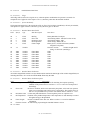
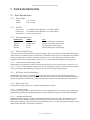
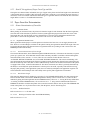
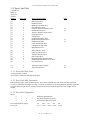
This printed circuit board is mounted to side of the mechanism. It serves the dual purpose of: -1- being a collection
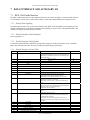
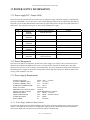
point for the printer mechanism’s wire harnesses and -2- a DIP switch settable configuration memory. The DIP
switch settings identify the printer’s paper width, the type of paper expected, continuous or registration marked,
roll stock paper, and the presence of a cutter. These setting are made at the factory. They are not normally changed
in the field. They are listed here for reference.
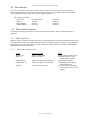
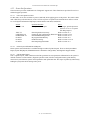
Switch #
DIP-1
DIP-2
DIP-3
DIP-4
DIP-5
DIP-6
DIP SWITCH POSITION
ON
OFF
Not Used - No Function
Not Used - No Function
Not Used - No Function
Not Used - No Function
Enable ATX23 printer
Disable ATX23 printer
Enable ATX24 printer
Disable ATX23 printer
Continuous form
Registration marked
Enable Cutter
Disable Cutter (not used - Future)
Notes
(Reserved - Future)
(Reserved - Future)
(3.38”)
(4.48”)
Switch is don’t care
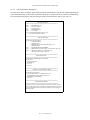
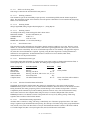
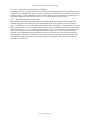
5.1.2 Paper Output Delivery Option Detection
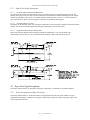
The type of output delivery option, attached to the printer, is automatically detected. A jumper strap present on the
anti-jam sensor PCB is the detection flag. This strap, when detected, tells the printer to support the anti-jam output
function. When this strap is not detected the transport-presenter function is supported.
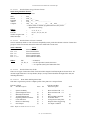
5.1.3 Special Customization
Special customizations to the printer firmware, EEPROM settings, mechanical options, etc. can be accommodated,
for customers with special application needs, if the order volume is sufficiently large. Please contact the factory’s
customer service department.
-21- (V1.03 Dated 9/2/03)