1
n Destination input ⎯⎯ Search by address
Select by city name
STEP 2
STEP 3
STEP 4
STEP 6
37
GX460_QG_U (OM60E77U)
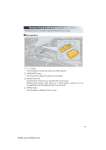
Push the “DEST” button
Touch “Address”.
Touch “City”.
Input a city name and touch “OK”.
Touch the button of the desired city
name from the displayed list.
Input the street name and touch “OK”.
When the desired street name is found,
touch the corresponding button.
Input a house number and touch “OK”.
Touch “Go to”.
Touch “OK”.