1
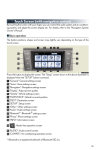
n Destination input ⎯⎯ Search by address
Select by street address
STEP 2
-
STEP 3
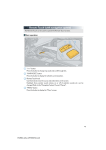
Push the “DEST” button.
Touch “Address”.
Touch “Street Address”.
Input a house number and touch “OK”.
Input the street name and touch “OK”.
When the desired street name is found,
touch the corresponding button.
Input a city name and touch “OK”.
Touch the button of the desired city
name from the displayed list.
Touch “Go to”.
Touch “OK”.
STEP 4
STEP 5
38
GX460_QG_U (OM60E77U)