1
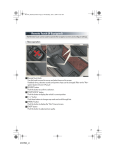
n Phonebook transfer
STEP 2
Push the “SETUP” button.
Touch “Phone”.
Touch “Phonebook”.
Touch “Manage Contacts”.
Touch “Transfer Contacts”.
Transfer the phonebook data to the system using the cellular phone.
Refer to the cellular phone user’s manual
for cellular phone operation.
STEP 3
STEP 4
STEP 6
Phonebook transfer may not be possible depending on phone model.
43
GX460_QG_U (OM60E77U)