1
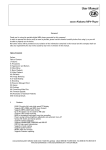
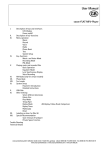
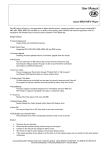
Content
1 Introduction
2 Software Installation
3 Passwords of the PWS
3.1 Password
3.2 Master-Password
4 First Steps
5 The PWS on a PC
5.1 The PWS-Program
5.2 Connection
5.3 Transfer of the Session key
5.4 Enter Password
5.5 Managing data sets
5.5.1 Dialogue for data management
5.5.2 List of data sets
5.5.3 Viewing data sets
5.5.4 Search for data sets
5.5.5 Enter a new data set
5.5.6 Automatic Password assignment
5.5.7 Change data set
5.5.8 Delete data set
5.6 Enter Master-Password
5.7 Changing the Password
5.8 Changing the Master-Password
5.9 PWS Settings
5.10 PWS-Program Settings
5.11 Data protection
5.12 Ending the connection
5.13 Messages of the PWS
6 The PWS mobile
6.1 Turn the PWS on
6.2 Icons shown in display
6.3 Autorepeat
6.4 Contrast adjustment
6.5 Enter Password
6.6 Display of data set
6.6.1 Choosing initial letters
6.6.2 Choosing a data set
6.6.3 Viewing encrypted fields
6.6.4 Displaying other data sets
6.7 Turn the PWS off
6.8 Messages
7 Remarks to Passwords
7.1 Bad Passwords
7.2 Good Passwords
7.3 Handling of Passwords
8 Safety
9 Problems
9.1 Forgot Password respectively Master-Password
9.2 PWS disconnected during new encryption
10 Changing the battery
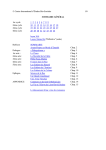
11 Symbol set
12 Legal
12.1 Exclusion of liability
12.2 PWS-Program Terms of use
12.2.1 Use of the program
12.2.2 Warranty
13 Technical Data
cocos-promotions gmbh | talheimer straße 32-d | 74223 flein, germany | phone 0049 (0) 7131/649 38-0 | fax 0049 (0) 7131/649 38-19
www.cocos-promotions.de | www.cocos-promotions.com | www.usb-sticks.de
2