1
4 First Steps
Before you can use your PWS, it has to be set up. In order to do so, a password and a Master-Password are needed. Therefore,
at first, please think about two good passwords, some tips for it can be found in chapter 7.
Then start the PWS-Program on your PC and connect the PWS with the PC, as described in item 5.2. Afterwards, please
transfer the Session key, as described in item 5.3.
The PWS-Program will recognize, that your PWS has not been initiated and the dialog to change the Master-Password will
appear automatically. Here, you will have to enter the chosen Master-Password, as described in item 5.8, without having to
enter the old Master-Password.
After that, the dialog to change the password will appear. Here, you will have to enter the password, as described in item 5.7.
Entering the old password is not necessary here, too.
Setting up your PWS is now completed. The PWS-Program will now show you the input dialog for the password. You can then
continue, as described in item 5.4, and save your first data sets on the PWS.
5 The PWS on a PC
5.1 The PWS-Program
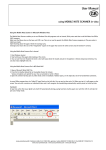
The interface of the PWS-Program is divided into several areas, which will be explained shortly. In figure 1 these areas are
marked and numbered.
figure 1: Interface of the PWS-Program
cocos-promotions gmbh | talheimer straße 32-d | 74223 flein, germany | phone 0049 (0) 7131/649 38-0 | fax 0049 (0) 7131/649 38-19
www.cocos-promotions.de | www.cocos-promotions.com | www.usb-sticks.de
4