1
L
Visual SmartBrowser User’s Manual – NT version
Chapter 1: VSB Overview
Connection View
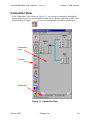
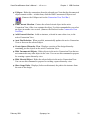
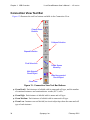
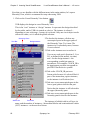
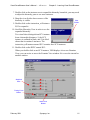
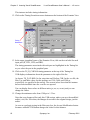
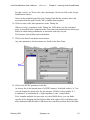
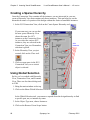
In the Connection View, the zoom buttons work as follows:
●
●
●
●
Detail.
❍
Each port of a hierarchical block is labeled with its name and direction (for
example, I, O, or I/O). For the root (design) instance, symbol pin names are
shown in parentheses beside the port names.
❍
Each SCV instance is labeled with its name and cell type. Input ports are shown
on the left side of the instance and output ports are shown on the right.
❍
Each port on an SCV instance is labeled with its name.
❍
Circuit object tips show the names of net connections.
High.
❍
Each port of a hierarchical block is labeled with its name and direction (for
example, I, O, or I/O). For the root (design) instance, symbol pin names are
shown in parentheses beside the port names.
❍
Each SCV instance is labeled with its name and cell type.
❍
Ports on SCV instances are not labeled.
❍
Circuit object tips show the names of net connections.
Medium.
❍
Ports are not labeled, but circuit object tips show the names of ports on
hierarchical blocks.
❍
Each SCV instance is labeled with its cell type, and circuit object tips show the
names of instances.
❍
Circuit object tips show the names of net connections.
Low.
❍
Ports are not labeled, but circuit object tips show the names of ports on
hierarchical blocks.
❍
SCV instances are not labeled, but circuit object tips show the name and cell
type of each instance.
❍
Net connections are not displayed, but more of the Connection View is visible.
February 2001
Synopsys, Inc.
21