1
L
Visual SmartBrowser User’s Manual – NT version
Chapter 2: Learning Visual SmartBrowser
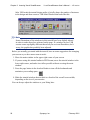
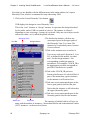
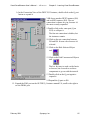
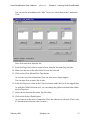
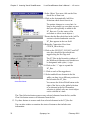
b. In the Connection View of the DFPC I$12 instance, double-click on the Q port
button to expand it.
VSB shows another DFPC instance (I$6)
and an MX2 instance (I$4). The net
connection is shown in cyan, because it’s
the most recently expanded.
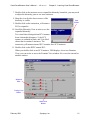
9.Double-click on the same port (Q on
I$12) to collapse it.
The fan-out connection is hidden, but
the instances remain.
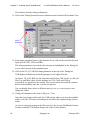
10.Click on the net connection between
I$6 and I$4. It turns color because it’s
selected.
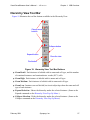
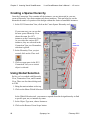
11.Click on the Hide Selected Object
tool.
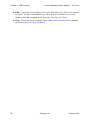
12.Click on the Hide Unconnected Objects
tool.
That’s a fast way to undo a wide fan-in
or fan-out; but we need to see those
components to go on with the tutorial.
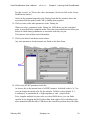
13.Double-click on the Q port again to
expand it.
14.Expand the Q port on I$6.
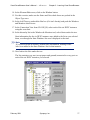
15. Expand the PAD port on the OUTBUF_0 instance named U0; scroll to the right to
see the DP046 port.
February 2001
Synopsys, Inc.
65