1
L
Visual SmartBrowser User’s Manual – NT version
Chapter 2: Learning Visual SmartBrowser
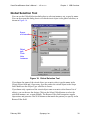
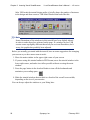
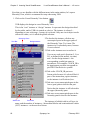
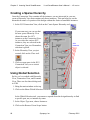
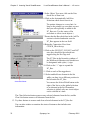
The list below the button shows all the instances in the current scope (as shown in
the Scope field, near the top of the Global Selection tool).
5. Scroll down the list and double-click on I$12 to move down that hierarchical
branch.
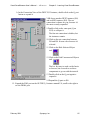
The Scope field shows /I$12/, and the list shows instances in that hierarchical block.
Shows there are no
instances below;
indicates a leaf
Scope with
I$12/I$12 instance
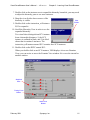
6.In the list, double-click on I$12.
I$12/ is added to the scope, but
it’s an SCV instance, so the list
doesn’t show any instances.
Instead, the list shows double
dots (..), representing the parent
hierarchical block.
7.Double-click on the double dots to
move back up the hierarchy a
level.
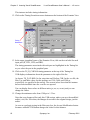
8.In the list, click on I$4.
9.Click on the Select Global button
next to the Object Type area.
10.Click on the Close button.
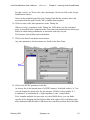
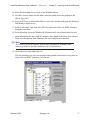
The SCV instance /I$12/I$4 is
selected in the I$12 Connection
View.
& Note
Once you’ve set the scope in the Global Selection tool, you can change the
Object Type and select a port or net just as easily, but we’ll stick with
instances for this exercise.
February 2001
Synopsys, Inc.
69