1
3
A DVANCED MODE
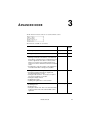
All the menus in Advanced mode are described in this section.
The functions available are as follows::
Function
Use menu
See
page
Recording and playback of shows.
“Play/Rec”
12
Viewing DMX input in real time.
“DMX Monitor”
14
“Control”
• Teaching the LightCorder lamp on and off and
dimming commands for the fixtures on the data link
that it will be controlling. This is a required step if you
want the LightCorder to be able to remotely switch
fixtures on and off, before and after playing shows,
and for it to be able to dim fixtures between scheduled
shows.
• Assigning any of the three faders on the LightCorder
to be able to dim fixtures during show playback.
14
• Setting the mode that the LightCorder is operating in
• Activating communication with the LightCorder
Scheduler application on a PC
• Setting the date and time - necessary if you plan to
run shows according to a schedule.
• Setting the display contrast
• Calibrating the faders
• Updating the LightCorder’s control software
“Options”
18
•
•
•
•
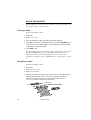
“Show Manager”
22
Playing shows
Renaming shows
Deleting shows
Setting the default show. This is the show that will be
used in Fail-Safe mode if the external DMX control
signal fails.
Advanced mode
11