1
Programs and Procedures
11-1
Chapter 11
Programming with Procedures
⎯⎯⎯⎯⎯⎯⎯⎯⎯⎯⎯⎯⎯⎯⎯⎯⎯⎯⎯⎯⎯⎯⎯⎯
11.1 Introduction
Your first uses of LIMDEP will undoubtedly consist of setting up your data and estimating
the parameters of some of the models described in the Econometric Modeling Guide. The purpose
of this chapter is to introduce LIMDEP’s tools for extending these estimators and writing new ones.
The programs described in this chapter will also help you make more flexible use of the
preprogrammed estimators, such as in testing hypotheses, analyzing specifications, and
manipulating the results of the estimation procedures.
11.2 The Text Editor
The tools and methods described in this chapter will make heavy use of the editing features
of the program. The various menus described earlier and in the model sections to follow will be of
limited usefulness when you are writing your own programs. The text editor will be essential.
11.2.1 Placing Commands in the Editor
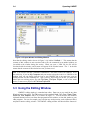
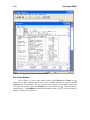
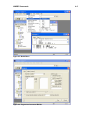
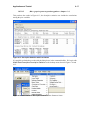
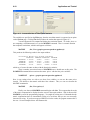
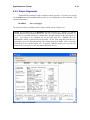
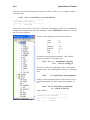
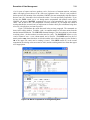
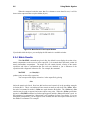
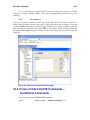
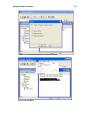
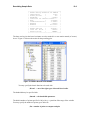
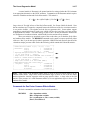
LIMDEP’s editing window shown in Figure 11.1 is a standard Windows text editor. Enter
text as you would in any other Windows based text editor. You may enter as much text as you like
on the editing screen. The Edit menu provides standard editing features such as cut, copy, paste, go
to, and find.
Figure 11.1 The Editing Window and the Edit Menu