1
Diagnostics and Troubleshooting
Driver Manual
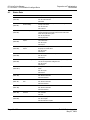
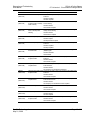
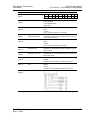
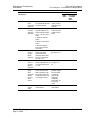
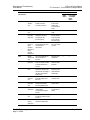
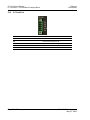
No.
SB006B
(REG 6 bit11)
SB006C
(REG 6 bit12)
SB006D
(REG 6 bit13)
SB006E
(REG 6 bit14)
SB0070
(REG 7 bit0)
SB0071
(REG 7 bit1)
SB0073
(REG 7 bit3)
SB0074
(REG 7 bit4)
SB0075
(REG 7 bit5)
SB0076
(REG 7 bit6)
SB0077
(REG 7 bit7)
SB0078
(REG 7 bit8)
SB0079
(REG 7 bit9)
SB007B
(REG 7 bit11)
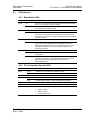
CC-Link ♦ ProLinx Gateway
CC-Link version 1.10 Local Station & Intelligent Device
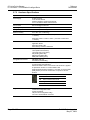
Name
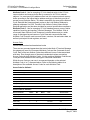
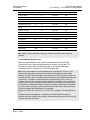
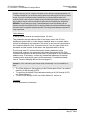
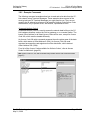
Host operation status
Description
Indicates the operation status of the host.
OFF: Normal
ON: Error
Link status
Indicates the data link status of the host.
OFF: During data link
ON: During data link stop
Parameter setting status
Indicates the parameter setting status.
OFF: Normal
ON: Setting error (Error code stored into SW0068)
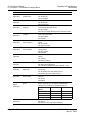
Host operation status
Indicates the operation status of the host data link.
OFF: During execution
ON: Not executed
Master station information
Indicates the data link status.
OFF: Data link by master station
ON: Data link by standby master station
Standby master station
Whether the standby master station exists or not
information
OFF: Does not exist
ON: Exists
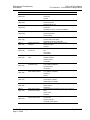
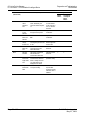
Operation specification status Indicates the parameter-based operation specification status at driver
at driver error
error.
OFF: Stopped
ON: Continued
Reserved station specification Indicates the parameter-based reserved station specification status.
status
(SW0074 to SW0077)
OFF: Not specified
ON: Specified
Error invalid station
Indicates the parameter-based error invalid station specification
specification status
status. (SW0078 to SW007B)
OFF: Not specified
ON: Specified
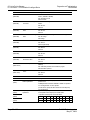
Temporary error invalid
Indicates whether the temporary error invalid stations have been set
station setting information
or not. (SW007C to SW007F)
OFF: Not set
ON: Set
Parameter reception status
Indicates the parameter reception status from the master station.
OFF: Reception completed
ON: Reception not completed
Host switch change detection Detects the setting switch change of the host during data link.
OFF: No change
ON: Change
Master station returning
Indicates whether the parameter has been set to no return or a
specification information
return.
OFF: No return
ON: Return
Host master/standby master Indicates whether the host is operating as the master or standby
function operation status
master function.
OFF: Master function
ON: Standby master function
ProSoft Technology, Inc.
May 21, 2009
Page 51 of 98