1
5
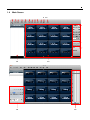
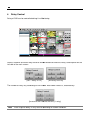
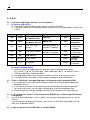
1) DVR Site Registration
2) Live Mode
3) VOD Playback Mode
4) Close All
5) Close One
6) 4View(A)
7) 4View(B)
8) 4View(C)
9) 4View(D)
10) 9View(A)
11) 9View(B)
12) 16View
13) DVR Site Panel
14) Display Screen
15) PTZ Control Panel
16) Relay Control Panel
17) Channel Information
: Register the DVR to be connected
: Monitoring Live image
: Playback recorded image
: Close the network connection for all channels
: Close the connection for currently selected channel
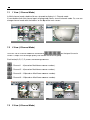
: Display in 4 channel mode (Channel 1~4)
: Display in 4 channel mode (Channel 5~8)
: Display in 4 channel mode (Channel 9~12)
: Display in 4 channel mode (Channel 13~16)
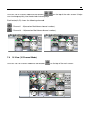
: Display in 9 channel mode (Channel 1~9)
: Display in 9 channel mode (Channel 8~16)
: Display in 16 channel mode
: Show registered site list
: Image Display
: Control camera PTZ & focus
: Control relay of the DVR
: Display registered DVR name and IP address of the
focused channel
18) VOD Time/Date Control : Control time and date for VOD connection
19) Intelligent Search
: Check recording status of the DVR in VOD mode
Move time bar to change time to playback