1
6
2. Site Management
2.1
Site Registration
This is to register the relevant products such as DVR, IP camera and IP server in this MacViewer
st
software, which is the 1 step to run the program.
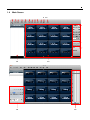
1) Select the Site Registration icon
on the main window and then site registration window
will pop-up.
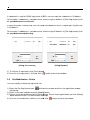
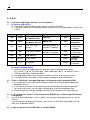
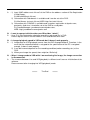
2) At [Site Registration] window, input site information such as DVR name, IP address, User ID,
Password, Port , number of channel and so on. And click [Add
[Add] button to register.
[Using Static IP]
[Using DDNS]
User has to input “Mac address + cctv-link.net”” in IP Address for DDNS connection.
User can find the Mac Address in the menu of [System > System Info] of the DVR.
00:1C:84:01:00:02”, then the right IP Address in [Site Registration]
For example, if Mac address is “00:1C:84:01:00:02
shall be “001c84010002.cctv-link.net”.