1
Other Operations
4.9
Earphone Usage
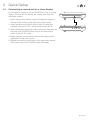
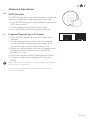
1.Connect earphones (supplied) to the 3.5mm (I)
output on the side of the main unit.
2.Adjust the volume in the normal manner (see Setting the
volume level, Section 4.2).
Listen at moderate volumes to avoid hearing damage.
If you hear no sound during playing, do not turn up volume
as the music may suddenly begin at a high volume.
Excessive sound pressure from earphones and headphones
can cause hearing loss.
To avoid damaging your ears, adjust the volume to the lowest
safe level before playing, and turn up to the desired level when
playback has started.
4.10
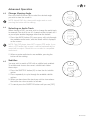
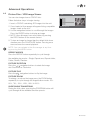
Adjusting the Swivel Display
The display can be rotated a total of 270 degrees.
1.The display can be rotated 90 degrees Anti-clockwise
from the facing front position.
2.The display can be rotated 180 degrees Clockwise
from the facing front position.
NOTE: Take care not to rotate any further than the specified
angles, as internal wiring can be damaged.
GDVDPLY01