1
Protocols
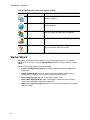
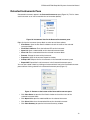
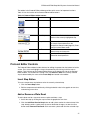
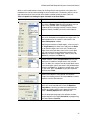
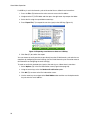
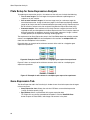
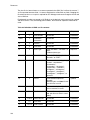
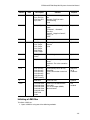
The Step Options window lists the following options you can add or remove from steps:
• Plate Read. Check the box to include a plate read
• Temperature. Enter a target temperature for the selected step
• Gradient. Enter a gradient range for the step
• Increment. Enter a temperature to increment the selected step; the increment amount is
added to the target temperature with each cycle
• Ramp Rate. Enter a rate for the selected step; the range depends on the block size
• Time. Enter a hold time for the selected step
• Extend. Enter a time to extend the selected step. The extend amount is added to the
hold time with each cycle
• Beep. Check the box to include a beep at the end of the step
TIP: When you enter a number that is outside the option range, the software
changes the number to the closest entry within the range.
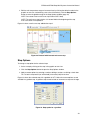
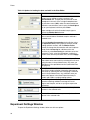
Delete Step Button
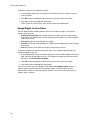
To delete a step in the protocol:
1. Select a step in the graphic or text view.
2. Click the Delete Step button to delete the selected step.
WARNING! You cannot undo this function.
Temperature Control Mode
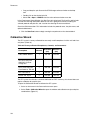
The instrument uses one of two temperature control modes to determine when the sample
reaches the target temperature in a protocol.
Enter a sample volume in the protocol editor to select a temperature control mode:
• Calculated mode. When you enter a sample volume between 1 and 50 µl, the thermal
cycler calculates the sample temperature based on volume. This is the standard mode
• Block mode. When you enter a sample volume of zero (0) µl, the thermal cycler records
the sample temperature as the same as the measured block temperature
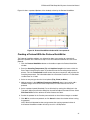
Protocol AutoWriter
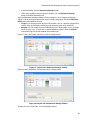
Open the Protocol AutoWriter to quickly write protocols for PCR and real-time PCR
experiments. To open the Protocol AutoWriter, select one of these options:
• Click the Protocol AutoWriter button in the main software window toolbar
• Select Tools > Protocol AutoWriter from the menu bar in the main software window
30