1
CFX96 and CFX96 Deep Well Systems Instruction Manual
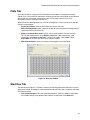
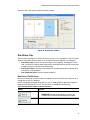
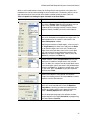
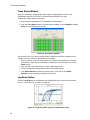
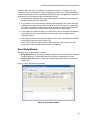
Select a well to load contents into by left clicking with the mouse pointer in the plate view.
Hold down the mouse button and drag to select multiple wells. The buttons and lists on the
right side of the plate view include all the options needed to load the wells (Table 14).
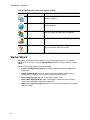
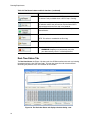
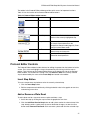
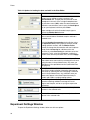
Table 14. Options for loading the plate and wells in the Plate Editor.
Option
Function
After selecting wells, the Sample Type must be loaded
first. Select a Sample Type from the pull-down menu to
load it in the selected wells, including Unknown,
Standard, NTC (no template control), Positive Control,
Negative Control, and NRT (no reverse transcriptase).
Click a Load box to add a fluorophore to the selected
wells; each fluorophore corresponds to a target name. To
add fluorophores to the Load list, select them in the
Select Fluorophores window.
To distinguish between multiple targets, select a name in
the Target Name pull- down menu and press the Enter
key to load the target name in the well. To add a new
target name to the pull-down menu in the current plate
only, type a name in the pull-down box and press the
Enter key. To delete a target name, select it, press the
Delete key, and press the Enter key.
For gene expression analysis or to distinguish between
multiple samples, select a Sample Name from the pulldown menu to load that sample name in the selected
wells. To add a new sample name to the pull-down menu
in the current plate, type a new name in the pull-down box
and press the Enter key. To delete a sample name, select
it in the menu, press the Delete key on your keyboard,
and then press Enter.
To load replicate numbers, selected wells must contain
identical well contents. If they do not, the software
disables this loading control. Click the Load box to add a
Replicate # to the selected wells.
In the Replicate Series pane you can apply a replicate
series to a set of selected wells. Enter the Replicate
Group Size by selecting a number that represents the
number of samples (wells) in each group of replicates.
Select a Starting Replicate # to add replicates.
You can load replicate groups with replicate numbers
progressing from left to right (Horizontal), or progressing
from top to bottom (Vertical).
37