1
WebCTRL v5 User Manual
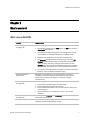
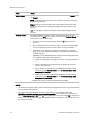
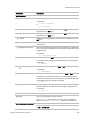
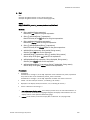
1. Eval
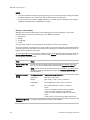
See:
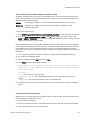
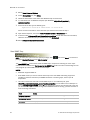
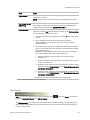
Example using Web services to set a value (page 197)
Example using Web services to retrieve values (page 199)
WSDL:
http://<WebCTRL_server>/_common/webservices/Eval?wsdl
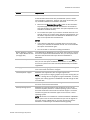
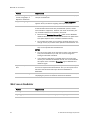
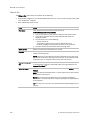
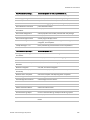
Methods:
a. String getValue(String expression)
Returns the raw value for the given expression.
b. String [] getValues(String [] expressions)
Returns an array of the raw values for the given expressions.
c.
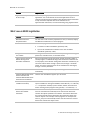
String getDisplayValue(String expression)
Returns the display value for the given expression.
d. String [] getDisplayValues(String [] expressions)
Returns an array of the display values for the given expressions.
e. setValue(String expression, String rawVal, String reason)
Sets the given raw value for the expression.
f.
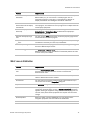
setValues(String [] expressions, String [] rawVals, String reason)
Sets an array of the given raw values for the expressions.
g. setDisplayValue(String expression, String displayVal, String reason)
Sets the given display value for the expression.
h. setDisplayValues(String [] expressions, String [] displayVals, String reason)
Sets an array of the given display values for the expressions.
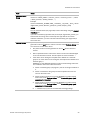
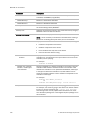
Parameters:
•
expression:
For Methods a. through d., its the GQL expression to be evaluated. For points, expression
only needs to refer to the microblock; present_value is assumed.
For Methods e. through h., its the GQL expression for which new value is to be set
•
rawVal: The raw value (for instance, 1, indicating a On status) *
•
displayVal: The display value (for instance, “On”, indicating On status) *
•
reason: Reason for the change.**
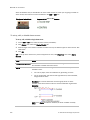
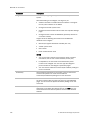
*
raw value versus display value: For a binary input that is on, the raw value would be "1".
For an operator whose default language is English, the display value would be "On". The
display value is in the operator's default language.
** reason can be used if you need to comply with 21 CFR Part 11 (see page 135).
© 2011 Automated Logic Corporation
193