1
Note: If you inadvertently select ARCNET for the Setup Type and click OK, you need to start over by
re-downloading the NCM code with the Metasys NCM Update Utility (see Downloading the NCM45x0-2
Code).
8.
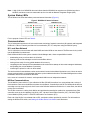
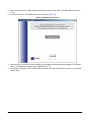
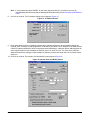
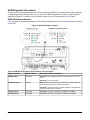
Click OK to continue. The IP Address settings screen appears (Figure 21).
Figure 21: IP Address Screen
9.
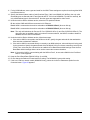
Enter appropriate values for IP Address, Subnet Mask, and Network Router. All three address entries are
required, even if the direct or dialup application is intended for this NCM. The IP address for the NCM must be
a static IP address (NCM45x0-2 does not support dynamic addressing). A Network Router address within the
same segment space as the IP address is required, even if no router is in use. The value of the UDP Port
Address should not be changed, unless multiple N1 Ethernet networks are being used. Do not select Packet
Sanity On.
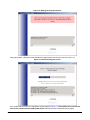
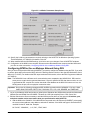
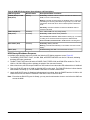
10. Click OK to continue. The Novram View and Modify screen appears (Figure 22).
Figure 22: Novram View and Modify Screen
NCM45x0-2 Network Control Module Commissioning Guide
23