1
INSTALLATION GUIDE for the UVS SOFTWARE
for UVIKON 900 / XS / XL
3.4.2.6.
Backup
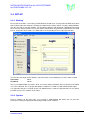
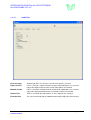
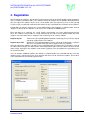
This function permits a backup of either all data or an extract from the original database to a database
sorted by year.
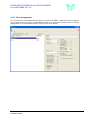
The backup can be made to up to two independent servers via network. The administrator can define the
appropriate directory locations via ‘options’ (section 3.4.2.1).
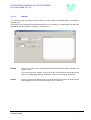
Backup
Executes a backup of the complete database to the directory locations defined in the
Options menu.
The right hand panel contains a listing of all files that will be backed up during the
process. A confirmation dialog is shown after successful execution of the backup.
Archive
Executes a backup of all data for the year defined and also removes this data from the
working database thus freeing local memory space if required.
UVS Software
Installation Guide
Manual Version 2.20, Feb. 2008
Page 14 of 19