1
INSTALLATION GUIDE for the UVS SOFTWARE
for UVIKON 900 / XS / XL
3.4.3.1.7.
Password expired
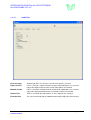
A change of password can be forced at certain intervals as defined by this dialogue. The option of never
changing is also available but users should note that this option is not acceptable when operating in a
controlled environment.
Entry of a time interval automatically produces a new box with the actual date by which the password must
be changed.
3.4.3.1.8.
Password
This allows definition of the user password for normal access control and also for saving of data if the
checkbox described is activated.
The initial password for the new user must be entered in the appropriate box. New users will be forced to
change this password when they log onto the system for the first time. This is a precautionary measure to
ensure that the system access password is known only to the user and no other third-party.
3.4.3.2.
Groups
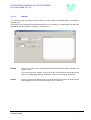
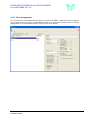
This defines the grouping for report access. Groups and members of groups can be defined to view the
reports. A member of a group can view the reports of all members.
UVS Software
Installation Guide
Manual Version 2.20, Feb. 2008
Page 18 of 19