1
C-Link Protocol Commands
Communications Configuration
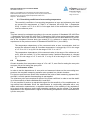
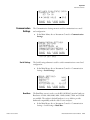
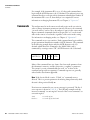
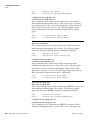
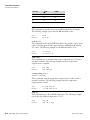
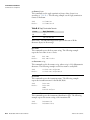
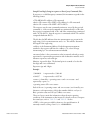
This command sets the instrument baud rate to rate. The following
example sets the instrument’s baud rate to 9600.
Note After the command is sent, the baud rate of the sending device must
be changed to agree with the instrument. ▲
Send:
Receive:
set baud 9600
set baud 9600 ok
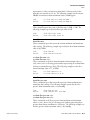
dhcp
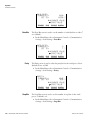
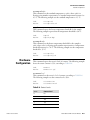
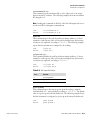
This command reports the current state of use of the Dynamic Host
Configuration Protocol (DHCP) as on or off. DHCP is used to assign an
IP address to the instrument automatically. The following example shows
that DHCP is on.
Send:
Receive:
dhcp
dhcp on
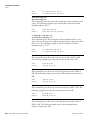
set dhcp onoff
onoff = | on | off |
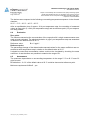
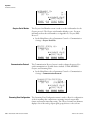
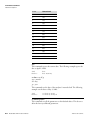
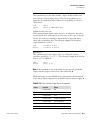
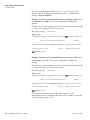
This command enables (on) and disables (off) the DHCP service. When
DHCP is set to on, the instrument gets the IP address, the netmask
address, and the gateway address from a DHCP server. When DHCP is set
to off, the instrument gets these addresses from system memory. The
following example sets the DHCP service to on.
Note If DHCP is changed from on to off and then the IP address, the
netmask address, or the gateway address is changed, you must cycle power
to the instrument before the change takes effect. Until you cycle the power,
the address assigned by the DHCP server will still be used and reported as
the current address. ▲
Send:
Receive:
set dhcp on
set dhcp on ok
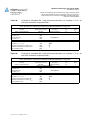
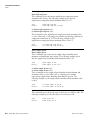
format
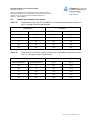
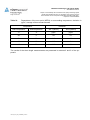
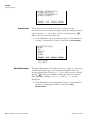
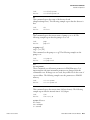
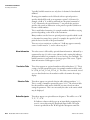
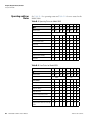
This command reports the current reply termination format. The following
example shows that the reply format is 00, which means reply with no
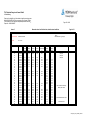
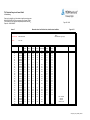
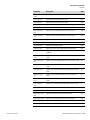
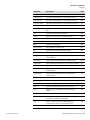
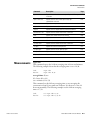
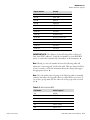
checksum, according to Table B–8.
Send:
Receive:
Thermo Fisher Scientific
format
format 00
Model 5030i SHARP Instruction Manual
B-57