1
Schedules
Scheduling is usually controlled by your Z-Wave system. See the instructions that came with your Z-Wave system for more information. However, scheduling may also be controlled by the thermostat.
ÎÎ The Schedules menu is hidden by default, but may be enabled in the Installer Settings. See Enable/Disable the Schedules
Menu on page 19 for more information.
for more information.
The thermostat has a 4 x 7 schedule, meaning the setpoints can be changed up to four times a day each day.
Each day has a separate schedule. Schedules may be copied from one day to another day or group of days. See
Copy a Day Schedule on page 23 for more information.
for more information.
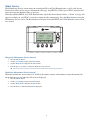
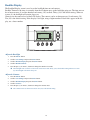
Select Schedule
Heat and Cool
Preset:Confort
Preset:Energy Star
Done
Select
Enable/Disable the Schedules Menu
Because the Schedules menu is disabled by default, you must first enable it before any scheduling can be done
at the thermostat. If you want to use your Z-Wave system for scheduling, scheduling must be disabled in the
thermostat.
1. Press the MENU button.
2. Press and hold the two middle buttons simultaneously until the Installer Settings menu is displayed.
3. Scroll to Systems Settings and press the Select button.
4. Scroll to Sched Enable and press the plus (+) button to enable scheduling or the minus (-) button to disable scheduling.
ÎÎ When scheduling is enabled in the thermostat, a Y will be displayed next to Sched Enable. When scheduling is disabled
in the thermostat, an N will be displayed next to Sched Enable.
21