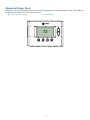
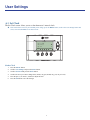
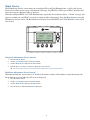
1
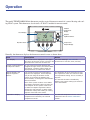
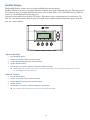
Thermostat Function Control Buttons
11:15 PM
Sys Off
Run
Filter
MENU
Menu Button
72
AUTO
MODE
System
Mode Button
AUTO
FAN
77 H
74 C
RUN
Fan Mode
Button
Schedule
Mode Button
Button
Description
Menu
Other thermostat menus can be accessed by pressing the MENU button.
System Mode
Used to change the system mode
Off: System off
Heating: Heating only on
Cooling: Cooling only on
Auto: Heating/Cooling on as necessary
Fan Mode
Used to change the fan mode
Auto: Fan on when cooling/heating is necessary
On: Fan constantly on
Schedule Mode
Used to change the schedule mode
Hold: System maintains the current temperature setpoints. Schedules are disregarded.
Run: Run the system schedule (or Z-Wave controlled schedule)
Energy Saving Mode: Temperature setpoints in ESM Setpoints are maintained. See
ESM Setpoints for more information.
4