1
HOBLink X11 ____________________________________________________________ Connection Types
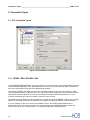
The Session dialogs REXEC and RSH are very similar. Both require a host name, a user name(User ID) and
a control command or the name of a local control command file. The REXEC additionally requires a user
password.
The login with the "RLOGIN" method also requires a password. This setting starts the login and immediately
executes the given command.
5.1.1.1 Security issues
When REXEC or RSH rights are assigned to a particular machine, anyone having access to that machine can
execute REXEC or RSH commands on your system. These two protocols do not offer any user authentication
possibilities. XDMCP, on the other hand, offers both user authentication and authorization possibilities, and is
thus the more secure of the three protocols. For more information, see 8.1.2, The XDMCP Tab, and 8.1.2.1,
XDMCP Security.
5.1.2 Passive
Although the use of XDMCP is recommended, it is sometimes necessary to start Clients without XDMCP; for
example, if the software on the Host System does not support XDMCP. In this situation you can execute
X Clients within a Telnet or VT session. First the X server has to be started in passive mode, then login to the
host with a Telnet (or VT) session, set your DISPLAY environment variable and start the X client program.
5.1.3 XDMCP
To use XDMCP, you have to create a Connection scheme in the Session Editor and enable the check box
"Use XDMCP" in the tab box XDMCP. After restarting the X Server, XDMCP begins an display manager
process which runs on a host. Then the display manager process starts the remote login session as follows:
•
An optional recognition procedure is executed, in the display manager a verification takes place to verify if
the X Server is authorized to execute.
•
A "Session Key" is created which is used for subsequent client checks.
•
A user name or password is requested, in order to verify the user's authorization.
•
An Initialization Program is executed. This then carries out the desktop environment.
Common desktop environments are CDE, KDE, Gnome.
For more information, see 8.1.2, The XDMCP Tab, and 8.1.2.1, XDMCP Security.
Connectivity from
15