1
HOBLink X11 ____________________________________________________________ Installation Types
7 Installation Types
7.1 Local Installation
If HOBLink X11 is installed on the local system, all settings that were configured in the schemes of the
Session Editor will also be stored on the local system. Before you can start a session, you first need to
configure a valid connection for the host connection in the corresponding schemes.
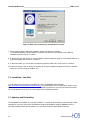
When starting HOBLink X11 for the first time, the session assistant helps you configure this connection. The
session assistant appears immediately when you start HOBLink Terminal Edition. It accompanies you through
the tasks ahead and helps you make a successful session configuration.
At the end of this process you will be in the HOBLink Session Editor, which you can exit with Close. In the
HOBLink Session Manager window the name of the newly created session configuration appears selected.
Press "Run" to start the session.
7.2 Server-based Installation with HOB Enterprise Access
Running HOBLink as a server based version requires installation of the HOB Enterprise Access software,
available at an extra fee.
If this variation is installed, all user settings will be stored in a database on a server. As soon as HOBLink is
started, a dialog appears which connects you with the database on the EA Server. Log in with a valid user
name and password to download the necessary user settings from this location when starting HOBLink. You
will receive this information from your system administrator.
Then you can either establish a connection to the host using the Session Manager or, with the appropriate
configuration done by your system administrator, a HOBLink Session is started immediately after you log in.
If no user is available with which you can log in, and your system administrator authorized you to create users,
you can create a user yourself.
In this case, the corresponding dialog appears to accompany you through the execution of this procedure.
After completing this process, you can establish a connection with the HOB EA Server.
Connectivity from
19