1
eSchoolData Attendance Guide
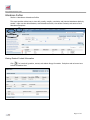
Viewing individual student attendance
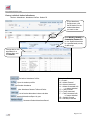
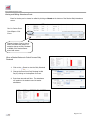
Student> Attendance> Attendance Profiles> Student ID
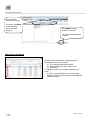
In the Attendance
Profiles screen, click
the ID Number for the
student attendance
you want to view.
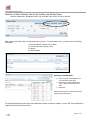
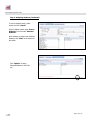
Select Weekly, Monthly, or
Cumulative/Custom tabs
to view Student Attendance
by a specified week, month,
or date range.
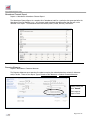
Change date to view
attendance for a
different date, and
click Search.
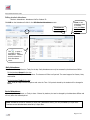
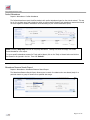
Go back to Attendance Profiles
Open the student portfolio
Edit Student Attendance
View Attendance Reasons Table and Codes
List of student Attendance Letters and dates
Historical Attendance Report by year
Permanent Student Attendance Record
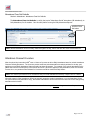
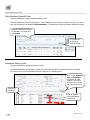
Attendance Status Key:
P = Present
AE = Absent Excused
AU = Absent Unexcused
A* = Absent Unexcused with
no reason attached
TE = Tardy Excused
TU = Tardy Unexcused
T* = Tardy Unexcused with
no reason attached
PE = Partially Excused
PU = Partially Unexcused
Page 4 of 25