1
Through a Powerflash Module
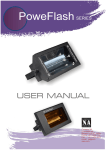
The X-10 Powerflash module sends X-10 signals when the input to it closes. By connecting the
sensor to in, you can avoid having to run wires to HomeVision. However, the X-10 signals may
interfere with other X-10 signals. The connection process is as follows:
•
•
•
•
Use two wires to connect the sensor to the Powerflash module.
Set the Powerflash module to the desired house code and unit code.
Set the Powerflash module "Mode" switch to "1".
Set the Powerflash module "Input" switch to "B".
Note that the Powerflash module is not as sensitive as HomeVision Port C. If the sensor is only
slightly wet, the Powerflash module may not trip where Port C would.
PROGRAMMING
NOTE: This example assumes the sensor is connected directly to an input port, not through a
Powerflash module. If you're using a Powerflash module, then you would use the X-10 ON
and OFF signals as inputs instead of the input ports.
There are several ways to use the sensor in your schedule. The most obvious is to check the input
port with an If-Then statement whenever you need to know if it’s raining. Another method is to use a
flag to store the current state and set or clear it every time the input port changes. However, both of
these methods have the drawback that the sensor may switch back and forth frequently if it’s only
slightly wet.
A better way is to use a flag to hold the current state, but only change the flag after the input port
has changed for a certain period of time. For example, you might change the state only if the input
remains steady for one minute. Here’s an example of how to accomplish this.
1) Create a flag named “It’s Raining”.
2) Create a timer named “Timing Rain Sensor”.
3) In the “Low Actions” for the sensor input (which are performed whenever the port goes low
(it stops raining)), enter:
Wait 1 minute with timer “Timing Rain Sensor”, Then:
Set flag “It’s Raining”
End wait
4) In the “High Actions” for the sensor input (which are performed whenever the port goes
high), enter:
Wait 1 minute with timer “Timing Rain Sensor”, Then:
Clear flag “It’s Raining”
End wait
5) Whenever you need to know if it’s raining, check the state of the “It’s Raining” flag. SET
means it’s raining, CLEAR means it’s not.
Rain Sensor - 2