1
User Manual
November 2011
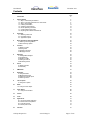
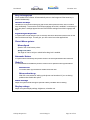
Contents
Page
4
Introduction
1.
Getting Started
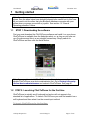
1.1 Step 1: Downloading the software
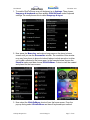
1.2 Step 2: Launching ClickToPhone for the first time
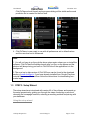
1.3 Step 3: Setup Wizard
1.4 Installing HouseMate+
1.5 Optimising phone settings
1.6 Normal Operating Procedure
1.7 Choosing Stand alone mode
1.8 Repairing with a different hardware unit
6
6
6
8
12
15
15
16
17
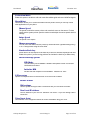
2.
Homepage
2.1 Selecting a user level
2.2 Homepage options
2.3 Appearance options
20
21
21
23
3.
Basic Operation & Scanning Methods
3.1 Selecting a Scanning Method
3.2 Other Scanning Options
25
25
28
4.
Contacts
4.1 Dialing a Contact
4.2 Writing a Text
4.3 Sending a Quick text
4.4 Managing Contacts
31
32
34
35
36
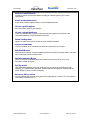
5.
Messages
5.1 Viewing SMS messages
5.2 Conversations
5.3 Deleting an SMS
5.4 Adding to Contacts
5.5 Re-Sending a Draft
40
40
43
45
45
46
6.
Phone
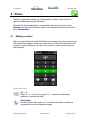
6.1 Dialing a Number
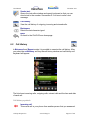
6.2 Call History
48
48
49
7.
SMS Alerts
52
8.
Reminders
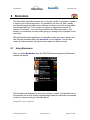
8.1 Using Reminders
8.2 Managing Reminders
8.3 Selecting a reminder photo
8.4 Selecting a sound
54
54
57
59
59
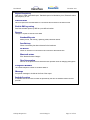
9.
Text to speech
9.1 Using text to speech
62
62
10.
Music
10.1 Using the Music Player
64
64
11.
Photo Album
11.1 Using the Photo Album
66
66
12.
Camera
68
13.
Clock
69
14.
Applications
14.1 Launching another Application
14.2 Numeric and Text keyboards
14.3 YouTube example
14.4 Mouse pointer mode
70
70
73
74
75
15.
Favorites
81
©Unique Perspectives
www.click2go.ie
Page 2 of 168