1
General Information
1.1
What is ThinPrint
Personal Printing
Essentials®?
ThinPrint®Reader
ThinPrint Personal Printing Essentials® is a software-based
technology for secure network printing. ThinPrint Personal Printing
Essentials is printer-independent.
Printing is carried out from a client to the printer object 'Personal
Printer'. The print job will be saved to the Personal Printing server.
The print job will be printed once the user has successfully
authenticated to any network printer that is set up for Personal
Printing.
What is ThinPrint®?
ThinPrint® is a software-based technology providing print job
compression and bandwidth control for network printing. The data
traffic between the application server or the print server and the
local printer is reduced considerably and networks are relieved.
The ThinPrint technology enables the transmission of compressed
and bandwidth-optimized print jobs within a network. Print jobs are
compressed using the server component of the .print technology,
the so-called ThinPrint Engine. The server sends the compressed
print data to a device with the implemented ThinPrint Client. This
client then decompresses the print data, transferring it to any
printer.
Purpose
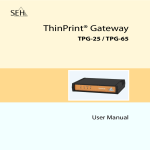
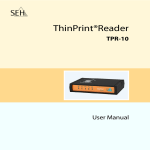
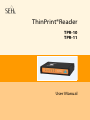
TPR (ThinPrint®Reader) have been specifically designed for
environments with ThinPrint Personal Printing technology. The TPR
contains a fully integrated Personal Printing Client. Together with
the Personal Printing server, the Personal Printing Client allows for
the authentication process.
TPR are an authentication hardware that allows you to use network
printers as Personal Printing printers independent of printer make
and model. To this purpose, one TPR is installed between the
network and the printer for every network printer.
Users will print to the Personal Printer print object. They will then
authenticate to the TPR by means of a contactless smartcard based
on RFID. The Personnel Printing server then sends the print job to
the TPR, which forwards it to the printer.
TPR User Manual
6