1
Tensor Tool User’s Manual
2
Starting TTool
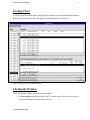
If TTool is properly installed and configured, there should be an icon available on the desktop.
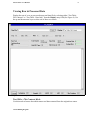
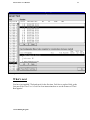
Double click on this icon to open the main TTool Results window (See Figure 1).
Figure 1. The main Tensor Tool Results window.
The Results Window
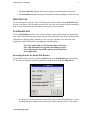
The TTool Results window provides several functions:
• The hole pick list displays all holes with TTool data results. Select a hole in order to
retrieve data about a particular tensor tool run.
Ocean Drilling Program