1
ASIControl
8.5
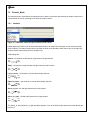
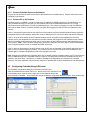
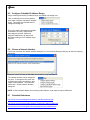
Configure CobraNet IP Address Range
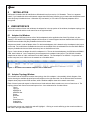
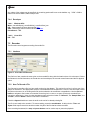
Assign a starting and ending IP address range, and enable auto-assign here.
Click on ASIControl’s menu item Options,
then select Configure CobraNet IP address
range. This opens the CobraNet Auto IP
Assignment dialog box.
Type in the starting and stopping CobraNet
IP address to be used. When Enable
Auto-assign is checked, ASIControl
assigns IP addresses to all discovered
devices according to the IP address range.
Click OK.
8.6
Choose a Network Interface
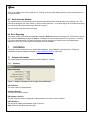
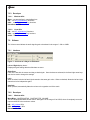
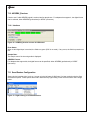
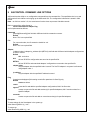
If a PC has more than one network interface card (NIC) in it, the following dialog box will pop up when first opening
ASIControl:
Select the correct NIC that the CobraNet devices will be suing, then click OK.
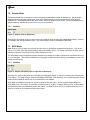
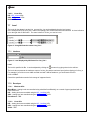
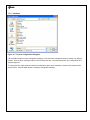
The network interface can be changed at
any time. To change the NIC used, click
on ASIControl’s menu item Options, then
Select network adapter. This opens the
ASIControl – choose network interface
dialog box.
NOTE: If Select network adapter is not showing under Options, close and then reopen ASIControl.
8.7
CobraNet References
http://cirrus.com/en/pubs/appNote/CobraNet_AudioRoutingPrimer.pdf
http://cirrus.com/en/pubs/manual/CobraNet_Programmer_Manual_PM25.pdf
http://www.cirrus.com/en/support/cobranet/design/switched_networks.html
www.audioscience.com
23
07 January 2010