1
Custom Arb Waveform Generator
Working with Filters
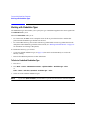
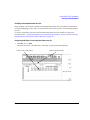
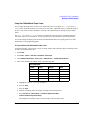
Restoring Default FIR Filter Parameters
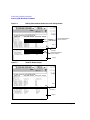
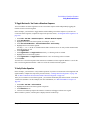
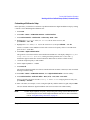
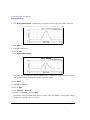
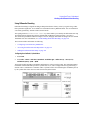
1. Preset the instrument: Press Preset.
2. Press Mode > Custom > ARB Waveform Generator > Digital Mod Define > Filter > Restore Default Filter.
This replaces the current FIR filter with the default filter for the selected modulation format.
Using a User-Defined FIR Filter
FIR filters can be created and modified by defining the FIR coefficients or by defining the oversample ratio
(number of filter coefficients per symbol) to be applied to your own custom FIR filter.
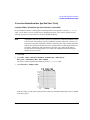
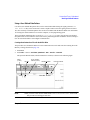
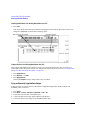
To Modify Predefined FIR Coefficients for a Gaussian Filter Using the FIR Values Editor
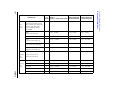
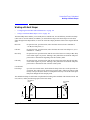
You can define from 1 to 32 FIR coefficients, where the maximum combination of symbols and oversample
ratio is 1024 coefficients. While the FIR Values editor allows a maximum filter length of 1024 coefficients,
the PSG hardware is limited to 64 symbols for real-time and 512 symbols for arbitrary waveform generation
(the number of symbols equals the number of coefficients divided by the oversample ratio).
If you enter more than 64 symbols for real-time or 512 symbols for arbitrary waveform generation, the PSG
cannot use the filter; it will decimate the filter (throw away coefficients) until the required condition is met
and then use the filter, but fine resolution may be lost from the impulse response.
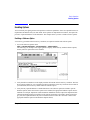
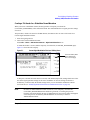
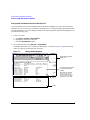
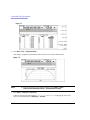
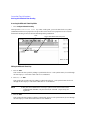
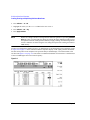
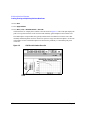
FIR filters stored in signal generator memory can easily be modified using the FIR Values editor. In this
example, you will load the FIR Values editor with coefficient values from a default FIR filter (or, if one has
been defined, a user-defined FIR file that has been stored in the Memory Catalog), modify the coefficient
values, and store the new file to the Memory Catalog.
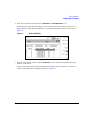
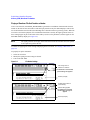
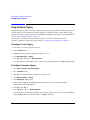
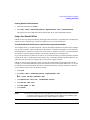
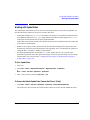
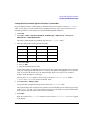
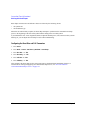
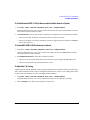
1. Press Preset.
2. Press Mode > Custom > Arb Waveform Generator > Digital Mod Define > Filter
or
Mode > Custom > Real Time I/Q Baseband > Filter
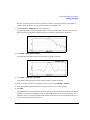
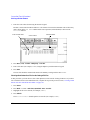
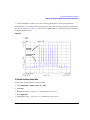
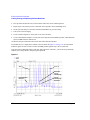
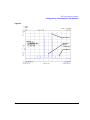
3. Press Define User FIR > More (1 of 2) > Load Default FIR > Gaussian.
4. Press Filter BbT > 0.300 > Enter.
5. Press Filter Symbols > 8 > Enter.
6. Press Generate.
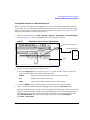
NOTE
Chapter 6
The actual oversample ratio during modulation is automatically selected by the instrument.
A value between 4 and 16 is chosen dependent on the symbol rate, the number of bits
per symbol of the modulation type, and the number of symbols.
127