1
Custom Real Time I/Q Baseband
Working with Burst Shapes
Working with Burst Shapes
•
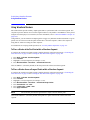
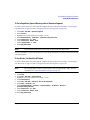
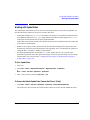
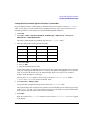
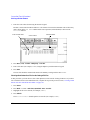
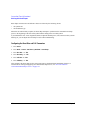
“Configuring the Burst Rise and Fall Parameters” on page 154
•
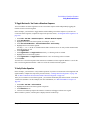
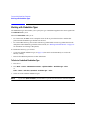
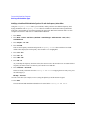
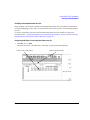
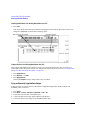
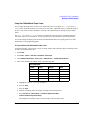
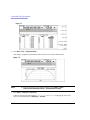
“Using User-Defined Burst Shape Curves” on page 155
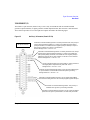
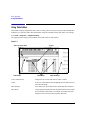
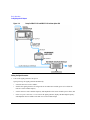
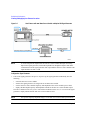
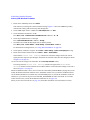
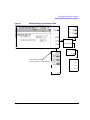
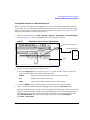
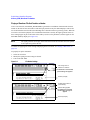
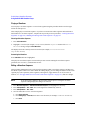
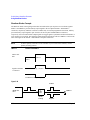
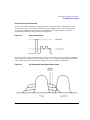
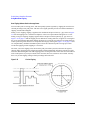
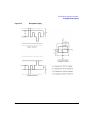
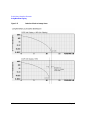
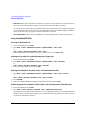
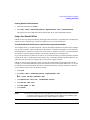
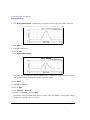
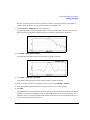
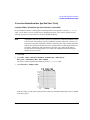
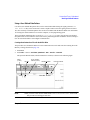
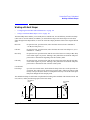
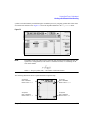
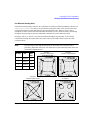
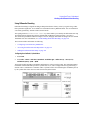
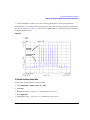
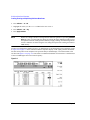
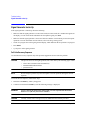
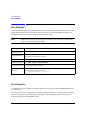
The Burst Shape menu enables you to modify the rise and fall time, rise and fall delay, and the burst shape
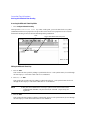
(either sine or user file defined). In addition, you can define the shape of the burst and preview the burst
shape through a Rise Shape Editor, or restore all of the burst shape parameters back to their original default
state.
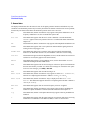
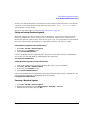
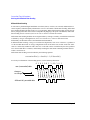
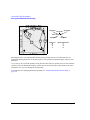
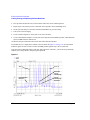
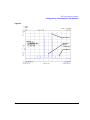
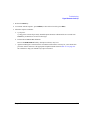
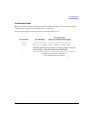
Rise time
the period of time, specified in bits, where the burst increases from a minimum of
−70 dB (0) to full power (1).
Fall time
the period of time, specified in bits, where the burst decreases from full power (1) to a
minimum of −70 dB (0).
Rise delay
the period of time, specified in bits, that the start of the burst rise is delayed. Rise delay
can be either negative or positive. Entering a delay other than zero shifts the full power
point earlier or later than the beginning of the first useful symbol.
Fall delay
the period of time, specified in bits, that the start of the burst fall is delayed. Fall delay
can be either negative or positive. Entering a delay other than zero shifts the full power
point earlier or later than the end of the last useful symbol.
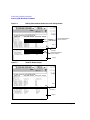
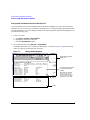
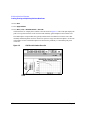
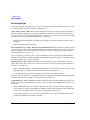
User-defined
burst shape
up to 256 user-entered values, which define the shape of the curve in the specified rise
or fall time. The values can vary between 0 (no power) and 1 (full power) and are scaled
linearly. Once specified, the values are resampled as necessary to create the cubic spline
that passes through all of the sample points.
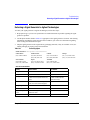
The default burst shape of each format is implemented according to the standards of the format selected. You
can, however, modify the following aspects of the burst shape:
User-Defined
Values
User-Defined
Values
Power
1
0
Rise
Delay
Rise
Time
Fall
Delay
Fall
Time
Time
Chapter 7
153