1
Custom Arb Waveform Generator
Working with User-Defined Setups (Modes)-Custom Arb Only
Working with User-Defined Setups (Modes)−Custom Arb Only
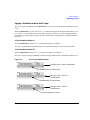
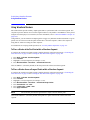
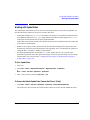
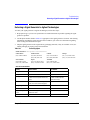
Modifying a Single-Carrier NADC Setup
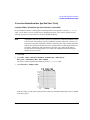
In this procedure, you learn how to start with a single-carrier NADC digital modulation and modify it to a
custom waveform with customized modulation type, symbol rate, and filtering.
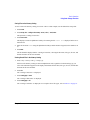
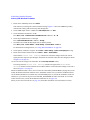
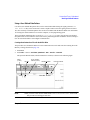
1. Press Preset.
2. Press Mode > Custom > ARB Waveform Generator > Setup Select > NADC.
3. Press Digital Mod Define > Modulation Type > PSK > QPSK and OQPSK > QPSK.
4. Press Symbol Rate > 56 > ksps.
5. Press Filter > Select > Nyquist.
6. Press Return > Return > Digital Modulation Off On.
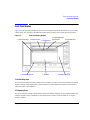
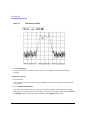
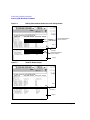
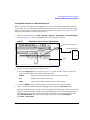
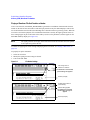
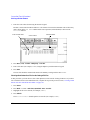
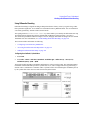
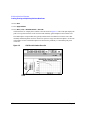
This generates a waveform with the custom single-carrier NADC digital modulation state. The display
changes to Dig Mod Setup: NADC (Modified). During waveform generation, the DIGMOD and
I/Q annunciators appear and the custom single-carrier digital modulation state is stored in volatile
memory.
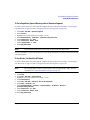
7. Set the RF output frequency to 835 MHz.
8. Set the output amplitude to 0 dBm.
9. Press RF On/Off.
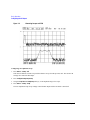
The user-defined NADC signal is now available at the RF OUTPUT connector.
10. Press Return > Return.
This returns to the top-level Digital Modulation menu, where Digital Modulation Off On is the first softkey.
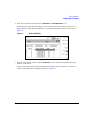
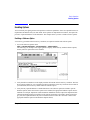
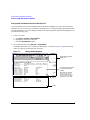
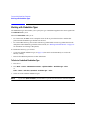
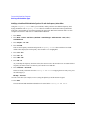
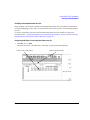
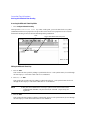
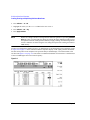
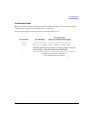
11. Press Digital Mod Define > Store Custom Dig Mod State > Store To File.
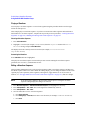
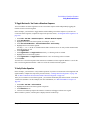
If there is already a file name from the Catalog of DMOD Files occupying the active entry
area, press: Edit Keys > Clear Text
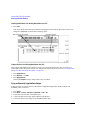
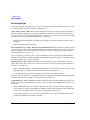
12. Enter a file name (for example, NADCQPSK) using the alpha keys and the numeric keypad.
13. Press Enter.
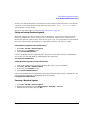
The user-defined single-carrier digital modulation state should now be stored in non-volatile memory.
The RF output amplitude, frequency, and operating state settings are not stored as part of a user-defined
digital modulation state file.
122
Chapter 6