1
Page 4.
Set up locus rules for your gel analysis
You will want the lanes on your gels to be scored according to the
appropriate locus rules that you have determined. If you are working
with multiple species, or multiple people are using the same computer,
you will want unique locus rules for automatic size calling of each
locus.
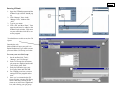
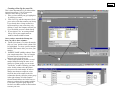
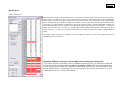
1. Tools > Loci rules
Click the Add Test button
Enter the name for the species or analysis that you will perform on
your gels, and click OK.
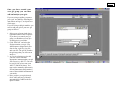
2. Add locus rules
Select the new test name and click on Add Locus
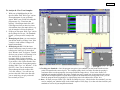
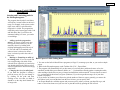
This is simply an example – locus rules can be set using the locus
rule tool (pictured here) or programmed manually in the locus rules
window. The Process is covered in detail on Page 10, and virtually
everyone uses the locus rule tool because it makes life easy.
Repeat this process for each of the loci that you will want to score
within this test group (e.g., a species primer set or a specific
analysis).
3. EXIT STRand (we will want to incorporate the changes we just
made)
4. Restart STRand
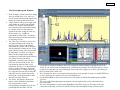
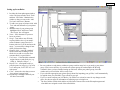
5. Reset preferences
Tools > preferences
Make sure that the value for “Default configuration” includes the full
range of dyes for which you just defined locus rules, and change it to
the appropriate instrument and dye set configuration if it is not
already there. Click on the value for “Default test” and change it to
the test you just named that includes your specific locus rules that
you want applied to your gels and the size standard that you are
using.