1
Page 6.
Once you have created your
own gel group you can then
add and analyze your gels:
If you are using a capillary sequencer,
your ‘gels’ are added by following the
instructions on Page 3, so skip the rest
of this page…
If you are using a slab gel machine, you
need to add your gels to your new gel
group as follows:
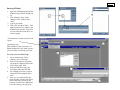
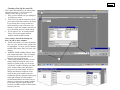
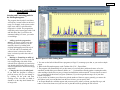
1. Select your gel group in the lower
right hand corner of the Gel Queue.
If you have just created your gel
group you should not see any preexisting gels in your folder.
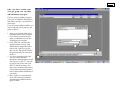
2. Click ‘Add Gels’ and select the
file that contains your gel. (The
ABI Sequencer outputs three files
after its run; a gel file, a log file,
and a run file. The gel file contains
the gel image that you will want to
analyze.)
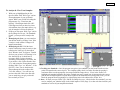
3. As you are selecting a gel to add
you also want to select the
appropriate instrument that your gel
was run on (e.g. ABI 377 A 96 can
be used if your gel was run on an
ABI 377 and has 96 lanes). You
may need to manually add a matrix
file and instrument configuration if
none of the available instruments fit
your needs.
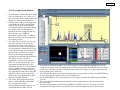
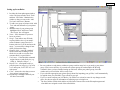
4. Once you have your gel selected,
click ‘Add’ and your gel should
automatically be added to the Gel
Queue window.