1
FH User Guide
1st 09/06, 2nd 10/08
Copyright
Trademarks
Copy and Use
Restrictions
Warranty
Manuals and
Documentation
©1993 - 2008 Affiliated Computer Services, Inc. (ACS) All rights reserved.
2900 100th St., Suite 309
Urbandale, Iowa, 50322
LifeART image © 2005 Lippincott Williams & Wilkins
Medical Dictionary © 1999 Wintertree Software Inc.
PDFRasterizer.NET © 2001-2005 TallComponents BV
Mapping © 1999-2005 ESRI Inc. (portions of this work © 1998-2004 Leica Geosystems
GIS Mapping, LLC.; © 1996-2003 Microsoft Corporation;© 1995-2003 LizardTech Inc.,
MrSID is protected by the U.S. Patent No. 5,710,835. Foreign Patents Pending; based in
part on the work of the independent JPEG Group.
FIREHOUSE Software® is a registered trademarks of ACS. All rights reserved. Microsoft,
MS, MS-DOS, Microsoft Visual FoxPro, and Microsoft Access are registered trademarks.
Windows is a trademark of Microsoft Corporation. CAMEO is a registered trademark. All
other products or services mentioned in this manual are identified by the trademarks or
service marks of their respective companies or organizations. ACS disclaims any
responsibilities for specifying which marks are owned by which companies or
organizations.
ACS is protected by the copyright laws that pertain to computer software. It is illegal to
make copies of the Software except for backups. It is illegal to rent, lease, sublicense, or
otherwise transfer any of the materials. It is illegal to remove or obscure proprietary
notices. It is illegal to duplicate and distribute the Software by any other means, including
electronic transmission. To protect trade secrets contained in the Software, you may not
decompile, reverse engineer, dissemble, or otherwise reduce the Software to human
perceivable form. You may not modify, adapt, translate, rent, lease, or create derivative
works based upon the Software or any part thereof.
ACS warrants the original diskettes and CDs are free from defects in material and
workmanship, assuming normal use, for ninety (90) days from the date of purchase.
Except for the express warranty of the original CDs and diskettes set forth above, ACS
grants no other warranties, express or implied, by statute or otherwise, regarding the
CDs and diskettes and related materials, their fitness for any purpose, their quality, their
merchantability, or otherwise. The liability of ACS FIREHOUSE Solutions, under the
warranty set forth above, shall be limited to the amount paid by the customer for the
product. In no event shall ACS be liable for any special, consequential, or other damages
for breach of warranty.
© 2008 ACS — Printed in the United States. All rights reserved. No part of this work
covered by copyright hereon may be reproduced in any form or by any means — graphic,
electronic, or mechanical — including photocopying, recording, taping, or storage in an
information retrieval system, without the written permission of the copyright owner.
Contacting FIREHOUSE Software:
Sales:
International
Phone: 800 921 5300 ext. 1 Fax: 515 288 4825 [email protected]
CT, MA, ME, NH, NY, RI, VT, Ontario
AZ, CA, NV, OR, WA
Peter Eleftherakis
Jim Brandariz
Phone: 888 362 4446, 508 362 4446
Phone: 800 796 1614, 530 621 0981
Fax: 508 362 5932
Fax: 530 626 8582
AK, AL, CO, FL, GA, HI, IA, ID,
[email protected]
[email protected]
IL, MI, MN, MT, NC, ND, NE,
NM, SC, SD, TN, UT, WI, WY
Roger Dedoncker | Jason Trotter
Justin Powell
AR, KS, LA, MO, MS, OK, TX
Phone: 800 921 5300 ext. 1 DE, IN, KY, MD, NJ, OH, PA, VA, WV
Mike Rogers
Forrest Nace
Fax: 515 288 4825
Phone: 888 941 3473, 214 504 0242
Phone: 800 285 8685, 724 285 3090
[email protected]
Fax: 214 504 0244
Fax: 724 283 9086
[email protected]
[email protected]
Technical Support: Phone: 800 921 5300 ext. 2 [email protected]
Contents
About This Guide Section
Using This Guide
Getting More Information
Workstation Options Section
2
3
Lookups Section
About Lookup Codes
Available Lookup Code Tables
To Complete a Lookup Code-Driven Field
To Install Preset Lookup Codes
To Print a List of Lookup Codes
6
7
8
9
9
Specifying Workstation Options
28
About Workstation Station Codes
28
To Assign a Workstation-Specific Station Code
28
About Startup and Navigation Options
28
To Specify Startup Options
28
To Specify Field Navigation Options
29
About Data Entry Forms
29
To Specify Data Entry Form Options
29
About Tab & Field Coloring
30
To Specify Tab & Field Coloring
30
About Desktop Options
31
To Specify Desktop Options
31
Specifying File Location Workstation Options 32
To Specify File Locations
32
To Enable Local Caching
33
Specifying Other Workstation Options
33
To Specify Report and Queries Options
33
To Specify Internet Options
34
To Specify Automated Task Options
35
To Specify Journal & Reminders Options
35
About Internal Messaging
36
To Specify Internal Messaging
36
About Toolbars
36
To Customize Toolbars
36
About Default Workstation Options
36
To Reset Workstation Options Back to Default
36
Workstation Option Management
37
To Apply Workstation Options to Selected
Workstations
37
Setting Up Lookup Codes
11
Minimum Recommended Codes to Add
12
Minimum Recommended Incident Report Codes
12
Minimum Recommended Occupancy
Management Codes
13
Minimum Recommended Staff Activity and
Training Codes
13
Minimum Recommended Equipment and
Inventory Codes
14
Minimum Recommended Hydrant Management
Codes
14
Minimum Recommended System-Wide Codes
15
Adding Lookup Codes
16
To Add a Lookup Code
16
To Edit a Lookup Code
17
Transferring Codes Between Separate FH
Installations
17
To Copy Lookup Codes to an Installable FH File
17
To Install Lookup Codes from an Installable FH
File
18
Importing Lookup Codes
18
To Import Lookup Codes
18
Administrative Options Section
Setting Up Code Groups
19
Specifying Administrative Options
40
To Add Groups (Using Census Tracts as an
Example)
20
Specifying Licensing Administrative Options
40
To
Specify
Department
Information
40
About Distinct Values Lookups
23
To Add Station
40
To Lock Distinct Values Lookup Category
24
Specifying General Administrative Options
41
To Add Distinct Values Lookups (Category
Locked)
24
To Specify Date and Phone Number Formatting
To Merge Distinct Values Lookups
24
Options
41
To Share Distinct Values Lookups Across
To Specify Network & Multi-User Options 41
Categories
25
To Define Fiscal Year
42
To Specify Spell-Checking Options
42
Contents-1
Contents
To Specify Security Options
42
To Specify Password Complexity Rules
43
Specifying Database Administrative Options
43
To Specify Database Audit Tracking Options 43
To Specify Key Values Administrative Options
44
To Specify Backup and Log Options
44
To Specify System-Wide Requirements and
Station Default
45
To Specify Administrative Data Security
45
To Disable Batch Updating of Contacts
46
To Enable Append-Only Notes and Narratives
46
To Define Field Captions
47
Specifying Incident Administrative Options
47
To Specify General Incident Requirements 47
To Specify General Incident Resource, Units &
Personnel Requirements
48
To Specify General Incident Authorization and
Locking Requirements
49
To Specify All Incident Restrictions &
Ownership Requirements
50
To Specify NFIRS Administrative Options 50
To Specify EMS General Administrative Options
51
To Specify EMS Assessments & Treatments
Administrative Options
52
To Specify EMS State Reporting Options
53
To Specify EMS Privacy and HIPAA Tracking
53
To Specify Investigation Administration Options
54
To Specify Dispatch/Remote Station
Administration Options
54
Specifying Occupancy Administrative Options 55
To Specify Occupancy Master Administrative
Options
55
To Specify Inspections Administrative Options
55
To Specify Pocket PC Administrative Options
55
Specifying Staff Administrative Options
56
To Specify Staff Administrative General Options
56
To Setup LOSAP Values
57
To Specify Staff Administrative Options
57
To Specify Staff Administrative Scheduling
Options
58
Specifying Inventory Administrative Options
58
To Enable Maintenance Prompt for PPE Type
Inventory Records
59
Specifying Hydrant Administrative Options
59
To Specify Hydrant Administrative Options 59
Specifying Invoicing Administrative Options
59
Contents-2
Users and Security Section
Specifying User Security
About Users
To Add Administrative User
To Add Administrator's Helper User
To Add Non-Administrative User
To Assign Module Rights for User
(Non-Administrative Users)
To Assign Lookup Tables for User
(Non-Administrative Users)
To Assign Distinct Value Lookups for User
(Non-Administrative Users)
To Assign Add-Ons Security for User
(Non-Administrative Users)
To Assign Custom
Queries/Reports/Graphs/Maps Categories
Security
To Disable User Login
To Enable Disabled User Login
To Require User Password Change
Specifying Groups
To Add New Group
To Assign User to Existing Group
Reviewing User Activity
To Review Log of User Accesses
To Review Current User Information
62
62
62
63
63
65
65
66
66
67
67
67
67
68
68
68
68
68
69
Concepts Section
Getting Around in Forms
72
Understanding Record Entry Order
How Information is Stored
73
73
Selecting and Browsing Records
To Open Multiple Records
75
75
Staff Activity & Training Section
Staff Records
78
To Add New Staff Record
78
About Staff Contacts
79
To Add Staff Contact to Staff Record
79
About Staff History Records
80
To Add Staff History Records
80
About Staff Equipment Records
80
To Add Staff Equipment to Staff Record
80
About Staff Availability Records
81
To Add Staff Availability
82
About Staff Administrative Information
82
To Add Staff Administrative Information
82
Associating Users With Login Records
84
To Review/Add Staff Links to Login Records 84
Contents
Hiding Staff Members
To Hide This Staff Member
Assigning Staff Member Instructor Codes
To Assign Staff Member Instructor’s Code
Completing User Fields and Attaching Files
To Complete Staff User Fields
To Attach File to Staff Record
About Staff Locking and Modification History
To Change Record Lock Status
To Review Record Modification History
84
84
85
85
85
85
85
86
86
86
Understanding Staff Activity Records
About Staff Activities
To Add a New Staff Activity Record
87
87
87
Understanding Training Classes
Guidelines for Adding Training Classes
To Add Training Class
91
91
92
Understanding Training Program Records
Setting Up Training Programs
To Add New Training Program
Renewing Expired Certifications
To Renew an Expired Certification
To Renew Multiple Expired Certifications
94
94
94
96
96
96
Apparatus, Equipment, and Inventory Section
Understanding Inventory Records
98
Creating New Inventory Records
98
To Add Master Inventory Record
98
About Generic Equipment
100
To Add Generic Inventory Record
100
To Link Generic Equipment to Inventory
Record
100
About Inventory Specifications
101
To Add Inventory Specifications
101
Tracking Inventory Maintenance
102
To Add Maintenance/Test Records
102
To Add Scheduled Maintenance
104
To Run Maintenance Due Report
104
Tracking Inventory
105
To Add Inventory Item
105
To Add Inventory Item Usage from Inventory
Form
106
To Review Inventory
106
About Linked Inventory
106
To Add Linked Inventory
106
To Review Equipment Hierarchy
107
About Inventory Form Other Section Options 107
To Add Inventory User Fields
107
To Attach Files to Inventory
108
To Lock Record
To Review Record Modification History
108
108
Occupancy Management Section
Adding Occupancy Records
110
Creating Occupancy Records
110
To Add New Occupancy Record
110
Merging Occupancy Records
111
To Merge Occupancy Records
112
To Review Merge Activity
112
About Building Information
113
To Add Building Information
113
About Owners and Contacts
114
To Add Owners & Contacts
114
About Occupancy Inspections
114
To Add Inspections & Activities
114
To Batch Schedule Inspections Using Filter
Parameters
115
To Batch Schedule Inspections Using
Occupancy Query
116
To Add/Edit Violations
117
To Add Violation Using the Inspection Checklist
118
To Repair Multiple Violations
118
To Add Inspection Responsible Party
119
To Add Inspection Linked Permits
119
About Occupancy Chemical Inventories
120
To Add Chemicals
120
About Proximate Hydrants
120
To Associate Nearby Hydrants with Occupancy
120
About Storage Tanks
121
To Add Storage Tank Details
121
About On-Site Materials/Products
121
To Add Onsite Materials or Products
121
About the Needed Fire Flow Calculation
122
To Calculate Needed Fire Flow
122
About Occupancy Permits
122
To Add a Permit
122
To Renew Expired Permit from Occupancy 123
To Renew an Expired Permit Outside
Occupancy
124
To Renew Multiple Expired Permit Outside
Occupancy
124
Reviewing Incident Responses
125
To View Incident Responses to the Occupancy
125
Tracking Occupancy History
126
To Add Supplementary History Detail
126
Reviewing Inventory Associated with Occupancy
126
Contents-3
Contents
To Review/Add Inventory Associated with
Occupancy
126
About Preplan Information & Alerts
127
To Add a Preplan/Alert
127
To Display Detail Records from Related Property
Records
127
About User Fields and Attachments
128
To Complete User Fields
128
To Attach Files and/or Signatures
128
About Locking and Modification
128
To Lock Occupancy Record
129
To Review Record Modification History
129
About Multi-Occupancy Property Records
129
To Add New Multi-Occupancy Property Record
(Existing Occupancy)
130
To Add New Occupancy to Multi-Occupancy
Property Record
130
To Link Existing Occupancy to Multi-Occupancy
Property Record
130
To Remove Occupancy from Multi-Occupancy
Property Record
131
To Review All Contacts, Preplans, and
Responses
131
NFIRS Incident Reporting Section
Understanding NFIRS 5.0 Incident Reports
Standard Lookup Code Entries
134
135
Adding NFIRS 5.0 Incident Reports
To Create a New Basic Incident
About Responding Personnel and Units
To Complete Aid Given/Received Details
To Add Multiple Responding Units
To Add a Single Responding Unit
To Edit a Single Responding Unit
To Edit All Responding Units
To Add Staff Activities
About Incident Response Information
To Add Incident Response Information
About Incident Property Information
To Add Incident Property Information
About Involvements
To Add Incident Involvement Information
About Fire Reports
To Add Fire Report
About Structure Fire Reports
To Add Structure Fire Report
About Fire Casualty Reports
To Add Civilian Fire Casualty Report
To Add Fire Service Casualty Report
About EMS/Search & Rescue Reports
136
136
140
140
141
143
145
145
146
147
147
149
149
150
150
150
151
153
153
155
155
156
158
Contents-4
To Add EMS/Search & Rescue Report
158
About HazMat Reports
158
To Add HazMat Report
158
About Wildland Fire Reports
160
To Add Wildland Fire Report
161
About Staff Activities
163
To Add Incident-Related Staff Activity (Not
Response Related)
163
About Incident Equipment Usage
165
To Add Equipment Used
165
About Dollar & Loss Value Reports
166
To Add Dollar Loss & Value Report
166
About Arson/Investigation Reports
166
To Add Arson/Investigation Report
166
About Vehicle Accident/Extrications
167
To Add Vehicle/Extrication Report
167
About NFPA 1710/1720 Information
167
To Add NFPA 1710/1720 Information
167
About Narratives
168
To Add Incident Report Narrative
168
To Enable NFIRS Auto-Generated Narratives
168
About Special Studies
169
To Add Special Studies
169
Completing User Fields
169
To Add User Field Values
169
About Record Locking and Modification
170
To Manually Lock Record
170
To View Manual Record Lock Status
170
To View Record Modification History
170
About State Import/Export History
171
To View State Import/Export History
171
About Report Authorizations
171
To Add Report Authorizations
171
Completing Responding Units and Personnel
Without Editing Main Incident
173
Adding Unit & Personnel Response Entry outside
an Incident Report
173
To Add Unit and Response Entry to Existing
Incident
173
Investigation Reporting Section
Adding Investigation Reports
Adding Basic Investigation Records
To Add Basic Investigation Information
Associating Investigations with Incidents
To Associate Investigation with Incident
Linking Investigations
176
176
176
176
176
177
Contents
To Link Investigation
About Referrals
To Add Referrals
About Evidence Records
To Add Basic Evidence Record
To Add Evidence Test Records
To Add Chain of Custody Records
Adding Photos
To Add Investigation Photo
To Add Investigation Directory of Photos
To Preview Individual Photo
Adding Fire/Arson Information
To Add Fire/Arson Information
Adding Leads/Involvements
To Add a Lead or Involvement
About Scene Information
To Add Scene Information
About Investigation Activities
To Add Investigation Activity
About Investigation Narratives
To Add a Narrative
Completing User Fields and Attaching Files
To Complete Investigation User Field(s)
To Attach File to Investigation
About Investigation Locking and Modification
History
To View Record Lock Status
To View Record Modification History
177
177
177
178
178
178
178
179
179
179
180
180
180
181
181
181
181
182
182
182
182
182
182
183
183
183
183
EMS/Search & Rescue Incident Reporting Section
About EMS Incidents
186
Adding Basic EMS Incident
186
To Add Basic EMS Incident Data
186
About Units & Personnel
189
To Complete Aid Given/Received Details
189
To Add Multiple Responding Units
189
To Add a Single Responding Unit
191
To Edit a Single Responding Unit
193
To Edit All Responding Units
193
To Add Staff Activities
193
Adding Patient Records
195
To Add Basic Patient Information
195
To Add Patient Response Details
196
To Complete Patient Scene Information
196
To Add Vehicle Accident Information
197
Add Search & Rescue Report
198
To Add Patient Clinical Complaint Information
198
To Add Patient Clinical Provider Information
198
To Add Injury Illness Details
199
To Complete the Injury Matrix
199
To Complete Cardiac Arrest & CPR
200
To Add Device Data
200
To Add Patient Vitals and Assessments
200
Add Patient Procedure
201
Add Patient Medication
202
To Replicate Patient
Assessments/Procedures/Medications
203
To Add Patient Status & Transport Information
204
To Track HIPAA Notices
204
To Add a Patient Narrative
205
To Complete Patient User Fields
205
To Attach Files and Signatures to EMS Patient
205
To Manually Lock Patient Record
205
To Display EMS Patient Completion Status 206
Adding Additional Reports to EMS Reports
206
To Initiate NFIRS Incident Report from EMS
206
To Add Equipment Used
207
About the EMS Incident Narrative
207
Complete EMS Incident Report Narrative
Section
207
About Other EMS Records
208
To Add User Fields
208
To Attach Files and Signatures to EMS Incident
208
To Manually Lock Records
208
To Review State Import/Export History
209
To Display EMS Incident Report Completion
Status
209
Dispatch/Remote Station Incident Reporting Section
Adding Dispatch or Remote Station Report
212
Adding Dispatch Reports
212
To Add Basic Dispatch/Remote Incident Report
212
Adding Remote Incident Report
213
To Add Remote Incident Report
213
To Merge Remote Responses to Central
Database
214
Hydrant Management Section
Adding Hydrant Records
To Add New Hydrant Record
Add Hydrant Contacts
Add Hydrant Service Activity
Add Hydrant Flow Tests
216
216
216
217
217
Operations Section
Attach a File
220
Exporting Transaction Files to State
221
Contents-5
Contents
About NFIRS Transaction Files
To Export NFIRS Transaction File(s)
About EMS Transaction Files
To Export EMS Transaction File(s)
221
221
223
224
Using the Department Journal
226
About Event Display
226
To Browse Month and Year
226
To View a Selected Date
226
To Set Filtering
227
To Set Shift Times
227
To Specify Event Types to Display
227
To Display Events Added After Department
Journal Display
228
Opening and Editing Events from the Journal 228
To Open Event from Journal
228
To Add New Records from Journal
228
Send a Message
Sending and Receiving Messages
To Send a Message
230
230
230
Printed Reports and Queries
To Run a Report
To Run a Query
231
231
232
Set Spell Check Options
About Basic Spell Check Settings
To Set SpellCheck Options
To Link to Additional Dictionary Files
About Replacement Text
To Specify Replacement Text
234
234
234
234
234
235
Contents-6
Chapter 1
About This Guide
The User Guide lists the steps to set up and use all record-entry areas of
FIREHOUSE Software. Press F1 while running FH for additional information.
1
Using This Guide
Procedures in this manual assume that FIREHOUSE Software (FH) is
already running, that you have a basic understanding of how to
navigate in Windows programs (for example, you are familiar with
how to use a mouse to select a menu), and are familiar with the basic
purpose of each module installed.
If FH has not been installed, follow the installation instructions
included with the installation CD.
If you are not familiar with FH, use this manual while online help is
running. When you encounter an unfamiliar form or function, press F1
to access the Help File then press the Search tab. Type a term or
keyword, then press Search. Topics containing your keyword are
displayed. Highlight a topic and press Display for the details.
Throughout this manual, you will find specific types of information in
paragraphs marked with special characters.
We have tried to minimize the amount of duplicated information
included in the manual by referencing the information that is available
elsewhere (rather than repeating it). When more specific information is
available for a topic, the page number is referenced.
Example of a reference.
There are three levels of advisories included in this manual. Each level
is indicated with a symbol:
Notice advisories contain general information that may
save time and effort within FH.
Caution advisories contain information that can help you
avoid minor inconveniences.
Danger advisories contain crucial information for avoiding
loss of information.
2
About This Guide
Getting More Information
If there are any questions this manual does not answer, be sure to
check out the FH Help File included with the system. To access the
help file from the program, press F1, or select an option from the Help
menu.
No Internet
Access Required
No internet connection is necessary to run the FH Help
File.
The FH Help File is context sensitive, so when you are using specific
areas FIREHOUSE Software, press F1 and information about the area
is displayed. The FH Help File can also be run separately from within
FIREHOUSE Software by selecting the Help menu FIREHOUSE
Software Help File option.
With the FH Help File displayed, you can use the FH Help File
section to locate specific information, or go to Search, type in
the keywords to search for, then press List Topics. Select a topic
then press Display.
More help on using the FH Help File is available from the Tips for
Using This File link at the bottom of the FH Help File home page.
Using This Guide
3
Setup
Chapter 2
Lookups
Lookup fields are used throughout data entry forms in FH to simplify data entry and
to ensure consistent values. Date fields display a calendar for selecting a date.
User-defined lookup fields display a set of values that can be inserted into the field.
Lookup fields are instrumental for categorizing records so specific records can be
included in reports. Lookup fields list valid values, so instead of typing the
information into the field, the value is selected. Administrators have additional
control over entered information by limiting the ability of users to add, edit, or
delete lookups.
There are two types of fields that can be populated with values, user-defined lookup
codes and distinct values lookup fields. Lookup code fields include a code and
description, and only codes added for the category can be added to the field. Distinct
values lookup fields access a list of distinct values entered into that field in other
records. Any value can be typed into a distinct value lookup (unless the category is
locked), and the distinct value is available for use in new records as soon as the
current record is saved.
5
About Lookup Codes
Lookup codes are stored in lookup tables. Each specific lookup table is
divided into lookup code categories. The lookup category (or lookup)
contains the valid values for a specific field. For example, “Staff Status”
is a lookup category of the Staff Activity and Training Codes lookup
table, and contain valid values to be used in the Status field on the
Staff Member form.
The valid values are the lookup codes you have defined for the
category. There are two elements that make up a basic lookup code:
• Code. The code is from 1 to 25 characters long, and identifies a
specific code record.
• Description. The description is a detailed description of what the
code represents.
Some lookups include additional elements that can be defined. When
the lookups with additional elements are used in a record, the
additional elements are automatically inserted into the fields that
correspond to this additional information.
Each department sets up lookup codes differently depending on how
they use the system. Some departments will not use all available
lookup tables.
Code Set Up
6
Lookups
Setting up the codes your department will use is a crucial
setup task. The codes you enter will potentially save you
time, but proper planning is essential. Once codes are set
up, we recommend controlling access to lookup codes via
security.
Some lookup code-driven fields are required to complete certain
records. You can make other lookup-driven fields required from the
Administration Options form. Other codes are useful for categorizing
records so they can be used in reports and displayed in browser lists.
You do not have to add every possible code before starting to use FH.
The important consideration is that the codes are well thought out and
that you have added as many as you need. You can add additional
codes at any time.
When set up properly, lookup codes ensure consistent data entry while
reducing the number of keystrokes to enter information. Codes also
categorize records so reports identify types of records consistently and
accurately.
Codes can be added to lookup tables on the fly as master records are
added; however, we recommend that you set up your lookup codes
before you start adding records.
Available Lookup Code Tables
Lookup codes are stored in tables. The chart below lists all lookup
tables, along with the area in FH where the lookup codes are used.
About Lookup Codes
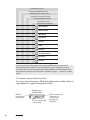
7
Incident Report Codes
Occupancy Management Codes
Staff Activity and Training Codes
Equipment and Inventory Codes
Hydrant Management Codes
System-Wide Codes
User-Defined Field Codes
X
X
*
X
X
*
X
X
*
X
X
*
X
X
*
X
X
*
X
X
*
X
X
*
X
*
X
*
X
X
X
Fire Incidents
EMS Incidents
Occupancy
Inspections
Activity
Staff
Training
Training Program
Inventory
Hydrant
* Lookup codes can be added to user-defined fields throughout FH.
Invoicing and Accounts Receivable codes are also available with the optional FH
Accounts Receivable module. For more information on the invoicing and accounts
receivable codes, see the FH Accounts Receivable Installation and Introduction Guide.
More information about each lookup table is available on page 11, “Setting Up Lookup
Codes”.
To Complete a Lookup Code-Driven Field
Data entry forms throughout FH include lookup-driven fields. Below is
a description of a typical lookup-driven field.
Anatomy of a
Lookup Field
Field for
entering valid
lookup code.
Press to display valid
lookup codes.
8
Lookups
After a lookup code
is entered, the
lookup codes
description is
displayed.
Entering lookup codes on data entry forms (for example, the Staff
Member form) is simple.
If you know the code you wish to add to the record, you can type it
directly into the field. Press Tab to move to the next field, and the
description of the code is included. If the code is not valid, the field is
marked as invalid and positioning the cursor over the field displays
additional information.
If you know the description, part of the description, or keywords in the
description type this in the description field. If only one matching
description is identified, the code and description is inserted. If there
are multiple descriptions matching, they are displayed and the proper
code can be selected. If you will generally be selecting codes using the
description, you can reverse the order so that the description is listed
before the code field via the Workstation Options form General
section.
If you do not know the code or description, you have several
alternative methods for displaying valid values:
x
x
x
Press to display valid values for the field.
With the cursor in the desired lookup-driven field, press the F2
keyboard key to display valid values (unless disabled in
Workstation Options).
Right-click your mouse with the cursor in the lookup-driven field
and select the Lookup option.
Workstation
Options
By enabling right mouse lookups in Workstation Options,
available lookup codes are directly displayed by pressing the
right-mouse button with the cursor in the lookup-driven
field.
To Install Preset Lookup Codes
FH includes sample lookup codes in the DemoData database. You can
install these preset codes:
x
x
x
From the Tools menu, select Lookup Tables…
Select a specific lookup table and category, then press Options. If
preset codes are available for the area, an Install Preset Codes
option is listed.
Select preset codes, then press Install.
To Print a List of Lookup Codes
1. Access the Reports menu.
2. Select the appropriate report category for the codes you want
printed.
About Lookup Codes
9
Incident Report Reports
NFIRS Incident Reports
NFIRS Incident Code Listing
EMS/Search & Rescue Reports
EMS Incident Code Listing
Occupancy Management Reports
Inspection Violation Code Listing
Occupancy Code Listing
Staff, Activity, and Training Reports
Personnel/Training Code Listing
Apparatus, Equipment, & Inventory Reports
Apparatus/Inventory Management Code Listing
Hydrant Management Reports
Hydrant Management Code Listing
Invoicing and Accounts Receivable Reports
Invoice/Accounts Receivable Code Listing
Administrative Reports
System-Wide Codes
Aid Depts and Investigating Agency Listing
City, State, ZIP Code Listing
FIPS County Codes Listing
General System Codes Listing
Insurance Companies/Agents Listing
Station Listing
Street Listing
Unit Code Listing
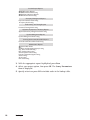
3. With the appropriate report highlighted, press Run
4. Select your output option, then press OK. The Query Parameters
form is displayed.
5. Specify criteria or press OK to include codes in the lookup table.
10
Lookups
Setting Up Lookup Codes
If you already have information that will be used for your codes, you
may be able to import the information to FH.
See “Transferring Lookups” on page 21 if a neighboring department has
lookup codes you can use.
It is important to consider how you will be using the lookup codes
before you add them, since it is more difficult to change your codes
after you have started to enter records. Work the codes out on paper
before using them in the system. Your codes should be completely set
up before any operational data is added. Once you have added the
codes, access for modifying codes should be restricted.
Codes can be added to and edited at any time. If the code has been
used, you will not be able to delete it unless you remove the code from
each record or merge the code you wish to delete with another code.
The more planning you put into codes, the more likely the codes will
save time during data entry. Be sure to look at the codes in the
DemoData to familiarize yourself with general code schemes.
Codes are displayed alphabetically or numerically, meaning that a code
of “1” is displayed before “2”, and “A” is displayed before “B”. Keep the
following in mind:
• Keep codes the same number of characters to ensure predictable
sorting. For example, if you use 1 through 99 for a specific code, pad
the 1 character-wide codes with zeros to the left (for example,
change “1” to “01”).
• All codes in each category must be unique, regardless of whether
they are grouped or not.
• Keep special use codes together, so they are displayed together.
The last point is often overlooked when setting up codes. If related
codes are displayed together, users are more likely to select the correct
code. Note that when multi-select is available, you can select multiple
codes from multiple groups.
predictable sorting, codes should all be the same length. For example,
Tip For
if you set up codes for Pay Scales and you have 20 different codes for pay
scale, with varied length codes (e.g., 1 for Fire Response, 2 for Fire Response to
Medical, and 10 for Medical Response), the sort order may not be what you
anticipate. Using the example codes, the Pay Scales codes would be sorted as
follows:
Code
Description
1
Fire Response
10
Medical Response
Setting Up Lookup Codes
11
2
Fire Response to Medical
The solution is to left pad with zeros so all codes are of equal length (i.e., 01 for
Fire Response, 02 for Fire Response to Medical, and 10 for Medical Response).
Find your longest code, and make all codes equal length by padding zeros to the
left. For example, a six digit code for one padded to the left with zeros is 000001.
Minimum Recommended Codes to Add
You do not need to add lookups to all available categories. The
minimum recommended codes to add are listed below by module.
Minimum Recommended Incident Report Codes
Find Codes
Add keywords to comments for NFIRS 5.0 codes that are
difficult to remember. When you insert the NFIRS 5.0 code
into an incident, use the word or phrase search and use the
keyword you entered to quickly locate the code.
• 911 Used Codes. 1 character maximum codes that indicates
different types of 911 used. Can be required, depending on system
settings.
• Aid Given or Received. Restricted, but you can press New Plus-One
to add a code. Enter 1 character codes for types of mutual aid
received and given. Can be required, depending on system settings.
• Alarm Types. 2 character maximum codes that indicates different
types of alarms. Can be required, depending on system settings. If
there is a type of situation your department tracks, but the situation
is not included in the NFPA Type of Situation code (which can not
be modified) use this field. You can then run reports for incidents
that use the Alarm Type code to track the type of situation.
• Departments/Investigating Agencies. 10 character maximum code
for departments and/or units that give and receive mutual aid in
your area. Can be required, depending on system settings.
• Additional data elements associated with this code are only
required if running multiple FDID’s:
Their FDID
Their ORI
Their FID
Their EMS Svc #
Street Address
City, State, ZIP
Phone Numbers
Email Addresses
Group
Comments
• Response Codes. 2 character maximum code for different types of
unit response. Required to complete responding unit records.
Response Codes are useful for determining how units are being used
by the department.
12
Lookups
Minimum Recommended Occupancy Management Codes
• Preplan Codes. 6 character maximum code for different types of
preplans tracked by your department. Examples include electrical
services, HVAC system information, and security systems.
• Inspection/Activity and Violation Codes include:
• Inspection/Activity Types. 5 character maximum code for
different types of inspection and occupancy related activities.
Examples include consultations, inspections, and plan reviews.
• Expand Violation Code Sets to display available code sets.
You can add violation codes individually, or install additional
violation code sets. Contact your FH sales representative for
more information on available code sets.
• Violation Codes. 25 character maximum code, along with the
violation article, division, page, and default fine amount for
the violation. The default information can be modified. The
violation code set included by default is UFC 1988.
Minimum Recommended Staff Activity and Training Codes
• Staff Activity Positions. 2 character maximum code for different
positions a member can serve on in an activity.
• Staff Activity Types. 12 character maximum code for different types
of activities personnel are involved in. Examples of staff activities
include on scene, standby, meetings, work detail, and fund raising.
A Staff Activity Type code is required to complete staff activities.
Default Hours
and Points
Add the default hours, default hours paid, and default
points for the activity code. When you add default
information and this activity code is used in a staff activity,
the default information is entered for the staff activity (it
can be modified from the staff activity if necessary).
• Expand Staff Member Codes to display available codes:
• Pay Scales. 5 character maximum codes for pay scales, and the
default pay scale rate. Pay scales can be used to give a member a
flat rate amount for a specific activity, the pay scale can be set
as an hourly amount, or as a flat rate added to the staff
member’s default hourly rate.
• Staff Availability Type Codes. 2 character maximum codes for
different types of staff member availability. These codes are
used in availability records. Add codes only if you plan on using
participation reports based on the percentage of availability.
• Staff Driver’s License Types. 5 character maximum codes for
different types of driver’s licenses.
• Staff Member History. 5 character maximum codes for historical
activities you want to track for staff members. These activities
can include immunizations, physicals, tests, certifications you do
not have training programs set up for (for example, an
undergraduate degree), or any historical activities you want to
track.
Setting Up Lookup Codes
13
• Staff Rank Codes. 10 character maximum codes for different
staff ranks/titles.
• Staff Status Codes. 3 character maximum code for different staff
employment statuses. Full time, volunteer, retired, and medical
leave are examples of possible statuses.
• Expand Training Class, Program and Instructor Codes to
display available codes.
• Instructor Codes. 15 character maximum code for instructors.
This code indicates the instructor responsible for training the
staff member. The codes do not have to refer to a specific
individual, but you can add codes in the staff record (Staff form
Other section) for an instructor, and if the code has not been
added to the lookup table, the name of the staff member will be
automatically inserted into the description for the code.
• Training Categories. 12 character maximum code for the
training category. This code categorizes training classes into
categories. You can also associate default hours, hours paid,
points, and objective that are inserted into the training class and
applied to training participant detail records. The Training
Categories code is a required field.
Minimum Recommended Equipment and Inventory Codes
• Equipment Location Codes. 10 character maximum code for
equipment locations. Examples include compartment, crosslay, etc.
These codes are used in master apparatus records and generic
equipment records. Add groups for major apparatus records, then
name the specific location codes in each group so they will be
displayed in the order of the physical locations. Refer to the codes in
DemoData for an example of how to set up location codes.
• Inventory Class Codes. 10 character maximum code categorizing
equipment into general classes. This field is used in the Eqpt Class
field in the Apparatus and Equipment form.
• Maint/Test Job Codes. 10 character maximum code for different
types of maintenance and testing you will perform on apparatus
and equipment. These codes should be general enough so they can
be applied to all apparatus and/or equipment (for example, “Change
Oil”, rather than “Change Truck Oil”).
• Usage Type Codes. 6 character maximum code for different ways
equipment and apparatus will be used. Fire response, maintenance,
and HazMat response are all examples. Add Usage Codes for generic
consumable items like fuel or water. From the Apparatus and
Equipment form, Usage section, you can add an
apparatus/equipment usage detail indicating the quantity used.
• Vendor Class Codes. 6 character maximum code for different
categories of vendors.
Minimum Recommended Hydrant Management Codes
• Hydrant Class Codes. 2 character maximum code for hydrant class.
Hydrant classes usually indicate the relative capacity of the
hydrant.
14
Lookups
• Hydrant Defect Codes. 6 character maximum code for defects and
flaws found in hydrant inspections. These codes are used in hydrant
inspection/repair details if a repair is indicated.
• Hydrant Main Type Codes. 6 character maximum code for different
types of mains used for hydrants in your jurisdiction.
Minimum Recommended System-Wide Codes
• Counties. 5 character maximum code for counties. County is a
required field in certain states. Associate a FIPS Code (you can
select from a list by right mouse-clicking) for each county code you
add.
• District. 5 character maximum code for districts set up in your
department’s area. If your department coverage area is not divided
into districts, you do not have to use this field.
• Shifts. 1 character maximum codes for shifts. If your department
does not have multiple shifts, you do not need to use this field.
Departments that do use formal shifts can still use this code. For
example, a code for night and day can be used to track the number
of incidents that occurred during the day and during the night.
• Station. 3 character maximum code for each station in your
department. This field is useful when running reports at
multi-station departments that summarize information. For
example, list response times by running the “Response Time
Analysis” report and select the station you want to list the
information for.
• Townships. 4 character maximum code for townships covered by
your department. Departments that track boroughs instead of
townships can use this field for boroughs.
• Units. 6 character maximum code for units. These codes represent
specific apparatus from your department that are used when
responding to specific incidents. Unit codes are entered in
responding unit records and in apparatus and equipment master
records.
• Zones. 10 character maximum code for zones. Use zones to define
service areas into geographic area. If you are looking for a field to
track “box” numbers, use the Zone field, described below.
• Expand Cities, States, and ZIP Codes to display available codes.
• City, State, ZIP. Enter the cities, states, and ZIP codes commonly
covered by your department.
• Expand Streets to display available codes.
• Street Names. Enter streets commonly covered by your
department. Note that you can not repeat the same Prefix +
Street/Highway + Type + Suffix; all additional fields associated
with streets are defaults that will be inserted into records when
the street is used as default values. Enter additional values only
when the values are appropriate all the time. Even if you do not
plan to add all streets as you start to use FH, you should enter
some basic streets. At a minimum, enter the busiest streets into
this category.
Setting Up Lookup Codes
15
Adding Lookup Codes
To add or edit lookup codes, you first have to access the lookup codes.
Next, add the lookup codes as needed. You can set up or modify groups
that specify how lookup codes are grouped together (see page 14 this
chapter).
Access Lookup
Directly
You can also add, edit, and delete lookup codes to a single
category directly from lookup-driven field.
To Add a Lookup Code
x Select the Tools menu, Lookup Tables option. A form displaying
available lookup code tables is displayed.
x Select the lookup table you want to modify.
x To display code categories for a code category group, press .
x Select a specific code category by highlighting, then press Setup.
The Lookup form is displayed listing all codes for the category.
x Press New and a blank Code For form is displayed.
x Add values to the Code and
Description fields.
Some lookup codes have slightly
Completing the Comments
different fields than the example below.
field is optional.
Additional available fields
are available for certain
lookup codes. When you
add values to these extra
fields, those values are
added to the appropriate
record fields when the
lookup code is used.
x
x
x
x
16
Check Hide This Code if
you want to exclude the
code from the Lookup form
(hidden codes can be displayed by checking Show Hidden Codes at
the bottom of the Lookup form).
Press Save. The code, description, and comments are added to the
lookup codes, or if you edited an existing code, the modifications are
added.
Repeat the steps above for each code you wish to add, then press
Close to return to the Lookup Tables form.
Press Close if finished.
Lookups
To Edit a Lookup Code
Changing Codes
In Use
x
x
x
x
x
x
x
x
x
When you edit a lookup code that is used in a record, FH
will change the value in the FH record to match any
changes you make. This process may take some time. If
you want to combine an existing lookup code with another
code, use the merge lookup code feature.
Select the Tools menu, Lookup Tables option. A form displaying
available lookup code tables is displayed.
Select the lookup table you want to modify.
To display code categories for a code category group, press .
Select a specific code category by highlighting, then press Setup.
The Lookup form is displayed listing all codes for the category.
Press Edit and the Code For form is displayed with the existing
code information.
Edit values to the Code and Description fields.
Check Hide This Code if you want to exclude the code from the
Lookup form (hidden codes can be displayed by checking Show
Hidden Codes at the bottom of the Lookup form).
Press Save. The code, description, and comments are added to the
lookup codes, or if you edited an existing code, the modifications are
added.
Press Close if finished.
Transferring Codes Between Separate FH Installations
There are alternatives to manually entering each lookup code one at a
time. Lookup codes can be transferred between different copies of FH.
For example, if there are two departments in the same county that use
FH and they use the same general system codes (like streets), the first
department to set up the codes can share the set up codes with the
second department.
Transferring codes is a two step process:
• Copy to.
• Install from.
To Copy Lookup Codes to an Installable FH File
x Select the Tools menu Lookup Table option.
x Select the lookup table that contains the codes you wish to copy
from.
x Press Options, then Copy To.
x Press to File and specify a path and file name you want the codes
copied to, then press Save.
Setting Up Lookup Codes
17
x
Press OK. The codes are copied to the specified path and file name.
To Install Lookup Codes from an Installable FH File
x You will need to move the file you created to a location that can be
accessed by the workstation you are installing the codes at.
x From the Administration menu, select the Install New or
Updated Components option.
x Press Install From, then select the path and file name you want to
install the codes from, press Open then OK. A list of lookup
categories available for installation (and additional items if
included) is displayed.
x Tag the lookup categories you wish to install.
x Select the install method:
x Select Merge new or updated components with existing
components to add the code to your existing codes without
deleting your current codes.
x Select Replace existing components with new or updated
components to completely erase your current codes when
installing lookup codes. If you install codes and select Replace
existing components with new or updated components,
overwritten codes will remain in records they were entered in,
resulting in records containing invalid data.
x Press OK to add the lookup codes, or Cancel to exit without
installing the lookup codes.
Importing Lookup Codes
If you have data that will be used in lookup codes available in ASCII or
.DBF format, you can import this information directly into FH without
manually entering it.
Most applications can export to ASCII or .DBF formats. DBF is
recommended. Use an application such as Microsoft Excel or Lotus 123
to manipulate and format the data if necessary prior to importing (for
example, if the application where the information originates does not
export to a FH required import format, use the “helper” application to
open and format, then export to a supported format).
Once you have the data available for importing, import using the
Administration menu, Database Administration option, Import
from External Data Source option.
To Import Lookup Codes
x Press New. The Select Import Type form is displayed.
x Select either Standard Database Import or Lookup Table Import.
18
Lookups
x Select Standard Database Import if the source data includes
more than one category of lookup code (for example, streets AND
counties).
x If the source data includes only one category, select Lookup
Table Import. When Lookup Table is selected, the Category field
is required. Press the lookup button and select the desired target
lookup table.
The remaining procedure assumes that the source data includes
only a single lookup category, and that the source is either DBF or
delimited ASCII.
x
Name the import, specify source type, and select source file.
See the Advanced Feature Reference "Import External Data” chapter for more
specific information.
x
x
x
x
x
x
x
Press Add. The External Data Import Field Properties form is
displayed with the target table already selected.
Select the target field, then double click on the field from source
table that goes to target. Code, Description, and Comments are the
fields you will most likely use. Class is only used if lookup codes are
grouped.
Save and close the External Data Import Field Properties form.
Save and close the External Data Import Properties form.
Press Run to import the data.
Press Commit to add the data to the specified lookup.
Press Close.
Setting Up Code Groups
Code groups allow similar codes to be stored together under common
headings. Groups are optional, and when used properly, organize the
lookup codes for a specific category into manageable lists. When a
specific lookup is displayed, group names and ungrouped codes are
displayed. For example, if street codes were divided into two groups,
alphabetic streets and numbered streets, the lookup would look like
this when displayed in a lookup table:
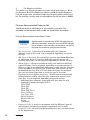
See “Setup Code Groups” on page 14 in this chapter.
Alphabetic
Numeric
Each group can contain many street names. Selecting a group drills
down to display the codes associated with the group. For example, the
“Alphabetic” group was selected below, so the associated codes are
displayed below the group:
Setting Up Lookup Codes
19
Alphabetic
Any Street
Baker Avenue
Etc.
Numeric
You can display and hide codes for the group, minimizing the amount
of scrolling required to view all lookup codes. Below are our
recommended guidelines for using lookup code groups:
• If you have more than 50 codes, groups will probably reduce time
spent searching for specific codes.
• Limit yourself to 50 groups, if possible.
• Make group names as descriptive as possible.
• Select groups that will be understood by all users.
In this example, we will add groups to the Census Tract lookup in the
DemoData. By grouping tract codes numerically, you will be able to
access all Census Tract lookup codes with less scrolling.
To Add Groups (Using Census Tracts as an Example)
x Select the Tools menu Lookup Tables option.
x Highlight the area and category to add groups to, then press Setup.
x Press the Groups button. The Lookup Groups form is displayed.
x Press New Group. The
Group for Census Tracts
In this example, Census Tracts was
form is displayed.
selected from the System-Wide Codes
while using the DemoData database
directory. The information pictured was
created specifically for this example.
20
Lookups
x
x
Type in the group name, description, and comments. Comments are
optional.
Press OK. The Lookup
Groups form is displayed
with the codes that are
available to be added to
the group.
Code
Availability
In this example, groups are added so
Census Tract codes are grouped
together by numeric ranges to reduce
scrolling down the code list for census
tract codes in the higher ranges.
All codes
are available
to be added
to a group
whether
they have
been added
to another
group or
not. Adding
a code to a
group when
it has
already
been added
to a
previous
Grouped codes are displayed to the
group
right. Press
to display codes added
removes it
to the group. See Setup page 20 for an
from the
illustration of groups.
original
group and
adds it to the new group.
Setting Up Lookup Codes
21
x
22
x Codes are listed as they are grouped in the top field. Group
names are displayed in the These are all the available groups
area. Select the group to add the code to.
x Add groups and move
codes until each group
Highlight the code(s) to add to a group
includes the codes you
in the top list and highlight the group in
want to associate with
the bottom list, then press Apply
it.
Grouping to add the item to the
Press Close when you are
selected group.
finished, and the lookup
To remove a code from a group, press
codes will be grouped as
to the left of the group name in the
bottom list to expand the list. Select the
you have specified. In the
code(s) to remove, then press
example below, groups
Ungroup Items.
were added to census tract
To move codes from one group to
codes for numeric ranges.
another, expand the group containing
the code to move in the top list and
select the group to move the code to in
the bottom list, then press Apply
Grouping.
Lookups
About Distinct Values Lookups
Distinct values lookup codes are fields with access to a list of distinct
values made into that field in other records. Any value can be typed
into a distinct value lookup (unless the category is locked), and the
distinct value is available for use in new records as soon as the current
record is saved. The Dispatched For field in the EMS/Search & Rescue
Report form is an example of a distinct lookup field.
Distinct value lookups will accept any text by default. If necessary, the
category can be locked to prevent user entry, in which case the lookup
behaves like a lookup code field without the code field. Distinct values
for categories can be shared by other categories likely to use the same
values (for example, the Equipment Brand category in fire reports will
likely use the same values as the Equipment Model category in HazMat
reports) and distinct values can be edited and merged with one
another.
Distinct values lookups are available in the following areas:
Record Area
Dispatch & Remote Station Incident Reports
Category
Reason
Reason
EMS/Search & Rescue - Billing/Guardian
Information
Relationship to
Patient
Relationship to
Patient/Victim
EMS/Search & Rescue - Meds Administered
Dosage (free entry) Text Description and
Other Instructions
EMS/Search & Rescue - Patient/Victim Insurance Relationship to
EMS/Search & Rescue - Patient/Victim Reports
Field Caption
Patient
Relationship to
Patient/Victim
Account Number
Patient Account #
Attending Physician Attending Physician
or Designee at
Destination
Complaint
Chief Complaint
Primary Physician
Primary Physician
Reason For
Transport
Reason for Transport
Secondary
Complaint
Secondary Complaint
EMS/Search & Rescue Incident Reports
Reason for Call
Dispatched For
EMS/Search & Rescue Patient Report
Authorizations
Assignment
Assignment
About Distinct Values Lookups
23
Record Area
Fire Reports
Category
Field Caption
Equipment Brand
Brand
Equipment Model
Model
Mobile Property
Model
Model (in Mobile
Property area)
Equipment
Manufacturer
Manufacturer
Equipment Model
Model
Equipment Brand
Brand
Equipment Model
Model
Mobile Property
Model
Model (in Mobile
Property area)
Incident Report Authorizations
Assignment
Assignment
Investigation - Evidence Collected
Collected By
Collected By
Investigation - Photographs
Taken By
Taken By
Investigation - Tests Performed
Performed By
Performed By
Staff Member Insurance
Relation to Staff
Member
Relationship to
Insured
Fire Service Casualty - Equipment Failures
HazMat Reports
To Lock Distinct Values Lookup Category
x From the Tools menu, select Distinct Value Lookups.
x Highlight the distinct lookup to modify then press Setup.
x Check Lock field date entry to only allow the values currently
displayed in this list. The list of other areas where the distinct
values will be available are listed.
x Press OK.
To Add Distinct Values Lookups (Category Locked)
x From the Tools menu, select Distinct Value Lookups.
x Highlight the distinct lookup to modify then press Setup.
x Press New.
x Type a distinct value, then press OK.
To Merge Distinct Values Lookups
x From the Tools menu, select Distinct Value Lookups.
x Highlight the distinct lookup to modify then press Setup.
x Highlight the specific value to remove ("Pane" in this example), then
press Merge.
x Select the value to use in the future then press OK.
x The new value is applied to records that used the old value. The
previous value is no longer available.
24
Lookups
To Share Distinct Values Lookups Across Categories
x From the Tools menu, select Distinct Value Lookups.
x Highlight the distinct lookup to modify then press Setup.
x Check Combine lookup options for this field with other common
fields. The list of other areas where the distinct values will be
available are listed.
x Press OK.
About Distinct Values Lookups
25
Setup
Chapter 3
Workstation Options
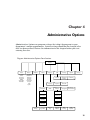
Workstation options are program settings that adapt the program to your
department’s unique requirements. Be sure to review available options listed in this
chapter before you start entering live data.
Note that some installations will include sections not detailed in this manual. See
the FH Help File for information on sections not detailed in this guide.
Diagram: Workstation Options Form Sections
Workstation
Options
General
Local Data
& Files
Remote
Data
Mapping
Options that
control the
general FH
workstation.
Standard FH
database
connection
details.
FH Enterprise
database
connection
details.
Options that
control the
FH mapping
functionality.
Startup &
Navigation
Data Entry
Forms
Tab & Field
Coloring
Pocket PC
Options that
control the
optional FH
Onsite
Inspections
application.
Scheduling
Other
Options that
control the
optional staff
scheduling
module.
Standard FH
database
connection
details
Desktop
Reports &
Queries
Internet
Automated
Tasks
Journals &
Reminders
Internal
Messaging
27
Specifying Workstation Options
Workstation options apply to all users at the workstation unless Allow
individual user preferences is enabled from the Administrative
Options form General section.
About Workstation Station Codes
Workstations can have a Station code associated with them that can be
defaulted into new records initiated at that workstation. To use the
Station code associated with the workstation, you must also select Use
the station where the location is physically located option on the
Administrative Options form Database section Rules & Defaults
section.
To Assign a Workstation-Specific Station Code
x Select the Tools menu, Workstation Options option.
x Click the General tab, Startup & Navigation tab.
x Type or look up Workstation Location. The station value entered is
defaulted in Station fields for new records initiated from the
workstation unless otherwise specified in Administrative Options
form Database section Rules and Default Values section.
x Press OK.
About Startup and Navigation Options
Control the startup options and basic form navigation options for the
workstation.
To Specify Startup Options
x Select the Tools menu, Workstation Options option.
x Click the General tab, Startup & Navigation tab.
x Check Automatically load the Reminders form on login to display
the Reminders form after logging in to FH.
x Check Automatically load the Journal on login to display the
Journal form after logging in to FH.
x Press OK.
28
Workstation Options
To Specify Field Navigation Options
x Select the Tools menu, Workstation Options option.
x Click the General tab, Startup & Navigation tab.
x Check Beep on record save and notifications if you want the
computer to beep when those events occur.
x Check If you type to the end of a field, automatically advance to the
next field to advance to the next field when the field value fills the
field (for example, typing the 10 characters of a telephone field).
x Check Highlight the entire field when you tab into it to highlight the
contents of a field when you first advance to a field using Tab.
x Check Clicking the right mouse button activates the field lookup if
you want to display lookup selections using your right mouse
button (when cursor is positioned in a lookup-driven field).
x Check Pressing F2 activates the field lookup if you want to display
lookup selections using your F2 keyboard key (when cursor is
positioned in lookup-driven field).
x Check Allow cursor to tab into description field for “on-the-fly”
searches... to look up codes by their description. When enabled, the
cursor will go to the code description field instead of the code field
when you navigate through the data entry form using your Tab
keyboard in the following manner:
x Select ‘Conditionally’ to only tab into the code description field
when the code is required and a code has not been entered, or
when the entered code is invalid.
x Select ‘Always’ to always tab into the code description field
whether the code has been added or not.
x Select ‘Only’ to skip the code field and always tab in to the code
description field. You can still put your cursor in the code field
using your mouse.
x Press OK.
About Data Entry Forms
Control data entry form behavior. Data entry form behavior should be
tailored to how the workstation will primarily be used.
To Specify Data Entry Form Options
x Select the Tools menu, Workstation Options option.
x Click the General tab, Data Entry Forms tab.
x Select When a data entry form first loads option:
x Select "Load the last record I was working with" to display the
last saved record when you open any data entry form.
Specifying Workstation Options
29
x
x
x
x
x
x
x
x
x Select "Start with new, blank record" when you open any data
entry form. Select this option if you will always be adding new
records when you open records.
x Select "Display the default query so I can select records" to
display the list of available records when you open any data
entry form.
Check Display confirmation prompt before adding new records to
prompt the user when new records are created. Adds an additional
step to record creation, but may minimize accidentally created
records.
Check Auto-apply the default memorized template (if there is one) to
new records to use the default memorized template when you
create new records.
Check Query and display any matching records before adding a
new record to display records with matching values when a value
entered in the key field of a new record matches the corresponding
value of an existing record. Adds an additional step to record
creation when entering records that share key values, but may
prevent accidentally entering the same information twice.
Check Confirm master record deletion by typing “Yes” to prompt
users before deleting master records. Adds an additional step to
record deletion, but may minimize accidental master record
deletion.
Check Hide the “Delete” button from the bottom of data entry forms
to remove the Delete button from master record data entry forms.
Records can still be deleted from the Form menu.
Check Hide the “Delete” button from linked record lists to remove
the Delete button from master record data entry forms where
linked records are listed. To delete a linked record, open the linked
record and press Delete.
Check Automatically save the current record every and specify the
interval in minutes. Records with required elements missing are not
saved.
Press OK.
About Tab & Field Coloring
Specify the colors used for data entry form tabs and fields. FH data
entry forms are color coded to indicate required, complete, and
incomplete data elements.
To Specify Tab & Field Coloring
x Select the Tools menu, Workstation Options option.
x Click the General tab, Tab & Field Coloring tab.
30
Workstation Options
x
x
x
Check Use color coding for data entry tabs to color code form
section tabs:
• Required sections contain fields that must be complete and that
have not been completed before the record can be saved.
• Complete sections contain fields that must be complete and that
have been completed.
• No Data sections have optional fields, and no information has
been added.
• Data sections have optional fields, and information has been
added.
x Click a tab, select a color, then press OK to change the section
tab color coding.
x Check Show required tabs in bold font to boldface required
section tab text.
x Check Show the active tab in bold font to boldface the tab text
for the currently active section. Option only available if Show
required tabs in bold font is not selected.
Check Use color coding for fields to color code form fields based on
whether they are:
• required but empty,
• required and complete,
• contain invalid information and cannot be saved, or
• contain possibly invalid information but can be saved.
x Click a field, select a color, then press OK to change the field
color coding.
x Check Color checkboxes and option buttons to color-code
checkboxes.
Press OK.
About Desktop Options
Specify the appearance of the FH desktop.
To Specify Desktop Options
x Select the Tools menu, Workstation Options option.
x Click the General tab, Desktop tab.
x Position cursor in the main area of the Desktop section and left
mouse click, select a color, and press OK to change color of the FH
workspace background.
x Select an image to display in the FH workspace:
x Select from the standard graphics included with FH, or choose
“Select...”, highlight a graphic file then press Select to display a
graphic of your choice in the FH workspace. You can also click
the graphic displayed in the Desktop section to display a file
dialog for selecting a different graphic.
Specifying Workstation Options
31
x
x
x
x
x
x
Check Display status bar to display the status bar at the bottom of
the FH workspace.
Check Center forms on load to open FH forms centered on the FH
workspace.
Check Larger text for fields to increase the size of text displayed in
fields.
Check Picture Menus to include icons for menu options when
available.
Check Use Windows XP Theme to use themes (only available for
Windows XP).
Press OK.
Specifying File Location Workstation Options
Unless you have a network installation, the directory information is
defaulted to the proper location. The Lookup and CAMEO® directories
are optional.
To Specify File Locations
x Select the Tools menu, Workstation Options option.
x Click the Local Data & Files tab.
x Press Database to specify the location of the database directory.
The specified location will be used next time FH is accessed. If you
are temporarily switching between databases, you should change
the database directory via the Login form as you are accessing FH.
See the FH Help File "Select Directory" topic for information on selecting a directory.
x
x
32
Optionally specify the lookup code table location. The lookup code
tables are stored in the Database directory by default. Allow FH to
manage this location unless you have specific reasons for doing
otherwise. To specify:
x Check Use an alternate location for lookup tables... to specify a
directory for lookup code tables.
x Press Lookup. The Alternate Lookup Location form is
displayed.
x Press Lookup and specify the location of the lookup directory,
then press OK.
x Press OK.
Optionally specify where your CAMEO® data is stored. FH will use
CAMEO data (not compatible with the CAMEOfm version) in
chemical inventory records added for occupancy records. To specify
location:
x Press CAMEO® Data. The Cameo Data form is displayed.
x Press CAMEO Data, specify location, then press OK.
x Press OK.
Workstation Options
x
x
x
x
x
Press System to specify the location of the system directory.
Workstation options are stored in the system directory.
Press Queries to specify the location of the queries directory.
Press Reports to specify the location of the reports directory.
Press Help to specify the location of the online help directory. For
optimal performance, FH Help must be installed to a location on C:\
Check Check for duplicate or misplaced tables or database on
startup to validate file locations.
See the FH Help File "Validate File Locations" topic for more information on using this
utility.
x
x
Check Use transactions for data updates to enable transaction
processing. Transaction processing enables multiple system actions
within FH to be treated as a single step, simplifying certain
recovery procedures should errors arise. For example, if you modify
values for several fields for an incident report the update is treated
as a single transaction. If one of the values in the transaction fails
to be saved, none of the other transaction values are applied. To
optimize performance, leave this option disabled.
Press OK.
To Enable Local Caching
x Select the Tools menu, Workstation Options option.
x Click the Local Data & Files tab.
x Check Enable local caching of system and lookup tables. This option
allows you to copy the most up-to-date lookup codes and system
database from a central location and use them locally. You will not
be able to modify the lookup codes locally. DO NOT set this path to
the root directory where FH is installed. It must be a sub-directory
location (Example: C:\Program Files\FIREHOUSE Software\Cache\)
x When Enable local caching is checked, press Cache, highlight
the cache directory then press OK.
x Press OK.
Specifying Other Workstation Options
Other workstation options control report and query behavior, internet
options, automated tasks, and journal and reminder options.
To Specify Report and Queries Options
x Select the Tools menu, Workstation Options option.
x Click the Other tab, then select the Reports & Queries tab.
x Check Disable output to print if you do not want reports and queries
output to a printer at this workstation.
Specifying Workstation Options
33
x
x
x
Check Disable output to file if you do not want reports and queries
output to file at this workstation.
Check Use Windows default to use the printer set as the Windows
default. Uncheck to select a printer for reports and queries that is
not the Windows default printer.
Select a Report Layout/Preview Data option to control what
preview data is available while creating and modifying custom
printed report forms:
x Select Prompt to allow user to enter parameter values to prompt
for parameter values when report layout is accessed. Press Yes
to display the Query Parameters form, or No to load all possible
records queried by the report.
You can limit the maximum number of records displayed
when pressing No to prompt by temporarily selecting
Never allow user to enter parameter values, specifying a
maximum number, then selecting the Prompt to allow user
to enter parameter values option.
x
x Select Always allow user to enter parameter values to
automatically display the Query Parameters form (when
available).
x Select Never allow user to enter parameter values to load all
possible records queried by the report. The Maximum number of
records value is respected if specified.
x Uncheck All and specify a value to limit the maximum
number of records displayed.
Press OK.
To Specify Internet Options
x Select the Tools menu, Workstation Options option.
x Click the Other tab, then select the Internet tab.
x Check Enable FIREHOUSE Software Internet Features to enable
internet features.
x Select Use FIREHOUSE Software web browser to use an internal
FH web browser when internet website links are activated
within FH.
x Select Use the default web browser to use the default
workstation web browser when internet website links are
activated within FH.
x Check Display hyperlinks underlined to display internet and
email addresses with an underline.
x Select Use FIREHOUSE Software email client to use the FH email
client for sending emails within FH.
x Select Use the default email client to use the email client that is
set up for this workstation whenever an email is originated
within FH.
34
Workstation Options
x
Press Email & FTP Defaults to specify basic email and FTP
information.
x Complete applicable email and FTP fields.
Press F1 with the form displayed to display additional information about available
email and FTP options.
x
x Press OK.
Press OK.
To Specify Automated Task Options
x Select the Tools menu, Workstation Options option.
x Click the Other tab, then select the Automated Task tab.
x Specify automated tasks options. The task processor must be
enabled for automated tasks to run. Select one of the following:
x Select Auto-Load on FIREHOUSE Software Startup to enable the
task processor when FH is opened.
x Select Auto-Load on Windows Startup to enable the task
processor when the computer is on. (Requires a workstation
restart.)
x Select Disable Automated Task Processor to disable the task
processor.
x Optionally press Setup Automated Tasks to add/edit tasks.
The steps to setup automated tasks are detailed in the Advanced Feature Guide.
x
Press OK.
To Specify Journal & Reminders Options
x Select the Tools menu, Workstation Options option.
x Click the Other tab, then select the Journals & Reminders tab.
x Check Filter the journal and reminders forms to only display data
relevant for this station.
Filtering
x
x
When enabled, events associated with different stations are
not included in the department journal or daily reminders,
minimizing the amount of information that is sent. Enabling
this option can significantly improve response times for
departments with numerous stations, especially for
workstations connected to an FH database using a
low-speed connection.
Check Use Day Journal instead of Month Journal to display the
Department Journal form in "Day Mode". Departments with
numerous events displayed may notice improved response using the
Department Journal in Day mode.
Press OK.
Specifying Workstation Options
35
About Internal Messaging
Send messages to specific users/staff within FH. FH messaging creates
multiple notes on save so they can be deleted individually. FH Internal
Messages can be sent to all FH users, specific staff members by
name/station assignment/rank/status (if a Staff ID is associated with an
FH user login record), or specific users or user groups if you do not
associate Staff ID with FH login records.
FH Messaging checks for unread messages at a user-defined interval
and automatically displays a message when a message for the currently
logged in user is received.
To Specify Internal Messaging
x Select the Tools menu, Workstation Options option.
x Click the Other tab, then select the Internal Messaging tab.
x Check Enable Message Polling and specify an interval in minutes to
check for new messages at the specified interval.
x Press OK.
About Toolbars
Toolbars list commonly used options and access major data entry
forms. You can modify toolbar appearance or add new toolbars.
To Customize Toolbars
x Select the Tools menu, Workstation Options option.
x Press Customize Toolbars to modify existing toolbars or add new
toolbars. The Customize Toolbars form is displayed.
Press F1 and review the “Customize Toolbars” topic in the FH Help File for
step-by-step instructions for modifying and adding toolbars.
x
x
Press Close.
Press OK.
About Default Workstation Options
FH is sent out with default options. If you have experimented with
workstation options and wish to return to the original workstation
option configuration, you can do so.
To Reset Workstation Options Back to Default
x Select the Tools menu, Workstation Options option.
36
Workstation Options
x
x
x
Click the General tab, Startup & Navigation tab.
Press Reset Default. All workstation options are returned to the
original settings.
Press OK.
Workstation Option Management
Workstation options can be applied to specified workstations from a
central location. This allows an administrator to set workstation
settings for networked workstations without physically accessing the
Workstation Options form at each workstation. The workstation
options can be applied to all workstations on the network, or only
specific workstations.
To Apply Workstation Options to Selected Workstations
x Select the Tools menu, Workstation Options option.
Server Note
x
x
x
File Locations and Caching and Remote Access Configuration
should not be set from the server. Paths are local at the
server location, so applying the local paths to network
workstations would result in invalid paths.
Make changes to the Workstation Options form General, Local
Data & Files, Remote Data, Mapping, Pocket PC, Scheduling, Other
section and modify the toolbar. The settings you select will be
applied to workstations specified in a later step.
Press Apply to All. The Workstation Settings Deployment
Wizard is displayed.
x Check each area you wish to apply settings for, or press
and
check a specific area option.
x Press Next>>.
x Check each workstation to apply settings to.
x Check Make these the default settings for new workstation that
have not yet connected to apply the selected settings to
workstations added to your FH set up.
x Check Reset all default settings and toolbar for new
workstations to FIREHOUSE Software defaults to return all
selected workstations to the FH default.
x Press Next>>. A description of the settings that will be applied
is displayed.
x Press Finish.
Press OK.
Specifying Workstation Options
37
Setup
Chapter 4
Administrative Options
Administrative Options are program settings that adapt the program to your
department’s unique requirements. Certain settings should not be changed after
data has been entered. Review the information in this chapter before you start
entering live data.
Diagram: Administrative Options Form Sections
Administrative
Options
License
Specify FH
license
information
and general
NFIRS
demographic
information.
General
Database
Incident
Specify FH
behavior for
formatting,
fiscal year
start, log in
requirements,
and spell
check
options.
All Incidents
Auditing
Occupancy
Staff
Inventory
Hydrant
General
Activities &
Training
Scheduling
Occupancy
Inspections
Pocket PC
NFIRS
EMS/Search
& Rescue
Investigation
Dispatch/
Remote Station
Data
Security
Field
Captions
General
General
Resources, Units
& Personnel
Assessments
& Treatments
Authorizations
& Locking
State Reporting
Restrictions &
Ownership
Privacy and
HIPAA
Key Values
Backup &
Logs
Rules &
Defaults
Invoicing
39
Specifying Administrative Options
Administrative options include important information about your
installation of FH, and allows the administrator to specify FH behavior.
Specifying Licensing Administrative Options
NFIRS and EMS information is associated with Station lookup codes.
At least one central station needs to be added before you can export
incidents from FH. Department information needs to be added before
department information can be exported to your state.
To Specify Department Information
x Select the Administration menu, Administrative Options option.
x Type the Department/Agency Name and Number of Stations.
x Optionally check Use Division/Battalion to use Divisions and or
Battalions to group staff listed in the Scheduling Console form and
specify whether "Battalion" or "Division" is the higher organizational
unit.
x Add number of Career Paid, Volunteer Paid, and Volunteer Not Paid
staff members.
x Type the Chief's Name.
x Type System Administrator’s Name of the individual responsible for
administrating the system. The name appears on error reports
submitted to FH technical support.
x Press OK.
To Add Station
x Select the Administration menu, Administrative Options option.
x Press Add. The Code for Stations form is displayed.
x Add details about the station. Be sure to designate individual
stations with separate FDIDs as central stations if you will be
submitting department information and incidents to the state for
that FDID. The information you add is also added to the station
lookup code, or you can select the station if it has already been
added to the lookup.
x Press Save to close the Code for Stations form.
x Press OK.
40
Administrative Options
Specifying General Administrative Options
General administrative options control how dates and phone numbers
are formatted, whether individual user preferences and macros are
allowed, when your fiscal year begins, whether spell-check is
automatically run, general security options and password complexity
rules.
To Specify Date and Phone Number Formatting Options
x Select the Administration menu, Administrative Options option.
x Click the General tab.
x Specify Formatting area options:
x Check Use Windows Control Panel date format to use the date
format specified in Windows Control Panel.
x Check Show Century to include the century (for example, 1999
instead of 99). This information is included in the underlying
database regardless, but will not be displayed in data entry
forms unless checked.
x Specify Date Format (not available if you are using Windows
date format). If available, select how dates are displayed
throughout the system. "MM/DD/YYYY” will display April 1,
2004 as “04/01/2004”. “DD/MM/YYYY” will display April 1, 2004
as “01/04/2004”. “YYYY/MM/DD” will display April 1, 2004 as
“2004/04/01”.
x Select the Date Delimiter character used to divide date in the
system. Select from three options: “/”, “-”, or “.".
x Check Auto-format phone numbers to format phone numbers as
###-###-#### for ensuring consistency among phone
numbers.
Phone Format
x
International users should disable this option if they do not
use the ###-###-#### phone number format.
Press OK.
To Specify Network & Multi-User Options
x Select the Administration menu, Administrative Options option.
x Click the General tab.
x Check Attempt login from network identity to automatically log into
FH using your network identity. An FH login matching the network
login must exist. This feature does not work on all network types.
x Check Allow individual user preferences to allow individual users
to have their own unique desktop settings. When enabled, each user
can define the settings normally specified from the Workstation
Options form General section. User preferences (when enabled) are
accessed from the Tools menu User Preferences option.
Specifying Administrative Options
41
See "To Specify Startup Options", "To Specify Field Navigation Options", "To Specify
Data Entry Form Options", "To Specify Tab & Field Coloring", and "To Specify
Desktop Options" starting page 28 for details on available user-defined options.
x
x
Check Allow use of internal messaging to allow users to create and
send internal messages within FH to other staff members.
Check Allow individual user macros to allow individuals to create
and maintain their own user macros. A macro is a saved set of
defined keystrokes that are launched by a user defined key
combination.
See the FH Help file "Record Macro" topic for more information on creating macros.
x
Press OK.
To Define Fiscal Year
x Select the Administration menu, Administrative Options option.
x Click the General section tab.
x Specify the Month that your fiscal year begins (if other than
January).
x Specify the Day that your fiscal year begins (if other than 1).
x Press OK.
To Specify Spell-Checking Options
x Select the Administration menu, Administrative Options option.
x Click the General tab.
x Check Auto spellcheck narratives/notes on save if you want all
notes and narratives in a record to be spell checked when you save
the record.
x Press Options to set spell-checker settings.
See "Set Spell Checking Options" on page 234 for available options.
x
x Press OK.
Press OK.
To Specify Security Options
x Select the Administration menu, Administrative Options option.
x Click the General tab.
x Check Require passwords to require a password to access FH. We
recommend that this option be enabled.
x Check Allow workstation to be locked to allow the Lock
Workstation option (File menu, Lock Workstation option) to be
used.
x Check Inactivity timeout after and specify the number of minutes
for the program to timeout. When the program times out, you must
enter a valid user name and password to reenter the program.
42
Administrative Options
x
x
x Select Prompt for password reentry to lock the workstation and
require a password for reentry. The timed out FH occupies an
FH license.
x Select Logoff user to log the user out of FH. Unsaved changes are
lost when the program times out. The timed out FH does not
occupy an FH license.
Check Audit failed logins after and specify a number of attempts to
lock the program after a certain number of login attempts. If the
number of attempts are exceeded, the program adds a failed login
attempt to the audit log.
Press OK.
To Specify Password Complexity Rules
x Select the Administration menu, Administrative Options option.
x Click the General tab.
x Check Minimum length then specify the shortest password allowed
to require that passwords are a certain length.
x Check Require change every then specify the interval in days that
users are required to change their passwords.
x Check Must contain letters + numbers or special chars to require
that passwords include a combination of letters and numbers or
special characters.
x Press OK.
Specifying Database Administrative Options
Database administrative options control database auditing, automatic
numbering, backups, rules and security, and default values. Key values
are record identifiers that uniquely identify a record. When you create
a record, the key counter is the field that contains the value that
identifies the record. The key counter can be generated by the system,
or you can create it yourself. A specific key counter value can only be
used in one record.
To Specify Database Audit Tracking Options
x Select the Administration menu, Administrative Options option.
x Click the Database tab, Auditing tab.
x Check Enable basic audit tracking. This needs to be enabled if you
use export to/import from station since it adds modified dates to
records.
x Check Enable detailed audit tracking to enable audit tracking
options. When checked, the following additional options are
available:
Specifying Administrative Options
43
x
x Select Track changes to records to track user name and date of
all changes to records. Every time a record is saved, this option
adds the user name and date to the list of changes made to the
record.
x Select Track changes to fields and track user name, date, and
fields changed.
x Select individual databases to track. For each listed database, a
check in the box in the Audit? column indicates that the
database audit tracking is enabled for the database (when Track
changes to records is checked).
Press OK.
To Specify Key Values Administrative Options
x Select the Administration menu, Administrative Options option.
x Click the Database tab, Key Values tab.
x For each listed table:
x Check Auto-Gen? to automatically generate the key counter
when new records of the specified type are created.
x Table Name is the name of the table the key counter is stored in.
x Field Name is the name of the field the key counter is stored in.
x Specify the Key Format for the key counter:
• ‘Numeric’ only allows numbers.
• ‘Alpha-Numeric’ allows a combination of letters and numbers
(when selected, the key counter will use text from a key text
field, and pad the remainder of the key counter with a
number).
x Specify the Key Length of the key counter. A six character numeric
key counter will look like “000001”, while the same key counter
value would look like “0000000001” if it were 10 characters.
x Press OK.
To Specify Backup and Log Options
x Select the Administration menu, Administrative Options option.
x Click the Database tab, Backup and Logs tab.
x Check Prompt to run a database backup upon logout every to enable
a prompt to back up FH database files. The interval is based on the
number of days entered. When you exit FH, the number of days
since the last backup is calculated and if it exceeds the number
entered in days, you are prompted to create a new database backup.
See the FH Help File "Backup Database" topic for information on using the
Backup/Restore Database feature.
x
44
Check Purge logs every and specify the purge interval for available
logs (the corresponding log is not purged if the value is ‘0’):
• Database Audit Log is accessed from the Administration menu
Database Audit Log option, then select the Data tab.
Administrative Options
x
• User Login History is accessed from the Administration menu
Database Audit Log option.
• Automated Task Log is accessed from the Administration menu
Automated Tasks option, then select the Log tab.
• External Data Import Log is accessed from the Administration
menu Database Administration option Import from External
Data Source option, then select the Log tab.
• PDA Import/Export is accessed from the Tools menu Pocket PC
Tools option View Pocket PC Import/Export Log option.
Export
to Station Log is accessed from the File menu Station
•
Management option Export to Station option, then select the
Log tab.
• Import from Station log is accessed from the File menu Station
Management option Import to Station option, then select the
Log tab.
• Custom Data Export Log is accessed from the Administration
menu Database Administration option Custom Data Export
option, then select the Log tab.
Press OK.
To Specify System-Wide Requirements and Station Default
x Select the Administration menu, Administrative Options option.
x Click the Database tab, Rules & Defaults tab.
x Select fields to require.
x When a specific field name is checked, the field is required in all
records that include the field. Press
to the left of the field
name and records that use the field are listed.
x Deselect specific records if the field should not be required for
that record.
x Optionally add user-defined system rules and default values by
pressing System Rules & Default Values. More information about
adding user-defined system rules and default values is available in
the Advanced Feature Reference.
x Select a Station Default value:
x Select "Use the station where the workstation is physically
located" to use the station specified in the Workstation Options
form General section Startup & Navigation section for new
occupancy inspection, equipment maintenance, staff availability,
and hydrant activity records.
x Select "Use the station from the associated master record" to use
the station from the master record for new occupancy
inspection, equipment maintenance, staff availability, and
hydrant activity records.
x Press OK.
To Specify Administrative Data Security
x Select the Administration menu, Administrative Options option.
Specifying Administrative Options
45
x
x
Click the Database tab, Data Security tab.
Check Respect View Security and Privacy in Queries and Reports to
obscure values from areas that the user running a query or report
does not have security access to. Calculated values and custom
expressions and functions are not excluded regardless of the user’s
security.
Queries and
Reports
x
x
If Respect View Security and Privacy in Queries and
Reports is enabled via the Administrative Options form
Database section Rules and Security section, protected
information is masked in all queries and reports that do not
include the record ID field regardless of the security level
of the user. Include the ID fields for the following list of
tables to use this feature:
EMS Patient, EMS_PTNT.PTNT_ID
Incident Arson Involvements, INC_ASUB.SUSP_ID
Incident Civilian Casualties, INC_CCAS.CAS_ID
Incident Fire Service Casualties, INC_FCAS.CAS_ID
Incident Involvements, INC_INVL.INVL_ID
Check Security Option for Attachments & Signatures to require
administrative access or specific user access to access.
x For FH Enterprise systems only, check Always store a copy of
attachments on the server to store attachments added to records
in the FH database. Enabling this feature only effects
attachments added after the feature is enabled.
Press OK.
To Disable Batch Updating of Contacts
x Select the Administration menu, Administrative Options option.
x Click the Database tab, Data Security tab.
x By default, when you modify a contact and other contacts in the
record area exist, you are prompted to batch update all contacts to
match the currently displayed contact. Check Disallow batch
updating of contacts to disable this functionality.
x Press OK.
To Enable Append-Only Notes and Narratives
x Select the Administration menu, Administrative Options option.
x Click the Database tab, Data Security tab.
x Select the narratives or notes fields to enable append-only for:
x When a specific field name is checked, text can only be appended
at the end of the narrative. Press
to the left of the field name
and records that use the field are listed.
x Deselect specific fields if append-only should not be required for
that record.
46
Administrative Options
x
Press OK.
To Define Field Captions
x Select the Administration menu, Administrative Options option.
x Click the Database tab, Field Captions tab.
x Select the field that you want to add a custom caption for:
x Type the caption to use for the field on data entry forms in the
Field Label area Custom Value field.
x Optionally press Apply custom text to all fields to apply the
custom field caption to all fields that have the same System
Default Description.
x When the selected field is lookup driven, you can also specify a
custom lookup category description in the Field Category
Description area Custom Value field.
x Press OK.
Specifying Incident Administrative Options
Incident administrative options control global incident requirements,
NFIRS and EMS incident requirements, and Investigation
requirements.
To Specify General Incident Requirements
x Select the Administration menu, Administrative Options option.
x Click the Incident tab, All Incidents tab, General tab.
x Check Require narratives for all incidents to make narratives
required to complete incidents.
x Check Require 911 used code to make 911 Used Code required to
complete incidents.
x Check Require a numbered or intersection address to require a
‘Street Address’ or ‘Intersection’ address Type value (in the Scene
Address area) for incident reports. When checked,
'Rural/Directions' and 'National Grid' address Type values are not
allowed.
x Check If both a NFIRS and EMS report exists, prompt to keep shared
data elements synchronized to prompt to synchronize shared NFIRS
or EMS record data when saving a NFIRS or EMS incident record.
x Check Allow scene/address data to be changed even if Occupancy
ID is used to allow occupancy information to be overwritten while
entering incident reports. Departments that wish to update
occupancy records as they are entering incident information (that is,
using address information entered for the incident) select this
option. You are prompted before any information is overwritten.
Specifying Administrative Options
47
x
x
x
x
x
x
Check Do not search for an Occupancy ID matching the scene
address to disable the prompt displayed when entering an incident
record with the same address as an occupancy record.
Check Use state-level validation rules to use state-level validation,
including relaxed address validation (cities and streets are not
required to be in lookups) in incidents. Not recommended unless
you are an incident collection agency.
Check Allow incomplete reports to be saved to allow incident
reports to be saved without being completed. Departments that do
not complete incident reports at the time of entry select this option.
When the incident is saved, a list of incomplete items is displayed,
and if none of the items are critical, pressing Ignore All saves the
incident. FH checks for incomplete status when printing reports or
exporting reports to state.
Specify Numbering Reports:
x Select “YY-#######” to add the year from the incident date.
x Select “#######” to disable the initial two optional characters
in the incident number.
Specify Auto-Numbering Method:
x Select “Calendar Year” to use the calendar year for the two digits
inserted into the incident number.
x Select “Fiscal Year” to use the fiscal year for the two digits
inserted into the incident number.
x Select “None” to disable automatic numbering. Departments that
do not wish to use the first 2 digits of the 7 digit incident
number use this option.
Press OK.
To Specify General Incident Resource, Units & Personnel Requirements
x Select the Administration menu, Administrative Options option.
x Click the Incident tab, All Incidents tab, Resources, Units &
Personnel tab.
x Check Require Resource detail (units and personnel) to require
units/personnel to complete an incident record. Select which
resources to require:
x Check Require units to require unit response detail records.
x Check Require personnel to require participant detail records.
x Check Require personnel info for each unit to require that each
unit response detail record includes participant detail records.
x Check Require detail if aid given or received to require an aid
given/aid received detail when mutual aid given or received is
indicated in an incident report.
48
Administrative Options
x
x
x
x
x
x
x
x
Check Require equipment usage detail to require equipment usage
details to complete incident reports. Equipment usage records for
equipment records that have a unit associated with it are required.
Additional usage records for other equipment used at the scene are
optional.
Check Default times from previous entries for units and aid
given/received detail records to default times into new unit and
mutual aid records.
Check Default actions taken for unit records to add actions taken
from the first unit response detail record to additional unit response
detail records.
Check Default Fire, Medical, Rescue checkboxes in unit/personnel
response based on incident type to select the type.
Check Automatically calculate last unit cleared scene time on main
report from unit entry to complete the Last Clr Scene date and time
on the NFIRS Incident Report form Basic section or the
EMS/Search & Rescue Report form Basic section based on the
latest Cleared date and time entered for responding unit detail
records. Note that if you complete the EMS/Search & Rescue section
of the Unit Response Detail form, the Enroute to Dest time is used
instead of the Cleared time from the Unit Response Detail form
Basic section.
Check Enable “Apply to All” option for fields during unit data entry
to allow information in unit response detail records to be applied to
all other unit response detail records added for the incident.
Check Provide option to enter responding units & personnel from
outside the incident report to allow non-administrative users to add
responding units and personnel to incidents via the File menu Unit
& Personnel Entry option. When disabled, non-administrative
users will not see the Unit & Personnel Entry option on the File
menu.
Press OK.
To Specify General Incident Authorization and Locking Requirements
x Select the Administration menu, Administrative Options option.
x Click the Incident tab, All Incidents tab, Authorizations & Locking
tab.
x Check Require Officer in Charge and Member Making Report
authorizations to require that Officer in Charge and Member
Making Report authorization records be entered to complete the
incident.
x Check Require a Quality Control check authorization to require a
quality control check to save the incident.
x Check Default the assignment field to the member’s unit code to add
the staff member’s unit to the Assignment field (from the staff
member’s responding personnel record if available, or the staff
member’s record) of the authorization record.
Specifying Administrative Options
49
x
x
x
x
Check Automatically Lock Incident Reports to restrict future
incident report modifications using one of the options below.
Otherwise, all users with “Modify” rights for the report can make
changes. Departments that want to increase security on incident
report entry use this option. Related staff activities are not locked.
x Check Allow only the user who entered the report to restrict
future incident report modifications to the person who initially
entered the report or to administrators.
x Check Disallow changes after quality control check
authorization has been entered to lock incident reports after a
report authorization record for quality control (QC) is entered.
x Check Disallow changes and set the number of hours following
incident completion before the incident is locked.
Check Lock Units & Personnel data entry if the incident report is
locked to lock unit and personnel response detail records related to
an incident that is locked. When disabled, unit and personnel detail
records for a locked incident can be modified by non-administrative
users.
Check Unit information comes from CAD to prevent
non-administrative users from adding or editing responding units
records to incident reports.
Press OK.
To Specify All Incident Restrictions & Ownership Requirements
x Select the Administration menu, Administrative Options option.
x Click the Incident tab, All Incidents tab, Restrictions & Ownership
tab.
x Check Restrict view access to other user incident involvements to
add additional security to involvement records. When enabled, an
additional security option for non-administrative users is added to
allow the user to view involvement records added by different
users.
x Check Restrict view access to other users casualty reports to add
additional security to civilian and fire service casualty records.
When enabled, additional security options for non-administrative
users are added to allow the user to view civilian and/or fire service
casualty records added by different users.
x Check Automatically prompt to take ownership of unassigned
records when record is selected for edit to prompt the user
accessing an incident created from external data (for example, an
incident created from CAD data) to take ownership of the
unassigned records.
x Press OK.
To Specify NFIRS Administrative Options
x Select the Administration menu, Administrative Options option.
50
Administrative Options
x
x
x
x
x
x
x
x
x
x
Click the Incident tab, NFIRS tab.
Check Require a NFIRS report for all incidents to require a NFIRS
incident for EMS incidents. Enabling this option ensures that NFIRS
incident printed report statistics include all incidents run by your
department.
Check Require Type of Alarm Code to require Type of Alarm to
complete an incident report record.
Check Require Vehicle/Extrication report for NFIRS incident types
and Type or look up the Incident Type code(s) to require the
vehicle/extrication reports for.
Check Use abbreviated form when starting NFIRS report from EMS
report to display the Initiate NFIRS Report form when creating a
new NFIRS incident report from the EMS/Search & Rescue Report
form Additional Reports section.
Check Require Detail Loss & Value Report when total estimated loss
on basic report > $0 to require a Fire Loss & Value Report if the
entry in the Estimated Dollar Loss field in the NFIRS Incident
Report form Response section is greater than zero.
Check Require Wildland Fire report for incident types 14x and 17x
to require a Wildland Report when the Type of Situation Found
field on the NFIRS Incident Report form is “14x” (Wildland) or
“17x” (Cultivated Crop/Vegetation).
Check Require HazMat Report for HazMat Release code 0 and
applicable incident type to require a HazMat Report when
hazardous materials are indicated.
Check Require Arson report for Cause of Ignition 1 or Wildland
Cause 7 to require an Arson Report when cause of ignition is “1”, or
the cause entered in the Wildland Fire Report is “7”.
Check Provide the option to auto-generate the NFIRS incident
narrative to enable automatic NFIRS report narration.
More information on modifying and creating auto-narrative templates is available in the
Advanced Feature Reference.
x
Press OK.
To Specify EMS General Administrative Options
x Select the Administration menu, Administrative Options option.
x Click the Incidents tab, EMS/Search & Rescue tab, General tab.
x Check Require EMS report for these NFIRS incident types to require
EMS incidents when NFIRS incidents with listed incident types are
indicated. Press
to display a list of available incident type codes.
Adding
Additional Codes
When you press
to add additional codes, the codes that
have already been added are also selected. You need to
press the Ctrl key before selecting additional codes to
add the new code and keep the existing list intact.
Specifying Administrative Options
51
x
x
x
x
x
Check Require Search & Rescue report for these NFIRS incident
types to require EMS incidents when NFIRS incidents with listed
incident types are indicated. Press
to display a list of available
incident type codes. See the above “Adding Additional Codes” notice
before modifying this list.
Check Require Vehicle/Extrication report for NFIRS incident types
or EMS Cause of Injury to require a vehicle/extrication report for
selected NFIRS incident types and/or if the cause of injury in the
EMS incident indicates a vehicle accident or extrication. Use the
buttons to add incident type codes or cause of injury codes. See the
notice “Adding Additional Codes” before modifying this list.
Check Require specific Injury/Illness codes to require injury/illness
details if an injury or illness is indicated in the patient record.
Check Require Injury Matrix if injury to require the injury matrix if
an injury is indicated in the patient record (if applicable).
Check Provide the option to auto-generate the EMS scene/patient
narrative to enable automatic EMS scene/patient report narration.
More information on modifying and creating auto-narrative templates is available in the
Advanced Feature Reference.
x
Press OK.
To Specify EMS Assessments & Treatments Administrative Options
x Select the Administration menu, Administrative Options option.
x Click the Incident tab, EMS/Search & Rescue tab, Assessments &
Treatments tab.
x Check Require a Vitals/Assessments record to require patient vitals
or assessment records for each patient. “Not Assessed” and “Not
Applicable” are options.
x Check Require a Procedure record to require a patient medical
procedure record for each patient. “None” and “Not Applicable” are
options.
x Check Require a Medication record to require a patient medical
medication record for each patient. “None” and “Not Applicable” are
options.
x Check Disallow auto-time increment options during vitals,
procedures and meds data entry to disable the ability for automatic
time incrementing to be used. Select this option if data entry
personnel are not likely to verify times entered for
vitals/procedures/medication records.
x Check Default auto-time increment and specify the Default
auto-time increment. When enabled, adding a
vitals/procedure/medication record adds the most recent time from
the most recent vitals/procedure/medication time plus the specified
number of minutes. Not available if Disallow auto-time increment
options during vitals, procedures and meds data entry is enabled.
x Specify EMS Vitals/Blood Gas Measurement:
52
Administrative Options
x
x
x Select Use Sp02 (%) to track a percentage. Most departments do
not collect arterial oxygen percentage (requiring a highly
specialized tool and generally represented as Sp02).
x Select Use Pa02 (mmHg) to track Pa02 in mmHg units.
Specify EMS Vitals/Temperature Measurement:
x Select Use Fahrenheit to track temperature in Fahrenheit.
x Select Use Celsius to track temperature in Celsius.
Press OK.
To Specify EMS State Reporting Options
x Select the Administration menu, Administrative Options option.
x Click the Incident tab EMS/Search & Rescue tab, State Reporting
tab.
x Press Change EMS Code Set to specify active EMS code set.
See the “Select Active EMS Code Set” in the FH Help File for details about available
EMS code sets.
x
x
x
x
Check Generate Patient Lithocode Values and specify a Start and
End range if your state requires a unique lithocode for each patient.
Lithocode is listed on the Patient/Victim Information form Other
section after the patient record is saved.
Check Require Crew Member Numbers to require that crew
numbers be assigned to staff performing assessments or procedures.
Assign crew via the Patient/Victim Information form Other
section by pressing Assign Crew Member Numbers.
Specify NEMSIS reporting requirements (NEMSIS EMS Code Set
must be installed):
x Check NEMSIS - Export only data elements required for the
national database to only include the NEMSIS elements required
for the national database. When not enabled, all NEMSIS
elements are included.
x Check NEMSIS - include patient confidential information in
export to include confidential patient information like name,
social security number, etc. in the export.
x Enter or lookup an inventory class code (if the Inventory module
is enabled) for Medical Devices Inventory Class to set the
inventory class code identifying NEMSIS medical inventory
items.
Press OK.
To Specify EMS Privacy and HIPAA Tracking
x Select the Administration menu, Administrative Options option.
x Click the Incident tab EMS/Search & Rescue tab, then click the
Privacy and HIPAA tab.
x Type or look up a printed report form to use when printing from the
HIPAA Status form.
Specifying Administrative Options
53
x
x
x
Check Display the patient narrative in the patients list of the main
report to display the patient narrative in the EMS/Search & Rescue
Report form Patients/Victims section when the patient record is
highlighted.
Check List all matching patient names when starting a new patient
record to display matching patients after adding the patient last
name to a new patient record even if the current user does not have
the rights to see patient information. Administrative users will not
be affected.
Press OK.
To Specify Investigation Administration Options
x Select the Administration menu, Administrative Options option.
x Click the Incident tab, Investigation tab.
x Check Default the Investigation ID to Incident Number when
linking to an incident report to use the Incident Number value for
the Investigation ID for investigation records created from an
incident.
x Check Lock the investigation report when it is linked to a locked
incident to require administrative security to modify investigation
records linked to a locked incident.
x Press OK.
To Specify Dispatch/Remote Station Administration Options
x Select the Administration menu, Administrative Options option.
x Click the Incident tab, Dispatch/Remote Station Report tab.
x Check Require incident completion times for remote response
reports to require that Arrival, Cleared, and Back in Svc time values
be added for unit response detail records added to dispatch/remote
station incident reports.
x Check Warn if the following fields are not specified when entering
an EMS patient dispatch report to require values for Unit Notified,
Unit Enroute, Arrived Scene, Cancelled Date/Time (if applicable),
Cleared Scene, Mechanism of Injury/Nature of Illness, Provider
Impression, Initial Level of Provider, Injury/Illness, and Back in
Service in EMS patient records added from the Dispatch/Remote
Station Incident Report form.
x Check Provide the option to auto-generate the Dispatch/Station
narrative to allow Dispatch/Station narratives to be generated.
More information on modifying and creating auto-narrative templates is available in the
Advanced Feature Reference.
x
54
Press OK.
Administrative Options
Specifying Occupancy Administrative Options
Occupancy administrative options control occupancy record behavior
and allows the violation code set to be selected.
To Specify Occupancy Master Administrative Options
x Select the Administration menu, Administrative Options option.
x Click the Occupancy tab, Occupancy tab.
x Check Prompt to add history records when name or building info
changes to prompt to add a history record when occupancy record
values are changed and the record is saved.
x Specify a Default Code value to automatically default an
Occupancy History code for occupancy history records created
when prompted following a change.
x Check Prompt to update all occupancies when primary occupancy
building information changes if you want to be prompted to update
all occupancies that share the Property ID when the primary
occupancy for the Property ID is modified.
x Press OK.
To Specify Inspections Administrative Options
x Select the Administration menu, Administrative Options option.
x Click the Occupancy tab, Inspections tab.
x Type or look up the violation code set to use for reporting inspection
violations in the Inspection Violation Codes area. There are
specific violation codes formatted for use in FH available.
x Check When saving an inspection, prompt to create a future
scheduled inspection to add scheduled inspections after completing
inspections.
x Select Only if there are violations flagged for recheck to only
create future inspections in specific instances.
x Select When an inspection is completed, regardless of whether
there are violations to always prompt to create a future
inspection.
x Check Prompt to print a violation notice if violation records exist
when an inspection is saved if you generally print violation notices
after entering an inspection into FH.
x Press Update Inspection Checklist Items to add inspection
checklist items to the Inspection Checklist Report form.
x Press OK.
To Specify Pocket PC Administrative Options
x Select the Administration menu, Administrative Options option.
x Click the Occupancy tab, Pocket PC tab.
Specifying Administrative Options
55
x
Type the signature header text, following the instructions on the
form.
x Select the query used to select occupancies or inspections exported
to FH Onsite Inspections:
x Select "Occupancy Master Queries" or "Inspection Queries" and
leave the Select Query field blank to use the default query for the
selected category.
x Specify a specific query to use that query to display
occupancies/inspections during FH Onsite Inspections export.
You will not be able to change the query used to display
occupancies/inspections when exporting.
x Optionally check Allow user to select a different query to allow a
query to be selected when exporting to FH Onsite Inspections.
x Press OK.
More information on Pocket PC options is included in the Onsite Inspections
Installation and Introduction Guide.
Specifying Staff Administrative Options
Staff administrative options control general staff record behavior, the
default staff group select method, and the display format for hours on
printed reports. You can also setup the LOSAP values used in the
LOSAP report.
To Specify Staff Administrative General Options
x Select the Administration menu, Administrative Options option.
x Click the Staff tab, General tab.
x Specify the Default Staff Group Select Method for selecting
responding personnel groups (for example, when Add Group is
pressed from a staff activity):
x "Station Roster” lists available personnel based on the station
roster.
x "Staff Master Record (Criteria)” lists available personnel based on
the criteria listed in the Staff Group Select form.
x "Saved Groups” to list available personnel based on a saved
group you select.
x Select the method for Default Station, Shift and Unit in Activities,
Training, and Scheduling for defaulting values in records:
x Select "Use the default station, shift and unit from the activity,
training or schedule record" to apply the default values for the
master activity/training/schedule record to the detail record.
56
Administrative Options
x
x
x Select "Prompt to replace with the station, shift and unit from
the staff master record if specified and different" to prompt the
user to choose between the default Station/Shift/Unit value or
the Station/Shift/Unit value associated with staff member record
when the values are specified in the staff member record and are
different than the defaults in the activity/training/schedule
record.
x Select "Always default the station, shift and unit from the staff
master record if specified" to use the Station/Shift/Unit value
from the staff member’s record if available without prompting
the user. The Station/Shift/Unit defaults from the
activity/training/schedule record is used if a Station/Shift/Unit
value is not specified in the staff member record.
Check Prompt to add history record when rank, status or hire date
changes to prompt to add a history record when a staff member's
Rank, Status, or Hire Date are changed and the record is saved.
x Specify a Default History Code value to automatically default a
Staff Member History code for staff history records created when
prompted following a change.
Press OK.
To Setup LOSAP Values
x Select the Administration menu, Administrative Options option.
x Click the Staff tab, General tab.
x Press Setup LOSAP Values to set up values to use for the Length of
Service Awards report. Press F1 to display the ‘Setup Length of
Service Awards (LOSAP) Report Setup’ topic for more information.
x Press OK.
To Specify Staff Administrative Options
x Select the Administration menu, Administrative Options option.
x Click the Staff tab, Activities & Training tab.
x Select Activity and training hours printed format. This controls the
activity and training activity hours on printed reports only. All time
values in FH data entry forms are decimal only.
x "Display as a decimal number” displays hours in decimal format.
For example, 1 hour and 30 minutes is displayed as 1.5 hours.
x "Display as hours, minutes” displays hours and minutes. For
example, 1 hour and 30 minutes is displayed as 1:30.
x Check Auto-Calculate activity & training hours paid from start and
end date/time to calculate and insert activity and training hours for
new records (Hours Paid and Hours Worked).
Specifying Administrative Options
57
x
x
x
x
x
Check Prompt to confirm times used in calculating hours worked
when adding new activity from incident report to display a form
for specifying the activity start date and time, and the activity end
date and time, when adding staff activities from incident records.
The elapsed time is used in Hours Paid.
Optionally select Except for the listed codes, warn if hours are
entered for absent staff members on options:
x Check Activity Codes... to warn when hours are entered for a
staff participant detail when Attendance Status indicates an
absence.
x Check Training Categories... to warn when hours are entered for
a staff participant detail when Attendance Status indicates an
absence.
Optionally complete Public Education/Service area requirements for
Staff Activity records:
x Check Require public attendance numbers for the following
activity codes and specify the activity codes to require
attendance numbers for (included in the Staff Activity form
Public Education/Service section).
x Check Hide fields for public service (smoke detectors and safety
seats installed) to remove the Public Service area fields from the
Staff Activity form Public Education/Service section.
Optionally require that all rating bureau information be completed
to complete a training record by checking Require responses for all
rating bureau criteria codes. Rating bureau criteria are added via
the Training Class form Rating Bureau section.
Press OK.
To Specify Staff Administrative Scheduling Options
x Select the Administration menu, Administrative Options option.
x Click the Staff tab, Scheduling tab.
x Check Automatically lock duty activities created through scheduling
to prevent non-administrators from modifying staff activity records
created through scheduling.
x Check Only allow updates to staff shift and station from scheduling
to only allow the Station/Shift values for a specific staff member to
be changed in the staff member's duty cycle record. When enabled,
the Station/Shift value can not be modified from the Staff record.
x Press OK.
Specifying Inventory Administrative Options
Inventory administrative options prompt to add maintenance records
when a Staff ID is added or changed for a 'Personal Protective Eqpt'
type inventory record.
58
Administrative Options
To Enable Maintenance Prompt for PPE Type Inventory Records
x Select the Administration menu, Administrative Options option.
x Click the Inventory tab.
x Check Prompt to add maintenance record when Staff ID is added or
changed for PPE type inventory.
x Specify the Default Job code to use in the maintenance record
created when the Staff ID is added or changed in a 'Personal
Protective Eqpt' type inventory record and you answer Yes to
prompt.
x Press OK.
Specifying Hydrant Administrative Options
Hydrant administrative options are designed to prompt to add records
when hydrant status is changed, and to set the flow test calculation
method desired to use.
To Specify Hydrant Administrative Options
x Select the Administration menu, Administrative Options option.
x Click the Hydrant tab.
x Check Prompt to add record when in/out of service status changes.
System codes for IN service and OUT service will automatically be
selected.
x Select the drop-down arrow to choose the appropriate Hydrant
Flow Test Equation used by the department. If the specific
equation is not listed, and the equation is available to the
department, select Custom to enable the fields for expression entry.
x Press OK.
Specifying Invoicing Administrative Options
The optional FH Accounts Receivable module includes several
administrative options. For more information on FH Accounts
Receivable, see the FH Accounts Receivable Installation and
Introduction Guide.
Specifying Administrative Options
59
Setup
Chapter 5
Users and Security
To access FIREHOUSE Software, you must have a user name and a password.
Security is enabled by controlling the access of each user to specific areas.
Security serves two primary functions:
• Selective access to specific areas
• Maintain record modification history
Each user does not need access to all areas. Selective access helps assure
appropriate confidentiality of sensitive information and minimizes potential
administrative problems. For example, most users do not need access to staff
member administrative information. You also do not want to allow all users to
perform administrative actions that could impact the system. Designing security
based on the individual and their responsibilities is the best way of minimizing
security breaches. When you tailor specific users’ access to the areas and features
they need to perform their tasks within FH, you reduce the number of things they
can do wrong (intentionally or unintentionally).
Another issue to consider is the ability to track specific user activity within FH.
When a specific user is logged in, that user name is tied to record entries or
modifications. If a Staff ID is associated with the user setup, the staff member’s
name can be associated with the user name. If questions arise about a specific
record, you can access record entry information and determine who created the
record and who last modified the record. If user names are shared by multiple users
there is no way to determine who actually created or modified the record.
We recommend setting up a login name and password for each user. The password
should be limited to 10 characters or less. You can limit their usage level by
designing the security based on the individual. Any other approach potentially
disables the built in record modification tracking and/or permits security breaches.
61
Specifying User Security
FIREHOUSE Software includes a default user with the highest security
access. (User Name = GUEST, Password = DEMO). When you add your
own administrative users, consider disabling the default GUEST user
since it is a potential security breach.
About Users
You can add many different users, each with their own security levels.
Note that the record modification history will not identify specific
individuals unless user names are set up for each user.
To Add Administrative User
x
x
x
x
Administrative
User Name and
Passwords
Do not lose the administrative account user names and
passwords. These should be stored in a secure location.
Select the Administration menu, Users and Security option. The
Users and Security form is displayed.
Press New. The User Setup form is displayed with the cursor in the
User Name field.
Type the user name, then press Enter.
If passwords are required via the Administrative Options form
General section, press Set Password, type the password for the
user in the Password field, then type the password again in Confirm
Password, then press OK. Certain password complexity
requirements may also be specified in the Administrative Options
form.
See ‘To Specify Security Options’ on page 42 for the steps to require a password and
to specify password complexity requirements.
x
x
x
x
62
Press Link to Staff ID to associate the login with a specific staff
member. When a Staff ID is associated with a login, you can add
staff name to reports and queries that include user records.
Type or look up an FDID associated with the user.
Check Full Administrative Access to give the user complete rights to
the program, including the ability to modify their own rights.
Administrative access provides complete access to all areas of the
system, so no further security definitions are required.
Specify what form is automatically loaded when this user logs into
the system in Auto-Launch Form on Login, or leave as <None> to
display the FH desktop after login.
Users and Security
x
Check Require Password Change (Next Login) to prompt user to
supply their own password next time they log in.
The user name and password is ready to be used to access FH. Save and
close the User Setup form, then add additional users or exit the Users
and Security form.
To Add Administrator's Helper User
An administrator's helper can access other user's login records to
change the user's password. Administrator helper access does not
provide any other administrative access and additional module security
must still be assigned.
x
x
x
x
Select the Administration menu, Users and Security option. The
Users and Security form is displayed.
Press New. The User Setup form is displayed with the cursor in the
User Name field.
Type the user name, then press Enter.
If passwords are required via the Administrative Options form
General section, press Set Password, type the password for the
user in the Password field, then type the password again in Confirm
Password, then press OK. Certain password complexity
requirements may also be specified in the Administrative Options
form.
See "To Specify Security Options" on page 42 for the steps to require a password and
to specify password complexity requirements.
x
x
x
Press Link to Staff ID to associate the login with a specific staff
member. When a Staff ID is associated with a login, you can add
staff name to reports and queries that include user records.
Type or look up an FDID associated with the user.
Check Change other non-admin passwords.
Add additional rights just like any other non-administrative user. See
'To Add Non-Administrative User', below, for the steps.
To Add Non-Administrative User
x Select the Administration menu, Users and Security option. The
Users and Security form is displayed.
x Press New. The User Setup form is displayed with the cursor in the
User Name field.
x Type the user name, then press Enter.
x If passwords are required via the Administrative Options form
General section, press Set Password, type the password for the
user in the Password field, then type the password again in Confirm
Password, then press OK. Certain password complexity
requirements may also be specified in the Administrative Options
form.
Specifying User Security
63
See ‘To Specify Security Options’ on page 42 for the steps to require a password and
to specify password complexity requirements.
x
x
Press Link to Staff ID to associate the login with a specific staff
member. When a Staff ID is associated with a login, you can add
staff name to reports and queries that include user records.
Type or look up an FDID associated with the user.
User Groups
x
If this user will be a member of a group that shares similar
rights, you can save the user now, add a group, then add
this user to the group. For example, add a group called
Inspector and assign users that need complete access
to occupancy and hydrant information.
Group Memberships lists available groups that include security
rights defined for the group. Add the rights of the group to the
profile by checking to the left of the group name.
See “Add Group”, Setup 68, for steps to add a group.
x
x
x
x
Complete remaining user security options for non-administrative
access users:
x Check Customize Workstation Options & Toolbars to allow the
user to modify workstation options, and to add, edit, or modify
toolbars. The Workstation Options form is accessed from the
Tools menu.
x Check Change Password to allow the user to modify their own
password. The Change Password option is included in the Tools
menu.
x Check Update SpellCheck Dictionaries to allow the user to add
words to the spell check dictionary and modify word-replace
options.
x Check Create Memorized Template Records to allow the
specified user to create new memorized templates.
x Check Create or Modify Queries to allow the specified user to
create or modify queries. Queries are used for browse lists,
graphs, and reports.
x Check Create or Modify Reports, Graphs, or Maps to allow the
specified user to create or modify reports, labels, or graphs.
Specify what form is automatically loaded when this user logs into
the system in Auto-Launch Form on Login, or leave as <None> to
display the FH desktop after login.
Check Require Password Change (Next Login) to prompt user to
supply their own password next time they log in.
Save and close the User Setup form, then add additional users or
exit the Users and Security form.
You should assign module rights for each user.
64
Users and Security
To Assign Module Rights for User (Non-Administrative Users)
x If the Users and Security form is not already displayed, select the
Administration menu, Users and Security option, select the
non-administrative user to modify, then press Properties.
x Click the Modules tab.
x Specify which modules the user can access, and the user’s rights in
the modules they have access to. Specify user rights by clicking on
the appropriate boxes (add/allow, edit, delete, view, or lock). You
can select combinations of these rights.
Add or Allow
Edit
Del
View
Lock*
Add
Allow
User can create a
new record in the
selected area.
User can perform the
selected option.
User can change and save records in the
selected area.
User can delete records in the selected area.
User can view records in the selected area.
User can lock records in the selected area.
User can override appended notes and narratives when 'append only' is
enabled via the Administrative Options form Database tab, Data Security
tab.
"View" Rights
Override
Append
“View” rights are assigned when any other rights are
assigned. Removing “View” rights removes all other rights
in the selected area.
* Rights can be assigned to allow a non-administrative user to override record
locks.
x
x
If this user does not need access to lookup tables, distinct value
lookups, or add-ons, the user name and password is ready to be
used to access FH. Save and close the User Setup form, then add
additional users or exit the Users and Security form.
If this user needs access to lookup tables, distinct value lookups, or
add-ons, you should assign these rights for the user.
To Assign Lookup Tables for User (Non-Administrative Users)
x If the Users and Security form is not already displayed, select the
Administration menu, Users and Security option, select the
non-administrative user to modify, then press Properties.
x Click the Lookup Tables tab.
x Press Allow All to allow access to all lookup categories.
x Press Restrict All to restrict access to all lookup categories.
Specifying User Security
65
x
x
x
Select a specific lookup table to assign rights to the table. When you
select a specific lookup table, you are prompted to specify access to
subcategories.
x Select Yes to grant access to all subcategories and No to restrict
access. When access to a specific lookup table or lookup category
is restricted, the user can not add, edit, delete, or merge lookup
codes for the restricted lookup categories.
If this user does not need access to distinct value lookups, or
add-ons, the user name and password is ready to be used to access
FH. Save and close the User Setup form, then add additional users
or exit the Users and Security form.
If this user needs access to distinct value lookups, or add-ons, you
should assign these rights for the user.
To Assign Distinct Value Lookups for User (Non-Administrative Users)
x If the Users and Security form is not already displayed, select the
Administration menu, Users and Security option, select the
non-administrative user to modify, then press Properties.
x Click the Distinct Value Lookups tab.
x Press Allow All to allow access to all lookup categories.
x Press Restrict All to restrict access to all lookup categories.
x Select a specific distinct value lookups to assign rights to the
category. When you select a specific category, you are prompted to
specify access to subcategories.
x Press Yes to grant access to all subcategories and No to restrict
access. When access to a specific category is restricted, the user
can not add, edit, delete, or merge distinct lookup values for the
restricted categories.
x If this user does not need access to add-ons, the user name and
password is ready to be used to access FH. Save and close the User
Setup form, then add additional users or exit the Users and
Security form.
x If this user needs access to add-ons, you should assign these rights
for the user.
To Assign Add-Ons Security for User (Non-Administrative Users)
x If the Users and Security form is not already displayed, select the
Administration menu, Users and Security option, select the
non-administrative user to modify, then press Properties.
x Click the Add-Ons tab.
x Check each installed add-on to enable the user to run the add-on.
x Press Save to save the user setup and return to the Users and
Security form. You can add additional users or exit the Users and
Security form.
66
Users and Security
To Assign Custom Queries/Reports/Graphs/Maps Categories Security
x If the Users and Security form is not already displayed, select the
Administration menu, Users and Security option, select the
non-administrative user to modify, then press Properties.
x Click the Queries & Reports tab.
x Change Show Category Security for option to show Queries, Reports,
Graphs, or Maps.
x Select the categories to assign rights to.
x Press Save to save the user setup and return to the Users and
Security form. You can add additional users or exit the Users and
Security form.
To Disable User Login
x Select the Administration menu, Users and Security option. The
Users and Security form is displayed.
x Select the user or users (multiselect is enabled) to disable, then
press Disable. When a user profile is disabled, the user name and
password can not be used to access FH and the user is not listed in
the Users and Security form unless Show Disabled User Accounts
is checked.
x Press Close.
To Enable Disabled User Login
x Select the Administration menu, Users and Security option. The
Users and Security form is displayed.
x Check Show Disabled User Accounts.
x Select the disabled user or users (multiselect is enabled) to modify,
then press Enable to enable selected user(s).
x Press Close.
To Require User Password Change
x Select the Administration menu, Users and Security option. The
Users and Security form is displayed.
x Select the user or users (multiselect is enabled) to require a
password change for, then press Req Pwd Chg to require the user(s)
to specify a new password next time they login to FH.
x Press Close.
Specifying User Security
67
Specifying Groups
User Groups are security access definitions that can be set up and
applied to individual users. User groups can speed user setup, since you
can define the security for a large group of users, then add users to the
group with a single mouse click.
To Add New Group
x Select the Administration menu.
x Select Users and Security. The Users and Security form is
displayed.
x Press the User Groups tab.
x Press New. The User Group Setup form is displayed with the
cursor in the Group Name field. The default information is
displayed in the Group Name field. These groups can be modified to
fit your needs or new ones can be created.
x Type a Group Name that describes the group. All users that have
been added are listed in Group Members.
x Type or look up an FDID associated with the group.
x Check the box preceding the user name to add the user to the group
(the selected user will be given the same rights as the group).
Specifying rights is the same for groups as it is for individual users.
See the steps for specifying security on page 62.
To Assign User to Existing Group
x Select the Administration menu.
x Select Users and Security. The Users and Security form is
displayed.
x Select user(s) to add to a group.
x Press Add to Group. Available groups are listed.
x Select group.
x Press Close.
Reviewing User Activity
A log of each user’s access history is available.
To Review Log of User Accesses
x Select the Administration menu, Users and Security option. The
Users and Security form is displayed.
x Select the user, then press Properties.
68
Users and Security
x
x
x
Press View Login Info. A listing of past accesses by the user are
listed.
Press OK when finished.
Save and close User Setup form when finished.
To Review Current User Information
x Select the Tools menu, select Display Current User Info option.
The Current User Info form is displayed. Press F1 for more
information on form options.
x Press OK when finished.
Specifying User Security
69
Chapter 6
Concepts
This chapter lists basic FH features designed to simplify data entry.
Tutorial
The Installation and Evaluation Guide contains basic information for familiarizing yourself with the
program.
71
Getting Around in Forms
Below are simple guidelines for getting around in FH forms.
x
Press Tab to move to the next field or command button. To move to
the previous field use the command button or press Shift+Tab.
Data Grids
x
Data Grids (for example, phone numbers and emails) are
an exception. The keyboard key for “tabbing” through a
data grid is Ctrl+Tab.
Point the mouse cursor and press the left mouse button (left-click)
on a command button to perform the button command (for example,
Save command buttons save the information on the form). You can
also press the Enter keyboard key when a command button is
highlighted to perform the button command.
See the FH Help File “keyboard shortcuts” topic listed in guide index for a list of
keyboard shortcuts.
x
x
72
Press the right mouse button (right-click) with the cursor to display
a menu of options. Available options vary depending on where the
cursor is positioned when the right button is pressed.
Pressing the Esc key on the keyboard is like pressing the Cancel
button on a form.
Concepts
Understanding Record Entry Order
FH is an integrated package that shares information between modules.
Entering records in a specific order can help save time when all
modules are installed.
Add Base Staff Member
Add Base Apparatus
Add Base Occupancy
Fire and EMS Incidents
Staff member records are used in responding
personnel, member making report, and quality
control checks.
Apparatus is used for responding units and
equipment usage records.
When an incident occurs at an occupancy, address
information, and building structure information from the
occupancy record is used.
Hydrant records can be associated with Occupancy records.
Vendor records and non-Incident equipment usage records use Apparatus records.
Non-incident staff activities, training classes, and training programs use Staff Member records.
If your version does not include records listed above and you wish to
add the capability of tracking these records, contact your sales
representative listed in the inside cover of this guide for more
information and pricing for additional modules.
How Information is Stored
Information you add to FH is stored in records. A record is a collection
of fields that is uniquely identified by a key field. For example, a staff
record includes (at a minimum) the following fields:
Staff ID
Key field that uniquely identifies the record.
First Name
Staff member’s first name.
Last Name
Staff member’s last name.
Status
Status code for the member.
The Staff ID is the key field that uniquely identifies specific staff
members.
Understanding Record Entry Order
73
Required Fields
74
Concepts
There are many different types of records in FH. All
records have a set of fields that must have values for the
record to be saved. When records are added, the required
fields must be completed or you are prompted to add the
missing information. By default, these required fields are
color coded to indicate their requirement and completion
status.
Selecting and Browsing Records
You select the records you wish to make available for browsing, then
open the first record in the list. The browse buttons at the bottom of
the form are inactive when only one record is opened.
To Open Multiple Records
To open multiple records for browsing, complete the following steps
(using Fire Incidents as an example):
x
x
x
Press . Depending on Administrative Options, the Incident
Report form or the Query form is displayed. If the Incident Report
form is displayed, press Browse.
To select two records next to one another, position the cursor over
the first record then press the left mouse button (highlight), press
and hold the Shift key, then highlight the second record. All
records between the first and second highlighted record are
selected. Release the Shift key, then press OK. The first record is
opened and other selected records can be displayed using the
navigation buttons at the bottom of the form.
To select multiple records that are not next to one another,
highlight one record, press and hold the Ctrl key, then locate and
highlight the next record. Repeat for all records you wish to open,
release the Ctrl key, then press OK. The top record is opened and
other selected records can be displayed using the navigation buttons
at the bottom of the form.
Selecting and Browsing Records
75
Chapter 7
Staff Activity & Training
Tutorial
Staff Activity and Training includes staff records, staff activities, training classes,
and training programs.
77
Staff Records
Staff records includes basic information about the staff member and is
also used to associate specific staff members with department
activities, equipment master records, and many other detail records
such as occupancy inspections, and hydrant flow tests.
At a minimum, you should add base staff information for every staff
member who will respond to incidents.
To Add New Staff Record
x
x
From the File menu, select the Staff Members option.
x If the Staff form with the last modified record is opened, press
New (or Ctrl + N) to add a new record
x If a blank Staff form is opened, you are ready to enter a new
staff member.
x If the default query for selecting staff records is displayed, press
Cancel.
Type the staff member’s ID in Staff ID, or press the Tab keyboard
key to have FH automatically assign an ID (if enabled from the
Administration menu, Administrative Options option in the
Database section Key Counters section).
Staff ID
x
x
x
Type an Alternate ID. This is a secondary ID that can contain
additional identification information for the staff member.
Type the number of miles this staff member lives from their station
in Miles to Station.
Complete address information as needed.
Group Select
Criteria
78
Staff ID should not be based on information that will
change over time. If there is a department assigned ID that
changes over time (for example, a code based on rank) use
the Alternative ID field to track this department assigned ID.
Group select forms used to select multiple staff members
(for example, members that respond to incidents) include
criteria fields used to filter the list of available staff
members to display all staff associated with specific criteria.
Station, Shift, and Unit are examples. When Station, Shift, or
Unit fields for the staff member record are left blank, the
staff member will still be included in the Group Select list
even if a specific station, shift, or unit criteria is specified in
the group select (since the member could be assigned to
Staff Activity & Training
the Station, Unit, or Shift). If values are entered in the staff
member's Station, Shift, or Unit field and station, shift, or
unit criteria is specified for the group, the staff member is
not included in the list unless station, shift, or unit criteria
match the values in the staff member’s record.
x
x
x
x
x
x
x
x
x
x
Type or look up the FDID the staff member is associated with.
Type or look up the EMS Service#.
Type or look up the Station and Shift the staff member is assigned
to.
Type or look up the Unit code the staff is assigned to (if the staff
member is assigned to a single unit).
Type or look up Rank and Effective Date. Rank is not included in
group select criteria.
Type or look up Status and Effective Date. Status is typically used to
distinguish between inactive, volunteer, part-time and full-time
employees.
Type or look up Date of Birth, Hire Date, Adjusted Hire Date, and if
the staff member is no longer in service, End Service Date. Adjusted
Hire Date can be used to reflect when a designation took effect.
Optionally add Other Stations to include the staff member when
adding staff groups using the additional station values as criteria.
Add phone number and emails as needed:
x Press
then enter the staff member’s published Phone Numbers
Type, Phone Number, and Extension.
x Click the Email/Internet Addresses tab, then press
and enter
the staff member’s email Address.
Add additional information as needed, then save and close record.
About Staff Contacts
Add individuals that can be contacted regarding each staff member (for
example, a staff member emergency).
To Add Staff Contact to Staff Record
x From the File menu, select the Staff Members option.
x If the Staff form is displayed, press Browse (or Ctrl + O),
highlight a record, then press OK.
x If the Query form is displayed, highlight a record, then press OK.
x Click the Contacts tab.
x Press Add. The Staff Contacts form is displayed.
x Enter contact information.
x Save and close record.
Staff Records
79
About Staff History Records
Add historical information about the staff member like immunizations,
physicals, rank changes, and the issuance of generic equipment. You
can automatically prompt to add staff history records via the
Administrative Options form Staff section.
See ‘To Specify Staff Administrative Options’ on page 51 for more information.
To Add Staff History Records
x From the File menu, select the Staff Members option.
x If the Staff form is displayed, press Browse (or Ctrl + O),
highlight a record, then press OK.
x If the Query form is displayed, highlight a record, then press OK.
x Click the Additional Records tab.
x Press Other History. If no history details have been entered, the
History Detail form is displayed. If history details have been added,
a list is displayed. Press Add.
x Enter Date, Time, and Quantity.
x Type or look up the staff member history code in the Code field.
x Enter any pertinent notes.
x Check Require staff administrative rights to view if the history
record should only be viewed by users with administrative access.
x Press Save and close record.
About Staff Equipment Records
Add or view equipment associated with the staff member. When
equipment records include the staff member's ID, the equipment is
listed here.
To Add Staff Equipment to Staff Record
x From the File menu, select the Staff Members option.
x If the Staff form is displayed, press Browse (or Ctrl + O),
highlight a record, then press OK.
x If the Query form is displayed, highlight a record, then press OK.
x Click the Additional Records tab.
x Press Equipment.
x If inventory records have been entered with the staff member’s
Staff ID, these records are listed in the Staff Member
Equipment/Inventory form:
x Press New to add a new inventory record. Complete
inventory record then save and close.
80
Staff Activity & Training
x
x
Press Add Link to associate existing inventory records with
the staff member, select inventory records, then press OK.
x Press Delete to remove the association between a staff
member and inventory record, highlight the record.
x If no inventory records have been entered for the staff member,
a blank Inventory form is displayed.
x Complete inventory record.
x Save and close Inventory form.
Press Close.
About Staff Availability Records
Availability records are used in participation reports to indicate the
percentage of calls or training a specific number responds to, and the
percentage of calls or training records a member responds to based on
the member’s availability status.
For a given date/time/station/unit/staff member, FIREHOUSE Software
scans all availability records where the event date falls within the
range of dates on the availability record. It then compares the day of
the week of the event with the day of week check boxes for that
availability record. If the availability type is Unavailable and the day of
week checked for the day of the event is NOT checked, it assumes the
member is available, otherwise it returns unavailable. It works just the
opposite for Available. All of this is added to the time range. Note that
the time range entered on an availability record applies to EACH day in
the range.
When there are overlapping availability records, the records are sorted
first by From Date, then by To Date. The last availability record
determines availability status, unless one of the records has priority (if
availability records overlap, give this record priority is enabled).
Overlapping Availability Record Example
The dates:
From Date
To Date
Times
Availability
03/01/2006
12/01/2006
8-5
Available
06/01/2006
06/08/2006
8-5
Unavailable
06/01/2006
06/03/2006
8-5
Available
03/01/2006
12/01/2006
8-5
Available
06/01/2006
06/03/2006
8-5
Available
06/01/2006
06/08/2006
8-5
Unavailable
Will be sorted as
these dates:
The staff member is unavailable from June 1 to June 3 even though the last entered availability
record indicates available (unless the “available” record is assigned priority) because of the
greater To Date in the “unavailable” record.
Staff Records
81
You specify availability for a member by setting up availability codes
in the Staff Member Codes lookup codes, then adding availability
records for the member.
To Add Staff Availability
x From the File menu, select the Staff Members option.
x If the Staff form is displayed, press Browse (or Ctrl + O),
highlight a record, then press OK.
x If the Query form is displayed, highlight a record, then press OK.
x Click the Additional Records tab.
x Press Availability.
x If no availability records have been added for the staff member,
the Availability Detail form is displayed.
x If availability records are listed, press Add. The Availability
Detail form is displayed.
x Type the From Date, To Date start and finish date the availability
applies to.
x Type the From Time and To Time the availability applies to.
x Press the days of the week in the On These Days area the
availability applies to.
x Enter a specific Station, Shift, Unit only if the availability applies to
a particular station, shift, or unit (for example, indicate that staff
member is available only for a particular station). Note that if the
Station/Shift/Unit of the event OR the Station/Shift/Unit of the
availability record are blank, that piece of criteria is ignored (i.e.
assumes a match).
x Check If availability records overlap, give this record priority if you
want this record to override other overlapping availability records.
x Press New to add additional records, or save and close record.
About Staff Administrative Information
Add and edit confidential administrative information about the
member. This is a high security area with additional access control
through individual user security.
To Add Staff Administrative Information
x From the File menu, select the Staff Members option.
x If the Staff form is displayed, press Browse (or Ctrl + O),
highlight a record, then press OK.
x If the Query form is displayed, highlight a record, then press OK.
x Click the Additional Records tab.
x Press Administrative.
82
Staff Activity & Training
x
x
x
x
x
x
x
x
Enter general administrative information in the Basic section.
Press Insurance to add insurance details for the staff member. If
insurance records have already been added, press Add.
x Add available insurance information.
x Press New to add additional insurance records. Save and close
when finished, then press Close.
Press Pay Rates to enter details about pay rates. If pay rate records
have been added, press Add.
x Add an actual pay rate by entering the effective date range,
selecting Actual Pay Rate then entering a value in Pay Rate. You
also select whether this rate is hourly or salary. Default pay is
used when activities for the member are entered, and pay scale
is not entered. For example, if a staff activity is entered with 3
hours in the Hours Paid field and no pay scale code is entered,
the member will be paid for 3 hours at the default rate. If $10 is
the default rate the member is paid $30.
x Add an hourly cost/billing rate by entering the effective date
range, selecting Hourly Cost/Billing Rate then entering a value in
Hourly Cost.
x Add a pay scale rate by entering the effective date range,
selecting Pay Scale Rate then entering the Pay Scale code and
the Pay Scale Amount.
x Save and close when finished, then press Close.
Press Casualty Reports to enter casualty reports for the staff
member. The Fire Service Casualty Report form is displayed (also
used for incident reports when there are fire service casualties).
When accessed from the staff member record, the casualty report
will not relate to any specific incident. Casualties can also be added
from Staff Activities or Training Class records.
x Save and close when finished, then press Close.
Press EMS Exposures to display a list of EMS exposures for the
staff member. EMS exposures are added from the EMS
Search/Rescue Report, Patient/Victim Information form.
x Highlight exposure then press Open to review.
x Save and close when finished, then press Close.
Click the EMS tab to complete emergency medical service related
information about the staff member (required for some EMS code
sets).
Click the Notes tab and add staff administrative notes. When you
are finished, press F7 to spell check entered text.
Save and close record when finished.
Staff Records
83
Associating Users With Login Records
When a staff member is associated with a specific login record, the
audit information in FH that reports specific actions performed by
specific login records can be related to a specific staff member.
Typically staff is associated with a specific user login record when the
login record is created, and you can review the login groups and add
links to specific login records as needed.
For more information on adding login records, see "About Users", on page 67.
To Review/Add Staff Links to Login Records
x From the File menu, select the Staff Members option.
x If the Staff form is displayed, press Browse (or Ctrl + O),
highlight a record, then press OK.
x If the Query form is displayed, highlight a record, then press OK.
x Click the Additional Records tab.
x Press User Setup.
x To add a new user login record, press New.
x To display the current linked login records, highlight the item then
press Open.
x To add a new link, press Add Link..., select a login record to
associate with the staff record, then press OK.
x To remove an existing link, highlight the item then press Remove
Link…
x Press Close.
Hiding Staff Members
Staff records should not be deleted since this will invalidate all the
activities, training, and other records the staff member participated in.
As an alternative to deleting a staff record, you can mark the staff
record as hidden. This will remove the staff from browse lists used to
add staff to activities.
To Hide This Staff Member
x From the File menu, select the Staff Members option.
x If the Staff form is displayed, press Browse (or Ctrl + O),
highlight a record, then press OK.
x If the Query form is displayed, highlight a record, then press OK.
x Click the Other tab.
x Check Hide this Individual if you want this member excluded from
the list displayed when Add Group is pressed from the Staff
Activity form (the member is still displayed in staff browse forms).
x Save and close record.
84
Staff Activity & Training
Assigning Staff Member Instructor Codes
Training class records include Staff Member Instructor codes to make it
possible to track different instructors. You can directly link Staff
Member Instructor codes with a specific staff records.
To Assign Staff Member Instructor’s Code
x From the File menu, select the Staff Members option.
x If the Staff form is displayed, press Browse (or Ctrl + O),
highlight a record, then press OK.
x If the Query form is displayed, highlight a record, then press OK.
x Click the Other tab.
x Type a Staff Member’s Instructor Code value to assign. When you
save the staff record, the code and staff member’s name will
automatically be added to the instructor codes.
x Save and close record.
Completing User Fields and Attaching Files
You can complete user fields if they have been defined for staff records,
and attach files.
To Complete Staff User Fields
x From the File menu, select the Staff Members option.
x If the Staff form is displayed, press Browse (or Ctrl + O),
highlight a record, then press OK.
x If the Query form is displayed, highlight a record, then press OK.
x Click the Other tab.
x Press User Fields.
x Complete fields, then save and close.
To Attach File to Staff Record
x From the File menu, select the Staff Members option.
x If the Staff form is displayed, press Browse (or Ctrl + O),
highlight a record, then press OK.
x If the Query form is displayed, highlight a record, then press OK.
x Click the Other tab.
x Press Attachments.
x Press F1 for details on using this form.
x Save and close attachment.
x Save and close staff record when finished.
Staff Records
85
About Staff Locking and Modification History
Staff records can be locked from modification by non-administrative
users. A complete history of modifications can be viewed for the
record.
To Change Record Lock Status
x From the File menu, select the Staff Members option.
x If the Staff form is displayed, press Browse (or Ctrl + O),
highlight a record, then press OK.
x If the Query form is displayed, highlight a record, then press OK.
x Click the Other tab.
x Press Record Lock Status. The Record Lock Status form is
displayed.
x Check Lock Record to manually lock records. Only users with
administrative access can modify locked records.
x Press OK to save.
x Save and close staff record when finished.
To Review Record Modification History
x From the File menu, select the Staff Members option.
x If the Staff form is displayed, press Browse (or Ctrl + O),
highlight a record, then press OK.
x If the Query form is displayed, highlight a record, then press OK.
x Click the Other tab.
x Press Record Modification History. The Record Modification
History form is displayed. The amount of information displayed
depends on the level of tracking selected from the Administrative
Options form Database section.
x Press CLOSE.
x Save and close staff record when finished.
86
Staff Activity & Training
Understanding Staff Activity Records
Staff activities are events, incident and non-incident related, that staff
members participate in. Staff activities revolve around the user-defined
staff activity codes set up in the general system codes. A single staff
activity record can have multiple staff member participants.
A single participant can be added to a staff activity more than one time
as long as a different Staff Activity Types code is used. This allows you
to track different types of activities for a single activity.
About Staff Activities
The default staff activity information is defined in the main Staff
Activity form. Participants are then added and default from the main
activity is applied to individual staff member’s activity records. You
can modify activity default information after participants are added
but changes to the main activity are not applied to existing participant
records. Staff members added after main activity default information is
changed has the new information applied. Individual staff member
activity records can be modified one at a time, or changes can be
applied to all activity participants in one step.
To Add a New Staff Activity Record
x From the File menu, select the Staff Activities option.
x If the Staff Activity form with the last modified record is
opened, press New (or Ctrl + N) to add a new record.
x If a blank Staff Activity form is opened, you are ready to enter a
new staff member.
x If the default query for selecting staff records is displayed, press
Cancel to add a new record.
x Modify today's Start Date, if necessary.
x Type or look up the Default Activity Code for the activity. The
values you select will be added to each participant’s activity record.
You can modify individual participant detail records, or change this
value after adding participants.
x Change End Date if different than Start Date.
x Activity Description defaults to the description associated with the
Activity Code. You can modify Activity Description if necessary.
Understanding Staff Activity Records
87
x
x
x
x
x
x
Lookup Incident-Related Activity (FDID, Alarm Date, Incident
Number) to associate this activity with an incident. Generally,
incident related activities are added from the NFIRS incident or
EMS incident report.
Press either NFIRS Incident Reports, EMS/Search & Rescue
Incident Reports, or Dispatch/Remote Station Incident Reports,
highlight a record, then press OK.
Check Count this activity as part of incident response to include
staff added to this activity in incident counts.
The values added to the Default Values area fields are added to
each staff member record added for the activity. If necessary, you
can edit the values for specific participant detail records.
x Type or look up the Station, Shift, Unit of staff members added
to the activity. If most staff share a particular station, shift, or
unit, add values to these fields. These fields can be left empty.
x Type the number of Hours Worked for staff members added to
the activity (can be different than hours paid). Note that
depending on the activity, the Hours Worked value may be
greater than zero even if the participant did not actually work,
such as the instance of an activity for sick leave.
Select at least one Activity Type:
x Select any combination of Fire, Rescue, Medical, Other
depending on the type(s) that best describe the activity. Note
that the selection will be used in reports to determine incident
type counts.
x Check Attendance Required if appropriate.
Enter default participant payroll values in the Payroll Calculation
area.
See the FH Help File ‘Pay’ topic for additional information on payroll calculations.
x
x
To add one staff member, press Add. The Attendee Detail form is
displayed.
x Type or look up the staff member to add to the staff activity in
Staff ID. Other values in this form are brought in from the Staff
Activity form when available. Fields can be modified as
necessary.
x Press New to add an additional participant detail, or save and
close detail record.
To add multiple staff to an activity at a time, press Add Group.
Staff members available to add to the staff activity are displayed in
the left. Listed staff member records are not modified in any way
from the Staff Group Select form.
Specify Group
Select Method
Specify which section to display in the Administrative
Options form Staff section. The Staff Master section is the
default section.
x If the Staff Group Select form Staff Master section is displayed:
88
Staff Activity & Training
x
Add specific Status, FDID, Station, Shift, Unit values. When
the value is included in the staff member record, the staff
member is listed (unless the staff member record is
designated as hidden). By default, the staff member is
included in the list if the corresponding field in the staff
member’s record is blank.
x If you have a saved set of criteria, select the set from the
Restore from Saved Criteria drop down field and the values
for each field saved with the set are applied. Save Status,
FDID, Station, Shift and Unit field values as a set by pressing
Save Criteria As. When you wish to modify the set, change
the values in the appropriate fields and press Update
Criteria to modify the saved criteria.
x Check Match Criteria Exactly to include staff in the list only
if the values you specify exactly match the corresponding
fields in the staff member record. If a criteria field has a
value and the corresponding field in the staff member’s
record is blank, the staff member is not listed.
x Check View Hidden Staff Members to display staff members
that are designated as hidden.
A staff member record is designated as hidden from the Staff Member form, Other
section.
x
Check Limit the list of staff members available on and specify
a date and/or time to use as criteria for listing staff. If a staff
member has a specific availability record indicating that the
staff member is NOT available at the entered date and/or
time, they will be excluded. Staff members without
availability records are listed when they meet other criteria
regardless of the date and/or time unless Match Criteria
Exactly is checked.
Save Criteria
Before selecting displayed list of staff to activity, be sure to
press Update Criteria if you want changed criteria to be
available when the criteria is next used. If you want the
specific list displayed to be available as a group, press Save
Group As and specify a group name that will be available
from the Staff Groups Select form Saved Groups section.
Saved groups are listed in the Saved Groups section.
x
Select staff to add to activity. Select multiple staff by
pressing Ctrl while selecting. A staff member is selected
when the name is highlighted. Press OK to add selected staff
to the activity.
x If the Staff Group Select form Station Roster section is
displayed:
x Select the Station/Shift/Unit and corresponding staff are
listed.
Understanding Staff Activity Records
89
x
x
x
x
x
90
Select staff to add to activity. Select multiple staff by
pressing Ctrl while selecting. A staff member is selected
when the name is highlighted. Press OK to add selected staff
to the activity.
x If the Staff Group Select form Saved Group section is displayed:
x Select group and corresponding staff are listed.
x Select staff to add to activity. Select multiple staff by
pressing Ctrl while selecting. A staff member is selected
when the name is highlighted. Press OK to add selected staff
to the activity.
Change activity details on the Staff Activity - Group Add form as
necessary.
Press OK to add participant details for selected staff members with
the values you specify.
Complete remaining fields as necessary.
x Public education and public service information can be added to
the Public Education/Service tab.
x Notes about the staff activity can be added to the Notes section.
x Add user fields, attach files, complete casualty reports and add
equipment used as needed to the Other tab.
x A summary of attending staff is listed in the Staff Summary tab.
Save and close staff record when finished.
Staff Activity & Training
Understanding Training Classes
A training class is given to develop staff members skills. Training
classes are divided into categories, which are set up in the training
category codes in personnel and training codes. When you set up the
code, you can add a default objective of the course. When a training
class is used with the code, the objective is added to the training class.
Training classes can only use one category, but one category can be
used in multiple classes. You can report on staff members training in
specific categories and training classes can be credited toward any
training programs (also referred to as certifications) the staff member is
enrolled in. Training programs can require a certain number of hours
in a specific training category.
Training programs are detailed on page 94.
Guidelines for Adding Training Classes
We recommend documenting what was done in a training exercise, not
simply entering a brief description and time spent. Non-training
activities like business meetings should be tracked via Staff Activity
records. All staff member training should be entered in FH, whether
the training is in house or at some other organization like the National
Fire Academy. Below are guidelines for entering useful training
records.
• Add Training Categories lookup codes for specific types of training
classes. We recommend avoiding codes like ‘Monthly Drill’, or other
generic codes that do not describe the training subject. Descriptive
Training Categories codes make your life easier when it is time to
search for specific training and/or try to gather statistics on all
training given in a specific period.
• Associate a Default Objective with each Training Categories code.
Entering the training objectives, outline, or training scenario up
front makes entering complete training records much easier. When
you enter information in the Default Objective for a Training
Categories code, the Default Objective is automatically inserted into
the Notes section of the training record. You can edit the Notes
section or add additional comments to further clarify the training
session if necessary.
• Complete optional fields. There are only a few required training
class fields, but some of the optional fields are important. Enter
Start Date, Start Time, End Date, End Time, Class Description (if
different than that of the Training Categories code description),
Training Type (Fire, Medical, Rescue, Other), and Hours Worked,
Understanding Training Classes
91
Location, Agency, Method of Instruction (for example, “Lecture”,
“Hands-on”, “Video”, etc.), Hours Paid, Credit Points, Pay Scale, CEU
(number of Continuing Education Units, if appropriate), Dept Course
Number, and a few other fields are all optional. Use them if
appropriate.
• Add all staff members who should have been present if Training
Required is checked and indicate in the Training Detail records
who actually attended. If Training Required is not checked, only
enter the staff members that attended the training.
• Add a training record for each topic covered in a training session.
Use Memorize Templates to copy the training record including
staff members attending and Recall Templates to create a new
training record with the memorized staff members to simplify the
process of entering multiple training records for a training session.
To Add Training Class
x From the File menu, select the Training Classes option.
x If the Training Class form with the last modified record is
opened, press New (or Ctrl + N) to add a new record.
x If a blank Training Class form is opened, you are ready to enter
a new record.
x If the Query form is displayed, press Cancel to add a new
record.
x Current system date is included in Start Date. Enter the date the
class will be conducted. You can enter a historic date, a future date,
or keep today's date (automatically inserted).
x Type or look up a Category. The description associated with the
selected training category is inserted into Class Description.
x Change the Class Description if necessary.
x Type or look up the Agency providing the training.
x Type a Dept Course Number (for example, catalog numbers or other
IDs assigned to the particular training class).
x Press Instructors to add all instructors teaching the class.
x The values you add to the Default Values area fields are added to
each staff member record added for the activity. If necessary, you
can edit the values for specific participant detail records.
x Type or look up the Station, Shift, Unit of staff members added
to the activity. If most staff share a particular station, shift, or
unit, use these fields. These fields can be left empty.
x Type the Hours Worked for staff members added to the activity
(can be different than hours paid).
x Type the Credit Points to add to each staff member record added
for the activity. If necessary, you can edit the values for specific
participant detail records.
x Type the CEU (continuing education units) assigned for attending
the training class.
92
Staff Activity & Training
x
x
x
Check Attendance Required if attendees are required to attend the
training class.
Select any combination of Fire, Rescue, Medical, Other depending
on the type(s) that best describe the activity.
Add Payroll Calculation area information.
See the FH Help File ‘Pay’ topic for additional information on payroll calculations.
x
Add at least one participant to the training class:
x To add one staff member:
x Press Add. The Attendee Detail form is displayed.
x Type or look up the staff member to add to the staff activity
in Staff ID. Other values in this form are brought in from the
Training Class form when available. Fields can be modified
as necessary.
x Press New to add an additional participant detail, or save
and close detail record.
x To add multiple staff to a training class at a time:
x Press Add Group. The Staff Group Select form is displayed.
The process for adding groups is the same as adding groups to staff activities. See page
88 for details.
x
x
Once selected staff are added, the Training Class - Group
Add form is displayed. Values are brought in from the
Training Class form when available. Fields can be modified
as necessary.
x Press OK to add participant details for selected staff
members.
Complete remaining fields as necessary.
x Rating bureau criteria can be added to the Rating Bureau
section.
x Notes about the training class can be added to the Notes section.
The training class objective is typically entered into the notes
field.
Default Objective
x
A default objective can be added to the Training Categories
code, and when the code is added to a new training class,
the default objective is inserted into the training class notes.
x Add user fields, attach files, complete casualty reports and add
equipment used as needed to the Other section.
Save and close training class.
Understanding Training Classes
93
Understanding Training Program Records
Training programs are certification programs for staff members.
Training programs are a set of requirements that, when met, certify
staff members in the given training program. Requirements can be
training classes, required activities, or electives.
Setting Up Training Programs
Training programs are set up as follows:
x
x
Set up Training Category codes and Staff Activity codes for
certification requirements.
Add a training program, including:
x training, activity, and elective requirements.
x number of hours required for each training, activity, or elective
(or check Skills Based to accept when objective is met regardless
of hours).
x staff members enrolled in the training program.
FH automatically tracks staff member training and staff activities.
When a training activity record with the required training category
code and the staff member is added to FH, the number of hours
credited for the class is automatically subtracted from the
corresponding required time in the training program. When the staff
member has taken the number of hours (or more) in the training
category required in the training program, they are recorded as having
satisfied this particular requirement. The same is true when a staff
activity record for a staff member enrolled in a training program is
added using the staff activity code set up as a training program
requirement. When a training activity record with a training category
code within a training category code group added as an elective and the
staff member is added to FH, the number of hours credited for the class
is automatically subtracted from the corresponding required time in
the training program. Note that if a specific training category is
required for a training program AND the training category is in a
training category group added as an elective, hours will be credited for
the specific training requirement and the elective requirement.
To Add New Training Program
x From the File menu, select Training Programs and Certifications
option Training Programs option.
x If the Training Program form with the last modified record is
opened, press New (or Ctrl + N).
94
Staff Activity & Training
x
x
x
x
x
x
x
x
x
x If a blank Training Program form is opened, you are ready to
add a new record.
x If the Query form is displayed, press Cancel.
Type a training program Description.
Type or look up the Certification/Program Code. Press Enter or Tab
on the keyboard.
Enter the Duration in Months for the period of time the certification
is valid for, if applicable.
Press Add. The Training Program Requirement Detail form is
displayed.
Select Requirement Type:
x Select Training and Type or look up the training category code.
x Select Activity and Type or look up the activity code.
x Select Elective and Type or look up the training category code
group.
Type the Hours Required, or if the training/activity/elective is not
added unless a specific skill is assumed for the attendee and is not
based on hour, check Skill Based.
Press New to add additional training or activity requirements, or
press Save then Close.
Click the Staff Members tab.
To add a staff one at a time, press Add. The Staff Member
Training Program Detail form is displayed.
x Type or look up the staff member’s ID in Staff No.
x Type or look up the Original Cert Date that the staff member
was certified, if applicable.
x Type or look up the Current Certification Date the current
certification was given to the staff member, if applicable. If you
change the date in this field, all activities/training classes
attended in the period between the current and expiration date
are displayed.
x Type or look up the Current Exam Score the staff member was
given towards receiving the current certification, if applicable.
x Type or look up the Expiration Date the certification lapses
(becomes invalid). If a value is entered in the Duration in
Months field of the Training Program form, this date is
calculated for you.
x Review requirements. The Requirement Summary area lists
training or activity requirements the staff member must take to
satisfy certification requirements.
• Type lists the type of training, “T” for training, “A” for activity,
and “E” for elective.
• Code is the Training Category, Activity Type, or Elective
Category code group.
• Req'd Hrs is the number of hours required.
• Cur Hrs is the number of hours currently met.
Understanding Training Program Records
95
x
x
• Balance is the required hours minus current hours for the
staff member.
x Review requirement details. When a specific requirement is
highlighted in the Requirement Summary area, the training or
activities the staff member has taken to fulfill the requirement
in the time between the Current Cert Date and Expiration Date
are listed in the Details for area.
Press New to add an additional staff member to the training
program, or save and close record.
To add multiple staff at a time, press Add Group. The Staff Group
Select form is displayed.
The process for adding groups is the same as adding groups to staff activities. See page
88 for details.
x
x
Complete remaining fields and add related records as necessary.
Notes are added from the Notes section. User-defined fields,
attached files, and equipment usage records are added from the
Other section.
Save and close when finished.
Renewing Expired Certifications
Training programs are set up with an expiration date, and should be
renewed periodically.
To Renew an Expired Certification
x From the File menu, select the Training Programs and
Certifications option, Update Expired Certifications option.
x Select the training program and press Update.
x Update staff member training program detail, then save and close.
x Press Close.
To Renew Multiple Expired Certifications
x From the File menu, select the Training Programs and
Certifications option, Update Expired Certifications option.
x Select the training programs and press Update Group. Select
multiple items by pressing Ctrl while selecting. A training program
is selected when the name is highlighted.
x Press Update Group.
x Complete values to add to renewed training programs.
x Press OK.
x Press Close.
96
Staff Activity & Training
Chapter 8
Apparatus, Equipment, and Inventory
Apparatus, Equipment, and Inventory records track equipment information,
maintenance activities, and usage.
97
Understanding Inventory Records
Inventory records should be added for all apparatus, equipment, and
inventory you want to track in FH.
Creating New Inventory Records
All apparatus, equipment, and inventory should be entered as
individual records. If a piece of equipment is stored on apparatus and
you need to track the testing or maintenance of the equipment, enter
the equipment as an individual record then associate the equipment
with the apparatus (which should be a separate record) by using the
inventory ID of the apparatus in the Link To Inventory ID field.
To Add Master Inventory Record
x From the File menu, select the Apparatus, Equipment, and
Inventory option Apparatus, Equipment, and Inventory Master
Records option.
x If the Inventory form with the last modified record is opened,
press New (or Ctrl + N) to add a new record.
x If a blank Inventory form is opened, you are ready to enter a
new record.
x If the Query form is displayed, press Cancel to add a new
record.
x Type a Description. Add enough information to this field so that you
can determine a particular piece of equipment from a list based on
the information entered in this field. For example, describe the
item, followed by the item’s dimensions. A hose description might
look like this: Hose, 4”, 100’.
x Type an Inventory ID, or if autogenerate IDs is enabled in
Administrative Options, press Tab to let the program assign an
ID. Inventory ID is used throughout the system to identify specific
piece of inventory.
x Optionally type or look up a Linked to Inventory ID to link one piece
of equipment with another. For example, a portable pump that is
always stored on a particular attack vehicle. The Linked to
Inventory ID field of the portable pump record should contain the
attack vehicle’s Inventory ID. Right-click and select from a list of
valid IDs, or type the equipment ID of the apparatus that this item
is on.
98
Apparatus, Equipment, and Inventory
x
x
Optionally type or look up a Unit to ensure that equipment usage in
incidents can be tracked for the inventory record. When a
responding unit is added to an incident, the apparatus usage records
of the apparatus associated with the unit is automatically updated.
Optionally type or look up the Staff ID for the member responsible
for this apparatus or equipment if necessary (for example, the staff
member the item was issued to).
Open the FH Help File and search for ‘Staff Equipment’ for more information on
adding and reviewing staff equipment.
x
x
x
Optionally type or look up a Location code. Location can be generic
or specific to a specific apparatus. The location code is also used in
generic equipment records. When adding location codes specific to
a piece of apparatus, make sure that the locations are displayed in
the order of a walk around the apparatus, so when you print the
Apparatus Inventory Checklist report for the equipment record,
you can efficiently check the inventory items as you walk around
the vehicle.
Optionally type or look up the Occupancy ID to associate a specific
occupancy record with the inventory record.
Optionally type or look up a Vendor code to associate a specific
vendor with the inventory record.
See page 215 for information on adding vendors.
x
x
x
Type or lookup Inventory Class code that best describes the
inventory record.
Optionally specify purchasing/replacement information:
• Annual Repl Cost is the annual amount set aside to replace
apparatus/equipment.
• Date Received is the date you took possession of the item.
• Hr/Unit Cost is the amount to run equipment (or unit cost for
inventory items).
• Placed in Service is the date you put the item into service.
Check appropriate Miscellaneous attributes:
x Check Generic Equipment to identify the equipment record as
generic. Since this is a master record, do not check Generic
Equipment.
See ‘To Add Generic Inventory Record’ on page 100 for the steps.
x
x
x Check Out of Service to identify the equipment as out of service.
x Check Hide Equipment in Lookups to mark this equipment as
hidden. Queries that display equipment records can be modified
so they exclude equipment marked as hidden.
x Specify the Quantity Unit indicating the unit of measure
associated with the inventory (for example, ‘Quarts’). This value
is displayed after Quantity fields in usage detail records.
Last Meter Reading fields and Last Maintenance/Test fields are
displayed for reference purposes.
Press Save, then close the inventory record.
Understanding Inventory Records
99
About Generic Equipment
Generic equipment is a class or group of equipment that is usually not
kept in the same location. Once you have added the generic equipment
record (entered as a standard inventory record with Generic Equipment
checked) you can add this generic equipment to the inventory record
that the generic equipment is located on.
If you have set up Equipment Location lookup codes specifically for the
primary apparatus, and run the Apparatus Inventory Checklist
report, all generic equipment and equipment linked to the main
apparatus will be listed by the equipment location. Note that for this to
work properly, you should set up the equipment location codes so they
are sorted as the locations would be situated during an inventory check
(that is, walk from one location to the next).
To Add Generic Inventory Record
x From the File menu, select the Apparatus, Equipment, and
Inventory option Apparatus, Equipment, and Inventory Master
Records option.
x If the Inventory form with the last modified record is opened,
press New (or Ctrl + N) to add a new record.
x If a blank Inventory form is opened, you are ready to enter a
new staff member.
x If the default query for selecting staff records is displayed, press
Cancel to add a new record.
x Type a Description. Add enough information to this field so that you
can determine a particular piece of apparatus from a list based on
the information entered in this field. For example, describe the
item, followed by the item’s dimensions. A hose description might
look like this: Hose, 4”, 100’.
x Type an Inventory ID, or if autogenerate IDs is enabled in
Administrative Options, press Tab to let the program assign an
ID. Inventory ID is used throughout the system to identify specific
piece of inventory.
See page 215 for information on adding vendors.
x
x
Check Generic Equipment. Generic equipment is added to master
inventory records from the Linked Inventory section.
Press Save, then save and close inventory record.
To Link Generic Equipment to Inventory Record
x From the File menu, select the Apparatus, Equipment, and
Inventory option Apparatus, Equipment, and Inventory Master
Records option.
x If the Inventory form is displayed press Browse (or Ctrl + O),
select record, and press OK.
x If the Query form is displayed, select record and press OK.
100
Apparatus, Equipment, and Inventory
x
x
x
x
x
x
x
x
x
Click the Linked Inventory tab.
Press Add. The Generic Equipment Detail form is displayed.
Type or lookup the equipment number for the generic equipment
you wish to add to the current equipment record in Generic
Inventory ID. When you perform a lookup a list of inventory records
marked as “Generic Equipment” is displayed.
Type or lookup the Location Code.
Type the number of generic equipment items in Quantity.
Type the value of the generic equipment in Unit value. The total
value (Quantity times Unit Value) is displayed in Total value.
Type notes on the generic equipment detail record.
Save and close Generic Equipment Detail form.
Save and close inventory record
About Inventory Specifications
You can add specification details for the inventory record. Available
specification values vary depending on the inventory type. Once an
inventory type is selected and specifications are added, you should not
change the inventory type. Changing the type results in loss of data.
To Add Inventory Specifications
x From the File menu, select the Apparatus, Equipment, and
Inventory option Apparatus, Equipment, and Inventory Master
Records option.
x If the Inventory form is displayed press Browse (or Ctrl + O),
select record, and press OK.
x If the Query form is displayed, select record and press OK.
x Click the Specs tab.
x Select the Inventory Type for the inventory record. Changing the
type after maintenance records are added results in loss of data.
Inventory types:
• "Apparatus" type inventory adds apparatus specific fields in the
Specs section.
• "Pump" includes pump specific fields in the Specs section and
Maintenance/Test Detail records include specialized pump
testing information (NFPA 1911 based).
• "Hose" includes hose specific fields in the Specs section and
Maintenance/Test Detail records include the specialized hose
testing information.
• "SCBA" includes SCBA specific fields in the Specs section and
Maintenance/Test Detail records include specialized SCBA
testing information.
Understanding Inventory Records
101
x
• "Consumable" includes quantity on hand information in the
Specs section. Usage records can be added in other FH areas
(including EMS Procedures/Medications, and Inventory
Maintenance Testing) to adjust quantity available for this
specific consumable inventory record.
• "Personal Protective Eqpt" includes basic description fields and,
when selected, include additional specialized fields in
maintenance/test detail records for tracking equipment issuance
and condition.
• "Ladder" includes specific ladder specifications and, when
selected, add specialized ladder testing fields to
maintenance/test detail records.
• "Other", when selected, has no special fields and the Specs
section has no additional fields available.
Save and close inventory record.
Tracking Inventory Maintenance
Maintenance records can be added as they are scheduled, or after they
have been performed. Scheduled maintenance adds a scheduled
maintenance record to the Maintenance area of the Maintenance/Test
section if you specify number of days for interval, and check
Auto-Create Future Maintenance Records for this Job. Auto-Create is
available any time a value is entered in the Number of Days field, but
we recommend that you do not automatically schedule critical
maintenance items using this feature. Instead, add critical maintenance
records from the Maintenance area.
To Add Maintenance/Test Records
x From the File menu, select the Apparatus, Equipment, and
Inventory option Apparatus, Equipment, and Inventory Master
Records option.
x If the Inventory form is displayed press Browse (or Ctrl + O),
select record, and press OK.
x If the Query form is displayed, select record and press OK.
x Click the Maintenance/Test tab.
x Press Add. The Maintenance/Test Detail form is displayed.
Batch
Maintenance
If you are testing or maintaining multiple pieces of
equipment at the same time, use “Batch Maintenance”
from the File menu, select Apparatus Equipment and
Inventory, then Batch Maintenance/Test Entry. You
can add similar testing or maintenance records to all
relevant apparatus records.
See the FH Help File “Batch Maintenance” topic for details.
x
102
Type the Work Order # assigned for the maintenance/testing.
Apparatus, Equipment, and Inventory
x
x
x
x
x
x
x
Type or lookup the Job code used to categorize the maintenance or
testing type.
Select Scheduled and enter the Start Date if this maintenance/test
detail has not been completed. Select Completed and enter the date
the maintenance/detail record was completed in Start Date.
Type the number of Staff Hrs spent for this maintenance/testing.
Type the number of hours the equipment was unavailable due to
the maintenance/testing in Down hours.
Type the dollar amount spent for Parts.
Type the dollar amount spent for Labor.
Type or lookup the Staff ID for staff performing the
test/maintenance.
Track Staff Hours
x
x
To add additional related jobs, press + to add one or ++ to add
multiple additional records.
Available fields in the Details section vary depending on the
inventory type. "Pump", "Hose", "SCBA", "Personal Protective Eqpt",
and "Ladder" inventory types include specialized values in this
section.
Personal Protective
Equipment
x
x
x
x
x
Add a staff activity record for the staff member from the
Other section if you want to track staff hours performing
maintenance/testing.
The "PPE" type inventory record should be issued to a
specific staff member by adding a maintenance/test detail
for the record and indicating that it has been issued. The
Staff ID for the "PPE" type inventory record is critical for
tracking who has been issued the inventory record. You
can specify that when the Staff ID value for the "PPE" type
inventory record is modified, you are prompted to add a
new "PPE" issued maintenance/test detail record via the
Administrative Options form Inventory section.
Track the use of consumables used for this maintenance/test in the
Usage section.
Type additional information about the maintenance/test in the
Notes section.
Add user fields, add attached files, access record modification
history, and add staff activities for this maintenance/test in the
Other section.
Save and close maintenance/test detail record.
Save and close inventory record.
Understanding Inventory Records
103
To Add Scheduled Maintenance
x From the File menu, select the Apparatus, Equipment, and
Inventory option Apparatus, Equipment, and Inventory Master
Records option.
x If the Inventory form is displayed press Browse (or Ctrl + O),
select record, and press OK.
x If the Query form is displayed, select record and press OK.
x Click the Maintenance/Test tab.
x Press Add located below the Scheduled Maintenance area to
schedule maintenance or testing. The Scheduled
Maintenance/Test Detail form is displayed. Maintenance records
added to the Scheduled Maintenance section do not create
maintenance records in the Maintenance section. You must run a
report to identify when a scheduled maintenance record is due.
x Type or lookup the Job Code for the maintenance or testing.
x Enter Performance Interval values:
x If you enter a value in Mileage Interval, the maintenance/testing
indicates that maintenance is due every time the number of
miles specified elapses.
x If you enter a value in Hour Interval, the maintenance/testing is
scheduled every time the number of hours specified elapses.
x If you enter a value in Number of Days, the maintenance/testing
is scheduled every time the number of days specified elapses.
x Select Auto-Create Future Maintenance to schedule future records
based on the usage. This option is only available if a value is
entered in Number of Days.
Critical
Maintenance
x
x
x
Do not rely on auto-scheduled maintenance/testing for
critical items that must be tested at a precise interval if
intervals other than days are used. If values other than days
are used, maintenance may actually be due for
maintenance before the date in the scheduled maintenance
record, depending on usage.
Press Save.
x If Auto-Create Future Maintenance is checked, the Define
Auto-Maintenance Parameters form is displayed. Add
information about maintenance records then press OK.
Press Close.
Save and close inventory record.
To Run Maintenance Due Report
x Select the Reports menu Apparatus, Equipment, & Inventory
Reports.
x Select the Apparatus & Equipment Maintenance Reports
category Equipment Due for Scheduled Maintenance report.
104
Apparatus, Equipment, and Inventory
x
x
x
Press Run.
Select output, then press OK.
Complete query parameter values to limit included records, or leave
as is and press Run Query to list all records.
Tracking Inventory
You can track inventory usage. There are two steps, add inventory
items then track item usage. Availability can be tracked from the
Inventory form Usage/Purchasing section.
Usage records are added from equipment usage records that can be
added from NFIRS and EMS incidents, staff activities, training classes
and programs, and inventory records. You can add non-incident usage
information like training usages, parades, and other miscellaneous
usage items. Equipment usage can be added directly from the Other
section of the fire or medical incident report, or, for non-incident
usage, from the Inventory form, Usage section. The steps below
assume that you are in the Inventory form, Usage section of the
apparatus/equipment you want to add a usage record for.
To Add Inventory Item
x From the File menu, select the Apparatus, Equipment, and
Inventory option Apparatus, Equipment, and Inventory Master
Records option.
x If the Inventory form is displayed press Browse (or Ctrl + O),
select record, and press OK.
x If the Query form is displayed, select record and press OK.
x Click Usage/Purchasing tab.
x Press Add.
x Type or lookup Date the item was added.
x Select a Usage Type.
x Type or lookup Usage Code.
x Check Auto-Calculate Cost to calculate the quantity entered in the
Quantity field times the Hr/Unit Cost value entered for the item on
the Inventory form Basic section.
x Select Add.
x Specify Quantity.
x If Auto-Calculate Cost is not checked, enter the Total Cost.
x Add remaining information as necessary, then save and close the
form.
x Save and close inventory record.
Understanding Inventory Records
105
To Add Inventory Item Usage from Inventory Form
x From the File menu, select the Apparatus, Equipment, and
Inventory option Apparatus, Equipment, and Inventory Master
Records option.
x If the Inventory form is displayed press Browse (or Ctrl + O),
select record, and press OK.
x If the Query form is displayed, select record and press OK.
x Click Usage/Purchasing tab.
x Press Add.
x Type or lookup Date the item was added.
x Select a Usage Type.
x Type or lookup Usage Code.
x Check Auto-Calculate Cost to calculate the quantity entered in the
Quantity field times the Hr/Unit Cost value entered for the item on
the Inventory form Basic section.
x Select Use.
x Specify Quantity.
x If Auto-Calculate Cost is not checked, enter the Total Cost.
x Add remaining information as necessary, then save and close the
form.
x Save and close inventory record.
To Review Inventory
x From the File menu, select the Apparatus, Equipment, and
Inventory option Apparatus, Equipment, and Inventory Master
Records option.
x If the Inventory form is displayed press Browse (or Ctrl + O),
select record, and press OK.
x If the Query form is displayed, select record and press OK.
x Click Usage/Purchasing tab. The Total Quantity in the Summary
area lists the total number of items added minus the total number
of items used in usage/purchasing detail records.
x Save and close inventory record.
About Linked Inventory
Linked inventory is generic equipment that is physically located in an
inventory record.
To Add Linked Inventory
x From the File menu, select the Apparatus, Equipment, and
Inventory option Apparatus, Equipment, and Inventory Master
Records option.
106
Apparatus, Equipment, and Inventory
x
x
x
x
x
x If the Inventory form is displayed press Browse (or Ctrl + O),
select record, and press OK.
x If the Query form is displayed, select record and press OK.
Click Linked Inventory tab.
Press Add.
Type or lookup Generic Inventory ID. Only inventory records
marked as ‘Generic Equipment’ (indicated on the Inventory form
Basic section in the Miscellaneous area) can be added.
Save when finished.
Save and close inventory record.
To Review Equipment Hierarchy
x From the File menu, select the Apparatus, Equipment, and
Inventory option Apparatus, Equipment, and Inventory Master
Records option.
x If the Inventory form is displayed press Browse (or Ctrl + O),
select record, and press OK.
x If the Query form is displayed, select record and press OK.
x Click Linked Inventory tab.
x Press Equipment Hierarchy.
A tree-view of linked equipment is displayed with the Linked to
Inventory ID equipment listed at the top (if any) and generic
equipment added via the Linked Inventory section (if any) listed at
the bottom.
x
Press OK when finished.
About Inventory Form Other Section Options
You can add additional records and track record information from the
Inventory form Other section.
To Add Inventory User Fields
x From the File menu, select the Apparatus, Equipment, and
Inventory option Apparatus, Equipment, and Inventory Master
Records option.
x If the Inventory form is displayed press Browse (or Ctrl + O),
select record, and press OK.
x If the Query form is displayed, select record and press OK.
x Click the Other tab.
x Press User Fields.
x Complete user-defined fields, then save and close.
x Save and close inventory record.
Understanding Inventory Records
107
To Attach Files to Inventory
x From the File menu, select the Apparatus, Equipment, and
Inventory option Apparatus, Equipment, and Inventory Master
Records option.
x If the Inventory form is displayed press Browse (or Ctrl + O),
select record, and press OK.
x If the Query form is displayed, select record and press OK.
x Click the Other tab.
x Press Attachments. The Attachment form is displayed.
Press F1 for information on using this form.
x Save and close inventory record.
To Lock Record
x From the File menu, select the Apparatus, Equipment, and
Inventory option Apparatus, Equipment, and Inventory Master
Records option.
x If the Inventory form is displayed press Browse (or Ctrl + O),
select record, and press OK.
x If the Query form is displayed, select record and press OK.
x Click the Other tab.
x Press Record Lock Status. The Record Lock Status form is
displayed.
x Check Lock Record to manually lock record. Non-administrative
users will not be able to modify the record.
x Press OK to save.
x Save and close inventory record.
To Review Record Modification History
x From the File menu, select the Apparatus, Equipment, and
Inventory option Apparatus, Equipment, and Inventory Master
Records option.
x If the Inventory form is displayed press Browse (or Ctrl + O),
select record, and press OK.
x If the Query form is displayed, select record and press OK.
x Click the Other tab.
x Press Record Modification History. The Record Modification
form listing modification history is displayed. The amount of
information displayed depends on the level of tracking selected
from the Administrative Options form Database section.
x Press CLOSE.
108
Apparatus, Equipment, and Inventory
Chapter 9
Occupancy Management
Occupancy records are not required to be entered before incidents can be entered.
Occupancy information can be used in incident reports if the information is included
in the occupant record. For example, address information is automatically filled in
to the incident report, structure information from the occupancy record is added to
the incident report for certain types of incidents, and occupancy contact information
can be used to complete incident involvement records.
109
Adding Occupancy Records
Occupancy records include basic occupancy information, including
address, building information, and contacts, inspections and activities,
and additional information including related records, notes, and
attached files.
Creating Occupancy Records
You should add occupancy records for every property that your
department inspects or builds preplans for.
To Add New Occupancy Record
x From the File menu, select the Occupancy Management option
Occupancies and Preplans option.
x If the Occupancy form with the last modified record is opened,
press New (or Ctrl + N) to add a new record.
x If a blank Occupancy form is opened, you are ready to enter a
new occupancy.
x If the Query form is displayed, press Cancel to add a new
record.
x Type a description of the occupancy in Occupancy Name.
x Type an Occupancy ID, or if autogenerate IDs is enabled in
Administration Options, press Tab to let the program assign an
ID. Occupancy ID is used throughout the system to identify specific
occupancies.
x Type or look up a valid station code for the Station that would
respond to an incident at this occupancy.
Lookup Codes
x
Enter or lookup a Property ID. This field allows multiple
occupancies to be associated with a single property.
Multi-Occupancy
Records
110
These fields can be helpful in generating specific reports.
For example, if you add station information to each
occupancy, you can run the Occupancy List by Station
report.
Use Property ID to associate occupancies together when
they are on the same property or under the same roof.
Examples include separate apartment buildings in a
complex, strip malls, schools, and manufacturing facilities.
See ‘To Add Multi-Occupancy Property Records’ for the
steps to add these.
Occupancy Management
x
x
Enter the occupancy address information into the address fields.
Type the Parcel ID assigned for the occupancy.
Parcel IDs
x
x
x
x
x
Press Supplemental Address to add additional location
information like latitude and longitude, zone, county, and township.
Press OK when finished.
Check Self-Inspected Occupancy to mark this occupancy as
self-inspected. This attribute can be used to limit lists of
occupancies to be inspected.
Check Primary Occupancy to mark the occupancy as the primary
occupancy record of occupancies using a common Property ID.
Check Hide Occupancy in Lookups to remove the occupancy from
lookups. This should not be checked if you will use the Occupancy
ID in incident reports.
Type or look up the Construction Completed date.
Districts
x
If your area does not use parcel IDs, you can use this field
to track other numbers assigned to specific occupancies
(for example, box numbers). You can enter a maximum of
25 characters in this field.
Response District and Inspection District both use the District
lookup code. This allows for two separate values since they
may be different.
Save and close occupancy record.
Merging Occupancy Records
You can merge occupancy records. This feature may be used to
combine two separate occupancy records that become one (for
example, 2 stores at a strip mall entered as separate occupancies
become a single store).
Merge
Occupancies
The merge occupancy feature should not be used to merge
two 'duplicate' records that were accidentally entered two
times. After records are merged, the merged ‘from’
occupancy is still available in FH as a hidden occupancy
record. The Occupancy ID value for the merged ‘from’
occupancy is not changed, so related records like incident
response records still refer to the original occupancy for
historical record-keeping purposes.
The following information is merged:
• Chemical Inventory
• On-Site materials
Adding Occupancy Records
111
•
•
•
•
Hydrant locations
Storage tanks
Preplan codes
Attachments and Signatures
Hydrant and storage tank records are not duplicated if they already
have been added for the occupancy.
A notes and briefs detail record detailing the merge is created on both
the merged to occupancy and merged from occupancy and the merged
'from' occupancy is marked as hidden.
To Merge Occupancy Records
x From the File menu, select the Occupancy Management option
Occupancies and Preplans option.
x If the Occupancy form is displayed, press Browse (or Ctrl +
O), select the record to merge to, then press OK.
x If the Query form is displayed, select the record to merge to,
then press OK.
x From the Form menu, select Merge Occupancy Master Records.
The Query form is displayed.
x Select the record containing information to merge, then press OK.
The Merge Occupancy form is displayed.
x Occupancy 1 is the original occupancy opened, and Occupancy 2
is the occupancy selected from the Form menu Merge
Occupancy Master Records option.
x By default, all information from Occupancy 2 is added to
Occupancy 1 unless you select Merge to this occupancy in the
Occupancy 2 area.
x Select the child records to merge.
x Press OK.
x Carefully review the information in the prompt, then press Yes
to merge.
x Press Close when finished.
To Review Merge Activity
x From the File menu, select the Occupancy Management option
Occupancies and Preplans option.
Merged Records
Occupancy records that are merged to another occupancy
record are marked as ‘Hidden’, so the Query form Show
Hidden checkbox needs to be checked to include these
records.
x If the Occupancy form is displayed, press Browse (or Ctrl +
O), select the record to review merge activity for then press OK.
112
Occupancy Management
x
x
x
x If the Query form is displayed, select the record to review merge
activity for then press OK.
Click the Additional Records section tab, then press Supplemental
History. The Supplemental History form lists occupancy notes
and briefs details.
x When records have been merged from an occupancy to the
current occupancy, a ‘MERGEFROM’ Code record is listed. A
summary of the information added by the merge is included in
the notes and briefs detail Notes.
x When records have been merged to another occupancy from the
current occupancy, a ‘MERGETO’ Code record is listed.
Highlight notes and briefs detail record.
x Optionally press Referenced Occupancy to display the occupancy
that was merged to or merged from, then press Close.
x Press Open.
Press Close when finished.
About Building Information
Occupancy building information includes vital specifications about the
building like property use, detector information and automatic
extinguishers, and information used to calculate needed fire flow.
To Add Building Information
x From the File menu, select the Occupancy Management option
Occupancies and Preplans option.
x If the Occupancy form is displayed, press Browse (or Ctrl +
O), select the record from the list, then press OK.
x If the Query form is displayed, select the record from the list,
then press OK.
x Click the Building tab.
x Specific Property Use is the only required field, but other fields in
this section are used in incident reports when there are certain
types of fire at the occupancy.
NFIRS incident reports can include building information for certain
incident types. When you complete a NFIRS incident report and use
an Occupancy ID, building information associated with the
occupancy is automatically inserted.
x
x
Complete remaining fields as needed.
Press Save.
Adding Occupancy Records
113
About Owners and Contacts
You should add occupancy contacts if possible. Occupancy contacts can
be owners, occupants, or keyholders.
To Add Owners & Contacts
Add Occupants
x
x
x
x
If you want to list occupants for the occupancy record, add
occupants to the Owners & Contacts section.
From the File menu, select the Occupancy Management option
Occupancies and Preplans option.
x If the Occupancy form is displayed, press Browse (or Ctrl +
O), select the record from the list, then press OK.
x If the Query form is displayed, select the record from the list,
then press OK.
Click the Owners & Contacts tab.
Press Add. The Contact Detail form is displayed.
At a minimum, complete either Last Name or Business name.
Complete remaining fields and sections as needed, then save and
close form.
See the FH Help File “Occupant/Contact Detail” form topic.
About Occupancy Inspections
Occupancy inspections can be added from an Occupancy record or from
the File menu, select the Inspections option Inspection Records
option.
To Add Inspections & Activities
x From the File menu, select the Occupancy Management option
Occupancies and Preplans option.
x If the Occupancy form is displayed, press Browse (or Ctrl +
O), select the record from the list, then press OK.
x If the Query form is displayed, select the record from the list,
then press OK.
x Click the Inspections & Activities tab. Existing inspections and
non-incident occupancy activities like plan reviews, public
education, etc., performed at the occupancy are listed.
x Press Add.
114
Occupancy Management
x
x
x
x
x If there are outstanding violations for this occupancy (that is,
there are violations that have empty violation repair dates and
no variance issued), you are prompted to select the violation.
Select violations and press OK to add the violation details
automatically to the inspection detail record, or press Cancel to
open the Inspection form without adding outstanding
violations.
x If there are no outstanding violations, the Inspection form is
displayed.
Type or look up a valid inspection Type code for the inspection.
Enter relevant information about the inspection, including the date
the complaint was called in (Received), the scheduled date the
inspection will be performed (Scheduled), and the date the
inspection/activity is actually performed (Completed).
If Completed is empty, any Violation Notice form printed for the
inspection/activity detail will have no date listed for the inspection
date. Use the last completed inspection/activity detail record for
printing violations for the occupancy.
Complete remaining inspection fields as needed. If you use the
optional Accounts Receivable module and an invoice has been
created for this inspection, the Inspection Fee is calculated for you,
but note that any additional fees associated with violations (if any)
are not included in the Inspection Fee.
Save and close inspection.
To Batch Schedule Inspections Using Filter Parameters
x From the File menu, select the Inspections option Batch Schedule
Inspections option. The Batch Schedule Inspections form is
displayed.
x Change Select the method to "Select Using Filter Parameters".
x Select "Completed Inspection" or "Scheduled Inspection" then specify
the date range for when the last inspection was performed at the
occupancies that you will be creating inspections for.
x Type or look up Inspection Type codes to create new inspections
for.
x Check Exclude Reinspections if you do not want to create any
inspections based on inspections marked as 'Reinspections'.
x If necessary, specify Occupancy Inspection District and Station to
limit created inspections to the specified district and/or station.
x Check Include occupancies with any of the following specific
property uses and specify occupancy property use codes to create
inspections for occupancies with the specified property use codes
even when there are no matching inspections added previously.
x Check Exclude any occupancies that already have a future
scheduled inspection of the specified type if you do not want to
create an inspection for the occupancy if an inspection of the
specified type already exists.
Adding Occupancy Records
115
x
x
x
x
x
x
x
x
Check Exclude occupancies that are marked as hidden if you do not
want to create an inspection for occupancies marked as hidden even
when the above criteria for creating an inspection are met.
Press Next>>.
Specify default values for the inspections that are created.
To change values for specific fields included in a selected
inspection, highlight inspection(s) and press Update Field..., select
the element to change, type or lookup the value, then press OK.
Press Next>>.
Select remaining options:
x Check Automatically transfer any outstanding violations to
include outstanding violations in the inspections created.
x Check Transfer default occupancy contact as inspection
responsibility party to use the primary occupancy contact as the
inspection responsible party value.
x Check Remove existing future scheduled inspections of the
selected type for each occupancy to remove other inspections of
the same type. Use this feature to 'keep' inspections accurate
when the inspection schedule changes.
Press Finish. Inspections are created as defined.
Answer Yes to prompt if you are creating additional inspections, or
No to finish.
To Batch Schedule Inspections Using Occupancy Query
x From the File menu, select the Inspections option Batch Schedule
Inspections option. The Batch Schedule Inspections form is
displayed.
x Change the Select the method to "Select Using Occupancy Query...".
x Select an occupancy (or occupancies) then press OK.
x Press Next>>.
x Specify the start date for when the last inspection was performed at
the occupancies that you will be creating inspections for.
x Specify default values for the inspections that are created.
x Press Next>>.
x To change values for specific fields included in a selected
inspection, highlight inspection(s) and press Update Field..., select
the element to change, type or lookup the value, then press OK.
x Press Next>>.
x Select remaining options:
x Check Automatically transfer any outstanding violations to
include outstanding violations in the inspections created.
x Check Transfer default occupancy contact as inspection
responsibility party to use the primary occupancy contact as the
inspection responsible party value.
116
Occupancy Management
x
x
x Check Remove existing future scheduled inspections of the
selected type for each occupancy to remove other inspections of
the same type. Use this feature to 'keep' inspections accurate
when the inspection schedule changes.
Press Finish. Inspections are created as defined.
Answer Yes to prompt if you are creating additional inspections, or
No to finish.
To Add/Edit Violations
x From the File menu, select the Occupancy Management option
Occupancies and Preplans option.
x If the Occupancy form is displayed, press Browse (or Ctrl +
O), select the record from the list, then press OK.
x If the Query form is displayed, select the record from the list,
then press OK.
x Click the Inspections & Activities tab. Existing inspections and
non-incident occupancy activities like plan reviews, public
education, etc., performed at the occupancy are listed.
x Highlight inspection and press OK.
x Click the Violations tab to display the Inspection form Violations
section.
x Press Add to add a new violation or highlight an existing violation
and press Edit to modify an existing violation. The Violation Detail
form is displayed.
x Enter the violation details, including the following dates:
Next
Reported
Scheduled
Recheck
Actual Recheck
Repaired
Disabled
If violation not Leave Empty Repair date, if
1st
Required. If no
applicable.
fixed or no
Inspection
recheck is
variance is
scheduled, check
issued, check
Violation Noted Violation Noted Do Not Schedule
Schedule Recheck
Recheck. Enter
and enter date
the date the
for next
violation was
inspection
discovered.
If Violation Noted - Schedule Recheck is checked, the violation remains outstanding
until an additional inspection is conducted. Below are the values displayed for the
violation in the Violation Detail form.
2nd
Reported date
Next Recheck
Same as above
Date
Repair date, if
Inspection from previous
date from
inspection
applicable.
inspection
previous
actually
inspection.
occurred
And so
Same information as 2nd inspection until the violation is repaired, or a variance is
forth…
issued.
x
x
Press Save. If there are outstanding violations, and the date entered
in the Next Recheck date field is greater than the system date, you
are prompted to create a scheduled inspection (or inspections) for
the date entered in Next Recheck.
Press Yes to create a scheduled inspection. The Create Scheduled
Inspection form is displayed. Press OK.
Adding Occupancy Records
117
x
Save and close inspection record.
To Add Violation Using the Inspection Checklist
x From the File menu, select the Occupancy Management option
Occupancies and Preplans option.
x If the Occupancy form is displayed, press Browse (or Ctrl +
O), select the record from the list, then press OK.
x If the Query form is displayed, select the record from the list,
then press OK.
x Click the Inspections & Activities tab. Existing inspections and
non-incident occupancy activities like plan reviews, public
education, etc., performed at the occupancy are listed.
x Highlight inspection and press OK.
x Click the Violations tab to display the Inspection form Violations
section.
x Press Use Checklist.
x Complete the inspection checklist. For each item:
x Select “Pass” if there was not a violation.
x Select “Fail” if there was a violation, complete the violation
details, then press OK. Failed items are added to the violations
list.
x Select “N/A” if the inspection did not review the item.
x Press Save.
x Save and close inspection record.
To Repair Multiple Violations
x From the File menu, select the Occupancy Management option
Occupancies and Preplans option.
x If the Occupancy form is displayed, press Browse (or Ctrl +
O), select the record from the list, then press OK.
x If the Query form is displayed, select the record from the list,
then press OK.
x Click the Inspections & Activities tab. Existing inspections and
non-incident occupancy activities like plan reviews, public
education, etc., performed at the occupancy are listed.
x Highlight inspection and press OPEN.
x Click the Violations tab.
x Press Repair Multiple. The Repair Multiple button is in select
mode.
x Press and hold the Ctrl keyboard key, then select each violation to
mark as repaired.
x Press Repair Multiple.
x Select whether to update the recheck date or the repaired date for
the selected inspections.
118
Occupancy Management
x
x
x
Type the date.
Press OK.
Save and close inspection record.
To Add Inspection Responsible Party
x From the File menu, select the Occupancy Management option
Occupancies and Preplans option.
x If the Occupancy form is displayed, press Browse (or Ctrl +
O), select the record from the list, then press OK.
x If the Query form is displayed, select the record from the list,
then press OK.
x Click the Inspections & Activities tab. Existing inspections and
non-incident occupancy activities like plan reviews, public
education, etc., performed at the occupancy are listed.
x Highlight inspection and press OK.
x Click the Responsible Party tab.
x Add information about the person (usually the occupancy owner)
responsible for the inspection:
x To use information from an occupancy contact record, press
Occupancy Contacts, add parameter values, then press Run
Query.
x Highlight record, then press OK.
x Complete remaining responsible party information as needed.
x Save and close inspection record.
To Add Inspection Linked Permits
x From the File menu, select the Occupancy Management option
Occupancies and Preplans option.
x If the Occupancy form is displayed, press Browse (or Ctrl +
O), select the record from the list, then press OK.
x If the Query form is displayed, select the record from the list,
then press OK.
x Click the Inspections & Activities tab. Existing inspections and
non-incident occupancy activities like plan reviews, public
education, etc., performed at the occupancy are listed.
x Highlight inspection and press OPEN.
x Click the Linked Permits tab.
x Add a new permit or link the inspection to an existing permit:
x To add a new permit:
x Press New and complete permit details. Optionally add
additional permits linked to the current permit (the Permit
No. will be the same but the Type and other details will be
different). Save and close when finished.
x To link to a permit already issued for the occupancy:
Adding Occupancy Records
119
x
x
Press Add Link.
x Select a permit, then press Link.
Save and close inspection record.
About Occupancy Chemical Inventories
A complete inventory of chemicals stored at an occupancy record is a
valuable tool for preplans.
To Add Chemicals
x From the File menu, select the Occupancy Management option
Occupancies and Preplans option.
x If the Occupancy form is displayed, press Browse (or Ctrl +
O), select the record from the list, then press OK.
x If the Query form is displayed, select the record from the list,
then press OK.
x Click the Additional Records tab.
x Press Chemical Inventory.
x When chemicals have already been displayed, the Chemical
Inventory form is displayed. Press Add.
x Add chemical information.
x Press Chem Lookup to lookup the chemical information directly
from the NFIRS chemicals table, from the Cameo™ DOS or
Windows (not CAMEOfm) database specified in the Workstation
Options form, from HazMat reports added to FH incidents, or
from chemicals added to other occupancies.
x Save and close chemical detail record.
x Add additional chemicals if necessary, or press Close if finished.
About Proximate Hydrants
A list of hydrants near to an occupancy record and whether they are
functional is a valuable tool for preplans.
To Associate Nearby Hydrants with Occupancy
x From the File menu, select the Occupancy Management option
Occupancies and Preplans option.
x If the Occupancy form is displayed, press Browse (or Ctrl +
O), select the record from the list, then press OK.
x If the Query form is displayed, select the record from the list,
then press OK.
120
Occupancy Management
x
x
x
x
x
Click the Additional Records tab.
Press Hydrant Locations.
x When hydrants have already been added for the occupancy the
Nearest Hydrant Locations form is displayed. Press Add.
Type or look up the Hydrant No. for the hydrant located near the
occupancy record. Hydrant details are displayed.
x Optionally press Open Hydrant Record to make changes to the
hydrant record, then press Save.
Save and close Hydrant Location form.
Add additional hydrants if necessary, or press Close if finished.
About Storage Tanks
Details about storage tanks at the occupancy site can be a valuable tool
for preplans.
To Add Storage Tank Details
x From the File menu, select the Occupancy Management option
Occupancies and Preplans option.
x If the Occupancy form is displayed, press Browse (or Ctrl +
O), select the record from the list, then press OK.
x If the Query form is displayed, select the record from the list,
then press OK.
x Click the Additional Records tab.
x Press Storage Tanks.
x When storage tank details have already been added, the Storage
Tank List form is displayed. Press Add.
x Complete storage tank details.
x Save and close storage tank detail when finished.
x Add additional tanks if necessary, or press Close if finished.
About On-Site Materials/Products
Details about onsite materials or products is a valuable tool for
preplans.
To Add Onsite Materials or Products
x From the File menu, select the Occupancy Management option
Occupancies and Preplans option.
x If the Occupancy form is displayed, press Browse (or Ctrl +
O), select the record from the list, then press OK.
Adding Occupancy Records
121
x
x
x
x
x If the Query form is displayed, select the record from the list,
then press OK.
Click the Additional Records tab.
Press Onsite Materials/Products.
Press + and add onsite material/product detail. Repeat for each
detail.
Press Save when finished.
About the Needed Fire Flow Calculation
Needed fire flow is an estimate of the amount of water that should be
available for a specific occupancy. The required fire flow GPM figure is
calculated based on a formula developed by ISO ("Guide for
Determination of Needed Fire Flow", Edition 10-2001, 2001 ISO
PROPERTIES, INC., 2001). Additional information about needed fire
flow and the role of needed fire flow in ISO's Public Protection
Classification (PPC) Program are available at
http://www.isomitigation.com.
To Calculate Needed Fire Flow
x From the File menu, select the Occupancy Management option
Occupancies and Preplans option.
x If the Occupancy form is displayed, press Browse (or Ctrl +
O), select the record from the list, then press OK.
x If the Query form is displayed, select the record from the list,
then press OK.
x Click the Additional Records tab.
x Press Needed Fire Flow and enter information for calculating
needed fire flow.
x Save and close needed fire flow.
About Occupancy Permits
Permits issued for the occupancy and whether they are up-to-date is an
important tool for preplans.
To Add a Permit
x From the File menu, select the Occupancy Management option
Occupancies and Preplans option.
x If the Occupancy form is displayed, press Browse (or Ctrl +
O), select the record from the list, then press OK.
122
Occupancy Management
x
x
x
x
x If the Query form is displayed, select the record from the list,
then press OK.
Click the Additional Records tab.
Press Permits. A list of permits is displayed or the Permit form is
displayed. If a list of permits is displayed, press Add.
Add relevant permit information.
Optionally add additional permits to be associated with the current
Permit No:
to add a permit.
x Press
, highlight permit types, then press OK to add multiple
x Press
permits.
Linked Permits
x
When permits are linked together, they are added to the
occupancy as a permit and the permit details are unique,
but the linked permits share a Permit No. value and changes
to one can be applied to all linked permits.
Save and close permit.
To Renew Expired Permit from Occupancy
x From the File menu, select the Occupancy Management option
Occupancies and Preplans option.
x If the Occupancy form is displayed, press Browse (or Ctrl +
O), select the record from the list, then press OK.
x If the Query form is displayed, select the record from the list,
then press OK.
x Click the Additional Records tab.
x Press Permits. A list of permits is displayed.
x Highlight permit to display, then press Renew. The Renew
Permit(s) form is displayed.
x Select permit number:
x Select Auto-generate the new permit number to allow FH to
assign a new number.
x Select Use a specific permit number and assign a permit number
if necessary.
x Check Use the default permit fee and calculate expiration date
based on length specified in the lookup table to use the default
values for fee and permit length added to the lookup code.
x Check Carry the notes from the current permit forward to the new
permit if desired.
x Change the Staff ID of the permit issuer and Issue Date if necessary.
x Select the permit types to renew. When a permit type is selected, all
expired permits for that Permit Type for the occupancy are
renewed.
x Press Renew. The Permit Detail form is displayed.
Adding Occupancy Records
123
x
x
Complete permit information as needed, then save and close. When
there are multiple permits being renewed, you can select the permit
at the bottom of the form to modify details for the highlighted
permit.
Press Close.
To Renew an Expired Permit Outside Occupancy
x From the File menu, select the Occupancy Management option
Batch Renew Permits option. A list of permits that expired in the
Expiring between date range is displayed.
x Modify the Expiring between start and end date and specify a
Permit Type to limit the included expired permits.
x Check Don’t show permit if the occupancy has a newer permit of
the same type to remove expired permits from the list when a
permit of the same type is issued for the occupancy.
x Click on the permit to renew.
x Press Renew.
x The Renew Permit(s) form is displayed.
x Select permit number:
x Select Auto-generate the new permit number to allow FH to
assign a new number.
x Select Use a specific permit number and assign a permit number
if necessary.
x Check Use the default permit fee and calculate expiration date
based on length specified in the lookup table to use the default
values for fee and permit length added to the lookup code.
x Check Carry the notes from the current permit forward to the new
permit if desired.
x Change the Staff ID of the permit issuer and Issue Date if necessary.
x Select the permit types to renew. When a permit type is selected, all
expired permits for that Permit Type for the occupancy are
renewed.
x Press Renew. The new permit is displayed.
x Complete permit information as needed, then save and close. When
there are multiple permits being renewed, you can select the permit
at the bottom of the form to modify details for the highlighted
permit.
x Press Close.
To Renew Multiple Expired Permit Outside Occupancy
x From the File menu, select the Occupancy Management option
Batch Renew Permits option. A list of permits that expired in the
Expiring between date range is displayed.
x Modify the Expiring between start and end date and specify a
Permit Type to limit the included expired permits.
124
Occupancy Management
x
x
x
x
x
x
x
x
Check Don’t show permit if the occupancy has a newer permit of
the same type to remove expired permits from the list when a
permit of the same type is issued for the occupancy.
Select expired permits:
x Press and hold the Ctrl key and select multiple permits, then
release the Ctrl key, to select multiple permits that are not
listed together.
x Press and hold the Shift key and select multiple permits, then
release the Shift key, to select multiple permits that are listed
together.
Press Renew Group.
The Renew Permit(s) form is displayed.
Select permit number:
x Select Auto-generate the new permit number to allow FH to
assign a new number.
x Select Use a specific permit number and assign a permit number
if necessary.
Add additional details for the renewed permit.
Press Renew.
Press Close.
Reviewing Incident Responses
You can review a list of incident responses to the occupancy record.
To View Incident Responses to the Occupancy
x From the File menu, select the Occupancy Management option
Occupancies and Preplans option.
x If the Occupancy form is displayed, press Browse (or Ctrl +
O), select the record from the list, then press OK.
x If the Query form is displayed, select the record from the list,
then press OK.
x Click the Additional Records tab.
x Press Incident Responses. Fire and EMS incident responses are
listed.
x Press Close.
x Save and close occupancy when finished.
Adding Occupancy Records
125
Tracking Occupancy History
You can track changes made to an occupancy record using
supplementary history details. You can specify in the Administrative
Options form Occupancy section to be prompted to add a
supplementary history detail record when the occupancy name or
building information changes.
To Add Supplementary History Detail
x From the File menu, select the Occupancy Management option
Occupancies and Preplans option.
x If the Occupancy form is displayed, press Browse (or Ctrl +
O), select the record from the list, then press OK.
x If the Query form is displayed, select the record from the list,
then press OK.
x Click the Additional Records tab.
x Press Supplemental History.
x If supplementary history records are listed, press Add.
x Add supplementary history details.
x Save and close.
Reviewing Inventory Associated with Occupancy
You can review all inventory associated with an occupancy and add
inventory records.
To Review/Add Inventory Associated with Occupancy
x From the File menu, select the Occupancy Management option
Occupancies and Preplans option.
x If the Occupancy form is displayed, press Browse (or Ctrl +
O), select the record from the list, then press OK.
x If the Query form is displayed, select the record from the list,
then press OK.
x Click the Additional Records tab.
x Press Equipment.
x If inventory is associated with the occupancy, inventory is
listed:
x Press New to add a new inventory record linked to the
occupancy. Save and close when finished.
x Press Add Link to add inventory record(s). You can select
multiple inventory. Press OK to link highlighted inventory to
occupancy.
126
Occupancy Management
x
x
Highlight an inventory item and press Remove Link to
remove the association with the occupancy (the inventory
record is not deleted).
x If no inventory is associated with the occupancy, the inventory
browse listing is displayed:
x Press Cancel then New to add a new inventory record linked
to the occupancy. Save and close when finished.
x Select inventory item(s) then press OK to link highlighted
inventory item(s) to the occupancy. Multi-select is enabled.
Press Close.
About Preplan Information & Alerts
Other preplans can include a variety of important preplan information.
An area for unlimited notes is provided, so you can include information
like directions, notes, or specifications. Use Special Response Codes for
critical preplan information.
To Add a Preplan/Alert
x From the File menu, select the Occupancy Management option
Occupancies and Preplans option.
x If the Occupancy form is displayed, press Browse (or Ctrl +
O), select the record from the list, then press OK.
x If the Query form is displayed, select the record from the list,
then press OK.
x Click the Additional Records tab.
x Press Add. The Other Preplan form is displayed.
x Type or look up a Preplan Code.
x Type a description in Details. The text you add here is displayed in
the Details field on the main Occupancy form Additional Records
section when the preplan listing is highlighted.
x Save and close form.
To Display Detail Records from Related Property Records
See "About Multi-Occupancy Property Records" on page 129 for more information
about occupancy records related by Property ID.
x
x
From the File menu, select the Occupancy Management option
Occupancies and Preplans option.
x If the Occupancy form is displayed, press Browse (or Ctrl +
O), select the record from the list, then press OK.
x If the Query form is displayed, select the record from the list,
then press OK.
Click the Additional Records tab.
Adding Occupancy Records
127
x
x
Check Display Primary Occupancy Record(s). Detail records
(preplans, chemicals, hydrants, on-site materials, storage tanks)
from other occupancies with the same Property ID value are
accessible from the Additional Records section.
Close occupancy when finished.
About User Fields and Attachments
You can complete user fields if they have been defined for occupancy
records, and attach files.
To Complete User Fields
x From the File menu, select the Occupancy Management option
Occupancies and Preplans option.
x If the Occupancy form is displayed, press Browse (or Ctrl +
O), select the record from the list, then press OK.
x If the Query form is displayed, select the record from the list,
then press OK.
x Click the Other tab.
x Press User Fields.
x Complete fields as needed, then save and close.
Instructions for adding user-defined fields are available in the Advanced Feature
Reference ‘User-Defined Fields’ chapter.
x
Save and close occupancy.
To Attach Files and/or Signatures
x From the File menu, select the Occupancy Management option
Occupancies and Preplans option.
x If the Occupancy form is displayed, press Browse (or Ctrl +
O), select the record from the list, then press OK.
x If the Query form is displayed, select the record from the list,
then press OK.
x Click the Other tab.
x Press Attachments. Add attachments, then save and close..
Press F1 for additional information on using this form.
About Locking and Modification
Occupancy records can be locked from modification by
non-administrative users. You can review a list of modifications made
to the record.
128
Occupancy Management
To Lock Occupancy Record
x From the File menu, select the Occupancy Management option
Occupancies and Preplans option.
x If the Occupancy form is displayed, press Browse (or Ctrl +
O), select the record from the list, then press OK.
x If the Query form is displayed, select the record from the list,
then press OK.
x Click the Other tab.
x Press Record Lock Status.
x Check Lock Record, then press OK.
Press F1 for more information.
x Save and close.
To Review Record Modification History
x From the File menu, select the Occupancy Management option
Occupancies and Preplans option.
x If the Occupancy form is displayed, press Browse (or Ctrl +
O), select the record from the list, then press OK.
x If the Query form is displayed, select the record from the list,
then press OK.
x Click the Other tab.
x Press Record Modification History. The Record Modification
History form is displayed. The amount of information displayed
depends on the level of tracking selected from the Administrative
Options form Database section.
x Press Close.
Press F1 for more information.
About Multi-Occupancy Property Records
Multi-occupancy property records are individual occupancy records
that are linked together using the same Property ID. From a
Multi-Occupancy Property record you can view all occupancy records
linked to the property, all contacts and payment responsibilities (if the
optional FH Accounts Receivable module is enabled), all preplan detail
records, and all incident response information. You can add new
occupancy records linked to the multi-occupancy property record, link
additional existing occupancy records, or remove an occupancy record
from the multi-occupancy property record.
Adding Occupancy Records
129
FH 5 Records
Multi-Occupancy Property records were first added in FH
6, but multiple occupancies could be associated together
using the Property ID. If your records originated before FH
6, the occupancy records that are associated via the
Property ID field are not included in multi-occupancy
property browse lists until one of the occupancy records is
selected as a primary occupancy (Check Primary Occupancy
for Prop ID on the Occupancy form Address section).
To Add New Multi-Occupancy Property Record (Existing Occupancy)
x From the File menu, select the Occupancy Management option
Occupancies and Preplans option.
x If the Occupancy form is displayed, press Browse (or Ctrl +
O), select the record from the list, then press OK.
x If the Query form is displayed, select the primary occupancy
record from the list, then press OK.
x Type a Property ID value. You can use the Occupancy ID, or any
unique value to identify the property (the Occupancy Name for the
primary occupancy in a multi-occupancy property record is used in
browse lists, so the Property ID field need not be descriptive).
x Check Primary Occupancy for Prop ID, then save and close
occupancy record.
Complete the steps ‘To Add New Occupancy to Multi Occupancy
Property Record’ or ‘To Link Existing Occupancy to
Multi-Occupancy Property Record’ to link existing occupancies to
the multi-occupancy property records.
To Add New Occupancy to Multi-Occupancy Property Record
x From the File menu, select the Occupancy Management option
Multi-Occupancy Properties option.
x If the Multi-Occupancy Property form is displayed, press
Browse (or Ctrl + O), select the record from the list, then press
OK.
x If the Query form is displayed, select the record from the list,
then press OK.
x Press New next to Add Link.
x Complete the occupancy record values as needed.
x Save and close occupancy.
To Link Existing Occupancy to Multi-Occupancy Property Record
x From the File menu, select the Occupancy Management option
Multi-Occupancy Properties option.
x If the Multi-Occupancy Property form is displayed, press
Browse (or Ctrl + O), select the record from the list, then press
OK.
130
Occupancy Management
x
x
x
x If the Query form is displayed, select the record from the list,
then press OK.
Press Add Link. The Query form is displayed.
Select the occupancy to link to the multi-occupancy property, then
press OK.
Close when finished.
To Remove Occupancy from Multi-Occupancy Property Record
x From the File menu, select the Occupancy Management option
Multi-Occupancy Properties option.
x If the Multi-Occupancy Property form is displayed, press
Browse (or Ctrl + O), select the record from the list, then press
OK.
x If the Query form is displayed, select the record from the list,
then press OK.
x Highlight occupancy to remove from multi-occupancy property
record, then press Remove Link. The occupancy is removed from
the multi-occupancy property record but not deleted.
x Press Close when finished.
To Review All Contacts, Preplans, and Responses
x From the File menu, select the Occupancy Management option
Multi-Occupancy Properties option.
x If the Multi-Occupancy Property form is displayed, press
Browse (or Ctrl + O), select the record from the list, then press
OK.
x If the Query form is displayed, select the record from the list,
then press OK.
x Press the All Contacts, All Preplan, or All Incident Responses tabs to
review contact, preplan, or response information.
x Press Close when finished.
Adding Occupancy Records
131
Chapter 10
NFIRS Incident Reporting
FH performs extensive validation throughout the incident report entry. Below are
descriptions of each required and optional data element.
Tutorial
There are some conventions used in this chapter to highlight important information.
133
Understanding NFIRS 5.0 Incident Reports
The NFIRS 5.0 incident report is made up of a collection of sections
(NFIRS calls these “modules”) that gather specific incident related
information. The sections required to complete an incident report vary
based on what type of incident is indicated. The Basic section is
required for every incident. Entries in the Basic section determine
what other modules need to be completed based on the type of incident
involved. For example, all types of incidents require the Basic section,
but only fires require additional reporting using the Fire section
(NFIRS-2) and/or Structure Fire section (NFIRS-3).
Color Coding
FH automatically indicates required, optional, and
inapplicable sections using color coding and disabling
inapplicable sections, so you do not need to know when
specific sections are required. The information below is for
your reference.
Below is a matrix representing what sections (NFIRS calls these
“modules”) are required based on incident type (entered in the Basic
section of the incident form).
Buildings – 111
Special Structure/Not a Building – 112
Confined Fire Within Structure – 113-118
Mobile Property Used as Structure – 120-123
Vehicle – 130-138
Vegetation, Not Cultivated – 140-143
Outside Rubbish – 150-155
Special Outside Fire – 160-164
Cultivated Vegetation – 170-173
Basic (described page 136)
Fire (described page 153)
Structure (described page 153)
Wildland (described page 160)
X X X
X X X
X
X X X
X X
* Either Fire or Wildland
X X*
X*
X
X X
X X
The Civilian Fire Casualty Module (NFIRS-4) and the Fire Service
Casualty Module (NFIRS-5) are required when there are casualties
associated with a fire incident. The Fire Service Casualty Module
should also be completed when there are fire service casualties at all
other incident types as well.
134
NFIRS Incident Reporting
Optional modules include the EMS, hazmat, Wildland Fire, Apparatus
and Personnel, and Arson Modules. The type of incident reported or the
nature of a particular incident, such as the release of hazardous
materials at a fire after the arrival of the fire department, may trigger
one or more of these additional modules if your fire department is
using these options. The amount of information needed in each module
varies based on the type of incident, associated casualties, and property
losses.
Standard Lookup Code Entries
There are a few conventions for entering lookup codes that will assist
you in reporting.
• The letter “N,” “NN,” or “NNN” is used to Keyboard Shortcuts are available
for certain lookup-driven fields.
indicate None in a field that is normally
F5 "Unknown/Undetermined"
coded. If the field is a numeric field such as F6 "Not Applicable"
dollar loss, 0 (zero) is used to indicate none. F7 "None"
F8
F9
"Not Assessed"
"Not Classified"
• The letter “U,” “UU,” or “UUU” is used to
indicate Unknown or Undetermined in a
field that is normally coded. The coded field should not be left blank
as that is an indication that the person completing the report missed
it or forgot to fill it out. Numeric fields such as dollar loss can be
left blank if a value is not known.
• The number “0,” “00,” or “000” is a valid code for many coded fields.
It is the value for Other and is intended to be used where the item
or issue being coded is identifiable but the code selection list does
not contain the description of what you have identified. In some
data elements there are codes ending in “0” that allow for further
identification of the item or issue. For example, where you know
part of the answer but not enough to code it at the specific level
required by the options in the list.
Understanding NFIRS 5.0 Incident Reports
135
Adding NFIRS 5.0 Incident Reports
Details for entering a NFIRS incident follow.
To Create a New Basic Incident
x
x
x
From the File menu, select the NFIRS 5 Incident Reporting option
NFIRS 5 Incident Reports option.
x If the NFIRS Incident Report form with the last modified
record is opened, press New (or Ctrl + N) to add a new record.
x If a blank NFIRS Incident Report form is opened, you are ready
to enter a new staff member.
x If the default query for selecting NFIRS Incident Reports is
displayed, press Cancel.
Basic information shared throughout all areas of the fire incident
report are displayed in the form header.
FDID is automatically entered based on the station indicated on the
Workstation Options form Workstation Location field (FDID is
associated with Station). FDID is a unique identifier assigned by the
state to identify a particular fire department within the state. FDID
may also identify the county, fire district, or other jurisdiction in
which the fire department is located. Many states use the two
left-most digits to identify the particular department within a
jurisdiction. FDID is five digits.
Type the month, day, and year of the incident in Alarm Date. This
date is when the alarm was received. The Alarm Date, in
conjunction with the other required fields (FDID, Alarm Time,
Incident Number), uniquely identifies each incident. If incidents
with the same Alarm Date exist, you are prompted to select an
incident or to add a new incident. press New.
Exposures
136
If this is an exposure, note the FDID, Alarm Date, Alarm
Time, and Incident Number values of the 1XX Incident Type
the incident is an exposure to. There must be a base 1XX
Incident Type incident to add an exposure to. Type the
FDID, Alarm Date, Alarm Time, and Incident Number of the
base incident, then press New Exposure when prompted.
A separate sequential exposure number is assigned to each
exposure. The original incident is always coded “000”,
NFIRS Incident Reporting
while exposures are numbered sequentially beginning with
“001”. The relevant data for each exposure should then be
recorded using the appropriate section. Note: Treat similar
items in a group as a single exposure (such as a fleet of
cars).
x
x
x
x
x
Type the Alarm Time that the alarm was received. Use military
time. Required for all incidents.
Type the Incident Number, or press Tab to allow FH to assign the
next available number if auto-numbering is enabled. This number is
used to identify a particular incident and to tie data from different
modules together. Enter the number assigned to the incident. It may
be necessary to obtain this number from an alarm or dispatch
center.
Type or lookup the Station code. This is a local option. Provides a
means of tracking incident data that has been collected and
reported by individual stations. Specific feedback on incident
experience can then be prepared and sent to individual stations.
Station number is also useful for analyzing different levels of
activity within a fire department.
Type or lookup the Occupancy ID for the occupancy record where
the incident occurred. When you select an existing occupancy,
address and building information from the occupancy record is
added to the incident and can skip to the Incident Type field.
Address fields are disabled when an Occupancy ID is used unless
specified otherwise in the Administrative Options form Incident
section All Incidents section.
Select Address Type, which may be a street address, an intersection
of two roadways, or directions from a recognized landmark.
Incident address information is required to establish a legal report
reference. This information may also be useful for identifying local
problems, such as checking for multiple incidents at the same
location. If the incident is a Wildland fire, Rural/Directions should
be selected, and you can check Address on Wildland Report to use
the address entered on the Wildland Report.
x If you select “Street Address”:
x Type the Number of the specific location where the incident
occurred. This number is part of the address information
where the incident occurred. For structures and lots, enter
the street number. For highways, railroads, etc., enter the
mile-post number. For block addresses, enter the block
number.
x Type or lookup the Prefix, Street/Highway, Type, Suffix
values for the incident.
x Type the Apt/Room/Suite number where the incident
occurred (any combination of numbers and letters). This
number is part of the address information when the incident
occurs within an apartment, suite, identifiable room or area
generally rented or leased. Leave blank if not applicable.
Adding NFIRS 5.0 Incident Reports
137
Use Sparingly
Use “Intersection” ONLY if the location cannot otherwise
be identified.
x If you select “Intersection”:
x Type or lookup the Prefix, Street/Highway, Type, Suffix
values for the incident.
Use Sparingly
x
x
x
x
Use “Rural” ONLY if the location cannot otherwise be
identified.
x If you select “Rural/Directions”:
x Type Directions to the incident location.
x If you select “National Grid”:
x Type the National Grid Location value for the incident
location.
Select an additional descriptor for specifying the incident location
for Vicinity.
Type or lookup the City, State, and ZIP/Postal Code where the
incident occurred. City is the first of three fields that are part of a
single lookup. If the incident occurred in an unincorporated area,
use the city found in the mailing address for the incident location.
The state or province may be different from the state or province
where the fire department is located. ZIP/Postal Code completes the
full address of the incident and provides a means of linking fire
incident data to other geographic and population factors for
comparative analysis at the local and regional levels.
Optionally complete supplemental address information:
x Press Supplemental Address.
x Type or lookup the Latitude and Longitude of the incident
address. These values, if available, ensure the most accurate
plotting for mapping.
x Complete remaining fields as needed.
x Press OK to save supplemental address.
Type or lookup the Aid Given or Received status. If mutual aid is
received (1 or 2), mutual aid details are optional. If mutual aid is
given (3 to 5) mutual aid details are required and street, city, state
and ZIP validation is relaxed to allow entries outside your standard
entries.
See "To Complete Aid Given/Received" on page 140 for more information.
138
NFIRS Incident Reporting
x
Type or look up a Specific Use code to indicate the property use
where the incident occurred. Use code 419 for mobile homes that
are used primarily as fixed residences. If the mobile home is in
transit, use the code describing the property where the mobile home
is located at the time of the incident. If the property use code falls
in the 500, 600, 700, or 800 series, “On-Site Materials or Products”
are required in the Fire Report if the incident is a fire.
See “Add Fire Report” in this chapter on page 153.
x
Type or lookup the Incident Type code for the actual situation that
emergency personnel found on the scene when they arrived. These
codes include the entire spectrum of incidents the fire department
responds to from fires to EMS to public service. The incident type
reported here is not always the same as the incident type initially
dispatched. Incident Type identifies the various types of incidents
to which the fire department responds and allows the fire
department to document the full range of incidents it handles. This
information can be used to analyze the frequency of different types
of incidents, provide insight on fire and other incident problems,
and identify training needs. Generally select the type of incident
found when emergency personnel arrived at the scene, but if a more
serious condition developed after the fire department arrival on the
scene, that incident type should be reported.
The codes are organized in a series, as shown below:
Series Heading
100
200
300
400
500
600
700
800
900
Fires
Overpressure Rupture, Explosion, Overheat (no ensuing fire)
Rescue & Emergency Medical Services (EMS)
Hazardous Conditions (No Fire)
Service Calls
Good Intent Calls
False Alarm & False Calls
Severe Weather & Natural Disasters
Other Type of Incidents
In general, use the lowest numbered series that applies to the
incident. You will have an opportunity to describe multiple actions
taken later in the report.
x
Complete Times area fields. Dates for each completed time field
default to the Alarm Date value and can be modified by pressing the
lookup button to the right of the time field.
x Type the time the dispatch center was notified for Dispatch
Notif. Leave empty if not used.
x Type the First Arv Scene time. Arrival time should be the same
as Last Clr Scene if cancelled on the way to a call. If Alarm Time
is before midnight and the First Arv Scene is after midnight press
the First Arv Scene lookup and select the correct date. Required
for all incidents.
Adding NFIRS 5.0 Incident Reports
139
x
x
x
x
x
x Leave Controlled time blank except for fires. For fires, enter the
date and time that the fire was determined by the incident
commander to be under control. If Alarm Time is before
midnight and Controlled is after midnight press the Controlled
lookup and select the correct date. Required for wildland fires;
optional for other fires; otherwise leave blank.
x Type the Last Clr Scene and time. If Alarm Time is before
midnight and the Last Clr Scene is after midnight press the Last
Clr Scene lookup and select the correct date. Required for all
incidents. If cancelled enroute, enter the time of cancellation.
Press and type or lookup an Actions Taken. Select an Actions
Taken code that best describes the most significant action taken
during the incident. Only one entry is required and up to three are
included in exports. If cancelled enroute, use code “93”.
Type or lookup the Shift designation corresponding to the work shift
during which the alarm occurred. Local option.
Enter the number of Alarms transmitted for this incident. Local
option.
Enter the District number identifying the fire department district in
which this incident occurred. Local option.
Complete additional Basic section fields as needed.
About Responding Personnel and Units
Responding unit records include elements from the optional Apparatus
& Resource Module (NFIRS-9) in the NFIRS specification and is used to
help manage and track apparatus and resources used on incidents. We
recommend adding units and personnel now since they may be used in
other areas of the incident.
Multiple staff activities for a single incident are useful for separating
distinct activities that occur on different dates and times, like
emergency response, and follow-up investigation of the incident.
To Complete Aid Given/Received Details
x From the File menu, select the NFIRS Incident Reporting option
NFIRS Incident Reports option.
x If the NFIRS Incident Report form is displayed, press Browse
(or Ctrl + O), highlight the record then press OK.
x If the Query form is displayed, you are ready to select an
incident then press OK.
x Click Units & Personnel tab.
x Press Aid Given/Received Details to display a listing of mutual aid
given or received. Press Add or Add Group. The Aid Given or
Received Detail form is displayed.
140
NFIRS Incident Reporting
x
x
x
x
x
x
Type or lookup the Department/Unit Code for the department or
unit that either provided or received mutual aid. Note that
additional data elements required for mutual aid given or received
departments are added as part of the Department/Unit Code lookup
setup.
Complete Response Times area fields. The date associated with
each completed time field defaults to the Alarm Date value and can
be modified by pressing the lookup button to the right of the time
field.
Complete Resources area fields. If you give aid, you may choose to
report your own resources. Similarly, if you receive aid, you may
choose whether to count only your own resources or those of the
aid-giving department, as well.
The aid-receiving department should always report all casualties
other than the fire service casualties of the aid-giving department.
Each department reports its own fire service casualties.
Type Their Incident Number. If you gave aid to another fire
department enter the incident number assigned to the incident by
that department.
Save and close mutual aid record. The Aid Given or Received list is
displayed. Press Close to return to the NFIRS Incident Report
form.
Save and close record.
To Add Multiple Responding Units
x From the File menu, select the NFIRS 5 Incident Reporting option
NFIRS 5 Incident Report option.
x If the NFIRS Incident Report form is displayed, press Browse
(or Ctrl + O), highlight the record then press OK.
x If the default query for selecting NFIRS Incident Reports is
displayed, you are ready to select an incident then press OK.
x Click Units & Personnel tab.
x Press Add Group.
x If you use station roster & availability or the optional staff
scheduling module, select “All units for <station> (as entered in
the station roster or via staff scheduling), or select “Unit code
lookup” and select the units to add then press OK. The Unit
Group Add form is displayed.
x If you do not use station roster & availability or the optional
staff scheduling module, the Lookup - Units form is displayed.
Select units to add then press OK. The Unit Group Add form is
displayed.
x Complete Unit Group Add form Basic section values. These values
are applied to all responding unit detail records:
x Type or look up the Response Code that best describes the
nature of the unit’s response.
Adding NFIRS 5.0 Incident Reports
141
x
x
x
x
142
x Check appropriate Fire/Medical/Rescue/Other types to indicate
the main use of this apparatus at the incident. The main use at
the incident need not be the consistent with the apparatus type.
For example, EMS may be the principal use of the members
arriving on-scene in a ladder truck. Required for all incidents.
x Complete Response Times area fields. Dates for each completed
time field default to the Alarm Date value and can be modified
by pressing the lookup button to the right of the time field.
Check Cancelled and type the time the unit was cancelled if
relevant.
x Press Unit Incident Actions Taken to add action taken codes.
x Select codes then press OK.
Click the Personnel tab.
x Select the Personnel for Unit. Staff is added to the current unit
only.
x Press Add or Add Group to add personnel.
x If you use station roster & availability or the optional staff
scheduling module, select “All units for <station> (as entered
in the station roster or via staff scheduling), or select “Unit
code lookup” and select the units to add then press OK. The
Unit Group Add form is displayed.
x If you do not use station roster & availability or the optional
staff scheduling module, the Lookup - Units form is
displayed. Select units to add then press OK. The Unit Group
Add form is displayed.
x Add personnel for each responding unit.
Optionally complete equipment usage details:
x Click the Usage tab.
x Select the Equipment Usage for Unit. Usage added is applied to
the current unit only.
x Press Add Linked to add a usage detail for the equipment
associated with the Unit. Complete usage details, then save and
close.
x Press Add Other to select from available inventory. Highlight an
inventory record or multiple records, press OK, then complete
usage details. Save and close inventory usage detail when
finished.
Optionally complete unit narrative:
x Uncheck Apply this narrative to all selected units to add a
narrative for a specific unit, or leave it checked and add a
narrative that will be added to each unit response.
x Add narrative.
Optionally add EMS Search & Rescue response times:
x Click the EMS Search & Rescue tab.
NFIRS Incident Reporting
x
x
Press OK. Responding units are added. If Continue to the Unit
Response Detail form was checked, the Unit Response Detail form
is displayed and you can add or edit individual unit response
details.
Save and close incident when finished.
To Add a Single Responding Unit
x From the File menu, select the NFIRS 5 Incident Reporting option
NFIRS 5 Incident Report option.
x If the NFIRS Incident Report form is displayed, press Browse
(or Ctrl + O), highlight the record then press OK.
x If the default query for selecting NFIRS Incident Reports is
displayed, you are ready to select an incident then press OK.
x Click Units & Personnel tab.
x Press Add.
x If you use station roster & availability or the optional staff
scheduling module, select the available unit (as entered in the
station roster or via staff scheduling), or if the unit to add is not
listed, select “Unit Lookup...” and Type or look up the Unit
Response Detail form Unit Code value.
x If you do not use station roster & availability or the optional
staff scheduling module, the Unit Response Detail form is
displayed. Type or look up the Unit Code.
x Complete Unit Response Detail form values.
x The Resource Type code is usually associated with the Unit.
Required for all incidents.
x Type or look up the Response Code that best describes the
nature of the unit’s response.
x Check appropriate Fire/Medical/Rescue/Other types to indicate
the main use of this apparatus at the incident. The main use at
the incident need not be the consistent with the apparatus type.
For example, EMS may be the principal use of the members
arriving on-scene in a ladder truck. Required for all incidents.
x Complete Response Times. The date associated with each
completed time field defaults to the Alarm Date value and can be
modified by pressing the lookup button to the right of the time
field. Check Cancelled and type the date and time the unit was
canceled if relevant.
x Press Response Time Analysis to review elapsed times between
completed date and time fields. Press OK to close.
x Press Unit Actions Taken to add codes for additional actions
taken. Press Save to close.
x Click the Personnel tab.
Add One Staff
Member
You can add staff one at a time by pressing Add and the
Participant Detail form is displayed.
Adding NFIRS 5.0 Incident Reports
143
x Press Add Group.
x If you want to select the staff using the staff group select
method, select “Staff Group Select...”. The Staff Group Select
form is displayed. Select staff members responding to the
incident, then press OK.
x If you want to add staff added to the unit from the optional
staff scheduling, select “Add From Scheduling...”.
FH Staff
Scheduling Tip
In certain circumstances, a unit will respond that has no
staff assigned to it in FH Staff Scheduling (the staff are
assigned to another unit and respond on the other unit in
certain circumstances). For example, if all staff are assigned
to unit ‘A’ but unit ‘B’ responds in limited circumstances,
and unit ‘B’ responds, adding the unit via “Add from
Scheduling...” will result in no personnel. In this instance,
the person entering the incident can add the unit from
scheduling, then from the Personnel section add personnel
using the “Add from Roster” method and selecting unit “A”
personnel that responded on unit “B”.
x
If you want to add staff added to the unit from the station
roster, select “Add From Roster...”.
x The Staff Activity - Group Add form is displayed.
x Add or modify group participant details, then press OK to add
selected staff with participation details to the unit response
record.
Staff Details
x
x
144
Individual staff member can be modified. For example, you
can add a staff member in this manner, and modify the
individual participation detail record to exclude response
on a particular unit. All participant detail records are
automatically added to a staff activity record.
Optionally add equipment usage. Click the Usage tab, then:
x To add a usage record for the responding unit, press Add
Linked. Note that current mileage and hour meter readings
should be entered.
x To add a usage/purchasing detail record for a different piece of
equipment, press Add Other then select the record to add. Note
that the number of miles and hours to add to the equipment
record should be entered (not the miles and hours displayed on
the equipment meters).
x Save and close usage record.
Optionally add unit narrative. Click the Unit Narrative tab then type
narrative.
NFIRS Incident Reporting
x
x
x
Optionally add EMS/Search & Rescue response information. This
information is added to EMS/Search & Rescue incident patient
records for the unit if an EMS incident is created from this NFIRS
incident. Click the EMS/Search & Rescue tab and patient
information.
Optionally complete user fields, attachments and signatures, and
other actions for the unit response. Click the Other tab and complete
as needed.
Press Save.
All units added for the incident are listed in the lower right area of
the Basic section, and if necessary an additional unit can be added
by pressing + and a listed unit can be removed by highlighting the
unit and pressing -.
To Edit a Single Responding Unit
x From the File menu, select the NFIRS 5 Incident Reporting option
NFIRS 5 Incident Report option.
x If the NFIRS Incident Report form is displayed, press Browse
(or Ctrl + O), highlight the record then press OK.
x If the Query form is displayed, you are ready to select an
incident then press OK.
x Click Units & Personnel tab.
x Highlight the responding unit to edit.
x Press Open. The Unit Response Detail form is displayed.
x Change values as needed.
x Save and close.
To Edit All Responding Units
x From the File menu, select the NFIRS 5 Incident Reporting option
NFIRS 5 Incident Report option.
x If the NFIRS Incident Report form is displayed, press Browse
(or Ctrl + O), highlight the record then press OK.
x If the default query for selecting NFIRS Incident Reports is
displayed, you are ready to select an incident then press OK.
x Click Units & Personnel tab.
x Press Open All. The Unit Response Detail form is displayed. All
units added for the incident are listed in the lower right area of the
Basic section, and if necessary an additional unit can be added by
pressing + and a listed unit can be removed by highlighting the unit
and pressing -.
x Change values as needed.
x Press Apply to All, check the fields with values that should be
applied to all units, then press OK.
x Save and close.
Adding NFIRS 5.0 Incident Reports
145
To Add Staff Activities
Non-Response
Related Activities
Staff added from responding units are listed here. You can
add additional staff if necessary. To add activities for
incident-related activities that are not specifically incident
response activities should be added from the NFIRS
Incident Report form Additional Reports section Staff
Activities button. Incident-related activities that are nor
incident response related are not displayed in the Units &
Personnel section.
x
From the File menu, select the NFIRS 5 Incident Reporting option
NFIRS 5 Incident Report option.
x If the NFIRS Incident Report form is displayed, press Browse
(or Ctrl + O), highlight the record then press OK.
x If the default query for selecting NFIRS Incident Reports is
displayed, you are ready to select an incident then press OK.
x Click Units & Personnel tab.
x Press Add to add a single staff member to the activity. The
Participant Detail form is displayed.
You can also add multiple staff at one time using the Add Group button. More
information on adding groups is listed on page 88.
Multiple Activities For
One Individual
x
x
x
x
x
146
A single participant can be added to a staff activity more
than one time as long as a different Activity Code is used.
This allows you to track different types of activities at the
scene for a single staff member.
Type or look up the Activity Code for the activity. The description is
automatically filled in with the description associated with the
activity code.
Type or look up the Station, Shift, and Unit codes for staff member’s
to be added to the activity. If most staff share a particular station,
shift, or unit, use these fields. These fields can be left empty.
The values you add to the Hours Worked fields are added to each
staff member record added.
The values you add to the Credits Points fields in this section are
added to each staff member record added.
Complete Payroll Calculation information.
x The Hours Paid values you add to the fields in this section are
added to each staff member record added.
x Type or look up a Pay Scale code to apply to each staff member
added to the activity. When a pay scale code is included, the
dollar amount associated with the pay scale code will be credited
to the staff member and hours paid times the staff member’s
default hourly rate will be ignored. Additional pay options are
available:
NFIRS Incident Reporting
x
x
Check Credit Both Hours Paid and Pay Scale to calculate pay
by multiplying hours paid by the staff member’s default
hourly rate, plus the amount associated with the pay scale
code.
x Check Use Pay Scale as the Hourly Rate to use the amount
associated with the pay scale code and multiply it by hours
paid (staff member’s default hourly rate is ignored).
Add additional information as needed. Save and close when
finished.
About Incident Response Information
Enter NFIRS 5.0 Fire incident response information.
To Add Incident Response Information
x From the File menu, select the NFIRS 5 Incident Reporting option
NFIRS 5 Incident Report option.
x If the NFIRS Incident Report form is displayed, press Browse
(or Ctrl + O), highlight the record then press OK.
x If the default query for selecting NFIRS Incident Reports is
displayed, you are ready to select an incident then press OK.
x Click the Response tab.
x Check Count from detail forms to skip the area below and count
resources (apparatus and personnel) from the detail forms (Units &
Personnel section). If you do not add units and personnel and Count
from detail forms is not checked:
x Type the number of fire apparatus and vehicles, excluding EMS
vehicles that responded from your department in Suppression
Apparatus.
x Enter the number of fire personnel that responded from your
department, other than personnel responding in EMS vehicles, in
Suppression Personnel.
x Enter the number of EMS vehicles that responded from your
department in EMS (ALS/BLS) Apparatus. Include Advanced Life
Support and Basic Life Support units.
x Enter the number of personnel that responded to this incident in
EMS vehicles in EMS (ALS/BLS) Personnel .
x Enter the number of Rescue/Crash vehicles that responded from
your department in Rescue/Crash Apparatus.
x Enter the number of personnel that responded to this incident in
rescue/crash vehicles in Rescue/Crash Personnel.
x Enter the number of units not in the above categories that
responded to this incident in Other Apparatus. Chief officer
vehicles and personnel from privately owned vehicles should be
considered as Other Apparatus.
Adding NFIRS 5.0 Incident Reports
147
x Personnel arriving in Other Apparatus should be classified
according to their main use at the incident. Enter the number of
personnel not in the above categories that responded to this
incident.
Classify your apparatus and personnel based upon their main USE
at the incident. An engine that responds to an EMS call should be
classified as an EMS vehicle.
x
x
x
x
148
Check Counts include aid received resources if you receive aid and
you choose to count the resources of all responding departments.
Complete Estimated Dollar Losses & Value fields. All that is
required is an estimated dollar loss, not an absolute accounting.
Insurance companies and property owners will get their own
independent estimates of the loss as necessary. These entries are
intended for use by your department, your state, and the federal
government to establish broad categories of dollar losses. Property
owners and managers can help with estimates. These estimates are
not intended to be legally binding in any way.
x If the building, other structure, outside property or vehicle (for
vehicle fires) sustained damage in this incident from flame,
smoke, suppression efforts, or otherwise, enter your estimate of
the loss in whole dollars in Property Loss. Exclude from this
amount the estimated loss to building contents or other
structure contents; enter contents losses separately in the space
provided later in this section. Required for all fires (Incident
Types 100-173) whenever dollar value of property loss
(excluding contents) if known.
x Check $0 if there is no loss in this area.
x If contents of a building, other structure, or vehicle (for vehicle
fires) sustained damage in this incident from flame, smoke,
suppression efforts, or otherwise and those contents had value
(not trash or other valueless materials), enter your estimate of
the loss in whole dollars in Contents Loss. Required for all fires
(Incident Types 100-173) whenever dollar value of contents loss
if known.
x Check $0 if there is no loss in this area.
x Enter your Property Value estimate of the property value prior
to the incident, excluding contents, based upon available
information (for example, the owner).
x Check $0 if there is no loss in this area.
Enter your estimate of the Contents Value prior to the incident
based upon available information (for example, the owner). Local
option.
x Check $0 if there is no loss in this area.
In mutual aid situations, each department reports its own fire
service casualties. Only the receiving department reports other
casualties. Check No Casualties to indicate that there were no
fatalities or injuries to either fire fighters or other persons. If
casualties are reported:
NFIRS Incident Reporting
x
x
x
x
x
Enter the number of Fire Service Casualties – Deaths from your
department who died in connection with this incident.
Enter the number of Fire Service Casualties – Injuries your
department who were only injured in connection with this incident.
Enter the Civilian Casualties – Deaths of persons who died in
connection with this incident other than fire service personnel.
Enter the Civilian Casualties – Injuries of people who were only
injured in connection with this incident other than fire service
personnel.
Type or look up a Detector Alerted Occupants code to indicate if a
detector alerted occupants in this incident (regardless of detector
type, including smoke, carbon monoxide, etc.). Required for all
confined fires (Incident Type 113-118). Blank means that the
incident type was one for which detector operation would not
apply.
About Incident Property Information
Incident property information includes hazardous materials release,
mixed property use, and weather information. When an Occupancy ID
is used, the mixed property use value from the occupancy is used.
To Add Incident Property Information
x From the File menu, select the NFIRS 5 Incident Reporting option
NFIRS 5 Incident Report option.
x If the NFIRS Incident Report form is displayed, press Browse
(or Ctrl + O), highlight the record then press OK.
x If the Query form is displayed, highlight an incident then press
OK.
x Click the Property & Involvement tab.
x Type or look up a Hazardous Materials Release code to indicate the
type of hazardous materials (if any) involved in this incident.
HazMat Report
x
You should complete the Hazardous Materials form if
required by your state or local jurisdiction. Otherwise, a
Hazardous Materials form is NOT necessary. A Hazmat
Report form (found in the Additional Reports section) is
required whenever the code “0” (Special hazmat actions
required or spill >55 gallons) is selected regardless of
incident type.
Type or look up a Mixed Use code to indicate if the incident
occurred at one of the listed mixed use properties; or type "NN" (Not
Mixed Use). Add a code even if the incident did not involve the
entire complex (for example a single store in a mall).
Adding NFIRS 5.0 Incident Reports
149
x
x
Press Weather to complete weather information (may be used in
the Wildland report if this is also a wildland fire - see Wildland
report page 160 for details).
Save and close record.
About Involvements
The name of the person involved in the incident is needed for legal
reference. The name also provides a basis for long-term analysis in
recognizing patterns of repeated incidents involving the same
individual or entity in the same or different locations over time.
To Add Incident Involvement Information
x From the File menu, select the NFIRS 5 Incident Reporting option
NFIRS 5 Incident Report option.
x If the NFIRS Incident Report form is displayed, press Browse
(or Ctrl + O), highlight the record then press OK.
x If the Query form is displayed, highlight an incident then press
OK.
x Click the Property & Involvement tab.
x Press Add. The Involvement form is displayed.
x Enter an individual Last Name or the manager/owner of the
business specified in Business Name, if any, without regard to
whether Address same as Incident Address is checked.
x Check Address Same as Incident Address to add incident address
values.
x Enter a Business Name, if applicable, without regard to whether
Address Same as Incident Address is checked.
x Add additional information as needed.
x Press Save.
x If there are additional persons involved, press New, otherwise press
Close.
About Fire Reports
The Fire Report form is required many of the incident types between
100-173. The Wildland Fire Report can be used in place of the Fire
Report for certain incident types.
Completing the Fire Report form for incident types 113-118 (Confined
Fire Within Structure) and 150-155 (Outside Rubbish) is optional.
NFIRS 5.0 does not required it with these incident types.
Wildland Fire Reports are discussed in this chapter on page 160.
150
NFIRS Incident Reporting
To Add Fire Report
x From the File menu, select the NFIRS 5 Incident Reporting option
NFIRS 5 Incident Report option.
x If the NFIRS Incident Report form is displayed, press Browse
(or Ctrl + O), highlight the record then press OK.
x If the Query form is displayed, highlight an incident then press
OK.
x Click the Additional Reports tab.
x Press Fire. The Fire Report form is displayed.
x Enter the estimated total number of residential living units in
Number of Residential Living Units, whether or not all units
became involved or were occupied at the time of the fire. Check Not
Residential if the fire did not occur in residential property.
x Enter the total Number of Buildings Involved in the fire. This total
should include all building exposures. Check No Buildings Involved
If there were no buildings involved.
x Enter the number of Acres Burned in this fire if at least one acre
burned. Otherwise, check None or Less than One Acre.
x If Property Use is in the 500s, 600s, 700s, or 800s, on-site materials
or product fields are required.
x Check None in the On-Site Materials or Products area to
indicate that no significant amounts of commercial, industrial,
agricultural, or energy products or materials were stored on this
property. If any of these products or materials were present,
whether or not they became involved, do not check this box;
complete the rest of this section.
x Press to add On-Site Materials or Products. For each
material/product add:
x Type or look up a Code for any significant amount of any
material stored, processed or sold at the property involved
without regard to whether the material was involved in the
fire. While On-Site Materials or Products should be entered
for stores, manufacturing, and storage facilities, you can code
materials that might not ordinarily be found at a location.
Required for all fires in the applicable Property Use range
unless None is checked.
x Type or look up a Use code to indicate whether the material
is stored, processed, sold, or repaired at the property.
x Click the Fire tab.
x Type or look up Area of Fire Origin code.
x Type or look up the Heat Source code and descriptor that ignited the
Item First Ignited and caused the fire.
x Type or look up the Item First Ignited code that best describes the
item first ignited by the heat source.
x Check Fire spread was confined to object of origin to indicate that
the fire spread was confined to the object of origin.
Adding NFIRS 5.0 Incident Reports
151
x
x
x
x
x
x
x
x
x
x
x
x
x
x
x
x
x
x
x
x
152
Type or look up the Type of Material First Ignited code. Required if
the Item First Ignited code is in a range from 00 to 69.
Type or look up a Cause of Ignition code.
Type or look up Factors Contributing To Ignition. Required if the
fire cause is not “Intentional” or “Under Investigation” unless None
is checked.
Type or look up applicable Human Factors Contributing To Ignition
codes. Check None and skip to the next section if none are
applicable.
Type or look up applicable Fire Suppression Factors codes.
Click Equipt & Mobile Property tab.
Enter Equipment Involved codes that best describe the equipment
involved in the ignition. If no equipment was involved in ignition,
check None.
Enter the Brand name of the equipment involved, if known. This
refers to the name that the equipment is most commonly known by.
This information can be quite useful nationally for product recalls.
Type or look up the Model number of the equipment involved, if
known. This refers to the model name or number assigned to the
equipment by the manufacturer.
Type the Serial Number of the equipment involved in ignition, if
known. This refers to the manufacturer’s serial number that is
usually stamped on an identification plate.
Enter the model Year of the equipment involved, if known.
Type or look up the Equipment Power Source code that best
describes the power source of the equipment involved in ignition.
Type or look up the Equipment Portability code that best indicates
the portability of the equipment involved in ignition of the fire.
Type or look up the Mobile Property Involvement code indicating
whether mobile property was involved.
Type or look up a Mobile Property Type code that best describes the
type of mobile property involved and the written description is
automatically inserted. Note that the codes are organized into
categories for Ground, Rail, Air, and Water vehicles.
Type or look up a Mobile Property Make code that describes the
make of the mobile property involved and the written description is
inserted in the blank. If the make needed is not found, enter “00”.
Type the manufacturer’s Model name. If one does not exist, use the
common physical description of the property, like “four-door
sedan.”
Type the Year the mobile property was manufactured, if known.
Type the License Plate number, if any, of the mobile property
involved.
Type or look up the two-letter State abbreviation, province or
territory identified on the license plate or registration of the mobile
property.
NFIRS Incident Reporting
x
x
x
x
Type the manufacturer’s VIN Number (Vehicle Identification
Number) that is generally stamped on an identification plate on the
mobile property.
Click Other Reports tab.
Use the Local Use section to indicate if other reports exist
associated with this incident that are not NFIRS based.
Save and close record.
About Structure Fire Reports
A Structure Fire Report is required for all structure fires. A structure
is an assembly of materials forming a construction for occupancy or
use to serve a specific purpose. This includes, but is not limited to,
buildings, open platforms, bridges, roof assemblies over open storage or
process areas, tents, air-supported structures, and grandstands. When
accessible, it is required.
To Add Structure Fire Report
x From the File menu, select the NFIRS 5 Incident Reporting option
NFIRS 5 Incident Report option.
x If the NFIRS Incident Report form is displayed, press Browse
(or Ctrl + O), highlight the record then press OK.
x If the Query form is displayed, highlight an incident then press
OK.
x Click Additional Reports tab.
x Press Structure Fire. The Structure Fire Report form is
displayed.
x Type or look up the Structure Type code that best indicates the type
of structure involved in the fire. Required for all structure fires.
x Type or look up the Building Status code that best indicates the
status of the structure. Required for all building fires.
x Type the Stories at or Above Grade value. Do not count normally
inaccessible attics or the roof. Required for all building fires.
x Type the Stories Below Grade value. Required for all building fires.
x Complete the Main Floor Size area fields:
x Type the Total Sq Ft or,
x type the Length in Ft and the Width in Ft. The Total Sq Ft is
calculated for you.
x Type the Story of Fire Origin. This number is assumed to be at or
above grade UNLESS Below Grade is checked. Count the ground
floor as story 1. In the case of most residential basements, you
would enter 1 for story of origin and then check Below Grade.
Adding NFIRS 5.0 Incident Reports
153
x
Type or look up the Fire Spread code that best indicates the spread
of the fire. Choose the highest number code that applies. Required
for all building fires unless Fire spread was confined to object of
origin is checked in the Fire Report form Fire section.
Fire reports are detailed on page 153.
x
x
x
x
x
x
x
x
x
x
x
x
x
154
Complete the Number of Stories Damaged by Flame area:
x Type Minor/Significant/Heavy/Extreme values for the stories
that suffered flame damage in the percentage range specified. If
the roof was the only part of the structure that burned, count it
as part of the top story.
Check Check if no spread OR same as material first ignited OR
unable to determine if appropriate then skip to the Detectors &
Extinguishment section. If not checked, complete the Material
Contributing Most to Flame Spread area.
x Type or look up the Item Contributing Most to Flame Spread.
x Type or look up the Type of Material Contributing Most To
Flame Spread. Required if “item contributing most to flame
spread” code is less than 70.
Click the Detectors & Extinguishment System Tab
Type or look up a Presence code to indicate the presence or absence
of detectors. Required for all building fires.
Type or look up the Detector Type code that best indicates the type
of detector present in the area of fire origin.
Type or look up the Power Supply code indicating the type of power
supply used by the detector.
Type or look up the Detector Operation code that best describes the
operation of the detector. This field is to be used only if the fire was
within the designated range of the detector.
If detector operated indicated in Detector Operation, then Type or
look up a Detector Effectiveness code to indicate effectiveness. Used
whenever detector operated.
If you indicated “Failed to operate” under Detector Operation, then
Type or look up the Detector Failure Reason code indicating the
reason for failure. Used whenever detector failed to operate.
Type or look up the Presence code to indicate the presence or
absence of an automatic extinguishment system. If “Present”,
complete the remainder of the section. If “None Present,” skip
remaining part of structure fire. Required for all structure fires.
Type or look up a Extinguishment System Type code only if the fire
was within the designed range of the AES.
Type or look up a Extinguishment System Operation code only if the
fire was within the designated range of the AES.
Type the total Number of Heads Operating during the fire. This field
is used if the sprinkler system activated.
NFIRS Incident Reporting
x
x
Type or look up a Extinguishment System Failure Reason code that
describes why the automatic extinguishment system failed to
operate or did not operate properly. This field is used if the system
failed to operate effectively.
Save and close when finished.
About Fire Casualty Reports
A Civilian Casualty Report is required for each civilian casualty
indicated. A Fire Service Casualty report is required for each fire
service casualty indicated.
To Add Civilian Fire Casualty Report
x From the File menu, select the NFIRS 5 Incident Reporting option
NFIRS 5 Incident Report option.
x If the NFIRS Incident Report form is displayed, press Browse
(or Ctrl + O), highlight the record then press OK.
x If the Query form is displayed, highlight an incident then press
OK.
x Click Additional Reports tab.
x Press Civilian Fire Casualty. If a listing of civilian fire casualty
reports is displayed press Add. The Civilian Fire Casualty Report
form is displayed.
x Press Add from Occupancy to add an occupancy or owner if
available from the Occupancy record, or press Add from
Involvement to add information from an involvement. If the
casualty is not available from these sources, complete the fields
below.
x Type the Last Name of the injured person, and any additional
known name fields.
x Enter either the age in Years and Months or the Date of Birth.
Record the age in months only for infants (under one year).
x Type or look up Gender. Required.
x Type or look up the Race code. If the race is not known, press
F5.
x Type or look up Ethnicity code. If the ethnicity cannot be
determined or is not listed, leave this element blank.
x Type or look up the Affiliation code.
x Specify the injury date and time. Check Same as Alarm to enter
alarm date. Note that the date and time could be before or after
the alarm time shown on the Basic section of the main incident
form.
x Type or look up a Severity of Injury code to best indicate the
severity of the injury. Required.
Adding NFIRS 5.0 Incident Reports
155
x
x
x
x
x
x
x
x
x Type or look up a Cause of Injury code that best indicates the
main cause of injury.
x Type or look up Human Factors Contributing to Injury codes.
Click the Injury tab.
Complete Factors Contributing to Injury area:
x Type or look up a Code that best describes factors contributing
to the injury. If there were no factors, check None.
x Type or look up an Activity When Injured code that best
describes the activity of the casualty when injured.
Complete General Locations area fields:
x Type or look up a Location At Time of Incident code that best
describes the location of the casualty with relation to the area of
fire origin and whether the casualty was involved with the
ignition of the fire.
x Type or look up a General Location at Time Of Injury code that
best describes the casualty’s general location at the time of
injury.
Complete Specific Locations area values:
x If the injury occurred inside a structure, type the Story at Start
of Incident. If the story is below grade, check Below Grade.
x If the injury occurred in a structure, type the Story Where Injury
Occurred. If the story is below grade, check Below Grade.
x Type or look up a Specific Location at Time of Injury code.
Type or look up a Primary Apparent Symptom that best describes
the casualty’s most apparent serious injury.
Type or look up a Primary Area of Body Injured code that best
describes the part of the body that was most seriously injured. It
should be the same part of the body affected by the primary
apparent symptom.
Type or look up a Disposition code if the casualty was transported
to an emergency care facility by the fire department or other
emergency medical service provider.
Complete remaining sections as needed, then save and close.
To Add Fire Service Casualty Report
x From the File menu, select the NFIRS 5 Incident Reporting option
NFIRS 5 Incident Report option.
x If the NFIRS Incident Report form is displayed, press Browse
(or Ctrl + O), highlight the record then press OK.
x If the Query form is displayed, highlight an incident then press
OK.
x Click Additional Reports tab.
x Press Fire Service Casualty. If a listing of fire service casualty
reports is displayed press Add. The Fire Service Casualty Report
form is displayed.
156
NFIRS Incident Reporting
x
x
x
x
x
x
x
x
x
x
x
x
x
x
x
x
x
x
x
Type or look up the Staff ID for the staff member injured.
Remaining fields complete are completed when available.
Type the Injury Time using military time.
Type the Number of prior responses during the preceding 24 hours
prior to the time of injury. Do not count the incident at which the
injury occurred.
Type or look up the Usual Assignment code.
Type or look up a Physical Condition Just Prior To Injury code to
indicate physical condition just prior to the injury. Required. Blank
means ‘other’ or ‘undetermined’.
Type or look up a Severity code to indicate the severity of the injury.
Type or look up a Taken To code that best describes where the fire
service casualty was taken regardless of who transported the
firefighter or whether the firefighter was transported.
Type or look up the Activity At Time of Injury code.
Click the Injury tab.
Type or look up the Primary Apparent Symptom code of the
casualty’s most serious apparent injury.
Type or look up the Primary Area of Body Injured code for the part
of the body that was most seriously injured. It should be the part of
the body affected by the Primary Apparent Symptom.
Type or look up the Cause of Firefighter Injury code for the
immediate cause or condition responsible for the injury.
Type or look up the Factor Contributing to Injury code of the most
significant factor contributing to the injury.
Type or look up the Object Involved in Injury code. Check None if
no object was involved.
Type or look up the Where Injury Occurred code.
Type or look up the Relationship to Structure code indicating
whether the injury occurred inside or outside a structure. If inside,
complete the Story Where Injury Occurred for the story the injury
occurred on. If the story is below grade, check Below Grade.
Type or look up a Specific Location code that best describes the
specific location at time of injury.
Type or look up a Vehicle Type code that best describes the vehicle
type the firefighter was in at the time of injury.
Type or look up Protective Equipment Contributed to Injury? code
indicating if protective equipment contributed to the injury. If ‘Yes’
is indicated, click the Equipt Failure tab and complete the Equipt
Failure section:
x Press Add to add equipment involved in injury. The Fire Service
Casualty Equipment Failure form is displayed.
x Type or look up the Protective Equipment Item code for the type
of protective equipment involved.
x Type or look up the Protective Equipment Problem code that best
describes the protective equipment problem.
Adding NFIRS 5.0 Incident Reports
157
x
x Type or look up the Manufacturer that made the piece of
equipment.
x Type or look up the manufacturer’s Model name. If one does not
exist, use the common physical description that is used to
describe the equipment.
x Enter the manufacturer’s Serial Number that is generally
stamped on an identification plate on the equipment.
x Complete a detail record for each item that was a factor in the
injury. Press New to add an additional record. Save and close
when finished.
Complete remaining sections as needed, then save and close.
About EMS/Search & Rescue Reports
You can add EMS incidents from a NFIRS Incident Report. When
information shared between NFIRS and EMS is available it is
automatically inserted into the EMS record, so we recommend
completing the NFIRS incident before creating an EMS incident.
To Add EMS/Search & Rescue Report
x From the File menu, select the NFIRS 5 Incident Reporting option
NFIRS 5 Incident Report option.
x If the NFIRS Incident Report form is displayed, press Browse
(or Ctrl + O), highlight the record then press OK.
x If the Query form is displayed, highlight an incident then press
OK.
x Click Additional Reports tab.
x Press EMS/Search & Rescue.
We have added to the optional NFIRS 5.0 elements and created a
module that can be used as an independent EMS reporting package or
to track the optional NFIRS EMS data.
For more details on adding EMS incident reports is included starting page 197.
About HazMat Reports
A Hazmat Report is required for certain incident types.
To Add HazMat Report
x From the File menu, select the NFIRS 5 Incident Reporting option
NFIRS 5 Incident Report option.
x If the NFIRS Incident Report form is displayed, press Browse
(or Ctrl + O), highlight the record then press OK.
158
NFIRS Incident Reporting
x
x
x
x
x
x
x If the Query form is displayed, highlight an incident then press
OK.
Click Additional Reports tab.
Press HazMat. The HazMat Report form is displayed.
Press Add. The Hazardous Materials Release Detail form is
displayed.
Note that a list of chemicals with associated UN and CAS Number
(when available), are available by pressing Chem Lookup. This list
includes chemicals included in NFIRS, a link to the CAMEO
database (if available and set up from the Workstation Options
form, File Locations section), other HazMat Reports, and Occupancy
Chemical Inventories.
x Type the 4-digit UN Number assigned to the hazardous material.
Leave the entry blank if a UN number has not been assigned.
x Type or look up the DOT Haz code that corresponds with the
hazard classification and division code as found on a placard or
label, in the NAERG, or from the list.
x Type the CAS Reg Number assigned by the CAS to the chemical
including dashes. This number may be found in reference
materials, on Material Safety Data Sheets (MSDS), and on some
product labels. Leave the entry blank if a CAS registration
number has not been assigned.
x Type or look up the chemical or trade name of the hazardous
material as shown on the MSDS in Chemical Name, product
label, packaging, or container.
x Type or look up the container Type code.
x Type the estimated amount of material that the container was
designed to hold in Capacity, by volume or weight, to the nearest
whole unit of measure.
x Type or look up the Capacity Unit code for the appropriate unit
of measure.
x Type the estimated Release Amount of material released from
the container, by volume or weight, to the nearest whole unit of
measure.
x Type or look up the Release Unit code.
x Type or look up the Physical State Released code.
x Type or look up the Released Into code that best describes the
environment contaminated by the hazardous material.
x Press Save and New to add an additional material release
record. Add as many as necessary, then save and close.
Click the Scene tab.
Type or look up Released From code. If ‘Inside or On Structure’,
enter the Story of Release. Check Below Grade if the location of the
release was below grade.
Type or look up a Population Density code that best describes the
area adjacent to the hazardous materials release.
Adding NFIRS 5.0 Incident Reports
159
x
x
x
x
x
x
Type the numeric value for the Area Affected area affected, then
Type or look up the Area Unit of Measure code.
Type the numeric value for the measurement of the Area
Evacuated, then Type or look up the Area Unit of Measure code. If
there was no evacuation, check No Area Evacuation and skip to the
HazMat Actions Taken area.
If No Area Evacuation is not checked, type the estimated number of
People Evacuated and Buildings Evacuated. Include buildings that
were already empty in the evacuated area (for example, houses with
no one home during the day).
Complete the Hazmat Actions Taken area:
x Press and Type or look up the HazMat Actions Taken code, or
press and select multiple Hazmat Actions Taken codes. The
first three are included in the export file.
x Type or look up the If fire or explosion, which first? code. Type
"1" (Ignition) if a fire led to a release of hazardous materials.
x Type or look up a Cause of Release code.
x Type or look up a Factors Contributing to Release code for up to
three significant factors and descriptors that contributed to the
release or threatened release of the hazardous material, or check
None.
x Type or look up Factors Affecting Mitigation codes for significant
factors that impeded or affected the mitigation of the release or
threatened release of the hazardous material, or check None.
x Click the Equipt, Mobile Prop & Disposition tab.
x In the Equipment Involved in Release areas, If no equipment
was involved, check None. Otherwise, complete the Equipment
Involved, Brand, Model, Serial Number, and Year fields.
x In the Mobile Property Involved in Release area, If no mobile
property was involved in release, check None. Otherwise,
complete the appropriate fields in the area.
x Identify and record the number of civilian Deaths as a result of
this HazMat incident.
x Identify and record the number of civilian Injuries.
x Check No Casualties if there were no casualties.
Type or look up the Disposition code that best describes the final
disposition of the incident.
Press Save and Close.
About Wildland Fire Reports
The Wildland Fire Report is an optional alternative form that may be
used for any of the following Incident Types:
• 140 Vegetation fire, other
• 141 Forrest, woods or wildland fire
160
NFIRS Incident Reporting
•
•
•
•
•
•
•
•
•
•
142 Brush or brush and grass mixture fire
143 Grass fire
160 Special outside fire, other
170 Cultivated vegetation, crop fire, other
171 Cultivated grain, crop fire
172 Cultivated orchard or vineyard fire
173 Cultivated trees or nursery stock fire
561 Unauthorized burning
631 Controlled burning (authorized)
632 Prescribed burning (authorized)
To Add Wildland Fire Report
x From the File menu, select the NFIRS 5 Incident Reporting option
NFIRS 5 Incident Report option.
x If the NFIRS Incident Report form is displayed, press Browse
(or Ctrl + O), highlight the record then press OK.
x If the Query form is displayed, highlight an incident then press
OK.
x Click the Additional Reports tab.
x Press Wildland Fire. The Wildland Fire Report form Scene section
is displayed. If you complete the Wildland Fire Report, do not
complete the regular Fire Report (NFIRS-2).
x Specify latitude/longitude or section/township/range/meridian. Use
one of these if you checked Wildland Address on the Basic section
of the main incident form. If you put an address on the Basic
section, entry in this section is optional.
x Type or look up the Area Type code to indicate the type of area at
the origin of the fire.
x Type or look up the Wildland Fire Cause code that best describes
the cause of the wildland fire.
x Type or look up Human Factors Contributing To Ignition codes in
this section as are applicable. If there were no human factors, check
None.
x Type or look up Factors Contributing To Ignition codes for factors
that contributed to ignition.
x Click the Fire tab.
x Type or look up the Fire Suppression Factors codes that best
identify the conditions or factors that constituted a significant
suppression problem at the incident. The first three are exported.
x Type or look up Heat Source codes for the heat source that ignited
the item first ignited.
x Type or look up a Mobile Property Type code that best describes the
type of mobile property involved.
x Type or look up a Equipment Involved code for the equipment
involved in the ignition.
Adding NFIRS 5.0 Incident Reports
161
x
x
x
x
x
x
x
x
x
x
162
If the National Fire Danger Rating System Weather Station ID is
provided, Weather Type, Wind Direction, Wind Speed, Air
Temperature, and Relative Humidity, Fuel Moisture and Fire
Danger Rating fields are optional.
Press Weather to display Weather Information form.
x Type or look up the Weather Type code indicating weather at the
start of the incident.
x Type or look up the Wind Direction code for the direction that
the eye level wind is coming from.
x Type the Wind Speed in miles per hour. The direction and speed
are those at eye-level, not at higher altitude. Enter the average
wind speed to the nearest mile-per-hour at the origin of the fire.
Calm conditions are recorded as “0.”
x Enter the Temperature in degrees Fahrenheit.
x Check Below 0 if the temperature is below “0”.
x Enter the Relative Humidity (the measure of atmospheric water
content expressed as a percentage:
0% (dry), 100% (rain).
x Enter the Fuel Moisture percentage level. Fuel moisture is the
ten-hour reading of the moisture content of a fuel stick taken in
the general area of fire origin. Fuel moisture is expressed as a
percentage of the weight (generally ranging from 0 to 25
percent).
x Type or look up the Fire Danger Rating code that best describes
the fire danger at the time and place of the fire, based on the
National Fire Danger Rating System.
x Save and close the Weather Information form.
Type the Number of Buildings Ignited by the wildland fire. If no
buildings were ignited, check None.
Type the Number of Buildings Threatened, but not ignited by the
wildland fire. Check None if no buildings were threatened.
Type the Total Acres Burned. If less than one acre was burned, the
decimal point field should be used to denote tenths of an acre.
Type or look up Primary Crops Burned codes for crops that burned
in the fire. Enter the crop with the most burned acres first. If no
crops were burned, leave blank.
Click the Responsibility tab.
Check appropriate Percentage of Total Acres Burned types and
complete percentages for each.
Type or look up the Property Management code for the property
type that best describes the principle entity that has responsibility
for the property where the fire originated. Type “U” if
undetermined.
Enter the NFDRS Fuel Model At Origin code that best identifies the
type of wildland vegetation burned at the point of origin.
NFIRS Incident Reporting
x
x
x
x
x
x
x
x
x
Type or look up the Person Responsible for Fire code that best
describes the involvement of person in causing the fire. If the
person responsible for causing the fire is known, identifying
information about the person can be entered by pressing Detail.
x Type or look up the gender (sex) code of the person involved in
Gender.
x Enter the age in years in Age, or type the Date of birth and
calculate age.
x Type or look up the code that best describes the activity of the
person involved that caused the fire in Primary Activity of
Person(s).
x Press OK to save details.
If the origin of the fire was less than 100 feet of any right of way,
enter the number of feet from the right of way to the origin of the
fire in Distance. Rights of way include railroad rights of way,
highways, roads, parking lots, etc.
Type or look up the Type of Right of Way code.
Enter the distance above mean sea level measured in feet in
Elevation.
Type or look up the Relative Position on Slope code.
Type or look up the Aspect code for slope faces.
Enter the average height (in feet) of flame at head of fire in Flame
Length.
Enter the Rate of Spread of the head of the fire in chains (66
feet/chain) per hour.
Save and close the Wildland Fire Report form.
About Staff Activities
Incident response staff activities are added from the NFIRS Incident
Report form Units & Personnel section. You can review the list of staff
activities added for the incident from the NFIRS Incident Report form
Additional Reports section, or add staff activities related to the
incident (but not incident response related) from the Additional
Reports section.
To Add Incident-Related Staff Activity (Not Response Related)
x From the File menu, select the NFIRS 5 Incident Reporting option
NFIRS 5 Incident Report option.
x If the NFIRS Incident Report form is displayed, press Browse
(or Ctrl + O), highlight the record then press OK.
x If the Query form is displayed, highlight an incident then press
OK.
x Click the Additional Reports tab.
Adding NFIRS 5.0 Incident Reports
163
x
Press All Staff Activities. If no staff activities have been added for
the incident, the Staff Activity form is displayed.
If a staff activity has been added (a staff activity is automatically
added if personnel are added from the Units & Personnel section)
incident staff activities are listed, and you can edit existing staff
activities or add separate staff activities. Multiple staff activities for
a single incident are useful for separating distinct activities that
occur on different dates and times, like emergency response, and
follow-up investigation of the incident.
The default staff activity information is defined in the main Staff
Activity form, then participants are added and the default
information defined is applied to the individual staff member’s
activity records. You can modify default information after
participants are added, and staff members that have been added
after the changes will have the new information applied. Individual
staff member activity records can be modified one at a time, or
changes can be applied to all activity participants in one step.
Multiple Activities For
One Individual
A single participant can be added to a staff activity more
than one time as long as a different Staff Activity Codes is
used. This allows you to track different types of activities
for a single staff member.
x Type or look up the Default Activity Code codes for the activity.
Activity Description is automatically filled in with the
description associated with the activity code. The values you
select will be added to each participant’s activity record. You
can modify individual member detail records, or change this
value after adding participants.
x Type or look up the Station, Shift, and Unit codes for staff
member’s to be added to the activity. If most staff share a
particular station, shift, or unit, use these fields. These fields can
be left empty.
x The values you add to the Hours Worked fields in this section are
added to each staff member record added.
x The values you add to the Credits Points fields in this section are
added to each staff member record added.
x The values you add to the Hours Paid fields in this section are
added to each staff member record added.
x Type or look up a Pay Scale code to apply to each staff member
added to the activity. When a pay scale code is included, the
dollar amount associated with the pay scale code will be credited
to the staff member and hours paid times the staff member’s
default hourly rate will be ignored. Additional pay options are
available:
x Check Credit Both to calculate pay by multiplying hours paid
by the staff member’s default hourly rate, plus the amount
associated with the pay scale code.
164
NFIRS Incident Reporting
x
x
x
Check Scale = Hr Rate to use the amount associated with the
pay scale code and multiply it by hours paid (staff member’s
default hourly rate is ignored).
Press Add to add a single staff member to the activity. The
Participant Detail form is displayed.
Press Add Group to add multiple staff member’s to the activity. The
Staff Group Select form is displayed. Select staff members then
press OK to add selected staff members to the activity record. The
Staff Activity - Group Add form is displayed.
More information on adding groups is listed on page 88.
x
x
Press Open to change a selected staff member record. The
Participant Detail form is displayed.
Press Edit Group to apply changes to all staff member records
added for the staff activity. The Staff Activity - Group Update
form is displayed.
See the FH Help File “Staff Activity” topic for more information on related forms.
x
x
x
Notes, and miscellaneous items like attached files and record
modification history for the staff activity can be accessed.
Save and close the Staff Activity form. Add additional activities if
needed.
Press Close when finished.
About Incident Equipment Usage
Equipment usage records detail how your equipment records are used.
Accurate usage records include equipment hours or miles, and will be
part of your maintenance tracking routine if you have set up scheduled
maintenance items.
To Add Equipment Used
x From the File menu, select the NFIRS 5 Incident Reporting option
NFIRS 5 Incident Report option.
x If the NFIRS Incident Report form is displayed, press Browse
(or Ctrl + O), highlight the record then press OK.
x If the Query form is displayed, highlight an incident then press
OK.
x Click the Additional Reports tab.
x Press Equipment Used. The Equipment Used form is displayed.
x Press Add to add an equipment used record, or Add Group to add
multiple equipment usage records. The Usage/Purchasing Detail
form is displayed.
x Complete equipment usage details. When multiple equipment is
added, equipment usage details are applied to all equipment usage
records.
x Add quantity and cost information, if applicable.
Adding NFIRS 5.0 Incident Reports
165
See "Tracking Quantity and Cost" on page 105 for more information.
x
x
x
Click the Notes tab and add equipment usage notes if applicable.
Save and close the Usage/Purchasing Detail form.
Press Close.
About Dollar & Loss Value Reports
Estimated dollar loss is required for all fires where the value is known.
To Add Dollar Loss & Value Report
x From the File menu, select the NFIRS 5 Incident Reporting option
NFIRS 5 Incident Report option.
x If the NFIRS Incident Report form is displayed, press Browse
(or Ctrl + O), highlight the record then press OK.
x If the Query form is displayed, highlight an incident then press
OK.
x Click the Additional Reports tab.
x Press Dollar Loss & Value to display the Loss & Value Report. If
you are prompted, select Buildings or Vehicles and press OK. The
Loss & Value Report form is displayed.
Values entered in the Response section are displayed, and you can add
additional insured amount and settlement amounts, as well as vehicle
value information and insurance company information.
About Arson/Investigation Reports
The optional Investigation Report may be used whenever the Cause of
Ignition is “intentional,” or “under investigation” without any
distinction made as to whether or not a crime has occurred, or a
determination of criminal intent. The Investigation Report may also be
used when the fire is under investigation or in cases where the cause is
“Undetermined after investigation.”
To Add Arson/Investigation Report
x From the File menu, select the NFIRS 5 Incident Reporting option
NFIRS 5 Incident Report option.
x If the NFIRS Incident Report form is displayed, press Browse
(or Ctrl + O), highlight the record then press OK.
x If the Query form is displayed, highlight an incident then press
OK.
x Click the Additional Reports tab.
166
NFIRS Incident Reporting
x
Press Arson/Investigation. The Arson/Investigation Report form
is displayed.
See the Investigation Reports starting on page 176 for more information.
About Vehicle Accident/Extrications
Add vehicle and extrication information when applicable.
To Add Vehicle/Extrication Report
x From the File menu, select the NFIRS 5 Incident Reporting option
NFIRS 5 Incident Report option.
x If the NFIRS Incident Report form is displayed, press Browse
(or Ctrl + O), highlight the record then press OK.
x If the Query form is displayed, highlight an incident then press
OK.
x Click the Additional Reports tab.
x Press Vehicle Accident/Extrication. The Vehicle
Accident/Extrication form is displayed.
x Complete applicable information.
x Press Copy Vehicle Info to review a list of vehicles added to other
incidents. Select a vehicle and press OK to add vehicle information
to the extrication report.
x Press Save, then Close.
x To add additional vehicle accident/extrication reports, press Add, or
press Close if finished.
x Save and close incident.
About NFPA 1710/1720 Information
NFPA 1710 (for career firefighters and EMS personnel) and NFPA 1720
(for volunteers) define minimum response times to an emergency and
minimum fire company and EMS staffing levels. The NFPA 1710/1720
Information form provides a method for tracking compliance with the
standard.
To Add NFPA 1710/1720 Information
x From the File menu, select the NFIRS 5 Incident Reporting option
NFIRS 5 Incident Report option.
x If the NFIRS Incident Report form is displayed, press Browse
(or Ctrl + O), highlight the record then press OK.
x If the Query form is displayed, highlight an incident then press
OK.
Adding NFIRS 5.0 Incident Reports
167
x
x
x
x
x
Click the Additional Reports tab.
Press NFPA 1710/1720 Information. The NFPA 1710/1720
Information form is displayed.
Add information as needed. The Alarm Date is associated with each
completed time field. Press the lookup button for the completed
time field to specify a date other than the Alarm Date.
Press Same as Response and select the unit to add the date and
time for a responding unit added to the Units & Personnel section.
Save and close.
About Narratives
Narratives can be typed or automatically generated.
To Add Incident Report Narrative
x From the File menu, select the NFIRS 5 Incident Reporting option
NFIRS 5 Incident Report option.
x If the NFIRS Incident Report form is displayed, press Browse
(or Ctrl + O), highlight the record then press OK.
x If the Query form is displayed, highlight an incident then press
OK.
x Click the Incident Narrative tab.
x Add notes:
x If auto-narrative is enabled:
x Press Auto-Generate.
x Select the narrative generation template.
x Press Generate. The narrative is generated in the Narrative
Generation form.
x Review and make any necessary changes.
x Press OK to insert the text at the end of the narrative.
x If append-only is enabled:
x Press Append. The Append to Narrative form is displayed.
x Type the notes then press OK.
x Press F7 to spell check your entry.
x Save and close incident.
To Enable NFIRS Auto-Generated Narratives
x Select the Administration menu Administrative Options option.
The Administrative Options form is displayed.
x Click the Incident tab NFIRS section .
x Check Provide the option to auto-generate the NFIRS incident
narrative.
168
NFIRS Incident Reporting
x
Press OK.
About Special Studies
The agency collecting your NFIRS data has the option to require
temporary data elements that can be used for collection of information
that is of special interest for a defined period. Special studies are
typically required to capture information on emerging trends, problem
areas, or a specific issue being studied. When the answer becomes
known through the special study, the collection of that field is no
longer required. If you are participating in a special study, entries
depend on the type of data being collected. Use the codeset defined for
the particular Special Study field if it is a coded entry. The data entered
may also be a date or a numeric entry if the field has been so defined.
To Add Special Studies
x From the File menu, select the NFIRS 5 Incident Reporting option
NFIRS 5 Incident Report option.
x If the NFIRS Incident Report form is displayed, press Browse
(or Ctrl + O), highlight the record then press OK.
x If the Query form is displayed, highlight an incident then press
OK.
x Click the Other tab.
x Press Special Studies.
x Type or look up Special Study codes as defined in the state or local
jurisdiction.
x Press Save.
x Save and close incident.
Completing User Fields
User-defined fields include any fields added by your department.
To Add User Field Values
x From the File menu, select the NFIRS 5 Incident Reporting option
NFIRS 5 Incident Report option.
x If the NFIRS Incident Report form is displayed, press Browse
(or Ctrl + O), highlight the record then press OK.
x If the Query form is displayed, highlight an incident then press
OK.
x Click the Other tab.
x Press User Fields.
Adding NFIRS 5.0 Incident Reports
169
User-defined fields are detailed in the Advanced Feature Reference.
About Record Locking and Modification
You can manually lock the incident from modification by
non-administrative users and view modification history. Manual
locking is different than automatic incident locking, which is specified
in the Administrative Options form Incident section. Both manual
and automatic locking limits the ability of non-administrative users
from modifying the incident unless the user has the right to override
record locks.
To Manually Lock Record
x From the File menu, select the NFIRS 5 Incident Reporting option
NFIRS 5 Incident Report option.
x If the NFIRS Incident Report form is displayed, press Browse
(or Ctrl + O), highlight the record then press OK.
x If the Query form is displayed, highlight an incident then press
OK.
x Click the Other tab.
x Press Record Lock Status.
x Check Lock Record. When the record is locked, the incident can only
be modified by an administrator or the user who locked the report.
Related staff activities are not locked.
To View Manual Record Lock Status
x From the File menu, select the NFIRS 5 Incident Reporting option
NFIRS 5 Incident Report option.
x If the NFIRS Incident Report form is displayed, press Browse
(or Ctrl + O), highlight the record then press OK.
x If the Query form is displayed, highlight an incident then press
OK.
x Click the Other tab.
x Press Record Lock Status. If the record is locked, the incident can
only be modified by an administrator or the user who locked the
report. Locking functionality is specified in the Administrative
Options form Incident section.
To View Record Modification History
x From the File menu, select the NFIRS 5 Incident Reporting option
NFIRS 5 Incident Report option.
x If the NFIRS Incident Report form is displayed, press Browse
(or Ctrl + O), highlight the record then press OK.
170
NFIRS Incident Reporting
x
x
x
x If the Query form is displayed, highlight an incident then press
OK.
Click the Other tab.
Press Record Modification History. The Record Modification
History form is displayed. The amount of information displayed
depends on the level of tracking selected from the Administrative
Options form Database section.
Press Close when finished.
About State Import/Export History
View a history of imported (for state and regional data collection
centers) and exported incidents.
To View State Import/Export History
x From the File menu, select the NFIRS 5 Incident Reporting option
NFIRS 5 Incident Report option.
x If the NFIRS Incident Report form is displayed, press Browse
(or Ctrl + O), highlight the record then press OK.
x If the Query form is displayed, highlight an incident then press
OK.
x Click the Other tab.
x Press State Import/Export History.
x Press OK when finished.
About Report Authorizations
Report authorizations are most often used to indicate member making
report or quality control.
To Add Report Authorizations
x From the File menu, select the NFIRS 5 Incident Reporting option
NFIRS 5 Incident Report option.
x If the NFIRS Incident Report form is displayed, press Browse
(or Ctrl + O), highlight the record then press OK.
x If the Query form is displayed, highlight an incident then press
OK.
x Click the Other tab.
x Press Add in the Report Authorizations area. The Report
Authorization form is displayed.
x Type or look up the Authorization Type code for the
authorization type.
Adding NFIRS 5.0 Incident Reports
171
x Type or look up the Staff ID code for the staff member.
x The Assignment of the authorization member (typically the unit
code on which the staff member rode). Defaults the value of the
assignment field to the staff member’s unit or from the staff
member’s activity record when Default the assignment is
enabled from the Administrative Options form Incident
section.
Tip
x
x
172
When you are adding an OC type authorization check Add
or update Member Making Report authorization with this
same information to create an MM type authorization
record with the same information.
Press Save and New to add an additional report authorizations, or
press Save then Close.
Save and close incident.
NFIRS Incident Reporting
Completing Responding Units and Personnel Without
Editing Main Incident
There are certain situations where the base incident has been created
and unit and personnel response information is the only remaining
information required to finish the incident. If an incident record has
already been added in FH, units and personnel response are the only
information needed to complete the incident and access to the main
incident is restricted or unnecessary, you can use the Unit &
Personnel Response Entry area. The Units and Personnel Response
area was specifically designed for clients that use CAD systems to
create a basic incident.
Remote
Response
Note that the Units and Personnel Response area is
different than the Remote Response area. The Units and
Personnel Response area can only be used when the
incident is added to the current FH database, Remote
Response is for stations that add response information
from a remote location, then export the response
information to a central FH installation using the
import/export feature.
Adding Unit & Personnel Response Entry outside an Incident Report
This area allows the Unit & Personnel Response area of an incident
report to be accessed independent of the incident. An incident must
exist, but does not need to be complete.
To Add Unit and Response Entry to Existing Incident
x From the File menu select the Unit & Personnel Response Entry
option. The Unit and Personnel Response form is displayed.
x Press to the right of the Incident Number field and select an
incident.
x Add units and personnel.
Additional information on adding responding units and personnel is available in ‘To Add
Responding Units’ on page 140.
Completing Responding Units and Personnel Without Editing Main Incident
173
Chapter 11
Investigation Reporting
Investigation reports may or may not be linked to a specific incident. Investigation
reports can include information about people performing investigation activities,
referrals, evidence collected, photos, leads, and other information required to detail
investigation efforts.
175
Adding Investigation Reports
Investigations can be added from a fire incident (NFIRS Incident
Report form Additional Reports section, Arson/Investigation button)
or entered directly. When added from an existing NFIRS incident,
information from the incident is included.
Adding Basic Investigation Records
Basic investigation information includes information to identify the
investigation and start date, status, and status date.
To Add Basic Investigation Information
x From the File menu select the Incident Investigations option.
x If the Investigation form with the last modified record is
opened, press New (or Ctrl + N) to add a new record.
x If a blank Investigation form is opened, you are ready to enter a
new record.
x If the Query form is displayed, press Cancel to add a new
record.
x Type a basic description of the investigation.
x Type an Investigation ID or press Tab to have FH automatically
assign one (if automatic ID generation is enabled via
Administrative Options form Database section Key Values
section).
x Complete remaining fields as needed. Note that the investigator
listed at the top of the list is considered to be the primary
investigator.
x Save and close investigation.
Associating Investigations with Incidents
When an investigation is added from an incident, the investigation
record is automatically associated with the incident. You can associate
an investigation that was not added from an incident with a specific
incident if necessary.
To Associate Investigation with Incident
x From the File menu, select the Incident Investigations option.
176
Investigation Reporting
x
x
x
x
x If the Investigation form is displayed, press Browse (or Ctrl +
O), highlight the record to modify, then press OK.
x If the Query form is displayed, select the record to modify and
press OK.
Press to the right of the FDID/Alarm Date/Incident Number
fields.
Select the incident to associate with the investigation and press OK.
Press OK to prompt.
Save and close.
Linking Investigations
Investigation records can be linked together. This allows separate
investigations of a single incident to be tied together.
To Link Investigation
x From the File menu, select the Incident Investigations option.
x If the Investigation form is displayed, press Browse (or Ctrl +
O), highlight the record to modify, then press OK.
x If the Query form is displayed, select the record to modify and
press OK.
x Press Linked Investigations.
x Press Add and select investigations to link together, then press OK.
x Save and close.
About Referrals
Referrals are agencies, if any, that an investigation is referred to for
follow-up investigation. This might be a law enforcement agency that
has jurisdiction for a criminal investigation or another fire department
that will conduct the investigation.
To Add Referrals
x From the File menu, select the Incident Investigations option.
x If the Investigation form is displayed, press Browse (or Ctrl +
O), highlight the record to modify, then press OK.
x If the Query form is displayed, select the record to modify and
press OK.
x Click the Referrals tab.
x Press Add. The Investigating Agency form is displayed.
Adding Investigation Reports
177
x
x
x
Type or look up the Department/Agency Code, and optionally, the
Case Number assigned by the department/agency and Referral Date.
Save and close referral. Address and contact information associated
with the agency lookup code is listed in the Investigation form
Referrals section.
Save and close.
About Evidence Records
Evidence records include details about each piece of evidence collected
during the investigation, details about tests performed on the evidence,
tracking the chain of evidence custody, and notes.
To Add Basic Evidence Record
x From the File menu, select the Incident Investigations option.
x If the Investigation form is displayed, press Browse (or Ctrl +
O), highlight the record to modify, then press OK.
x If the Query form is displayed, select the record to modify and
press OK.
x Click the Evidence tab.
x Press Add. The Evidence Collected Detail form is displayed.
x Add basic information.
x Save and close to return to the Investigation form.
x Save and close.
To Add Evidence Test Records
With the Evidence Collected Detail form displayed:
x
x
x
x
x
x
Click the Tests tab.
Press Add. The Evidence Test Detail form is displayed.
Add test information.
Save and close test detail record.
Save and close evidence collected detail record.
Save and close investigation record.
To Add Chain of Custody Records
With the Evidence Collected Detail form displayed:
x
x
x
x
178
Click the Evidence tab.
Highlight evidence record and press Open. The Evidence Collected
Detail form is displayed.
Click the Chain of Custody tab.
Press Add. The Chain of Custody Detail form is displayed.
Investigation Reporting
x
x
x
x
Add basic information.
Save and close chain of custody detail record.
Save and close evidence detail record.
Save and close investigation record.
Adding Photos
Pictures from the investigation can be added to an investigation report
and viewed in FH if they are in a compatible format (BMP, PNG, WMF,
EMF, JPG, GIF, and TIF are valid options). Additional formats can be
added and viewed using the application associated with the file type.
To Add Investigation Photo
x From the File menu, select the Incident Investigations option.
x If the Investigation form is displayed, press Browse (or Ctrl +
O), highlight the record to modify, then press OK.
x If the Query form is displayed, select the record to modify and
press OK.
x Click the Photos tab.
x Press Add. The Photograph Detail form is displayed.
x Add desired information about photograph.
x Click the Photograph tab.
x Select Individual Photo.
x Press File. The Select File dialog is displayed.
x Locate and highlight photograph file and press Open.
x Check Store File in Database to keep photograph in database to
allow users to display image at workstations that do not have
access to the file where the photo image file is located.
x Save and close photograph detail.
x Save and close investigation record.
To Add Investigation Directory of Photos
x From the File menu, select the Incident Investigations option.
x If the Investigation form is displayed, press Browse (or Ctrl +
O), highlight the record to modify, then press OK.
x If the Query form is displayed, select the record to modify and
press OK.
x Click the Photos tab.
x Press Add. The Photograph Detail form is displayed.
x Add desired information about photograph directory.
x Click the Photograph tab.
x Select Directory of Photos.
Adding Investigation Reports
179
x
x
x
x
x
Press Directory. The Select File dialog is displayed.
Locate and highlight photograph directory, then press OK.
Type a description for the directory of photos.
Save and close photograph detail.
Save and close investigation record.
To Preview Individual Photo
x From the File menu, select the Incident Investigations option.
x If the Investigation form is displayed, press Browse (or Ctrl +
O), highlight the record to modify, then press OK.
x If the Query form is displayed, select the record to modify and
press OK.
x Click the Photos tab.
x Highlight photo record.
x Check Preview. If the attached photo is in BMP, PNG, WMF, EMF,
JPG, GIF, or TIF format a thumbnail is displayed.
to open the
x If a thumbnail of the photo is not displayed, press
photo using the application associated with the file type or to open
the directory of photos.
x Save and close investigation record.
Adding Fire/Arson Information
There is specific information that needs to be tracked if the
investigation is a result of a suspicious fire.
To Add Fire/Arson Information
x From the File menu, select the Incident Investigations option.
x If the Investigation form is displayed, press Browse (or Ctrl +
O), highlight the record to modify, then press OK.
x If the Query form is displayed, select the record to modify and
press OK.
x Click the Fire/Arson tab.
x Add fire/arson details.
x Save and close.
180
Investigation Reporting
Adding Leads/Involvements
The investigation should include a record for each involvement or
suspect.
To Add a Lead or Involvement
x From the File menu, select the Incident Investigations option.
x If the Investigation form is displayed, press Browse (or Ctrl +
O), highlight the record to modify, then press OK.
x If the Query form is displayed, select the record to modify and
press OK.
x Click the Leads/Involvements tab.
x Press Add. The Leads/Involvements form is displayed.
x Type the suspect or involvements Last Name.
x Enter the Date of Birth or Age of the subject. Make an
approximation if the age cannot be determined. If the age is less
than 18, Juvenile Disposition is required.
x Press Add from Occupancy if the investigation was at an
occupancy record and the contact is an investigative lead.
x Press Add from Involvement if the investigation is linked to an
incident record with involvement records. A lead/involvement
record should be added for each lead/involvement. Press Save and
New to add an additional record. Save and close lead/involvement
when finished.
x Save and close the investigation record.
About Scene Information
When linked to an incident, the scene information is added from the
incident record and can not be modified. You should add scene
information if the investigation is not linked to an incident.
To Add Scene Information
x From the File menu, select the Incident Investigations option.
x If the Investigation form is displayed, press Browse (or Ctrl +
O), highlight the record to modify, then press OK.
x If the Query form is displayed, select the record to modify and
press OK.
x Click Scene tab.
x Add scene information.
x Save and close.
Adding Investigation Reports
181
About Investigation Activities
Investigation activities conducted by staff should be tracked and can be
added from the investigation record.
To Add Investigation Activity
x From the File menu, select the Incident Investigations option.
x If the Investigation form is displayed, press Browse (or Ctrl +
O), highlight the record to modify, then press OK.
x If the Query form is displayed, select the record to modify and
press OK.
x Click Activities tab.
x Press Add.
x Add staff activity details, then save and close.
x Save and close investigation record.
About Investigation Narratives
An investigation narrative can include a description of the
investigation.
To Add a Narrative
x From the File menu, select the Incident Investigations option.
x If the Investigation form is displayed, press Browse (or Ctrl +
O), highlight the record to modify, then press OK.
x If the Query form is displayed, select the record to modify and
press OK.
x Click the Narrative tab.
x Type a narrative.
x Save and close.
Completing User Fields and Attaching Files
You can complete user fields if they have been defined for investigation
records, and attach files. Note that photos are attached from the Photos
section, but you can attach images or other files in a non-FH format if
necessary.
To Complete Investigation User Field(s)
x From the File menu, select the Incident Investigations option.
182
Investigation Reporting
x
x
x
x
x If the Investigation form is displayed, press Browse (or Ctrl +
O), highlight the record to modify, then press OK.
x If the Query form is displayed, select the record to modify and
press OK.
Click the Other tab.
Press User Fields.
Add information.
Save and close.
To Attach File to Investigation
x From the File menu, select the Incident Investigations option.
x If the Investigation form is displayed, press Browse (or Ctrl +
O), highlight the record to modify, then press OK.
x If the Query form is displayed, select the record to modify and
press OK.
x Click the Other tab.
x Press Attachments.
x Press Add.
Press F1 for more information on attaching files.
x Save and close.
About Investigation Locking and Modification History
Investigations can be locked from modification by non-administrative
users who do not have override record lock rights. A complete history
of modifications can be viewed for the record.
To View Record Lock Status
x From the File menu, select the Incident Investigations option.
x If the Investigation form is displayed, press Browse (or Ctrl +
O), highlight the record to modify, then press OK.
x If the Query form is displayed, select the record to modify and
press OK.
x Click the Other tab.
x Press Record Lock Status.
Press F1 for more information.
x Save and close.
To View Record Modification History
x From the File menu, select the Incident Investigations option.
x If the Investigation form is displayed, press Browse (or Ctrl +
O), highlight the record to modify, then press OK.
Adding Investigation Reports
183
x If the Query form is displayed, select the record to modify and
press OK.
x Click the Other tab.
x Press Record Modification History.
Press F1 for more information.
x Save and close.
184
Investigation Reporting
Chapter 12
EMS/Search & Rescue Incident Reporting
NFIRS 5.0 includes an optional EMS section that gathers EMS related data. The FH
EMS module incorporates the basic NFIRS 5.0 EMS elements and adds additional
capabilities including the ability to use the entire NHTSA code set.
If the EMS module is not configured for your FH system, EMS Incident Reports can
only be accessed from a NFIRS Fire Incident Report, and all data elements and
features not specifically required by the NFIRS 5 EMS Incident Report specification
are inaccessible.
Validation and available lookup codes vary based on the EMS code set selected from
the Administrative Options form Incident section EMS/Search & Rescue
subsection (accessed from the Administration menu, select the Administrative
Options item, Incident section, then select the EMS/Search & Rescue subsection,
Code Set section, then press Active EMS Code Set).
Tutorial
Carefully consider what code set works best for you. Changing code sets after EMS
reports are entered will result in incomplete EMS reports.
185
About EMS Incidents
When a new EMS incident is displayed in the EMS/Search & Rescue
Incident Report form, the included values and required fields vary
depending on whether the EMS incident was initiated from a NFIRS
incident report, on the installed EMS code set, and on the system rules
and default values set up for your system. As you complete the EMS
incident, additional information may be required based on the value
you enter.
Adding Basic EMS Incident
EMS incidents are often started from a fire incident (Incident form
Additional Reports section, EMS/Search Rescue button). When an
EMS report is initiated from the Incident form, relevant information
from the fire incident report is transferred to the EMS incident.
To Add Basic EMS Incident Data
x From the File menu, select the EMS/Search & Rescue Reporting
option EMS/Search & Rescue Reports option.
x If the EMS/Search & Rescue Report form is displayed, press
New (or Ctrl + N).
x If the Query form is displayed, press Cancel.
x Values automatically entered in EMS Service # and FDID are
associated with the central station indicated on the Workstation
Options form, General section Startup & Navigation section
Workstation Location field. Change if necessary.
x Type the Alarm Date. This date is when the alarm was received by
the fire department and must be the same as the date for the alarm
time. The Alarm Date, in conjunction with FDID, Alarm Time, and
Incident Number fields, uniquely identifies each incident.
x
x
Type the Alarm Time that the alarm was received by the fire
department. Use military time.
Type the Incident Number or press Tab to automatically assign a
number (auto-numbering must be enabled via the Administrative
Options form Incident section).
Change Key
Values
186
To change EMS Service#, FDID, Alarm Date, or Incident
Number after the incident is saved, you must renumber the
incident via the Form menu Renumber EMS/Search &
Rescue Incident Reports option.
EMS/Search & Rescue Incident Reporting
x
x
x
x
Type or look up the Occupancy ID key value for the occupancy
where the incident occurred at. When used, the address information
from the occupancy record is inserted into the address fields.
Address values brought from the occupancy record cannot be
modified on the form if Allow scene/address data to be changed
even if Occupancy ID is used is not enabled in the Administrative
Options form, Incident section General section.
Check Mass Casualty if appropriate (used by certain EMS code sets
like NHTSA 2/NEMSIS).
Check No Patient Found if there is not a patient for this EMS
record.
Select Address Type, which may be a street address, an intersection
of two roadways, or directions from a recognized landmark.
Incident address information is required to establish a legal report
reference. This information may also be useful for identifying local
problems, such as checking for multiple incidents at the same
location.
x If you select “Street Address”:
x Type the Number of the specific location where the incident
occurred. This number is part of the address information
where the incident occurred. For structures and lots, enter
the street number. For highways, railroads, etc., enter the
mile-post number. For block addresses, enter the block
number.
x Type or look up the Prefix, Street/Highway, Type, Suffix
values for the incident.
x Type the Apt/Room/Suite number where the incident
occurred (any combination of numbers and letters). This
number is part of the address information when the incident
occurs within an apartment, suite, identifiable room or area
generally rented or leased. Leave blank if not applicable.
Intersection
Addresses
Use “Intersection” ONLY if the location cannot otherwise
be identified.
x If you select “Intersection”:
x Type or look up the Prefix, Street/Highway, Type, Suffix
values for the incident.
Rural Addresses
Use “Rural” ONLY if the location cannot otherwise be
identified.
x If you select “Rural/Directions”:
x Type Directions to the incident location.
x If you select “National Grid”:
x Type National Grid Location.
About EMS Incidents
187
x
x
x
x
x
x
x
x
x
188
Select an additional descriptor for specifying the incident location
for Vicinity.
Type or look up the City, St, and ZIP where the incident occurred.
City is the first of three fields that are part of a single lookup. If the
incident occurred in an unincorporated area, use the city found in
the mailing address for the incident location. The state or province
may be different from the state or province where the fire
department is located. ZIP completes the full address of the incident
and provides a means of linking fire incident data to other
geographic and population factors for comparative analysis at the
local and regional levels.
Type or look up the Aid Given or Received code for whether aid was
given or received. Required for all incidents.
Optionally complete supplemental address information:
x Press Supplemental Address.
x Type or look up the Latitude and Longitude of the incident
address. These values, if available, ensure the most accurate
plotting for mapping.
x Complete remaining fields as needed.
x Press OK to save supplemental address.
Type or look up a Dispatched For description for the emergency
provider’s impression/assessment. Descriptions previously used for
other EMS incidents are also available. When more than one choice
is applicable to the patient, choose the single most important
clinical assessment that drove the choice of treatment.
Complete Times area fields. The incident record’s Alarm Date is
associated with each completed time field by default, press the time
field's lookup button to change the date.
x Type the time the dispatch was notified by the caller in Dispatch
Notif, if used.
x Type the First Arv Scene time. Always enter the time of day that
the first fire department personnel arrived on-scene. Use
military time.
x Type the Last Clr Scene time. Always enter the time of day that
the last fire department personnel left the scene. Use military
time. If cancelled en route, enter the time of cancellation in this
field.
Type or look up the Station identifier of the station. Use to track
incident data collected and reported by individual stations.
Complete remaining fields as needed. You will generally add
additional information, including units and personnel.
Save and close record when finished.
EMS/Search & Rescue Incident Reporting
About Units & Personnel
Add responding units and personnel. You can add responding units and
personnel as individual records or by using previously defined groups.
We recommend adding units and personnel now since they may be
used in other areas of the EMS incident. Access to aid given/received
details depends on the entry in the Aid Given or Received field on the
EMS/Search & Rescue Report form.
To Complete Aid Given/Received Details
x From the File menu, select the EMS/Search & Rescue Reporting
option EMS/Search & Rescue Reports option.
x If the EMS/Search & Rescue Report form is displayed, press
Browse (or Ctrl + O), highlight the record then press OK.
x If the Query form is displayed, you are ready to select an
incident then press OK.
x Click Units & Personnel tab.
x Press Aid Given/Received Details to display a listing of mutual aid
given or received. Press Add or Add Group. The Aid Given or
Received Detail form is displayed.
x Type or lookup the Department/Unit Code for the department or
unit that either provided or received mutual aid. Note that
additional data elements required for mutual aid given or received
departments are added as part of the Department/Unit Code lookup
setup.
x Complete Response Times area fields. The incident record’s
Alarm Date is associated with each completed time field by
default, press the time field's lookup button to change the date.
x Complete Resources area fields. If you give aid, you may choose
to report your own resources. Similarly, if you receive aid, you
may choose whether to count only your own resources or those
of the aid-giving department, as well.
The aid-receiving department should always report all casualties
other than the fire service casualties of the aid-giving
department. Each department reports its own fire service
casualties.
x Type Their Incident Number. If you gave aid to another fire
department enter the incident number assigned to the incident
by that department.
x Save and close mutual aid record. The Aid Given or Received
list is displayed. Press Close to return to the EMS/Search &
Rescue Report form.
x Save and close EMS record.
To Add Multiple Responding Units
x From the File menu, select the EMS/Search & Rescue Reporting
option EMS/Search & Rescue Reports option.
About EMS Incidents
189
x
x
x
x
x
x
x
x
190
x If the EMS/Search & Rescue Report form is displayed, press
Browse (or Ctrl + O), highlight the record then press OK.
x If the Query form is displayed, you are ready to select an
incident then press OK.
Click Units & Personnel tab.
Press Add Group.
x If you use station roster & availability or the optional staff
scheduling module, select “All units for <station> (as entered in
the station roster or via staff scheduling), or select “Unit code
lookup” and select the units to add then press OK.
x If you do not use station roster & availability or the optional
staff scheduling module, the Lookup - Units form is displayed.
Select units to add then press OK.
Press Unit Incident Actions Taken to add codes for additional
actions taken. Press OK to close.
Complete Unit Group Add form Basic section values. These values
are applied to all responding unit detail records:
x Type or look up the Response Code that best describes the
nature of the unit’s response.
x Check appropriate Fire/Medical/Rescue/Other types to indicate
the main use of this apparatus at the incident. The main use at
the incident need not be the consistent with the apparatus type.
For example, EMS may be the principal use of the members
arriving on-scene in a ladder truck. Required for all incidents.
x Complete Response Times. The incident record’s Alarm Date is
associated with each completed time field by default, press the
time field's lookup button to change the date. Check Cancelled
and type the time the unit was cancelled if relevant.
Complete Unit Group Add form Personnel section values:
x Click the Personnel tab.
x Select the Personnel for Unit. Staff is added to the current unit
only.
x Press Add or Add Group to add personnel.
x Add personnel for each responding unit.
Optionally complete Unit Group Add form Usage section values:
x Click the Usage tab.
x Select the Equipment Usage for Unit. Usage added is applied to
the current unit only.
Optionally complete Unit Group Add form EMS Search & Rescue
section values. These values are applied to all units added.
x Click the EMS Search & Rescue tab.
Press OK. Responding units are added. If Continue to the Unit
Response Detail form was checked, the Unit Response Detail form
is displayed and you can add or edit individual unit response
details.
EMS/Search & Rescue Incident Reporting
To Add a Single Responding Unit
x From the File menu, select the EMS/Search & Rescue Reporting
option EMS/Search & Rescue Reports option.
x If the EMS/Search & Rescue Report form is displayed, press
Browse (or Ctrl + O), highlight the record then press OK.
x If the Query form is displayed, you are ready to select an
incident then press OK.
x Click Units & Personnel tab.
x Press Add.
x If you use station roster & availability or the optional staff
scheduling module, select the available unit (as entered in the
station roster or via staff scheduling), or if the unit to add is not
listed, select “Unit Lookup...” and Type or look up the Unit
Response Detail form Unit Code value.
x If you do not use station roster & availability or the optional
staff scheduling module, the Unit Response Detail form is
displayed. Type or look up the Unit Code.
x Complete Unit Response Detail form values.
x The Resource Type code is usually associated with the Unit.
Required for all incidents.
x Type or look up the Response Code that best describes the
nature of the unit’s response.
x Check appropriate Fire/Medical/Rescue/Other types to indicate
the main use of this apparatus at the incident. The main use at
the incident need not be the consistent with the apparatus type.
For example, EMS may be the principal use of the members
arriving on-scene in a ladder truck. Required for all incidents.
x Complete Times. The incident record’s Alarm Date is associated
with each completed time field by default, press the time field's
lookup button to change the date. Check Cancelled and type the
date and time the unit was canceled if relevant.
x Press Response Time Analysis to review elapsed times between
completed date and time fields. Press OK to close.
x Press Unit Actions Taken to add codes for additional actions
taken. Press Save to close.
x Click the Personnel tab.
Add Individual
Staff
You can add staff one at a time by pressing Add and the
Participant Detail form is displayed.
x Press Add Group.
x If you want to select the staff using the staff group select
method, select “Staff Group Select...”. The Staff Group Select
form is displayed. Select staff members responding to the
incident, then press OK.
About EMS Incidents
191
x
If you want to add staff added to the unit from the optional
staff scheduling, select “Add From Scheduling...”.
Add Additional
Staff Activities
In certain circumstances, a unit will respond that has no
staff assigned to it in FH Staff Scheduling (the staff are
assigned to another unit and respond on the other unit in
certain circumstances). For example, if all staff are assigned
to unit ‘A’ but unit ‘B’ responds in limited circumstances,
and unit ‘B’ responds, adding the unit via “Add from
Scheduling...” will result in no personnel. In this instance,
the person entering the incident can add the unit from
scheduling, then from the Personnel section add personnel
using the “Add from Roster” method and selecting unit “A”
personnel that responded on unit “B”.
x
If you want to add staff added to the unit from the station
roster, select “Add From Roster...”.
x The Staff Activity - Group Add form is displayed.
x Add or modify group participant details, then press OK to add
selected staff with participation details to the unit response
record.
Add Individual
Staff
x
x
x
x
x
192
Individual staff member can be modified. For example, you
can add a staff member in this manner, and modify the
individual participation detail record to exclude response
on a particular unit. All participant detail records are
automatically added to a staff activity record.
Optionally add equipment usage. Click the Usage tab, then press
Add Linked to add a usage record for the responding unit, or press
Add Other to add a usage/purchasing detail record for a different
piece of equipment.
Optionally add unit narrative. Click the Unit Narrative tab then type
narrative.
Optionally add EMS/Search & Rescue response information. This
information is added to EMS/Search & Rescue incident patient
records for the unit if an EMS incident is created from this NFIRS
incident. Click the EMS/Search & Rescue tab and patient
information.
Optionally complete user fields, attachments and signatures, and
other actions for the unit response. Click the Other tab and complete
as needed.
Press Save.
All units added for the incident are listed in the lower right area of
the Basic section, and if necessary an additional unit can be added
by pressing + and a listed unit can be removed by highlighting the
unit and pressing -.
EMS/Search & Rescue Incident Reporting
To Edit a Single Responding Unit
x From the File menu, select the EMS/Search & Rescue Reporting
option EMS/Search & Rescue Reports option.
x If the EMS/Search & Rescue Reporting form is displayed, press
Browse (or Ctrl + O), highlight the record then press OK.
x If the default query for selecting NFIRS Incident Reports is
displayed, you are ready to select an incident then press OK.
x Click Units & Personnel tab.
x Highlight the responding unit to edit.
x Press Open. The Unit Response Detail form is displayed.
x Change values as needed.
x Save and close.
To Edit All Responding Units
x From the File menu, select the EMS/Search & Rescue Reporting
option EMS/Search & Rescue Reports option.
x If the EMS/Search & Rescue Report form is displayed, press
Browse (or Ctrl + O), highlight the record then press OK.
x If the Query form is displayed, you are ready to select an
incident then press OK.
x Click Units & Personnel tab.
x Press Open All. The Unit Response Detail form is displayed. All
units added for the incident are listed in the lower right area of the
Basic section, and if necessary an additional unit can be added by
pressing + and a listed unit can be removed by highlighting the unit
and pressing -. Use the record navigation buttons at the bottom of
the form to navigate to the next record.
x Change values as needed.
x Press Apply to All, check the fields with values that should be
applied to all units, then press OK.
x Save and close.
To Add Staff Activities
Modify Individual
Staff
x
Staff added from responding units are listed here. You can
add additional staff if necessary. To add activities for
incident-related activities that are not specifically incident
response activities should be added from the NFIRS
Incident Report form Additional Reports section Staff
Activities button. Incident-related activities that are nor
incident response related are not displayed in the Units &
Personnel section.
From the File menu, select the EMS/Search & Rescue Reporting
option EMS/Search & Rescue Reports option.
About EMS Incidents
193
x If the EMS/Search & Rescue Report form is displayed, press
Browse (or Ctrl + O), highlight the record then press OK.
x If the Query form is displayed, you are ready to select an
incident then press OK.
x Click Units & Personnel tab.
x Press Add to add a single staff member to the activity. The
Participant Detail form is displayed.
You can also add multiple staff at one time using the Add Group button. More
information on adding groups is listed on page 88.
Add Individual
Staff
x
x
x
x
x
x
x
194
A single participant can be added to a staff activity more
than one time as long as a different Activity Code is used.
This allows you to track different types of activities for a
single staff member.
Type or look up the Staff ID.
Type or look up the Activity Code for the activity. The description is
automatically filled in with the description associated with the
activity code.
Type or look up the Station, Shift, and Unit codes for staff member’s
to be added to the activity. If most staff share a particular station,
shift, or unit, use these fields. These fields can be left empty.
The values you add to the Hours Worked fields are added to each
staff member record added.
The values you add to the Credits Points fields in this section are
added to each staff member record added.
Complete Payroll Calculation information.
x The Hours Paid values you add to the fields in this section are
added to each staff member record added.
x Type or look up a Pay Scale code to apply to each staff member
added to the activity. When a pay scale code is included, the
dollar amount associated with the pay scale code will be credited
to the staff member and hours paid times the staff member’s
default hourly rate will be ignored. Additional pay options are
available:
x Check Credit Both Hours Paid and Pay Scale to calculate pay
by multiplying hours paid by the staff member’s default
hourly rate, plus the amount associated with the pay scale
code.
x Check Use Pay Scale as the Hourly Rate to use the amount
associated with the pay scale code and multiply it by hours
paid (staff member’s default hourly rate is ignored).
Add additional information as needed. Save and close when
finished.
EMS/Search & Rescue Incident Reporting
Adding Patient Records
Access to patient information is controlled via security. Access to
patient records can be limited to personnel that entered the patient
records if needed.
Required Fields
Required fields vary widely in EMS patient records based
on the selected EMS code set.
To Add Basic Patient Information
x From the File menu, select the EMS/Search & Rescue Reporting
option EMS/Search & Rescue Reports option.
x If the EMS/Search & Rescue Report form is displayed, press
Browse (or Ctrl + O), highlight the record then press OK.
x If the Query form is displayed, you are ready to select an
incident then press OK.
x Click the Patient/Victims tab.
x Press Add. The Patient/Victim Information form is displayed.
x Type the Last Name of the patient/victim and additional patient
name information if available.
x Type or look up the Unit code for the unit responding for this
patient/victim.
x A unique Patient Number is assigned. The first patient for each
incident is 001; the second 002, etc.
x If patient/victims are assigned account numbers, type the Patient
Account #. Previously entered account numbers are available for
lookup.
x If you bill, press Billing/Guardian Information.
x Check Billing Same as Patient to use patient name and address
information. Otherwise, complete billing or guardian
information.
x Add additional information as needed, then save and close.
x Complete Residence Address area fields. Click Same as Scene
Address to use address information from the EMS incident.
x Type or look up Date of Birth of the patient, or the Age-yrs and mos
(months). If the age cannot be determined, make an approximation.
For patients less than a year old, enter the number of months.
x If insurance details are available, check Yes in the Insurance? area
and press Details. The Insurance Information form is displayed.
x Complete known insurance information.
x Save and close form.
x Add phone numbers if available.
x Press
to add phone type code, phone number, and extension.
Repeat for each phone number you wish to add.
x Complete additional information as needed.
About EMS Incidents
195
x
Save and close EMS patient record.
To Add Patient Response Details
x From the File menu, select the EMS/Search & Rescue Reporting
option EMS/Search & Rescue Reports option.
x If the EMS/Search & Rescue Report form is displayed, press
Browse (or Ctrl + O), highlight the record then press OK.
x If the Query form is displayed, you are ready to select an
incident then press OK.
x Click the Patient/Victims tab.
x Highlight a patient and press Open.
x Click the Response tab.
x Complete Times area fields. The incident record’s Alarm Date is
associated with each completed time field by default, press the time
field's lookup button to change the date.
x Type the Unit Notified time for this apparatus.
x Type the Unit Enroute time.
x To indicate that the unit was cancelled, check Cancelled and
type the cancelled time.
x Type the Arrived Scene time of arrival.
x Type the Arrived Pt/Vict time personnel arrived at the patient or
victim.
x Type the Transfer of Care time when patient responsibility has
been changed to another service agency.
x Type the Enroute to Dest time the unit left scene for the
destination (e.g., hospital).
x Type the Arrived Dest time the unit arrived at their destination
(e.g., hospital).
x Type the Cleared time that this unit cleared the scene.
x Type the Back In Svc time the unit was back in service.
x Type the Back at Home time when the unit has returned to its
service agency.
x Press Response Time Analysis to display a summary of calculated
response times for this incident based on entries in the Times areas.
x Complete additional information as needed.
x Save and close EMS patient record.
To Complete Patient Scene Information
x From the File menu, select the EMS/Search & Rescue Reporting
option EMS/Search & Rescue Reports option.
x If the EMS/Search & Rescue Report form is displayed, press
Browse (or Ctrl + O), highlight the record then press OK.
x If the Query form is displayed, you are ready to select an
incident then press OK.
196
EMS/Search & Rescue Incident Reporting
x
x
x
x
Click the Patient/Victims tab.
Highlight a patient and press Open.
Click the Scene tab.
Complete Patient/Victim area fields.
Other Detail
Reports
x
x
x
x
x
x
x
x
The steps to add Vehicle Incident and Search & Rescue
reports are detailed separately, below.
Select appropriate Patient Past Medical History and Alerts area
option. If Yes, press Details and add the relevant details.
Select appropriate Aid Given to Patient/Victim Prior to Arrival?
area option. If Yes, press Details and add code(s) indicating the type
of aid provided to patient/victim prior to unit's arrival.
Select appropriate Scene Factors Affecting Response/EMS Care?
area option. If Yes, press Details and add code(s) indicating scene
factors patient/victim prior to unit's arrival.
Select appropriate Human Factors Affecting Response/EMS Care?
area option. If Yes, press Details and add code(s) describing the
human factors that contributed to the patient’s injury.
Select appropriate Patient Safety Equipment Worn or Deployed?
area option. If Yes, press Details and add code(s) describing safety
equipment worn or used by the patient/victim.
Type or look up the Initial Observed Condition.
Select whether the patient has an injury or illness in the Injury or
Illness field.
Save and close.
To Add Vehicle Accident Information
x From the File menu, select the EMS/Search & Rescue Reporting
option EMS/Search & Rescue Reports option.
x If the EMS/Search & Rescue Report form is displayed, press
Browse (or Ctrl + O), highlight the record then press OK.
x If the Query form is displayed, you are ready to select an
incident then press OK.
x Click the Patient/Victims tab.
x Highlight a patient and press Open.
x Click the Scene tab.
x Press Vehicle/Accident Extrication to add vehicle
accident/extrication details. The Vehicle/Accident Extrication
form is displayed.
x Complete fields as needed.
x Save then close to return to the Patient/Victim Information
form.
x Save and close.
About EMS Incidents
197
Add Search & Rescue Report
x From the File menu, select the EMS/Search & Rescue Reporting
option EMS/Search & Rescue Reports option.
x If the EMS/Search & Rescue Report form is displayed, press
Browse (or Ctrl + O), highlight the record then press OK.
x If the Query form is displayed, you are ready to select an
incident then press OK.
x Click the Patient/Victims tab.
x Highlight a patient and press Open.
x Click the Scene tab.
x Press Search & Rescue. The Search & Rescue form is displayed.
x Add Trench or Confined Space Rescue area information, or
check Not Applicable.
x Add Low or High Angle Rescue System Used area information,
or check Not Applicable.
x Complete remaining information as needed, then save and close
to return to the Patient/Victim Information form.
x Save and close.
To Add Patient Clinical Complaint Information
x From the File menu, select the EMS/Search & Rescue Reporting
option EMS/Search & Rescue Reports option.
x If the EMS/Search & Rescue Report form is displayed, press
Browse (or Ctrl + O), highlight the record then press OK.
x If the Query form is displayed, you are ready to select an
incident then press OK.
x Click the Patient/Victims tab.
x Highlight a patient and press Open.
x Click the Clinical tab, Complaint tab.
x Type or look up the patient/victim's Chief Complaint. Previous
complaints used in other patient/victim records are available for
lookup.
x Complete Signs & Symptoms area. Signs and symptoms relate to
the chief complaint. You will have the opportunity to complete
additional signs and symptoms for individual injury and illness
details if necessary.
x Complete remaining information as needed.
x Save and close patient/victim record.
To Add Patient Clinical Provider Information
x From the File menu, select the EMS/Search & Rescue Reporting
option EMS/Search & Rescue Reports option.
x If the EMS/Search & Rescue Report form is displayed, press
Browse (or Ctrl + O), highlight the record then press OK.
198
EMS/Search & Rescue Incident Reporting
x
x
x
x
x
x
x If the Query form is displayed, you are ready to select an
incident then press OK.
Click the Patient/Victims tab.
Highlight a patient and press Open.
Click the Clinical tab, Provider tab.
Type or look up the Initial EMS level of the first EMS care provider
to arrive at the patient/victim and the Highest level of EMS care
provider.
Type or look up the Provider Impression area Primary provider
impression code indicating the provider's primary assessment of the
cause of the patient/victim's symptoms.
Select values for CMS Condition Codes, Patient/Staff Exposures,
and Exposure Precautions Taken areas and add details if Yes.
All Responding
Personnel
x
x
You can add all responding personnel when adding an
exposures and/or precaution detail record by selecting ‘All
Responding Personnel’ from the Staff ID lookup.
Complete other fields as needed.
Save and close.
To Add Injury Illness Details
x From the File menu, select the EMS/Search & Rescue Reporting
option EMS/Search & Rescue Reports option.
x If the EMS/Search & Rescue Report form is displayed, press
Browse (or Ctrl + O), highlight the record then press OK.
x If the Query form is displayed, you are ready to select an
incident then press OK.
x Click the Patient/Victims tab.
x Highlight a patient and press Open.
x Click the Clinical tab, Injury/Illness Codes tab.
x Press Add to add a injury illness detail, or Add Group to add
multiple injury/illness details (multiple injury/illness types for
multiple body sites).
x Complete fields as needed, then save and close.
x Save and close.
To Complete the Injury Matrix
x From the File menu, select the EMS/Search & Rescue Reporting
option EMS/Search & Rescue Reports option.
x If the EMS/Search & Rescue Report form is displayed, press
Browse (or Ctrl + O), highlight the record then press OK.
x If the Query form is displayed, you are ready to select an
incident then press OK.
x Click the Patient/Victims tab.
About EMS Incidents
199
x
x
x
x
x
Highlight a patient and press Open.
Click the Clinical tab, Injury Matrix tab.
Press Include Injury Matrix if section is not already enabled.
Select area of body and extent of injury as necessary.
Save and close.
To Complete Cardiac Arrest & CPR
x From the File menu, select the EMS/Search & Rescue Reporting
option EMS/Search & Rescue Reports option.
x If the EMS/Search & Rescue Report form is displayed, press
Browse (or Ctrl + O), highlight the record then press OK.
x If the Query form is displayed, you are ready to select an
incident then press OK.
x Click the Patient/Victims tab.
x Highlight a patient and press Open.
x Click the Clinical tab, Cardiac Arrest & CPR tab.
x If Provider Impression in the Patient/Victim Information form
Clinical section Base Clinical section does not indicate a cardiac
arrest, press Include Cardiac Arrest.
x Add cardiac arrest information.
x Save and close.
To Add Device Data
x From the File menu, select the EMS/Search & Rescue Reporting
option EMS/Search & Rescue Reports option.
x If the EMS/Search & Rescue Report form is displayed, press
Browse (or Ctrl + O), highlight the record then press OK.
x If the Query form is displayed, you are ready to select an
incident then press OK.
x Click the Patient/Victims tab.
x Highlight a patient and press Open.
x Click the Clinical tab, Device Data tab.
x Press Add. The Medical Device Data form is completed.
x Complete fields as needed.
x Save and close Medical Device Data record.
x Save and close patient record when finished.
To Add Patient Vitals and Assessments
x From the File menu, select the EMS/Search & Rescue Reporting
option EMS/Search & Rescue Reports option.
x If the EMS/Search & Rescue Report form is displayed, press
Browse (or Ctrl + O), highlight the record then press OK.
200
EMS/Search & Rescue Incident Reporting
x
x
x
x
x
x
x
x
x
x
x If the Query form is displayed, you are ready to select an
incident then press OK.
Click the Patient/Victims tab.
Highlight a patient and press Open.
Click the Assessments & Treatments tab.
If Use Auto Increment is checked, either the Arrived Pt/Vict time or
the highlighted vital/procedure/medication time plus the interval
specified in Auto Increment is used in the detail record time.
Uncheck Use Auto Increment to leave the detail record time blank.
You can specify the interval to add before
vital/procedure/medication records via the Administrative Options
form EMS/Search & Rescue section Assessments & Treatments
section.
Press Add Vitals/Ax. Patient vitals and assessment fields are
displayed.
Time is automatically filled in based on the Arrived Scene time plus
any time added for vital/procedure/medication records. Change if
necessary.
Complete information in the Basic, Observation, Notes, and Other
sections as needed.
To add additional detail records, set the Auto Increment Value and
check Use Auto Increment to automatically complete detail times,
or uncheck Use Auto Increment to leave the detail time incomplete,
and:
x Press Rplcat to save and add another record.
x Press Vital to save and add an additional vital/assessment.
x Press Proc to save and add a procedure.
x Press Med to save and add a medication.
x Press Save to add the record to the Assessments and Treatments
list.
To leave without adding record, press Cancel.
Press Close.
Save and close patient record.
Add Patient Procedure
x From the File menu, select the EMS/Search & Rescue Reporting
option EMS/Search & Rescue Reports option.
x If the EMS/Search & Rescue Report form is displayed, press
Browse (or Ctrl + O), highlight the record then press OK.
x If the Query form is displayed, you are ready to select an
incident then press OK.
x Click the Patient/Victims tab.
x Highlight a patient and press Open.
x Click the Assessments & Treatments tab.
About EMS Incidents
201
If Use Auto Increment is checked, either the Arrived Pt/Vict time or
the highlighted vital/procedure/medication time plus the interval
specified in Auto Increment is used in the detail record time.
Uncheck Use Auto Increment to leave the detail record time blank.
You can specify the interval to add before
vital/procedure/medication records via the Administrative Options
form EMS/Search & Rescue section Assessments & Treatments
section.
x
x
x
x
x
x
x
x
x
Press Add Procedure.
Time is automatically filled in based on the Arrived Scene time plus
any time added for vital/procedure/medication records. Change if
necessary. Change if necessary.
Type or look up the Procedure Code for the type of procedure
performed. Note that a default fee can be associated with a
procedure code.
Complete additional information as needed.
Track consumable items used for the procedure in the Usage
section.
To add additional detail records, set the Auto Increment Value and
check Use Auto Increment to automatically complete detail times,
or uncheck Use Auto Increment to leave the detail time incomplete,
and:
x Press Rplcat to save and add another record.
x Press Vital to save and add an additional vital/assessment.
x Press Proc to save and add a procedure.
x Press Med to save and add a medication.
x Press Save to add the record to the Assessments and Treatments
list.
To leave without adding record, press Cancel.
Press Close.
Save and close patient record.
Add Patient Medication
x From the File menu, select the EMS/Search & Rescue Reporting
option EMS/Search & Rescue Reports option.
x If the EMS/Search & Rescue Report form is displayed, press
Browse (or Ctrl + O), highlight the record then press OK.
x If the Query form is displayed, you are ready to select an
incident then press OK.
x Click the Patient/Victims tab.
x Highlight a patient and press Open.
x Click the Assessments & Treatments tab.
x Press Add Medication.
202
EMS/Search & Rescue Incident Reporting
x
x
x
x
x
x
x
x
Time is automatically filled in based on the Arrived Scene time plus
any time added for vital/procedure/medication records. Change if
necessary. Change if necessary.
Type or look up the Medication Code. Note that a default fee can be
associated with the Medication Codes lookup code.
Complete additional information as needed.
Track consumable items used for the procedure in the Usage
section.
To add additional detail records, set the Auto Increment Value and
check Use Auto Increment to automatically complete detail times,
or uncheck Use Auto Increment to leave the detail time incomplete,
and:
x Press Rplcat to save and add another record.
x Press Vital to save and add an additional vital/assessment.
x Press Proc to save and add a procedure.
x Press Med to save and add a medication.
x Press Save to add the record to the Assessments and Treatments
list.
To leave without adding record, press Cancel.
Press Close.
Save and close patient record.
To Replicate Patient Assessments/Procedures/Medications
x From the File menu, select the EMS/Search & Rescue Reporting
option EMS/Search & Rescue Reports option.
x If the EMS/Search & Rescue Report form is displayed, press
Browse (or Ctrl + O), highlight the record then press OK.
x If the Query form is displayed, you are ready to select an
incident then press OK.
x Click the Patient/Victims tab.
x Highlight a patient and press Open.
x Click the Assessments & Treatments tab.
x To automatically determine the time for the detail record based on
the highlighted record, check Use Auto Increment and specify the
Auto Increment value.
x Highlight record to replicate.
x Press Replicate.
x Complete remaining fields as needed.
x To add additional detail records, set the Auto Increment Value and
check Use Auto Increment to automatically complete detail times,
or uncheck Use Auto Increment to leave the detail time incomplete,
and:
x Press Rplcat to save and add another record.
x Press Vital to save and add an additional vital/assessment.
x Press Proc to save and add a procedure.
About EMS Incidents
203
x
x
x
x Press Med to save and add a medication.
x Press Save to add the record to the Assessments and Treatments
list.
To leave without adding record, press Cancel.
Press Close.
Save and close patient record.
To Add Patient Status & Transport Information
x From the File menu, select the EMS/Search & Rescue Reporting
option EMS/Search & Rescue Reports option.
x If the EMS/Search & Rescue Report form is displayed, press
Browse (or Ctrl + O), highlight the record then press OK.
x If the Query form is displayed, you are ready to select an
incident then press OK.
x Click the Patient/Victims tab.
x Highlight a patient and press Open.
x Click the Status & Transport tab.
x Complete fields as needed.
x Save and close.
To Track HIPAA Notices
x From the File menu, select the EMS/Search & Rescue Reporting
option EMS/Search & Rescue Reports option.
x If the EMS/Search & Rescue Report form is displayed, press
Browse (or Ctrl + O), highlight the record then press OK.
x If the Query form is displayed, you are ready to select an
incident then press OK.
x Click the Patient/Victims tab.
x Highlight a patient and press Open.
x Click the Status & Transport tab.
x Press Privacy Policy Status.
x Select appropriate status:
x If the HIPAA notice was handed out at the incident scene check
Given During Call. Date is filled in. Press OK.
x If the notice was mailed, check Mailed and leave date blank. You
must batch print HIPAA notices and the date will be filled in.
Press OK.
x If the notice was sent via some other method, check Other and
note the method. Press OK.
x Save and close patient record.
204
EMS/Search & Rescue Incident Reporting
To Add a Patient Narrative
x From the File menu, select the EMS/Search & Rescue Reporting
option EMS/Search & Rescue Reports option.
x If the EMS/Search & Rescue Report form is displayed, press
Browse (or Ctrl + O), highlight the record then press OK.
x If the Query form is displayed, you are ready to select an
incident then press OK.
x Click the Patient/Victims tab.
x Highlight a patient and press Open.
x Click the Patient Narrative tab.
x Add patient narrative.
x Save and close patient record.
To Complete Patient User Fields
x From the File menu, select the EMS/Search & Rescue Reporting
option EMS/Search & Rescue Reports option.
x If the EMS/Search & Rescue Report form is displayed, press
Browse (or Ctrl + O), highlight the record then press OK.
x If the Query form is displayed, you are ready to select an
incident then press OK.
x Click the Patient/Victims tab.
x Highlight a patient and press Open.
x Click the Other tab.
x Press User Fields.
x Complete applicable fields.
The steps to add user-defined fields are detailed in the Advance Feature Reference.
To Attach Files and Signatures to EMS Patient
x From the File menu, select the EMS/Search & Rescue Reporting
option EMS/Search & Rescue Reports option.
x If the EMS/Search & Rescue Report form is displayed, press
Browse (or Ctrl + O), highlight the record then press OK.
x If the Query form is displayed, you are ready to select an
incident then press OK.
x Click the Patient/Victims tab.
x Highlight a patient and press Open.
x Click the Other tab.
x Press Attachments & Signatures.
See ‘Attach File to Record’ on page 220 for details.
To Manually Lock Patient Record
x From the File menu, select the EMS/Search & Rescue Reporting
option EMS/Search & Rescue Reports option.
About EMS Incidents
205
x
x
x
x
x If the EMS/Search & Rescue Report form is displayed, press
Browse (or Ctrl + O), highlight the record then press OK.
x If the Query form is displayed, you are ready to select an
incident then press OK.
Click the Patient/Victims tab.
Highlight a patient and press Open.
Click the Other tab.
Press Record Lock Status.
The lock status of the report is displayed. Click Manual Lock to lock
the report. User name is entered and only the user or an administrator
can modify the incident.
To Display EMS Patient Completion Status
x From the File menu, select the EMS/Search & Rescue Reporting
option EMS/Search & Rescue Reports option.
x If the EMS/Search & Rescue Report form is displayed, press
Browse (or Ctrl + O), highlight the record then press OK.
x If the Query form is displayed, you are ready to select an
incident then press OK.
x Click the Patient/Victims tab.
x Highlight a patient and press Open.
x Click the Other tab.
x Press Display Report Completion Status to display validation
results for the report, including a listing of incomplete items (if
incomplete).
Adding Additional Reports to EMS Reports
There are additional reports that can be added or reviewed from an
EMS incident including NFIRS incidents, and equipment used.
To Initiate NFIRS Incident Report from EMS
x From the File menu, select the EMS/Search & Rescue Reporting
option EMS/Search & Rescue Reports option.
x If the EMS/Search & Rescue Report form is displayed, press
Browse (or Ctrl + O), highlight the record then press OK.
x If the Query form is displayed, you are ready to select an
incident then press OK.
x Click the Additional Reports tab.
x Press NFIRS Incident Report.
206
EMS/Search & Rescue Incident Reporting
x
x
If Use abbreviated form when starting NFIRS report from EMS is
enabled via the Administrative Options form Incident section
EMS/Search & Rescue subsection the Initiate NFIRS Report form
is displayed.
x Complete required and known fields, then press OK.
Complete NFIRS Incident Report.
Adding an Incident Report is detailed starting page 136.
To Add Equipment Used
x From the File menu, select the EMS/Search & Rescue Reporting
option EMS/Search & Rescue Reports option.
x If the EMS/Search & Rescue Report form is displayed, press
Browse (or Ctrl + O), highlight the record then press OK.
x If the Query form is displayed, you are ready to select an
incident then press OK.
x Click the Additional Reports tab.
x Press Equipment Used to add equipment usage records for
equipment used for this EMS Search & Rescue incident. Adding
equipment usage records for an EMS Search & Rescue report is the
same for Incident Reports.
See page 160 for equipment usage details.
x
Save and close.
About the EMS Incident Narrative
General information about the EMS incident can be added for an
incident.
Information
Privacy
We strongly recommend against adding specific patient
information to the main EMS incident narrative.
Complete EMS Incident Report Narrative Section
x From the File menu, select the EMS/Search & Rescue Reporting
option EMS/Search & Rescue Reports option.
x If the EMS/Search & Rescue Report form is displayed, press
Browse (or Ctrl + O), highlight the record then press OK.
x If the Query form is displayed, you are ready to select an
incident then press OK.
x Click the Incident Narrative tab.
x Type notes for the EMS incident. Press F7 to spell check the
narrative. There is also a narrative for each patient. To prevent
breaching the security of patient data, we recommend that you do
not include patient information in the Incident Narrative section.
About EMS Incidents
207
x
Save and close.
About Other EMS Records
There are other EMS related records that can be added to EMS
incidents, including user-defined fields, attachments and signatures,
record lock status, record modification history, and state import/export
history.
To Add User Fields
x From the File menu, select the EMS/Search & Rescue Reporting
option EMS/Search & Rescue Reports option.
x If the EMS/Search & Rescue Report form is displayed, press
Browse (or Ctrl + O), highlight the record then press OK.
x If the Query form is displayed, you are ready to select an
incident then press OK.
x Click the Other tab.
x Press User Fields.
x Complete applicable fields.
The steps to add user-defined fields are detailed in the Advance Feature Reference.
x
x
Save and close user-defined field form.
Save and close.
To Attach Files and Signatures to EMS Incident
x From the File menu, select the EMS/Search & Rescue Reporting
option EMS/Search & Rescue Reports option.
x If the EMS/Search & Rescue Report form is displayed, press
Browse (or Ctrl + O), highlight the record then press OK.
x If the Query form is displayed, you are ready to select an
incident then press OK.
x Click the Other tab.
x Press Attachments.
See ‘Attach File to Record’ on page 220 for details.
x
x
Save and close Attachments & Signatures form.
Save and close.
To Manually Lock Records
x From the File menu, select the EMS/Search & Rescue Reporting
option EMS/Search & Rescue Reports option.
x If the EMS/Search & Rescue Report form is displayed, press
Browse (or Ctrl + O), highlight the record then press OK.
208
EMS/Search & Rescue Incident Reporting
x
x
x
x If the Query form is displayed, you are ready to select an
incident then press OK.
Click the Other tab.
Press Record Lock Status.
The lock status of the report is displayed. Click Manual Lock to lock
the report. User name is entered and only the user or an
administrator can modify the incident. Press OK.
Save and close.
To Review State Import/Export History
x From the File menu, select the EMS/Search & Rescue Reporting
option EMS/Search & Rescue Reports option.
x If the EMS/Search & Rescue Report form is displayed, press
Browse (or Ctrl + O), highlight the record then press OK.
x If the Query form is displayed, you are ready to select an
incident then press OK.
x Click the Other tab.
x Press State Import/Export History. The EMS State
Import/Export Status form is displayed.
x Press Import Log to display import history.
x Press Export Log to display EMS export history.
x Press OK.
x Save and close.
To Display EMS Incident Report Completion Status
x From the File menu, select the EMS/Search & Rescue Reporting
option EMS/Search & Rescue Reports option.
x If the EMS/Search & Rescue Report form is displayed, press
Browse (or Ctrl + O), highlight the record then press OK.
x If the Query form is displayed, you are ready to select an
incident then press OK.
x Click the Other tab.
x Press Display Report Completion Status to display validation
results for the report, including a listing of incomplete items (if
incomplete).
x Press OK.
x Save and close.
About EMS Incidents
209
Chapter 13
Dispatch/Remote Station Incident
Reporting
Tutorial
There are two separate types of records added to Dispatch/Remote Station Incident
Reporting. Dispatch reports are abbreviated NFIRS or EMS incidents. Remote
Station Incidents are responding units and personnel information entered at an
outlying station to be merged with an incident added at a central station using
import/export.
211
Adding Dispatch or Remote Station Report
Dispatch reports are abbreviated NFIRS or EMS incidents that are
useful for initiating a basic report that can be completed later. Remote
station incident response records allow responding unit and personnel
records to be added from a remote location where the incident record
has not been added, then the unit and personnel response records are
merged to the incident using the Import/Export feature.
Adding Dispatch Reports
When incident reports are added as dispatch reports, information is
entered, the incident is marked as finished, and incident data is
transferred to the NFIRS or EMS area, and at the same time, removed
from the dispatch/remote station incident area.
To Add Basic Dispatch/Remote Incident Report
x Select the File menu, Dispatch & Remote Station Response Entry
option (or press Ctrl + I). Start with the fields at the top. The
following data elements are the minimum required for an incident
report.
x Type the month, day, and year of the incident in Alarm Date. This
date is when the alarm was received by the fire department and
must be the same as the date for the alarm time. The Alarm Date, in
conjunction with the other required fields (FDID, Alarm Time,
Incident Number), uniquely identifies each incident.
x Type the Alarm Time that the alarm was received by the fire
department. Use military time. Required for all incidents.
x Type the Incident Number. This number is used to identify a
particular incident and to tie data from different modules together.
Enter the number assigned to the incident. It may be necessary to
obtain this number from an alarm or dispatch center, or press Tab
and FH automatically assigns the next highest available incident
number. It must be unique for each FDID/Alarm Date/Alarm Time.
x The fields required to complete an incident address vary based on
the Address Type value. Selections are “Street Address”,
“Intersection”, “Rural/Directions”, or “National Grid”. Address
information is required by state and local governments to establish
a legal report reference. If the incident is a Wildland fire,
“Rural/Directions” should be selected, and you can check Address on
Wildland Report to use the address entered on the Wildland report
212
Dispatch/Remote Station Incident Reporting
x
x
x
x
x
Type or look up the City, State, ZIP where the incident occurred (the
three fields are part of a single lookup). If the incident occurred in
an unincorporated area, use the city found in the mailing address
for the incident location. These fields complete the full address of
the incident and provides a means of linking fire incident data to
other geographic and population factors for comparative analysis at
the local and regional levels.
Check NFIRS Incident Report if this incident is a NFIRS incident
report.
Check EMS/Search & Rescue Incident Report if this incident is an
EMS/Search & Rescue incident report.
Optionally click Units & Personnel and add responding units and
personnel.
Optionally click Patients/Victims and add patients. Available only if
EMS/Search & Rescue is selected.
See ‘To Add Basic Patient Information’ on page 192 for detailed instructions.
x
Check This dispatch report is finished when finished with the
dispatch report then press Save.
Adding Remote Incident Report
Remote station incident response records are added in the same way as
Dispatch reports; however, the incident is not marked as finished.
Units and Personnel added for the incident will be included in exports
to other stations. A NFIRS or EMS main report will not be created at
the remote station, and the remote station response incident remains in
the dispatch/remote station incident area.
To Add Remote Incident Report
x Select the File menu, Dispatch & Remote Station Response Entry
option (or press Ctrl + I). Start with the fields at the top. The
following data elements are the minimum required for an incident
report.
x Type the month, day, and year of the incident in Alarm Date. This
date is when the alarm was received by the fire department and
must be the same as the date for the alarm time. The Alarm Date, in
conjunction with the other required fields (FDID, Alarm Time,
Incident Number), uniquely identifies each incident.
x Type the Alarm Time that the alarm was received by the fire
department. Use military time. Required for all incidents.
x Type the Incident Number. This number is used to identify a
particular incident and to tie data from different modules together.
Enter the number assigned to the incident. It may be necessary to
obtain this number from an alarm or dispatch center, or press Tab
and FH automatically assigns the next highest available incident
number. It must be unique for each FDID/Alarm Date/Alarm Time.
Adding Dispatch or Remote Station Report
213
x
x
x
x
x
x
The fields required to complete an incident address vary based on
the Scene Address Type value. Selections are Street Address,
Intersection, or Rural/Directions. Address information is required
by state and local governments to establish a legal report reference.
If the incident is a Wildland fire, Rural/Directions should be
selected, and you can check Address on Wildland Report to use the
address entered on the Wildland report
Type or look up the City, State, ZIP where the incident occurred (the
three fields are part of a single lookup). If the incident occurred in
an unincorporated area, use the city found in the mailing address
for the incident location. These fields complete the full address of
the incident and provides a means of linking fire incident data to
other geographic and population factors for comparative analysis at
the local and regional levels.
Check NFIRS Incident Report if this incident is a NFIRS incident
report.
Check EMS/Search & Rescue Incident Report if this incident is an
EMS/Search & Rescue incident report.
Optionally click Units & Personnel and add responding units and
personnel.
Optionally click Patients/Victims and add patients. Available only if
EMS/Search & Rescue is selected.
See "To Add Basic Patient Information" on page 192 for detailed instructions.
x
x
x
Click the Narrative/Finish tab.
Check Append this narrative to existing narrative for this incident
report on import to add the narrative to the end of any existing
incident narrative when it is exported/imported to the central
station (for remote station responses).
Save and close.
The remote response record is ready to be exported. See the next topic
for the steps to merge remote responses with the incident at the central
FH installation.
To Merge Remote Responses to Central Database
x From remote station, select the File menu Station Management
option Export Data to Station option.
x Select Dispatch & Remote Station Incident Reports then specify
additional criteria for export.
Additional information on using export to station is included in the Advanced Feature
Reference "Station Management" chapter.
x
x
214
At the central station, select the File menu Station Management
option Import Data from Station option.
Select the directory containing the export file created by the remote
station, then press OK.
Dispatch/Remote Station Incident Reporting
Chapter 14
Hydrant Management
Tutorial
Maintain complete records of hydrants and hydrant-related activities.
215
Adding Hydrant Records
Hydrant records include basic hydrant information like make, owner,
and capacity, and provides the ability for tracking hydrant activities
like inspections, repairs, and flow tests.
To add records, the record form must be opened. How you open a form
is defined in the Workstation Options form General section Data
Entry Forms section (Tools menu, Workstation Options or, if
individual preferences is enabled, Tools menu, User Preference
option).
To Add New Hydrant Record
x
x
x
x
x
From the File menu, select the Hydrant Management option
Hydrant Master Records option.
x If the Hydrant form is displayed, press New (or Ctrl + N) to
add a new record.
x If the Query form is displayed, press Cancel to add a new
record.
Type or look up the Number, Prefix, Street/Highway and Type.
Type the Hydrant No. that uniquely identify the hydrant.
Complete hydrant Specifications area values as needed:
x Type or look up the Hydrant Class. Use the Class code to specify
available types of hydrant records.
x Type or look up the Main Type the hydrant is connected to.
Complete remaining hydrant values as needed. Save and close when
finished.
Add Hydrant Contacts
x From the File menu, select the Hydrant Management option
Hydrant Master Records option.
x If the Hydrant form is displayed, press Browse (or Ctrl + O)
to display a list of records, select record then press OK.
x If the Query form is displayed, select a record then press OK.
x Click the Contacts tab.
x Press Add to add hydrant owners and/or purveyors, or other
contacts for the specific hydrant.
x Save and close.
216
Hydrant Management
Add Hydrant Service Activity
x From the File menu, select the Hydrant Management option
Hydrant Master Records option.
x If the Hydrant form is displayed, press Browse (or Ctrl + O)
to display a list of records, select record then press OK.
x If the Query form is displayed, select a record then press OK.
x Click the Activities tab.
x Press Add. The Hydrant Activity form is displayed.
x Select Scheduled or Completed, then type the start date and time,
and end date and time.
x Type or look up the Staff ID of the member completing the service
activity in the Inspector field.
To Track Staff
Time
x
x
x
x
x
Complete a staff activity for the hydrant activity/repair
record from the Hydrant Activity form Other section if
you want to track staff time for the activity and associate
the activity with staff records.
Click the Activity/Repair tab.
Select the activities performed for the inspection/repair activity. If a
repair was made, add a defect to the defects area by pressing (add
one) or (add multiple) and check Repaired for repaired defects.
Complete additional hydrant activity information as needed.
Save and close hydrant activity when finished.
Save and close.
Add Hydrant Flow Tests
x From the File menu, select the Hydrant Management option
Hydrant Master Records option.
x If the Hydrant form is displayed, press Browse (or Ctrl + O)
to display a list of records, select record then press OK.
x If the Query form is displayed, select a record then press OK.
x Click the Flow Tests tab.
x Press Add. The Hydrant Activity form is displayed.
x Select Scheduled or Completed, then type the start date and time,
and end date and time.
x Type or look up the Staff ID of the member completing the
inspection in the Inspector field.
To Track Staff
Time
x
Complete a staff activity for the hydrant activity/repair
record from the Hydrant Activity form Other section if
you want to track staff time for the activity and associate
the activity with staff records.
Click the Flow Test tab.
Adding Hydrant Records
217
x
Type Measurements area values. Flow Calculation Results area
values are automatically calculated. If Override Automatic Flow
Calculations is checked, you can manually type a flow figure.
Flow
Calculations
x
x
218
You can specify custom flow calculations or select from
several defined calculation methods via the
Administrative Options form Hydrant section.
Save and close hydrant activity when finished.
Save and close.
Hydrant Management
Chapter 15
Operations
Once records are entered into FIREHOUSE Software, there are many ways the
information can be used.
This chapter covers ways to use FH effectively to access the data you have entered
and to use the program to simplify entering data, including information about:
Attach Files to Records
Export NFIRS Incidents to State
Using the Department Journal
Using Reports
Using Spell Check
Tutorial
•
•
•
•
•
219
Attach a File
The following procedure applies to all areas where you can associate
attached files with records. Other section
x
x
Press Attachments & Signatures. If you are adding the first
attachment, the Attachments & Signatures form is displayed. If
previous attachments have been added, the attachments list is
displayed, and you need to press Add.
With the Attachments & Signatures form displayed, press F1 on
your keyboard to display the FH Help File. Press Click for related
topics for instructions on attaching a file.
To view an attached file, highlight the attachment and press Run It.
220
Operations
Exporting Transaction Files to State
Transaction files contain standardized details about NFIRS or EMS
incident reports that are sent to your state or regional data collection
center. The standardized data can be used to track important NFIRS or
EMS trends. There are two types transaction files, the incident
transaction file that includes incidents for a specific FDID and date
range, and the department information file that includes station
information, personnel, and unit information for a specific FDID.
Typically department information needs to be submitted with the
incident transaction files.
Your department information is added to FH in the Administrative
Options form License section (accessed from the Administration
menu, Administrative Options option).
About NFIRS Transaction Files
Note that the station identified as central must include the FDID that
you will be exporting. If you need to export incidents for more than one
FDID, a station with each FDID needs to be designated as central. Only
incidents, staff, and units with the FDID of a station identified as
central will be located. Note that you must enter personnel counts to
export incidents.
See the FH Help File “Export Multiple FDID Counts” topic for details about including
personnel counts for more than one FDID.
To Export NFIRS Transaction File(s)
x From the File menu, select the NFIRS 5.0 Incident Reporting
option, Export NFIRS 5.0 Export Transaction File option. The
NFIRS 5.0 Export Wizard form is displayed.
x Select Export Completed Incident Transactions and Department
Information and press Next>. The NFIRS 5.0 Export Wizard form
Incident Report Selection section is displayed. It is very important
that all units and staff have an FDID associated with them if you
export department information to the state.
x Specify the FDID for which you wish to export department
information and incidents. Most departments will have a single
FDID, but departments that have multiple FDIDs can leave FDID
blank to export all FDIDs simultaneously.
Before creating export files that include more than one FDID, check
with your state to confirm that they can accept a single transaction
file that includes multiple FDID numbers before sending. You may
need to submit each FDID individually.
Exporting Transaction Files to State
221
x
x
x
x
222
Specify the incident date range to include in From Date and To Date.
Check appropriate additional options:
x Check Export all records in this range as new transactions even
if previously exported to force all department information and
incidents in the specified date range to export even though they
have been previously exported. You would want to do this if you
had exported department information to the state previously,
but for some reason the export was not received by the state.
x Check Include any records flagged for resubmission or deletion
to include all of incidents tagged “resubmit” (changed after being
exported) or “delete” (deleted after being exported) regardless of
incident date.
x Check Export narrative fields to include notes.
x Check Export NFIRS EMS transactions to include optional NFIRS
EMS incident data elements (if completed) from incidents in the
selected date range.
x Check Export special study transaction to include special study
codes included with the incident records. Note that if the special
study codes do not match the states special study codes, the
state will not be able to use the data.
x Check Export state user field transactions to include values from
state user fields.
x Check Export local user field transactions to include values from
local user fields.
Press Next>. The NFIRS 5.0 Export Wizard form Output Files
section is displayed.
Specify file output options. When you select to output both an
incident transaction export file and department information, two
files are created, the incident transaction file and the department
information file.
• Incident Transaction File: A copy of the incident transaction
export file is placed in a subfolder in the program directory
(default is C:\Program Files\FIREHOUSE Software\)
named NFIRS. You are given additional options for creating
additional copies of the file later in the export process. Incident
transaction file name is based on State, FDID, and To Date with
a INC extension. For example, a Pennsylvania department with
FDID 20007 with a to date of 03/01/06 would result in a incident
transaction file name of PA20007032006.INC (EMS incident
exports have an “EMS” extension).
• Department Information File: A copy of the department
information export file is placed in a subfolder in the program
directory (default is C:\Program Files\FIREHOUSE
Software\) named NFIRS. You are given additional options for
creating additional copies of the file later in the export process.
Departmental transaction file name is based on State, FDID with
a DEP extension. For example, Pennsylvania department with
FDID 20007 would result in a departmental transaction file
name of PA20007.DEP.
Operations
Backup Copy
x
x
x
If the state contacts your department for a transaction file
you have already sent, you can resend the file in the export
folder (default is C:\Program Files\FIREHOUSE
Software\NFIRS) rather than recreating the file.
x Check Wipe disk before saving if you want to remove files from
the specified directory before exporting.
x Check Write protect all output files when done if you want to
make the transaction files write-protected.
Press Next>. The NFIRS 5.0 Export Wizard form Completion
section is displayed.
The file(s) are always created in the program directory (default is
C:\Program Files\FIREHOUSE Software\) NFIRS
subdirectory. You can specify additional file actions:
x Select No, just leave the file on the hard drive to manually copy
the files if needed.
x Select Yes, copy the file(s) to the removable disk in drive to send
a copy of the file to the selected available disk drive. Insert
media into the selected drive now.
x Optionally check Wipe disk to remove files from the selected
diskette.
x Select Yes, transmit the file(s) to an internet site via FTP to send
the file(s) to a site.
x Check Yes, attach the file(s) to and send an e-mail message to
send the file(s) via email.
Press Next>. If you are FTPing or emailing the file(s), define the
FTP or email information then press Next>. The NFIRS 5.0 Export
Wizard form Finish section is displayed.
See the FH Help File ‘Export to State Procedure; topic for information on specifying
FTP or email information.
x
Review the description of the process. Press <Back at any time to
make changes. Press Finish to create the transaction file.
You have created the NFIRS transaction files.
About EMS Transaction Files
Some states and collection agencies receive transaction files generated
via the Administration menu Database Administration option
Custom Data Export option. We recommend that you verify the
expected format for EMS transaction files before performing the steps
below.
Exporting Transaction Files to State
223
To Export EMS Transaction File(s)
x From the File menu, select the EMS/Search & Rescue Reporting
option, Export EMS Transaction File option. The NFIRS 5.0
Export Wizard form is displayed.
x Select Export Completed Incident Transactions and Department
Information and press Next>. The EMS Export Wizard form
Incident Report Selection section is displayed.
x Specify the EMS Service # for which you wish to export department
information and incidents.
x Specify the incident date range to include in From Date and To Date.
x Check appropriate additional options:
x Check Export all records in this range as new transactions even
if previously exported to force all department information and
incidents in the specified date range to export even though they
have been previously exported. You would want to do this if you
had exported department information to the state previously,
but for some reason the export was not received by the state.
x Check Include any records flagged for resubmission or deletion
to include all of incidents tagged “resubmit” (changed after being
exported) or “delete” (deleted after being exported) regardless of
incident date.
x Check Export narrative fields to include notes fields.
x Check Export patient confidential information to include
confidential information in the export. Note that the transaction
file is not encrypted.
x Check Export patient billing information to include EMS billing
fields in the export.
x Check Export EMS special study transactions to include special
study codes included with the incident records. Note that if the
special study codes do not match the states special study codes,
the state will not be able to use the data.
x Check Export state user field transactions to include values from
state user fields.
x Check Export local user field transactions to include values from
local user fields.
x Press Next>. The EMS Export Wizard form Output Files section is
displayed.
x Specify file output options. When you select to output both an
incident transaction export file and department information, two
files are created, the incident transaction file and the department
information file.
• Incident Transaction File: A copy of the incident transaction
export file is placed in a subfolder in the program directory
(default is C:\Program Files\FIREHOUSE Software\)
named EMS. You are given additional options for creating
additional copies of the file later in the export process.
224
Operations
• Department Information File: A copy of the department
information export file is placed in a subfolder in the program
directory (default is C:\Program Files\FIREHOUSE
Software\) named EMS. You are given additional options for
creating additional copies of the file later in the export process.
Backup Copy
x
x
x
If the state contacts your department for a transaction file
you have already sent, you can resend the file in the export
folder (default is C:\Program Files\FIREHOUSE
Software\EMS) rather than recreating the file.
x Check Wipe disk before saving if you want to remove files from
the specified directory before exporting.
x Check Write protect all output files when done if you want to
make the transaction files write-protected.
Press Next>. The EMS Export Wizard form Completion section is
displayed.
The file(s) are always created in the program directory (default is
C:\Program Files\FIREHOUSE Software\) EMS subdirectory.
You can specify additional file actions:
x Select No, just leave the file on the hard drive to manually copy
the files if needed.
x Select Yes, copy the file(s) to the removable disk in drive to send
a copy of the file to the selected available disk drive. Insert
media into the selected drive now.
x Optionally check Wipe disk to remove files from the selected
diskette.
x Select Yes, transmit the file(s) to an internet site via FTP to send
the file(s) to a site.
x Check Yes, attach the file(s) to and send an e-mail message to
send the file(s) via email.
Press Next>. If you are FTPing or emailing the file(s), define the
FTP or email information then press Next>. The EMS Export
Wizard form Finish section is displayed.
See the FH Help File "Export to State Procedure" topic for information on specifying
FTP or email information.
x
Review the description of the process. Press <Back at any time to
make changes. Press Finish to create the transaction file.
You have created the EMS transaction files.
Exporting Transaction Files to State
225
Using the Department Journal
The Department Journal is the central command system that
graphically displays all of your department events on a calendar.
Displayed events include department events, fire and medical
incidents, occupancy activities, equipment maintenance/testing,
training classes, non-incident activities, and hydrant flow tests/repairs.
About Event Display
You can specify what events will be displayed by browsing the month
and year displayed or by selecting a specific date. When a specific date
is selected, you go directly to the specified date without querying to
display events for the month and year, so this is the recommended
method when using the journal in a system with numerous records.
You can also filter events by station(s), shift(s), or unit(s), limit events
to specific shift time ranges, and select which records to include.
Events added after the Department Journal form is displayed are not
automatically added, but can be included by pressing Requery.
Day Journal is optimized for displaying numerous records.
When enabled, the Department Journal (Day Mode)
displays events for a selected day. Station filtering options
are not available and you can not initiate new records. Day
mode is enabled via the Workstation Options form Other
section Journals & Reminders section only a single day is
displayed).
To Browse Month and Year
x Select the File menu Department Journal option. The current
year’s month is displayed with the current day highlighted. Events
for the highlighted day are displayed to the right.
x In the month area above the calendar, press to move to the
previous month, or
to move to the next month.
x In the year area above the calendar, press to move to the
previous month, or
to move to the next month.
x Click a specific day to view a list of events for the day.
x Press Close if finished.
To View a Selected Date
x Select the File menu Department Journal option.
x Press Options, then select the Select Date option.
226
Operations
x
x
x
Specify a Select Date value, or press Calendar and select a date
then press OK.
Press OK.
Press Close if finished.
To Set Filtering
x Select the File menu Department Journal option. The current
year’s month is displayed with the current day highlighted. Events
for the highlighted day are displayed to the right.
x Press Filtering. The Filtering Options form is displayed.
You can select more than one code for station, shift, and unit. See the FH Help File,
access the Search tab, then type "Select Multiple Records".
x
x
x
x Type or look up Station(s) to filter the department journal for
specific stations.
x Type or look up Shift(s) to filter the department journal for
specific shifts.
x Type or look up Unit(s) to filter the department journal for
specific units.
x Type or look up Staff Member(s) to filter the department journal
for specific staff member activities.
x Check Ignore items without Station, Shift, or Unit to exclude
events with blank Station, Shift, or Unit values (only events that
have an explicit match in Station, Shift, or Unit are included).
Press Apply Filter to apply entered values and view results.
Press Close to close the Filtering Options form.
Press Close if finished.
To Set Shift Times
x Select the File menu Department Journal option. The current
year’s month is displayed with the current day highlighted. Events
for the highlighted day are displayed to the right.
x Press Shift Times. The Shift Times form is displayed.
x Type the Shift Length and Start Time.
x Press Apply Filter to apply entered values and view results.
x Press Close to close the Shift Times form.
x Press Close to close the Department Journal form.
To Specify Event Types to Display
x Select the File menu Department Journal option. The current
year’s month is displayed with the current day highlighted. Events
for the highlighted day are displayed to the right.
x Select the event types to include in the journal. A specific event is
selected when it is “pressed down” (like this ):
x Press
to include fire incident reports.
Using the Department Journal
227
x
to include EMS incident reports.
x Press
to include dispatch/remote incident reports
x Press
to include department events.
x Press
to include training classes.
x Press
to include non-incident activities.
x Press
to include expired permits.
x Press
to include occupancy inspections and activities.
x Press
to include inventory maintenance and test records.
x Press
to include hydrant activities.
x Press
Press Close when finished.
To Display Events Added After Department Journal Display
x Select the File menu Department Journal option. The current
year’s month is displayed with the current day highlighted. Events
for the highlighted day are displayed to the right.
x Press Requery. Events added after the Department Journal was
accessed are included in the calendar.
x Press Close when finished.
Opening and Editing Events from the Journal
You can view a displayed record directly from the department journal.
To Open Event from Journal
x Select the File menu Department Journal option. The current
year’s month is displayed with the current day highlighted. Events
for the highlighted day are displayed to the right.
x Double-click the text description for the event you want to display.
The event is opened.
x Save and close event form when finished.
x Press Close when finished.
To Add New Records from Journal
x Select the File menu Department Journal option. The current
year’s month is displayed with the current day highlighted. Events
for the highlighted day are displayed to the right.
x Press New then select the entry type. Valid types:
• Dispatch/Remote Station Incident Report.
• NFIRS 5.0 Incident Report.
• EMS/Search & Rescue Incident Report.
• Incident investigation.
• Department Event.
228
Operations
x
x
x
• Training Class.
• Staff Activity.
• Occupancy.
• Occupancy Inspection/Activity.
• Apparatus, Equipment or Inventory Item.
• Apparatus/Equipment Maintenance.
• Inventory Usage.
• Hydrant.
• Hydrant Flow Test/Activity.
When you select the type, the appropriate form is displayed, ready
for data entry.
Add information as needed, then save and close.
Press Close when finished.
Using the Department Journal
229
Send a Message
Send messages to specific users/staff within FH. FH messaging creates
multiple notes on save so they can be deleted individually. FH Internal
Messages can be sent to all FH users, specific staff members by
name/station assignment/rank/status (if a Staff ID is associated with an
FH user login record), or specific users or user groups if you do not
associate Staff ID with FH login records.
Sending and Receiving Messages
FH Messaging checks for unread messages at a user-defined interval
and automatically displays a message when a message for the currently
logged in user is received.
To Send a Message
x From the Tools menu, select the Send Message option.
x Select the message recipient(s):
x Recipient groups are displayed, select the box to the left of the
recipient to select all members in the group or display the
members of the group by pressing the plus box and selecting
individually.
x Type the message in the Enter Message Text Below area.
x Specify a This note will be automatically deleted date to
automatically delete the message on the specified date, or leave the
date blank to keep the message until it is manually deleted.
x Press Send.
x Press OK to prompt.
When the recipient logs in to FH or, if polling is enabled, the specified
interval passes, they are notified that they have a message to read.
230
Operations
Printed Reports and Queries
Printed reports provide access to all of the data your department has
entered. FH includes more than 300 preset reports, so reports that
detail a wide range of activities and different situations are available.
Printed reports are not limited to print, they can be viewed on the
screen and output to a variety of different formats. Queries are used to
browse FH records, and can be used to output FH data to a variety of
formats.
To Run a Report
x
From the Reports menu, select the area containing the report. The
Reports form is displayed.
Report Tip
x
x
x
Add frequently run reports to your report shortcuts to
save time. If you are not sure where to look for a specific
report, try the search feature. Press Find.
Highlight the report, then press Run. The Output Report To form
is displayed.
Select an output format.
x Select Screen if you want to preview the report before printing.
x Select Default Printer to use the printer set up as the
workstation default. If you need to change default printer
settings press Printer Setup at the bottom of the form and
select the printer to use as the default printer for all Windows
applications.
x Select Select Printer to specify a printer to direct the report to a
printer other than the default without changing the default
printer.
x Select HTML (Graphical) to output the report in HTML format.
HTML files can be viewed and printed by many software
programs (all internet browsers and many text editing
programs).
x Select PDF to output the report in a PDF format. PDF files can be
viewed and printed by Adobe® Reader®, free software available
from Adobe.
x Select Other File Type and select from external data formats like
Excel compatible spreadsheet (only available when output
results in formatted tables).
Press OK.
Printed Reports and Queries
231
x If the report does not include any filters, the report is output as
specified.
x If the report includes user-specified filters, the Query
Parameters form is displayed.
x For each listed parameter, you can specify criteria (for
example, equal to, less than, etc.), and enter a value. Leaving
a parameter without a specified value includes all available
records (that is, all possible records are included).
Parameters
You generally will not need to modify the parameters.
Check Not to include records that do not have the value
specified in the Value field. Lookup values, if available, can
be displayed by pressing in the ? field. Check Case to
ignore capitalization of the parameter value. Specify “And”
or “Or” in Logical. “And” is most common, “Or” will result
in values if either parameter values is present, “And” will
exclude values if either parameter value is not present. In
some instances, you can lookup the Value.
If the Add button is accessible, you can press Add to add
additional parameters. If the Having section is accessible,
you can add additional parameters. The difference
between the Filter and Having section is the Filter section
filters out data before it is included in the results table. The
Having section filters out data that is included in the results
table.
x
Press Run Query to run the report and all records that match
the specified criteria are displayed.
To Run a Query
x From the Tools menu, select the Queries option. The Queries form
is displayed.
x Highlight a query, then press Run.
x If the report includes filters, the Query Parameters form is
displayed. Enter parameter values then press Run Query.
You can output queries to a printer or external file format, or copy
the query results to the Windows clipboard to be pasted into an
external program.
x
232
To output to a report, printer, or external file format, press . The
Output Report To form is displayed:
x Select an output format.
x Select Screen if you want to preview the report before
printing.
Operations
x
x
x
Select Default Printer to use the printer set up as the
workstation default. If you need to change default printer
settings press Printer Setup at the bottom of the form and
select the printer to use as the default printer for all
Windows applications.
x Select Select Printer to specify a printer to direct the report to
a printer other than the default without changing the default
printer.
x Select HTML (Graphical) to output the report in HTML
format. HTML files can be viewed and printed by many
software programs (all internet browsers and many text
editing programs).
x Select PDF to output the report in a PDF format. PDF files can
be viewed and printed by Adobe® Reader®, free software
available from Adobe.
x Select Other File Type and select from external data formats
like Excel compatible spreadsheet (only available when
output results in formatted tables).
x Press OK.
x Press Close.
To output a report to the Windows clipboard:
x Press
then press OK to prompt.
x The records are inserted into the clipboard and ready to be
pasted into another application. The Ctrl+V keyboard key
pastes the Windows clipboard contents into the active
application.
Press Close. You can select other queries to run, or press Close if
finished.
Printed Reports and Queries
233
Set Spell Check Options
You can customize spell check functionality to tailor the spell check to
your department’s needs.
About Basic Spell Check Settings
Spell Check settings provide control over default behavior for spell
check. Dictionary files are installed with FH including a dictionary of
100,000 general terms and 30,000 medical terms. If necessary you can
link to additional dictionary files.
To Set SpellCheck Options
x From the Administration menu, select Administrative Options.
The Administrative Options form is displayed.
x Click the General tab.
x Press Options in the Spell-Checking area. The SpellCheck
Options form Settings section is displayed.
x Check individual settings to enable the specific setting.
x Save and close when finished.
To Link to Additional Dictionary Files
x From the Administration menu, select Administrative Options.
The Administrative Options form is displayed.
x Click the General tab.
x Press Options in the Spell-Checking area. The SpellCheck
Options form is displayed.
x Click the Main Dictionary Files tab.
x Press Add, locate and highlight the additional dictionary file, then
press Open.
x Check Include Microsoft Office™ shared dictionaries to link to
custom Office dictionary files.
x Save and close when finished.
About Replacement Text
Spell Check can be set up to ignore words or replace specific words
with different words.
234
Operations
To Specify Replacement Text
x From the Administration menu, select Administrative Options.
The Administrative Options form is displayed.
x Click the General tab.
x Press SpellCheck Options. The SpellCheck Options form is
displayed.
x Press the User Dictionary Words tab.
x Press Add. The User Dictionary Word form is displayed.
x Select an action:
x Auto-Correct. The word typed in the Word field is replaced with
the word typed in the Auto-Correct Text field exactly as entered
in the Auto-Correct Text field.
x Auto-Correct/Preserve Case. The word typed in the Word field is
replaced with the word typed in the Auto-Correct Text field
exactly as the word to replace is typed (i.e., if the word to be
replaced is capitalized, the replacement word is also capitalized).
x Conditional Correct. The user is prompted to replace the word
typed in the Word field with the word typed in the Auto-Correct
Text field exactly as entered in the Auto-Correct Text field.
x Conditional Correct/Preserve Case. The user is prompted to
replace the word typed in the Word field with the word typed in
the Auto-Correct Text field exactly as the word to replace is
typed (i.e., if the word to be replaced is capitalized, the
replacement word is also capitalized).
x Exclude. The word typed in the Word field is assumed to be
misspelled even if it is included in a dictionary.
x Ignore. The word typed in the Word field is assumed to be
spelled correctly even if it is not included in a dictionary.
x Press OK to update the user dictionary.
x Press OK to close Spell Check options.
x Press OK to close Administrative options.
Set Spell Check Options
235
Index
!
Staff Member: 78 - 79, 81, 83, 85
State Import/Export History: 168
911 Used Codes: 12
Storage Tanks: 120
A
Add
Arson/Investigation: 164
Structure Fire: 151
Training Class: 92
Training Program Requirement: 95
Attached Files: 214
Training Programs: 94 - 95
Base Apparatus, Equipment, & Inventory: 98
- 99, 101, 103, 105, 107
Violations: 115
Base Occupancy: 110 - 111, 113, 115, 117,
119, 121, 123, 125, 127, 129
Chemical Inventory: 119
Civilian Fire Casualty: 153
EMS Exposures: 83
Fire Report: 148
Fire Service Casualty: 154
Generic Equipment: 100
HazMat.: 156
Hydrant Locations: 120
Hydrant Records: 210
Incident Report Narrative: 165
Inspections: 114
Multiple Staff to Activity: 88
NFIRS incident: 134
Non-Incident Related Staff Activities: 87, 89
Wildland Fire: 158
Add a User: 62
Add A User: 64, 68
Administrative Access: 63
Administrative Options: 39
Administrative Options Form Sections: 39
Alarm Types: 12
Append-Only Notes and Narratives: 46
Arrival Date: 137
Auto-Create Future Maintenance: 104
Auto-generate EMS scene/patient narrative: 52
Auto-Lock Reports: 49
Automated Task Log: 44
Automatically prompt to add history records when
rank, status or hire date changes: 54, 56
Auto-Number New Records: 44
B
Onsite Materials/Products: 121
Basic Concepts: 71
Patient to EMS/Search & Rescue Report: 191 Batch Maintenance/Test Records: 102
Person/Entity Involved: 148
Battalions: 40
Personnel & Activities: 143, 161, 190
Browsing Records: 75
Report Authorizations: 169
C
Special Studies: 166
Staff Availability Records: 81
Staff History : 80
CAD
Add units to CAD incident: 170
Assign incident ownership on edit: 50
Index-1
Index
Prevent non-admin from adding units: 50
Chemical Inventory: 119
City, State, ZIP code: 15
Custom Data Export Log: 45
Custom field captions: 47
D
Database Audit Log: 44
Department Journal: 218 - 219, 221
Adding Records: 220
Change Month and Year: 218
Displaying Events: 218
Enable Day Mode: 35
Limit Display: 219
Opening Displayed Events: 220
Specify Event Types to Display: 219
Use Day Journal : 35
H
Hide Staff Members: 84
Hydrant Locations: 120
Hydrant Tracking Codes: 14
Hydrant: 14
Hydrant Defect Codes: 14
I
Import Data
See Also "Advanced Feature Reference"
Lookup Tables: 18
Import from Station: 45
Incident location type: 135
Incident Number Format: 48
Incident Reports
Require Additional Reports: 51
Require EMS report: 51
Inventory Codes: 14
Equipment Location Codes: 14
Dispatch Notif Date: 137
District: 15
Divisions: 40
Inventory Class Codes: 14
E
Maint/Test Job Codes: 14
Usage Type Codes: 14
EMS Assessments & Treatments: 52
Default auto-time increment: 52
Require a Medication record: 52
Require a Procedure record: 52
Vendor Class Codes: 14
Inventory occupancy association: 99
Inventory types: 101
K
Require a Vitals/Assessments record: 52
EMS Code Set: 53
Export Incident Report: 215, 217
Export to Station Log: 45
Exporting EMS incident: 215
External Data Import Log: 45
F
Field Captions
Customizing: 47
Key Counters: 44
L
Login: 62
Lookup
Accessing Codes: 16
Code Setup Decisions: 8
Groups: 19
Importing Into...: 18
Printing Codes: 9
Tables: 7
Index-2
Index
M
Property ID : 110
R
Mutual Aid Departments: 12
Mutual Aid Types: 12
N
Needed Fire Flow: 121
NEMSIS reporting requirements: 53
NFIRS 5.0 Incident Report: 132 - 133
O
Occupancy /Inspection Codes
Preplan Codes: 13
Special Response Codes: 12 - 15
Violation Codes: 13
Record Entry Order: 73
Record Selection and Browsing : 75
renew expired certifications: 96
Report Shortcuts: 222
Requirements
Set General...: 41
Response Codes: 12
Review inventory associated with occupancy: 125
Right mouse button: 72
Run a Report: 222 - 223
Using Query Parameters: 223
S
Open Multiple Records: 75
Outstanding Violations: 115
Overlapping Availability Record Example: 81
P
Password: 62
Pay Information: 83
Payroll Calculation: 144, 162, 190
PDA Import/Export: 45
Personnel and Training Codes: 13
Availability Type Codes: 13
Driver’s License Types: 13
Instructor Codes: 14
Pay Scales: 13
Staff Activity Codes: 13
Staff Activity Positions: 13
Staff Member History: 13
Training Categories: 14
Screen Navigation: 72
select multiple records that are not next to one
another: 75
select two records next to one another: 75
Set Spell Check Options: 225
Add Replacement Text: 225
Setup
Lookup Tables: 5 - 6, 8, 10, 12, 14, 16, 18,
20, 22, 24
Security: 61 - 62, 64, 66, 68
Shifts: 15
Spell check: 166
Staff Activity Form: 87
Staff Activity locked: 58
Station: 15
Station/Shift value locked: 58
Storage Tanks: 120
System Settings
See Administrative Options
Index-3
Index
System-Wide Codes: 15
T
Townships: 15
Training Class form: 92
Training Program form: 94
Types of incidents: 137
Series: 137
U
Units: 15
User Login History: 44
User Name: 62
User Preferences: 41
Using Query Parameters: 223
V
View an attached file: 214
W
Workstation Options: 27
Workstation Options Form Sections: 27
Index-4