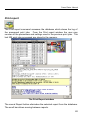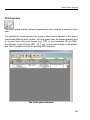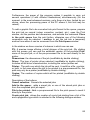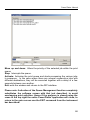
1
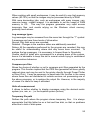
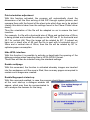
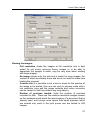
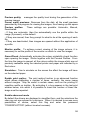
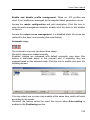
Version for Windows 98/ME/NT4.0/2000/XP/2003
Users manual
Power Plotter Manual
Summary
WELCOME TO THE POWER PLOTTER
6
CHAPTER I – INSTALLATION AND ACTIVATION
9
MINIMUM SYSTEM REQUIREMENTS
INSTALLATION PROCEDURE
HOW TO INSTALL POWER PLOTTER
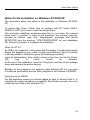
NOTES FOR THE INSTALLATION ON W INDOWS NT-2000-XP
UNINSTALL PROCEDURE
START UP
UPGRADING FUNCTIONS
INSTALLING / ADDING PRINTER DRIVERS
10
11
11
16
17
18
21
23
CHAPTER II – PROGRAM TECHNICAL SPECIFICATIONS
25
SUPPORTED FORMATS
SOFTWARE SPECIFICATIONS
26
27
CHAPTER III – MENU COMMANDS: THE FILE MENU
29
NEW WORKSPACE (CTRL+N)
OPEN (CTRL+O)
OPEN WORKSPACE (CTRL+L)
SAVE WORKSPACE (CTRL+T)
SAVE IMAGE(S)/ (CTRL+S)
OTHER FILE SAVING OPTIONS - 1: PROFILES
OTHER FILE SAVING OPTIONS - 1: AREA IN PIXELS
OTHER OPTIONS WITHIN THE “SAVE WORKSPACE” SCREEN
CLOSE IMAGE (CTRL+F4)
CANCEL PREVIEW
SELECT ALL IMAGES (CTRL+A)
SELECT SOURCE
ACQUISITION FROM A SCANNER
ADD PRINTER DRIVERS
UPDATE PROGRAM VERSION…
INSTALL VIRTUAL PRINT ER
RECENTLY USED FILE LIST
EXIT THE PROGRAM
30
31
32
33
34
38
39
40
41
41
41
41
42
42
43
44
45
46
2
Power Plotter Manual
CHAPTER IV – MENU COMMANDS: THE CONFIGURATIONS MENU
47
LANGUAGE
48
CONFIGURATIONS (F5 HOTKEY)
49
SAVE CONFIGURATION (F6 HOTKEY)
53
PROGRAM PREFERENCES (F2 HOTKEY)
54
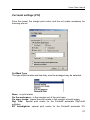
DEFAULT CONFIGURATION:
54
MEMORY MANAGEMENT :
54
LOG MESSAGE TYPES
55
COMPRESS PRN FILES
55
UNITS OF MEASUREMENT
55
TEMPORARY FILE PATH
55
PRINT ORIENTATION ADJUSTMENT
56
HIDE HPGL INTERFACE
56
ENABLE MULTIPAGE
56
ENABLE BUGREPORT AT START -UP
56
VIEWING THE IMAGES:
57
ENABLE ADVANCED MODE
58
DITHER
60
ALGORITHMS: ENLARGEMENT AND REDUCTION
61
W ORKSPACE RESOLUTION WITH RESPECT TO OUTPUT RESOLUTION
61
MINIMUM SCREEN VALUE
61
POSTSCRIPT COLOUR SPACE
61
COLOUR ENGINE
62
POST SCRIPT :
62
W ORKSPACE
62
PRINT IN GREYSCALE
62
TEMPORARY FILE MANAGEMENT
63
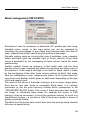
BLACK MANAGEMENT (CMY/CMYK)
64
THE COMMANDS PRESENT IN THIS WINDOW MAY BE USED FOR CHOOSING WHETHER WE WISH THE
BLACK INPUT TO BE MORE OR LESS STRONG , AND HENCE FAVOUR THE COLOURS OR BLACK, AND
IMPOSE A MAXIMUM TO THE SUM OF THE FOUR COLOURS (UP TO 400% INDICATING USING THE
MAXIMUM OF EACH COLOUR TO MAKE THE DARKS MORE INTENSE) AND MAXIMUM OF THE USE OF BLACK
(100% INDICATES USING UP TO THE MAXIMUM). CUT MARK SETTINGS (F12)
66
CUT MARK SETTINGS (F12)
67
CUT MARK TYPE
67
PRINT DESCRIPTION
68
ENABLE IMAGE DESCRIPTIONS:
68
DETACHED MARK:
68
HOT FOLDER
71
CHAPTER V – MENU COMMANDS: THE PRINT JOB MENU
74
PRINT
DIRECT PRINT :
PRINT REPORT
75
79
82
3
Power Plotter Manual
PRINT QUEUES
84
CHAPTER VI – MENU COMMANDS: THE TOOLS MENU
88
DENSITOMETER: SETUP
DPI CALCULATION
89
90
CHAPTER VII – THE COMMANDS TABS
92
IMAGES
INDEPENDENT INDIVIDUAL IMAGE PROFILE HANDLING
POSITIONING
PANELS
COLOUR MANAGEMENT
CONTRAST /BRIGHTNESS
BALANCE
SATURATION/HUE/BRIGHTNESS
CURRENT PRINT JOBS
94
99
100
103
106
107
108
109
110
CHAPTER VIII – THE PRINTER DRIVER COMMANDS
PRINTER DRIVERS
LINEARISATION
OUTPUT CURVES
SELECTED PRINTER
ROLL / PAPER FORMAT
ICC PROFILES
CHAPTER IX – THE STATUS BAR
THE STATUS BAR COMMANDS
THE ZOOM COMMANDS:
THE DISPLAY COMMANDS:
THE PRINT COMMANDS:
114
115
115
115
118
119
120
123
124
124
124
124
APPENDICES
127
PRINTING FROM ANY APPLICATION
128
INSTALLING A VIRTUAL PRINTER
PRINTING DOCUMENTS NOT SUPPORTED BY POWER PLOTTER
VIRTUAL PRINTER DESCRIPTION AND USE
CREATING A PS FILE FROM W INDOWS
129
129
130
130
4
Power Plotter Manual
NOTE FOR PRINTING FROM AUTOCAD®
PRINTING FROM MACINTOSH
134
140
Manual revised on 22-07-2003
5
Power Plotter Manual
Welcome to the Power Plotter
We are delighted that you have found in POWER
PLOTTER a product which truly meets all your needs.
POWER PLOTTER is RIP (raster image processor)
software which permits the management of raster and
raster-vector 1 or simply vector1 images frequently
generated by programs running on Mac®, Dos®,
Windows®, Unix® systems such as PageMaker®,
CorelDraw®, Autocad®, Photoshop®, Freehand® etc.
The software package has been specifically
developed to meet the requirements of a Services Centre;
with that aim, great attention has been set aside to create a
very user-friendly interface thus reducing user operations to
a minimum which, in 90% of cases, consist in selecting the
file to be printed and in assigning the print dimensions. The
delayed print and calculation features increase productivity
and service.
POWER PLOTTER represents the ideal hardcopy
instrument for a number of fields such as photography and
advertising graphic design (generally DOS or MAC raster
images originating from photographic manipulation or DTP
packages), such as G.I.S. (DOS, MAC and UNIX mapping),
and architectural (rendering).
Thanks to its advanced Colour Management
with the use of ICC profiles, POWER PLOTTER also
lends
itself
for
use
in
typography
and
photolithography, to provide customers with a good
quality digital test print using ink jet printers or a
plotter.
In all cases the PostScript interpreter ensures the
dialogue with the various platforms and the maintenance of
the quality of the text contained within the file, even when
carrying out very large scale printing jobs.
The possibility of handling even HPGLII and PLT
files allows the creation of print queues with both raster and
vectorial files.
To
offer
maximum
performance, POWER
1
PostScript version
6
Power Plotter Manual
PLOTTER must operate in parallel with a photomanipulation program with which to acquire (by scanner or
from another source) and retouch (for example add text) the
images.
Acquisition may also be performed directly by
POWER PLOTTER if using a scanner which uses a 32-bit
Twain driver.
POWER PLOTTER handles various types of error
diffusion dithering and is optimised for outputting to ink-jet
plotters and printers. The dithering algorithm used allows
the simulation of very high resolutions via software. POWER
PLOTTER allows the direct setting of the dimensions in cm
of the file to be printed without any limitations in format.
Through the tiling module (not available on all
versions) it is possible to print images greater than the width
of the plotter, the automatic and manual anti-aliasing filters
allow the masking of any defects due to the possible low
definition of the image.
The interface appears like a mounting stand on
which it is possible to autonomously assemble and manage
images originating from various sources, with various
formats (raster or Postscript), and different colour spaces
(RGB, CMYK), this way it is possible to optimise the
available space thanks to the automatic positioning
functions (nesting) or create custom compositions.
It is possible to automatically print multiple copies of
the same image (or group of images) as with programming
delayed execution or calculation.
With the aim of making the use of the program user
friendly POWER PLOTTER handles the automatic setting
of the vast majority of parameters so that the user need only
select the mode best suited to the type of printing selected.
It is possible to store a large number of configuration
files, containing all the parameters for any given printing job,
so as to be able to recall them quickly.
The depth of colour of the images handled varies
from 2 to 32 bit (~16 billion colours) for some formats, it is
also possible to handle colour depth up to 64 bit (CMYK at
16 bit pr channel), furthermore, images are also handled
using Alpha channel (except some sporadic cases), thus
printing them as normal images.
It is possible to create customised curves for each
7
Power Plotter Manual
type of paper or ink used by acting on the gamma correction
values of each colour or creating customised ICC profiles
with the aid of automatic instrumentation such as
densitometers or spectrophotometers. GretagMacbeth
instrumentation is particularly supported.
Power Plotter Team
PLEASE NOTE
Please complete the registration card and return it immediately
to be kept up to date with any future upgrades
The information contained in this document may be subject to change
without prior warning and does not represent any type of obligation for
DEVSTUDIO. The program described in this document is provided by
virtue of the users license and the distribution conditions. The program
may be used or copied solely in compliance with the conditions herein. All
rights reserved. No part of this document may be reproduced, recorded or
transmitted in any form whether electronic, mechanical, photocopy
recording or otherwise without prior written consent from DEVSTUDIO.
DEVSTUDIO 2004. All rights reserved
All trademarks cited are the registered property of the respective manufacturers.
8
Power Plotter Manual
Chapter I – Installation and activation
9
Power Plotter Manual
Minimum system requirements
The minimum system requirements are listed below:
•
•
•
•
•
•
•
•
Computer PIII 400Mhz
64 MB of RAM memory
10 Gigabyte Hard Disk (1 GB free)
Windows 98 or Windows NT 4.0 (or superior)
Centronics parallel port / network interface card / USB (depending on
the configuration of your plotter)
Graphic card with at least 65,000 colours.
Mouse
Plotter or ink-jet printer
For large format colour print jobs, especially if dealing with PostScript files a
Pentium/Athlon 1Ghz with 20 Gigabyte hard disk (7,200rpm), 256 Mbytes of
Ram, CD-ROM or DVD reader are recommended; in addition an A4 colour
scanner with 2,400 Dpi resolution with image acquisition software and a
photo-manipulation program are recommended.
10
Power Plotter Manual
Installation procedure
How to install Power Plotter
To start the installation of Power Plotter, insert the CD-ROM into the CD
drive and follow the onscreen instructions. If the installation procedure does
not start automatically, launch the STARTER.EXE file that can be found in
the
root
directory
of
the
CD.
Double click Windows Explorer, then click the CD icon, and then launch
STARTER.EXE.
To install a non-demonstrative version you need to connect the dongle (if it
is not a LITE-version) to the parallel port (or USB) before starting the
installation. It is advisable to shut down your computer before connecting
the dongle to the parallel port, while USB dongles may be connected with
your system on.
Please note: if the platform is Windows NT (or 2000, or XP), must be
performed whilst logged on with administrator privileges. The
hardware key driver will have to be installed prior to beginning
installation (see the later section “Notes for installation on Windows
NT”). It is also necessary to have the most recent Service Pack
installed!
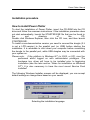
The following Windows Installer screens will be displayed; you can accept
default settings or change them based on your needs.
Selecting the installation language.
11
Power Plotter Manual
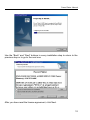
Use the “Back” and “Next” buttons in every installation step to return to the
previous step or to go to the next one.
After you have read the license agreement, click Next.
12
Power Plotter Manual
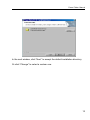
In the next window, click “Next” to accept the default installation directory
Or click “Change” to select a custom one.
13
Power Plotter Manual
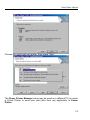
Choose the setup type you prefer, then press “Next”.
The Power Printer Manager setup may be used on a different PC to create
a Virtual Printer to send your print jobs from any application to Power
Plotter.
14
Power Plotter Manual
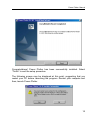
Congratulations! Power Plotter has been successfully installed. Select
“Finish” to end the setup procedure.
The following screen may be displayed at this point, suggesting that you
restart your PC before launching the program. Restart your computer and
then, launch Power Plotter.
15
Power Plotter Manual
Notes for the installation on Windows NT-2000-XP
The information below only refers to the installation on Windows NT-2000XP.
To ensure that Power Plotter runs on systems with NT kernel (NT4.0,
W2000 or WXP) you need to install the dongle driver.
The automatic installation procedure does this for you when the required
serial code is inserted, in case of the procedure not working correctly,
proceed as follows: login with “Administrator” privileges and launch
SETUP.EXE from the directory "UTILITIES\DRIVERS" on your installation
CD. Reboot the system to complete the installation.
Notes for NT 4.0
As USB is not supported, it only works with the dongle. To make the program
access the parallel port you need to install a printer driver (only if no printer
is already installed; otherwise, ignore the following procedure).
Login as Administrator, then install a printer driver from the Control Panel.
The
type
of
driver
should
be
irrelevant.
At the end of the installation, open the ”Properties" windows of the installed
driver and deselect the printer pooling.
Besides, for the program to run properly under Windows NT 4.0, you need
to install the most recent Service Pack (supplied in the software CD-ROM) .
Special note for W2000
For this operating system you should update at least to Service Pack 2, to
complete the setup procedure successfully (DevStudio provides the most
recent Service Pack in the software CD).
16
Power Plotter Manual
Uninstall Procedure
To uninstall Power Plotter, proceed as follows: Do not delete the program
directory without having first uninstalled it.
Open Windows “Start” menu, open the “Settings” menu and the “Control
Panel” submenu. Double click on "Add/Remove Programs" and locate the
Power Plotter 5.0 item, then click the Add/Remove button and follow the
onscreen instructions. Now you can delete the Power Plotter directory.
How to save the list of print jobs after having uninstalled the
software
When you delete the Power Plotter directory you will loose all report files
and previews of print jobs. If you wish to save them, simply locate the
CODE.MDB file and SAMPLES folder (they should be in the
c:\Programmi\Devstudio\Powerplotter folder) and save them to another
folder before proceeding to delete. You may replace them once you have
installed the RIP again.
17
Power Plotter Manual
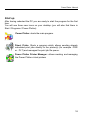
Start up
After having rebooted the PC you are ready to start the program for the first
time.
You will see three new icons on your desktop (you will also find them in
Start / Programs / Power Plotter):
Power Plotter: starts the main program.
Direct Prints: Starts a program which allows sending already
calculated print jobs directly to the printer(s) (for example .PRN
or . PLT) and manages the print job file queue.
Power Plotter Printer Manager: allows creating and managing
the Power Plotter virtual printers
18
Power Plotter Manual
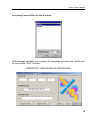
Launching Power Plotter for the first time:
This message prompts you to select the language and the units. At the end
of your choice, click “Confirm”.
IMPORTANT: REGISTRATION PROCEDURE
19
Power Plotter Manual
The window above prompts you to enter the 16-digit serial number to activate
the version (the label is attached on the back of the CD case, or somewhere
on the box).
ATTENTION. DO NOT INSERT A WRONG SERIAL NUMBER; ABOVE
ALL, DO NOT CONFUSE "ZERO" (0) WITH THE LETTER “O” (O)
OTHERWISE THE PROGRAM WILL START AS DEMO VERSION WITH
LIMITED FUNCTIONS GIVING YOU THE MESSAGE "DEMO VERSION".
THE SERIAL NUMBER FOR EACH PACKAGE IS UNIQUE.
When you enter the serial number, the screen will change, displaying a new
window where you have to enter the registration number (activation) that
you need to request from DevStudio to definitely unlock the program. You
have 30 days or 120 total running since the installation to request this
number, after which if you don’t register, the program will only work in “Demo
Version”, limiting the print size and printing “demo“ on every print job.
The registration number is unique for each machine you want to run Power
Plotter on, and you can request it on-line (1) (if the PC is connected to the
Internet) or by FAX (2).
1) The on-line procedure is certainly the fastest and allows receiving the
correct registration number directly in your mailbox (this is a fully automated
procedure).
20
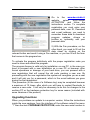
Power Plotter Manual
Go to the www.devstudio.it
website,
select
"SOFTWARE
ACTIVATION" and follow the
instructions on-line. To complete
registration you must enter your
personal data, user ID, Password
and e-mail address; you need to
remember these data to download
program updates, drivers or
profiles or, optionally, edit your
personal data.
2) With the Fax procedure, on the
other hand, you need to fill out the
data sheet by clicking on the
relevant button and send it using a Fax machine, or you can fill out the form
that comes in the program box.
To activate the program definitively with the proper registration code you
need to close and restart the program.
The program license is valid only for installation on one PC, in the case you
have to proceed with a new installation on a new PC or however, after
format operations or damage of your hard drive, you can proceed with a
new registration that will cancel the old code creating a new one. By
proceeding with the new registration the system will recognize you as a user
and it will ask you for a password, which is the e-mail address you gave
during the first registration.
This procedure (in the case of a Software key) may be completed however
a maximum of 10 times, after which you will have to contact Devstudio to
receive a new code. It will only be necessary to do this for changes to the
working PC or the hardware protection key for some reason (included with
some versions of the product).
Upgrading functions
When you purchase an update to a superior version, follow the instructions
inside the new package, from the interface of the software select the menu
“?” then the item PROGRAM PROTECTION, enter the new serial number in
21
Power Plotter Manual
the appropriate field and press “Next”, now you can exit the program. If you
have a version with dongle, upon the following reboot the program will start
with the new functions already activated; on the other hand, for versions
with software only protection, you will have to proceed to a new registration
on-line or by Fax. Replace the new code to the old one.
When you upgrade to a new version, the old serial number is
deleted from our database and is no longer available.
22
Power Plotter Manual
Installing / Adding Printer Drivers
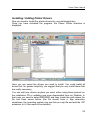
Now you need to install the printer drivers for your plotters/printers.
Once you have activated the program, the Power Plotter interface is
displayed:
Here you can select the drivers you need to install. You could install all
drivers but, for greater simplicity, we suggest that you only install those that
are really necessary.
You can add new drivers anytime you want, either using those present on
the installation CD or updating new ones downloaded from our Website. In
that case you need to select BROWSE and then locate the path where the
file had been saved before (the file should have a .dpp extension;
sometimes, the operating system may see this as a zip file and add the .ZIP
extension to it; this needs to be deleted).
23
Power Plotter Manual
You may also remove an installed driver by clicking on the blue link next to
the driver name in the setting window on the right; this will open a new
window with the list of installed drivers from which you can select those you
wish to remove and then click on “Remove”. Several printers also have the
"Advanced" tab, where you can set further printing features, such as feeding
type (roll or sheet, tray, print margins etc.)
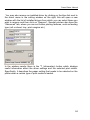
In the window nearby there is the "i" (information) button which displays
useful information about the driver settings and the selected print media.
Specifically, it describes the paper setting that needs to be selected on the
plotter when a certain type of print media is loaded.
24
Power Plotter Manual
Chapter II – Program technical specifications
25
Power Plotter Manual
Supported formats
Power Plotter supports the following graphic formats in read mode:
• Microsoft Windows Bitmap / OS/2 Bitmap: BMP, DIB
• Encapsulated PostScript: EPS, PS, PDF (in the PS version)
• Joint Photograph Expert Group: JPEG
• Tagged Image File Format: TIF, TIFF (CCITT Group 3, CCITT Group 4,
Huffman)
• Macintosh PICT: PICT, PCT
• Truevision Targa: TGA
• HPGL-HPGLII (certain versions)
• PSD (up to version 5)
Power Plotter supports the following graphic formats in write mode (saving
or printing):
•
•
•
•
•
•
•
Microsoft Windows Bitmap: BMP, DIB
Joint Photograph Expert Group: JPEG
Tagged Image File Format: TIF, TIFF
PostScript: PS (in the PS version)
HP Printer Command Language: PCL
HP RTL
Canon GARO
26
Power Plotter Manual
Software specifications
•
•
•
Handles plt and prn files by sending them directly to the printer;
Handles raster images up to 48 bit with Alpha channel;
The possibility for opening images both at a customised resolution and
viewing only the file size, and in FULL MODE at high resolution. •
Mounting stand to place together several images for printing to
optimise paper (up to a maximum of 99 images).
• Management of the files over many pages for print jobs on single sheet
printers.
• Hot folder for the automation of the printing procedure, by simply copying
the files to be printed inside the predefined folders.
• The possibility for importing files at preset sizes thus respecting any
pagination or format settings.
• Rotation and mirroring;
• The possibility to move, resize or rotate each individual image by using
the mouse or keyboard.
• Automatic image repagination algorithm (Nesting) to optimise paper and
cutting.
• Each image is manageable independently of the others, may have its
own configuration with reference to the application of profiles and
corrections.
• Colour management of tone/luminosity/contrast/saturation of CMYK
or RGB files with real time onscreen previewing;
• Wizard for establishing the correct resolution during acquisition and
printing.
• Advanced dithering and colour management;
• Various types of advanced dithering;
• Various levels of antialiasing filters with automatic and manual
management to preserve the quality of highly enlarged images;
• High output resolution for photographic quality;
• Full support of ICC colour profiles, with the possibility of setting input
profiles (with automatic recognition of the profile incorporated into the
file), output profiles and colour trial simulations.
• The possibility of converting from one profile to another profile for saving.
• Internal procedure (in some versions) for printer linearisation (using a
densitometer or spectrophotometer, Gretag Macbeth, instruments are
27
Power Plotter Manual
•
•
•
•
•
•
•
•
•
•
supported)
Separate output curve correction over multiple colours, with the
possibility to create various customised curves for a number of paper or
ink types.
Trichromy, quadrichromy and extended quadrichromy printing with
customised black generation curves.
The possibility of delayed printing calculation;
Delayed printing and multiple copy handling with an integrated database
(processes management);
Conversion between the main graphic formats;
Integrated tiling module (on selected versions) for printing at dimensions
greater than the width of the plotter;
Print reporting with a database for the management of the completed
print jobs, with the possibility for the automatic recovery of the settings
to repeat and already completed print job;
The saving of various configuration parameters and the recovery of the
settings from the print report;
Full level 3 PostScript support with 35 integrated fonts (in PS versions)
Software developed and supported in Italy with instructions in Italian.
28
Power Plotter Manual
Chapter III – Menu commands: the File menu
29
Power Plotter Manual
New workspace (CTRL+N)
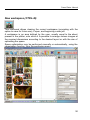
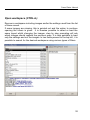
This command allows clearing the current workspace (prompting with the
option to save for future use), if open, and beginning a new job.
A workspace is an area defined by the user, usually equal to the sheet
present in the plotter, onto which it is possible to arrange various images at
the required dimensions according to the desired layout or with the aim of
optimising the space.
Space optimisation may be performed manually or automatically, using the
repagination function, from the positioning menu.
30
Power Plotter Manual
Open (CTRL+O)
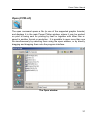
The open command opens a file (in one of the supported graphic formats)
and displays it in the main Power Plotter window, where it may be worked
on prior to being sent for printing by itself or together with other files or
saved in another format or resolution. It is possible to open more than one
file simultaneously by selecting them using the open window, or by directly
dragging and dropping them onto the program interface.
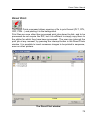
The Open window
31
Power Plotter Manual
Open workspace (CTRL+L)
Recover a workspace including images and/or the settings used from the list
of those saved.
If some images are missing, this is pointed out and the option to continue
opening the others is given. It is likewise possible to select or load the
same layout whilst changing the images, step by step prompting will ask
which images should replace the previous ones. It is also possible to load
only the settings and not the images. In two fields present to the top left, it is
possible to search for the desired workspace using various types of filters.
32
Power Plotter Manual
Save workspace (CTRL+T)
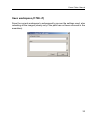
Save the current workspace to subsequently recover the settings used, also
reloading all the images (clearly only if the path has not been removed in the
meantime).
33
Power Plotter Manual
Save image(s)/ (CTRL+S)
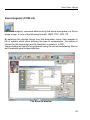
The Save image(s) command allows saving the entire workspace in a file as
single image, in one of the following formats: BMP, TIFF, JPG, PS.
By selecting the desired format from the drop-down menu, their appears a
list of options which allow defining the type of compression, the umber of
colours for the new image and its resolution in pixels or in DPI.
Image scaling will always be performed using the normal antialiasing filter so
as to maintain good image definition.
The Save as window.
34
Power Plotter Manual
TIFF bitmap format options
Various save options are available for TIFF format files relating to the
desired compression for the file.
It is possible to save in both RGB and CMYK.
Particularly, the available options are:
No compression Does use any compression, the file will have a large size
and be readable by all types of software.
JPEG compression, with a loss of quality for the tif file (compresses by
about 75%, readable using professional software such as Photoshop).
G4 typical compression for a black and white cartography file.
FAX typical compression for faxes, also in black and white.
ZIP compression using the famous zip technology (compresses by about
50%, readable using professional software such as Photoshop).
35
Power Plotter Manual
JPEG format options
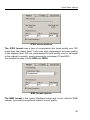
The JPEG format uses a type of compression that loses quality over 100
levels from the lowest (level 1 with very high compression but poor quality)
to the highest (level 100 low compression but with quality more or les equal
to the original), normally, good compression is between 70 and 80%.
It is possible to save in both RGB and CMYK.
BMP format options
The BMP format is the typical Windows format and is only valid for RGB
images, it provides compression without loss of quality.
36
Power Plotter Manual
PS format options
PS format generates a compressed raster file in JPEG, ZIP or not
compressed in a PostScript file.
37
Power Plotter Manual
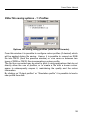
Other file saving options - 1: Profiles
Options for saving using profiles (valid for all formats)
From this window it is possible to configure colour profiles (if desired) which
will be applied during file saving. Hence, it is possible to convert an RGB
file into CMYK (from the previous window) or vice versa or between two
types of RGB or CMYK files incorporating a colour profile.
The file thus converted may be used to print it using applications that do not
directly allow the use of profiles, or to create a file with a known colour
space to subsequently reopen it, maintaining the quality and the colour
information.
By clicking on “Output profiles” or “Simulation profile” it is possible to load a
new profile from disk.
38
Power Plotter Manual
Other file saving options - 1: Area in pixels
In this tab, the third of the file saving options, it is possible to define an area
within which the images will be saved. In this case there will be a white
border around the workspace.
As the window itself also explains, this function only works if the area
defined is greater than the area occupied by the images.
This function may be useful if it is necessary to have well defined
dimensions.
39
Power Plotter Manual
OTHER OPTIONS WITHIN THE “SAVE WORKSPACE”
SCREEN
The cut function
alone.
is used for selecting part of an image and saving that
The marks button
allows access to the cut marks configurations. (see
page 66 in relation to this function). The marks thus inserted will be stored
in the saved file and may be useful in the case of possession of a limited
version of the program which does not allow printing, or in any case for
storing an image from the complete workspace.
The colour/greyscale button
greyscale during printing or saving.
automatically transforms images to
40
Power Plotter Manual
Close image (CTRL+F4)
This command removes a selected image (or images) from the viewing
window.
Cancel preview
Power Plotter maintains a cache of the most recently used images to speed
up loading. The Cancel preview command empties this cache, so that
Power Plotter is forced to seek the original instead of the copy of the image.
In any case, if the image has been modified, it is automatically searched for.
This preview function is used to show the appearance of the document
which must be printed so it may be positioned on the workspace. Eliminating
them is generally not necessary as they take up very little space. However,
it may become useful in certain situations, for example where some of these
files are damaged causing errors in the program.
Select all images (CTRL+A)
This command may be used to simultaneously select all the images on the
workspace.
This way it is possible to apply all the operations being performed to all the
documents present. However, it is not possible to move them using the
mouse as with a single image, but it necessary to use the cursor arrows
from the lower tab to move them.
Select source
Sets the source used when running the Acquire Scanner command. Useful
when more than one TWAIN acquisition device is installed (for example a
scanner and a camera).
41
Power Plotter Manual
Acquisition from a Scanner
This function calls the 32 bit TWAIN scanner driver so that it is possible to
acquire an image, save it and print it within the program itself. This function
also communicates with other peripherals, such as scanners for other
devices or digital cameras, having a TWAIN driver. To use this function to
its best, it is useful to refer to DPI calculation, to determine the optimal
acquisition resolution in relation to the print dimensions.
Add printer drivers
Allows the addition of additional printer drivers. The procedure is explained
in detail in the chapter Installation / addition of Printer Drivers
42
Power Plotter Manual
Update program version…
After having downloaded updates from the site, this allows the installation of
the new components. It requires the selection of the path where the VDN
(or ZIP) file has been saved and then following the onscreen instructions.
*** !!! ADDITIONAL NOTE !!! ***
The most recent versions of the update files are in auto-installing format, for
which the function described above is not required, but act by themselves
by directly running the “PATCH” program with Power Plotter shut down.
43
Power Plotter Manual
Install virtual printer
Opens the interface through which it is possible to create a system printer,
accessible by all windows programs.
This function is discussed in further detail in the appendices at the end of
the manual, in the page “How to print from any application”.
44
Power Plotter Manual
Recently used file list
Conforming to the standards for Windows applications, the program file
menu contains a list of the names of the most recently loaded files through
which an image may be loaded with a single mouse click.
45
Power Plotter Manual
Exit the program
This command terminates the program prompting for the saving of the
workplace created.
46
Power Plotter Manual
Chapter IV – Menu commands: the Configurations
menu
47
Power Plotter Manual
Language
From here it is possible to select the various languages for the program.
After having made the selection, it is necessary to close and restart the
program.
48
Power Plotter Manual
Configurations (F5 Hotkey)
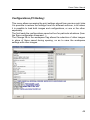
This menu allows accessing the print settings stored from previous print jobs.
It is possible to restore the settings from four different archives, in all cases
it is possible to load both images and configurations, or one or the other
separately.
The first loads the configurations saved ad hoc for particular situations (from
the Save configuration command…).
The Change file in the workspace flag allows the selection of other images
in place of those saved during opening, so as to save the workspace
settings with other images.
49
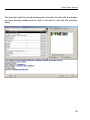
Power Plotter Manual
The second loads the saved workspaces to be able to start with the images
we have already loaded and we wish to be able to use with the previous
setup.
50
Power Plotter Manual
The third loads the configurations from the previous print job report.
51
Power Plotter Manual
The fourth loads the configurations from the saved print jobs.
52
Power Plotter Manual
Save Configuration (F6 Hotkey)
The Save Configuration command saves the currently active configuration
to disk. Select the Save Configuration menu option and indicate the name
which should be used to save the configuration; it is also possible to select
a previous configuration from the drop down menu to be overwritten.
With this command, all the settings in the interface in relation to the print
options are saved.
It is very useful to store the conditions for: linearisation, colour curves,
profiles… which we have found for certain printing conditions and which we
would like to be able to use in the future.
These configurations themselves may be used to associate them with a
virtual printer (see the appendix) or to set the options during printing (see
chapter V).
The Save Configuration window
53
Power Plotter Manual
Program preferences (F2 Hotkey)
From here, the program display functions are set, the Default configuration
is set along with the quality variables.
Default configuration:
Loads the configuration selected at the opening of the program, otherwise it
uses the previous values.
Memory management:
Defines the amount of memory (RAM) in percentage terms, which will be
used by the program to perform its functions. The greater the amount of
memory, the faster the operations will be carried out (predominantly the
workspace operations and rotations)
The percentage of memory used is based on the available memory, and not
the total system memory.
54
Power Plotter Manual
When working with small workspaces, it may be useful to use high memory
values (50-70%) so that the images may be processed directly in RAM.
With more demanding jobs, such as workspaces with many images, very
resource heavy, rotated imaged, it is advisable to set the usage of RAM
memory to 0%. This way the program generates very rapid access
temporary files, and avoids relying on the Windows virtual memory,
generally much slower.
Log message types
Log messages may be accessed from the menu bar through the “?” symbol.
A message can have three levels of information.
Normal: Only fatal errors are recorded.
Detailed: Changes in the machine status are additionally recorded.
Debug: All the operations performed by the program are recorded, this may
be useful for understanding where and why errors have occurred. To
analyse the log messages, it is necessary to forward them to Devstudio.
Greater depth of detail also corresponds to a slowing down of the system,
hence it is advisable to keep this set to normal unless trying to understand
any anomalous behaviour.
Compress prn files
Allows the choice of whether or not to compress print files generated by the
program. This function implies that the PRN files generated will have greatly
reduced sizes and may be sent to the printer directly through Power Plotter
or Direct Print. It may be necessary to deactivate this function in the cases
where these files are distributed to outside services not possessing one of
the above programs, or to analyse the output file. However, in the majority
of cases it is useful to keep it activated.
Units of measurement
It allows to define whether to display messages using the decimal metric
system (cm, mm, m…) or the Imperial system (inches)
Temporary file path
Defines the path where the program stores temporary files. It is always
appropriate that this folder be on a fast and free disk, so that no problems
arise due to lack of disk space.
55
Power Plotter Manual
Print orientation adjustment
With this function activated, the program will automatically check the
dimensions of all the files arriving at the RIP through system printers, and
compare them with the format of the sheet onto which they are to be printed
(clearly this data is taken from the settings found in the Power Plotter driver
menu).
Thus the orientation of the file will be adapted so as to ensure the best
insertion.
For example, if a file with a horizontal size of 28cm and vertical size of 20cm
is being printed and instead the settings on the RIP are 21 for horizontal and
29,7 for vertical (A4) Then the image will be rotated by 90°. If instead we
have set a sheet size of A0 and the file is sent with a horizontal size of
20cm and a vertical size of 28cm, then the file will be rotated by 90° to
optimise paper consumption.
Hide HPGL interface
With this function it is possible to activate or deactivate the opening of the
dialogue window when importing files in HPGL/HPGLII format.
These files will then be inserted using the standard settings.
Enable multipage
With this command, the function is activated whereby images are inserted
into the workspace until the area is filled, then as many pages as required to
contain such images are created.
Enable Bugreport at start-up
With this command enabled, in case the program should hang unexpectedly,
at the next start-up a dialogue window will
appear, which may then be communicated to
us to analyse the reasons for the hang
56
Power Plotter Manual
Viewing the images:
- Full resolution (loads the images at full resolution and is best
suited for not overly resource heavy images or to be able to
appreciate the images in detail, may be very slow when working
with large images)
- No image (shows only the size and is useful for large images, the
content of which we already know and we do not want to waste time
loading the preview)
- Custom size (it is possible to set a size in pixels for the preview of
the image to be printed, thus one can work in preview mode with a
low resolution copy and the image contents and colour correction
can be viewed in real time without any long delays).
- Number of previews loaded: limits the number of previews
recorded to disk. These are the medium resolution images viewed
on the workspace and avoid the reprocessing of a document that is
already open, and occupy more space than small previews which
are instead only used in the print queue and are limited to 500
images.
57
Power Plotter Manual
Preview quality: manages the quality level during the generation of the
preview images.
Cancel small previews: Removes from the disk, all the small previews
generated by the program for viewing the images, thus freeing up disk space.
Preview profiles:
Three settings are possible: Automatic, Manual,
Deactivated.
- If they are automatic, then the automatically use the profile within the
image (if present), or the default.
- If they are manual, then they prompt for what to do at the opening of each
file.
- If they are deactivated, then images are opened without the application of
a profile.
Monitor profile: To achieve correct viewing of the image colours, it is
necessary to set the profile of the monitor on which to view the images.
GamutCheck: Automatically activates the colour printability check function
upon opening the image. Works together with the Preview Profiles. From
the time the image is opened, all the colours within the image which are not
precisely realisable using the selected printer and paper are indicated by a
Red colour.
Simulation: Tries to simulate on the screen the effect the image will have
on the selected paper.
Enable print replica: The print replica function is an advanced function
which allows duplicating n number of times, vertically, the same image
without margins. May be useful in certain cases, such as the printing of
repetitive motifs on textiles. By activating it, a box appears in the last print
window below, into which it is possible to insert the number of times the
image must be repeated.
Enable advanced mode
By default the drivers are displayed in simplified form, and the selections the
user may set are reduced to a minimum. When it is desired to access more
possibilities of choice, select this flag and enter the password
“POWERPLOTTER” (without inverted commas).
58
Power Plotter Manual
59
Power Plotter Manual
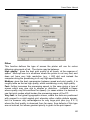
Dither
This function defines the type of screen the printer will use for colour
dithering using spots of ink. The choice may be between.
High quality: gives the best print quality at all levels, at the expense of
speed. More apt use is in situations where the printer is not very fast, and
does not have very high resolution (e.g. < 600 dpi) and instead the
computer doing the processing is of very high specifications.
Medium: gives the best compromise between speed and print quality, it is
roughly twice as fast as high quality, whilst maintaining a very high quality.
Fast: further increases the processing speed, in this case giving a type of
screen which may give rise to shapes or distortion. (suitable in cases
where quality may be sacrificed for speed). (in cases where it is desired to
use fast print modes which burden the processing power of the PC.
Very fast: is the typical typographic screen, where the dots are positioned
with respect to a right angled grid, whereby rather visible defects appear,
but it is however very advantageous for very large print jobs (e.g. 6 X 3)
where the final quality is observed from far away, thus defects of this type
are not noticed, but where greatest priority is given to the print speed.
60
Power Plotter Manual
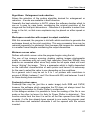
Algorithms: Enlargement and reduction
Allows the selection of the scaling algorithm desired for enlargement or
reduction. 4 levels are available in each direction.
Generally the best selection is AUTO, where the software decides which to
use on a case by case basis, considering the original resolution of the
image and the final print dimensions. Otherwise it is possible to select from
those in the list, so that more emphasis may be placed on either speed or
quality.
Workspace resolution with respect to output resolution
With this command, the program is told with which resolution to generate the
workspace based on the print resolution. This way processing time may be
reduced (especially for postscript files) because the images are assembled
in a smaller format despite maintaining the output dimensions.
Minimum screen value
Defines with which screen value the program begins using the ink.
The use of low screens ensuring shading making images photographic
quality on machines with not overly high resolution (less than 600dpi) may
produce an unwanted effect since they make the ink spots stand out more
hence “dirtying” the image. This is a parameter which is highly dependent
on the individual characteristics of each printer and hence it is necessary
for the user to select the value to use depending on the conditions.
As a general rule it may be set to 0 or 1 on printers with resolutions in
excess of 600dpi, between 1 and 2 for those with 600, and between 3 and 4
for those having less resolution.
Postscript colour space
Postscript files may be (just like a raster image) both RGB and CMYK,
however the software which generates the PS does not always insert the
necessary information for Power Plotter to understand.
In this dialogue window it is possible to force the reading of the file in one
mode or the other (or leave it in Auto for Power Plotter to determine). This
function works from the time it is set for all the files opened from that time
onwards, if a file has already been opened in one mode the program must
be shut-down and restarted otherwise it will be opened with the colours
inverted.
61
Power Plotter Manual
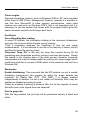
Colour engine
Advanced operating systems, such as Windows 2000 or XP, have provided
within them a CMS (Colour Management System), whereby it is possible to
use that from Microsoft® to have superior performances, when older
systems are used such as Windows NT4.0, this is not supported and it is
necessary to use the system that comes with the program which gives the
same chromatic results but with longer print times.
PostScript:
Force Bounding Box reading.
In some PS formats, the information relating to the document dimensions
may give rise to errors which impede correct viewing.
Thus it completely analyses the PostScript to find the real image
measurements. It is not advised to use this in the majority of cases, since it
significantly slows file opening times.
Compress Temp PS: in this way the temp files created during PS file
processing are compressed and thus occupy much less disk space. Clearly,
this results in the slowing down of the print process (however frequently
unnoticeable) but may be indispensable for printing very large images which
could have print files in excess of 2GB, which is the maximum size limit for a
Windows file!
Workspace
Enable Antialiasing: This command tells the RIP whether nor not to enable
Antialising management (the process by which the image borders are
rounded). On Raster files (TIFF, JPG, BMP) it is always enabled
independently of whether it is set or not, whilst on Postscript files it may be
enabled or disabled according to need.
Clearly by enabling it printing is slowed a little, but (in the majority of cases)
files with much more regular lines are obtained!
Print in greyscale
With this flag enabled, the print job will be performed entirely in black and
white.
62
Power Plotter Manual
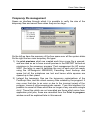
Temporary file management
Opens an interface through which it is possible to verify the size of the
temporary files and cancel them when they are too large.
On the left we have the summary of the free space over all the system disks.
On the right the two main temporary file types.
1) the print previews which are created each time a new file is opened,
and are used so as to have a small preview in the REPORT list and as
miniatures in the accessory program “Cost management for HP series
5000” (the latter is used to calculate the cost of each print job made
using the HPDesignJet 5000/5500) Cancelling them frees-up disk
space but all the miniatures are lost and hence white squares are
opened up in their place!
2) Instead the temporary files are the temporary rasterisations of the
PostScript files, and the virtual memory files created by the program! It
may occur that due to an error or due to the incorrect arrest of the
program, traces of old processing jobs remain. From this interface it is
possible to cancel all those which are no longer of any use with a single
click! Those files which are not cancelled are those which arrive from
application print jobs, those are cancelled from the Print in progress
window as will be explained later in this manual.
63
Power Plotter Manual
Black management (CMY/CMYK)
Sometimes it may be necessary to deactivate ICC profiles and print using
standard colour curves, in this case colour use can be managed by
controlling the percentages of pure black and trichrome black (the sum of
cyan, magenta and yellow) used during the printing of the image.
Normally printing using an ink jet plotter uses 4 cartridges, cyan, magenta,
yellow and black (plus the possible Light or Photo colours). Every other
colour is generated by the overlapping of those colours, hence the name
quadrichromy.
Another method, known as trichromy, is that which uses only the three
primary colours (cyan, magenta and yellow) to reproduce any other colour of
the spectrum. In this case a cartridge is not used for black, which is made
by the overlapping of the other three colours making up black, that made
from the overlapping of cyan, magenta and yellow, is not a pure black but
may show some shades of dark green or dark brown depending on the type
of ink and support used.
The result of the above is that when having to print a colour image where
there are no very dark tones or completely black areas, it is certainly
convenient to use the pure trichromy method which corresponds to the
“TRICHROMIC BLACK” button. Vice versa, if there are many dark tones in
the image, or completely black areas (for example this occurs in CAD
printing) it may be convenient, to avoid any dominant colours, to move to a
quadrichromy system, i.e. sacrifice a little of the screen quality in favour of
greater greyscale fidelity.
The Black and Trichromy bars control how much the print job tends towards
trichromy or quadrichromy.
64
Power Plotter Manual
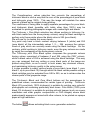
The Complimentary values selection box corrects the percentage of
trichromic black in such a way that the sum of the percentages of pure black
and trichromic gives 100%. This way the image will maintain the same
amount of black as the original during printing.
The usefulness of being able to apply separate percentages for pure black
and trichromic black (possible with totals other than 100%) may be
evaluated for printing photographic images with marked light and shade.
The Trichromy + Pure Black selection box allows working in trichromy (i.e.
with black made from the three primary colours) using the black cartridge to
perform only those points where the black value is 255 (pure black).
We will now try to explain this more clearly.
Any point may have a black content varying between 0 (white) and 255
(pure black); all the intermediate values 1, 2,..., 254 express the various
levels of grey which are normally made using the black cartridge. On the
contrary, whilst working in trichromy mode, even the grey colours are made
by using the overlapping of the three primary colours.
The Trichromy plus Pure Black option composes the greyscale colours
having values comprised of between 0 and 254 using the CMY colours,
whilst a black value of 255 is achieved using the black cartridge. This way
you can arranged that any writing or pure black parts of the image are
printed using black, so as to avoid, in such areas, any dominant colours,
and maintaining trichromy quality in the colour areas.
It is also possible to select various levels of pure black (pure black 1, pure
black 2, up to pure black 10) through which the black values possible using a
black cartridge may be extended from 246 to 255, so as to achieve also the
clearer parts of the greyscale range.
The Trichromic Black and Pure Black buttons set the percentages to
predefined values, recommended for certain types of printing. Trichromic
Black (0% pure black, 100% trichromic) is suitable for printing very colourful
photographs not containing particularly dark tones. Pure Black (100% pure
black, 0% trichromic) is suitable for printing pictorial images (such as covers,
manifestos and other graphic compositions or CAD images) where black
predominantly appears not mixed with other colours, to be printed on opaque
paper at high resolution.
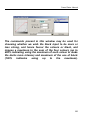
The button
allows activating black curve generation selection.
65
Power Plotter Manual
The commands present in this window may be used for
choosing whether we wish the black input to be more or
less strong, and hence favour the colours or black, and
impose a maximum to the sum of the four colours (up to
400% indicating using the maximum of each colour to make
the darks more intense) and maximum of the use of black
(100%
indicates
using
up
to
the
maximum).
66
Power Plotter Manual
Cut mark settings (F12)
From this panel, the margin print notes, and the cut marks necessary for
trimming are set.
Cut Mark Type
The type of print marks and how they must be arranged may be selected.
None: no print marks
On the workspace: in the margins out of the print area
On every image: places the print marks in the margins of each image
Digi Trim: special print marks for the Fotoba® automatic DigiTrim®
guillotine
X/Y Autodigitrim: special print marks for the Fotoba® automatic X/Y
67
Power Plotter Manual
AutoDigiTrim® guillotine (automatic vertical and horizontal cutting).
Horizontal marks: Inserts only the horizontal Fotoba® cut marks.
Print description
Inserts notes with the information selected (image name – Driver – Profiles
used – Linearization applied – Print date and Time – notes…)
You can select whether to insert them at the lower left or upper right of the
image.
Enable image descriptions:
Writes the file name and creation date below each image.
Detached mark:
Prints the print marks a few millimetres from the print margin.
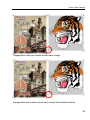
Impagination with marks around the workspace. The marks “surround” the
entire area of the image.
68
Power Plotter Manual
Impagination with print marks around each image.
Impagination with marks around each image and detached marks.
69
Power Plotter Manual
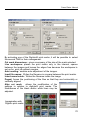
By activating one of the Digitrim® print marks, it will be possible to select
the second TAB for their management.
Cut mark dimensions: gives a summary of the size of the mark selected.
Live workspace: places the print marks only in the internal, spaces
between the images and leaves the edges free because the workspace is
set up for print job without margins.
Auto nesting: enables auto adjustment of the images.
Input file names: Writes the filename in a space between the print marks.
Insert name inside: Writes the filename inside the image.
Paged: forces the positioning of the files so that they are horizontally or
vertically aligned.
Alter cut mark:
allows the modification of the
settings in relation to digitrim® print marks. The
thicknesses of the black and/or white lines may be
adjusted.
Impagination with
Digitrim print marks
70
Power Plotter Manual
Hot Folder
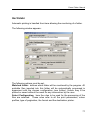
Automatic printing is handled from here allowing the monitoring of a folder.
The following window appears:
The following options must be set:
Watched folder: defines which folder will be monitored by the program. All
printable files inserted into this folder will be automatically processed in
agreement with the chosen configuration (see further). Hence they ill be
printed or saved without the need for any intervention by the user.
Select Configuration: here the rules to be used for the processing of the
files are selected. These rules refer to all the print parameters, colour
profiles, type of pagination, the format and the destination printer.
71
Power Plotter Manual
Auto nesting: Uses the parameters set in the IMAGES/POSITIONING tab
which is to be found in the main program window, pressing the button with
the letter “i” will open a note with the settings currently in use.
Current pagination: Uses the pagination parameters which are found in
the main window in the IMAGES TAB. To this may be associated a scaling
factor expressed as a percentage.
Generate Print Previews: Creates a page of variable dimensions (set
using the adjacent parameters) which will be filled with images which are
themselves also variable. It is also possible to attach this image to those
currently being printed, or it can be saved in the INDEX folder.
Wait Time: sets a delay time from the insertion of the last file into the folder,
following which file processing begins.
Load Multipage PS: Enables the opening and pagination of all the pages
of PS documents consisting of several pages.
On printer: Indicates that the output will be a print job performed by the
printer set in the selected configuration, the selected printer may not be
changed from within this option, such an operation may only be performed
during the configuration creation stage.
To File: The Destination folder, the resolution at which it will be saved,
along with the format (BMP, TIFF, JPG) may be selected. This way, a new
image made up of those source files will be created.
The “deactivate” button closes the dialogue and leaves the folder inactive,
whilst the “Activate” button closes the dialogue and places the folder on
standby…
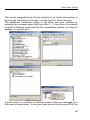
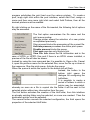
When this animated graphic appears (in the top right, next to the buttons) it
indicates that there are files in the folder, which will be processed when the
counter on the left reaches the value set on the right.
To stop processing, simply click on the yellow folder and click on Deactivate
in the dialogue.
72
Power Plotter Manual
Here instead it shows that the folder is empty, and hence the process is in a
waiting state.
73
Power Plotter Manual
Chapter V – Menu commands: the Print job menu
74
Power Plotter Manual
Print
The print command, enabled following the opening of at least one file on the
workspace, opens the window represented in fig. 1, from where various
parameters in relation to printing are set.
Each image placed on the workspace is handled autonomously in terms of
colour corrections, dimensions and position, until the print window is
accessed at which point they are treated as if they were a single image.
It is possible to modify the dimensions of the image (or the workspace)
during printing, define the horizontal and vertical displacements of the image
(or workspace) with respect to the margins of the sheet selected (the
margins are highlighted by black diagonal hatching on a grey background).
By using the boxes which appear it is possible to, Adapt the image to fit the
page, Centre on the sheet, use a particular Scaling factor. Depending on
the chosen settings, the program informs the user regarding the consequent
output resolution, indicating any cases where the print job would be at too
low a resolution to ensure satisfactory quality, however it is a good idea to
remain around 60dpi (minimum) for photographic images and 150dpi for
images with writing and details on homogeneous backgrounds to which to
give relief, and which we wish to avoid the appearance of jagging.
The cut function
itself.
is used for selecting part of an image and printing it by
The printing marks button
allows access to the print job cutting printing
marks and margin notes configurations. (see page 66)
The Colour/Grey button
allows printing by removing all the image
saturation whereby it becomes a greyscale image.
The output resolution of the image is a very important parameter for
checking the quality of the image reproduced at certain dimensions. DPI
stands for dots per inch, i.e. the number of dots every 2.54 cm. For example
75
Power Plotter Manual
600 dpi, which is the most common print resolution for plotters, means that
for each 2.54 cm of print there are 600 dots.
The following is a summarising table of the recommended minimum
resolutions.
• 60-80 dpi in the case of photographic images without text or very little
text
• 80-100 dpi in the case of photographic images with text or logos.
• 100-120 dpi in the case of rendering or CAD images with contrasting
borders.
• 150 dpi in the case of CAD drawings or plans or documents with text,
rasterised in formats such as TIFF or BMP.
Figure 1 – The Print window
76
Power Plotter Manual
Where Multipage handling has been enabled, the panel above with the
choice of the page to be printed will be shown.
Proceed by pressing the Continue button.
At this point it is possible to enable a series of additional options.
Generate Prn file: prints the job to a file instead of sending it to the printer
and allows this output to be saved so that it may be subsequently sent to
the plotter using direct print or processes management.
Generate Prn file & print: simultaneously saves the prn file to disk and
prints the job on the plotter. Could be useful in cases where it is necessary
to send the same image for printing many times and you don’t want to have
to re-process every time. The processing time is more or less the same as
for printing, but in addition the file is ready to be sent again to the plotter or
transferred to another machine for printing as a demonstration.
Calculate print and then send to printer with this option enabled, the print
job is processed creating a temporary file and, only if the elaboration
procedure has been successful, is sent to the printer. The file generated is
eliminated after being sent, to save the file the option create PRN file must
also be enabled. (The interface changes when this option is selected).
Print now and eliminate job: is certainly the function which will be used
77
Power Plotter Manual
most often, indeed it allows to process and print simultaneously and
certainly speeds up the job.
Print now and then put in archive: prints and stores the print process. It
should be noted that the print file itself is not stored but only the print
settings used, it will then be possible to send this print job by activating it
using the “PRINT IN PROGRESS” TAB.
Do not print now, put in archive: only saves the print settings and puts it
in the filed print job list to then be able to subsequently send it (corresponds
to the Save Workspace command).
Enable guillotine: enables the plotter guillotine (if available).
n.Copies: allows setting the number of copies to be printed, in this case,
the first print job is processed and then the others are sent directly to the
plotter without the need for reprocessing each time!
Configuration:
allows the selection of a configuration from those
previously saved prior to printing! Thus it is possible to open the program,
insert the images, and then only at the end, take the time to define the print
settings.
Replica print: this option is enabled only if the option (enable replica print)
is enabled in the configuration menu. It is used for repeating the same file,
vertically and without any white space.
78
Power Plotter Manual
Direct Print:
The Direct Prints command allows opening a file in print format (PLT, RTL,
CRF, PRN…) and printing it in the background.
Print files are none other than processed print jobs stored to disk, and to be
processed do not require the RIP, but it is sufficient to simply copy them to
the plotter for which they have been processed. The user may interrupt the
print job at any moment, by pressing the interrupt button in the Direct Prints
window. It is possible to insert numerous images to be printed in sequence,
even on other printers.
Printer
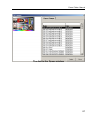
The Direct Print window
79
Power Plotter Manual
Files can be dragged directly into the interface to be inserted for printing, or
by using the first button on the right, or using the File / Open File menu.
The predefined destination printer is set within the main interface by
pressing the command option with three dots […]. From there it is possible
to select a Windows printer from the list of predefined printers, or a direct IP
address, or a printer pool.
Canon W8400PG
Canon W6200PG
A printer pool is a collection of identical printers which are managed as if
they were a single printer. If many print jobs are sent to the same POOL the
80
Power Plotter Manual
program subdivides the print load over the various printers. To create a
pool, imply right click within the pool interface, select Add Pool, assign a
name and then once more right click and select Add Printers, then all the
desired printers must be enabled.
By right clicking on the name of the file inserted, the following list of options
may be accessed.
The first option summarises the file name and the
print queue number.
Change printer allows the selection of a new printer
as explained previously.
Stop process blocks the processing of the current file.
Activate process processes the entire print queue.
Disable process blocks the queue.
Print now executes only this print job.
View File Info shows the file information and in the
case of HPGL or HPRTL files and if there is an HPGL viewer installed, a
preview of the file will also be shown.
Instead by using the icon command bar it is possible to: Open a file, Cancel
it, open the previous menu for the selected files, move the file up or down in
the sequence, Stop the print queue, Activate the queue.
When the queue is active the symbol to the bottom left will flash.
Instead, the button to the
bottom right opens the
dialogue for configuring the
hotfolders.
It is possible to create a
series of folders to which a
printer may be associated,
whereby as soon as a file is copied into the folder it will be sent to the
selected printer without any intervention from the user.
The first button activates the creation of the HotFolder, from this interface
an already existing folder may be selected, or a new one created. Then the
destination printer must be selected.
The second button cancels the selected configuration, the third opens the
properties of the selected HotFolder.
81
Power Plotter Manual
Print report
The Print report command accesses the database which stores the log of
the processed print jobs. From the Print report window the user may
recover all the parameters and settings used in the previous print jobs. The
last 200 print jobs processed are stored in the memory.
The Print Report window
The cancel Report button eliminates the selected report from the database.
The scroll bar allows moving between reports.
82
Power Plotter Manual
In the same window there is also an image preview and three panels with
information on the settings used for the print job (colour correction, screen,
antialiasing, etc.), the operation start and stop dates and times.
83
Power Plotter Manual
Print queues
The print queue window allows programming and sending a series of print
jobs.
It is possible to create mixed print queues, where each element in the queue
commands different print modes: into the queue may be placed graphic files
to convert them into print format (e.g. TIFF to be converted into a PRN),
files already in print format (RTL, PLT, etc.) to be sent directly to the plotter,
and files in graphic formats for printing (RIP and plot).
The Print queue window.
84
Power Plotter Manual
Furthermore, the power of the program makes it possible to carry out
several operations (if with different destinations) simultaneously (for the
moment, in the most advanced versions, up to three at a time, limited by our
choice, when the processing power of the PC allows it, this limit may be
raised).
To add a graphic file to be converted into print format to the queue, prepare
the print job as normal (colour correction, contrast, etc.), open the Print
window, set the position and dimensions, and activate the command Place
in the print queue then the print button, otherwise one of the following
commands may be selected …archive to put the job into a temporary
archive from where it can be recovered from the Print queue window.
In the window we have a series of columns in which we can see:
PV: A preview image offering a brief glimpse of the print job. (By clicking
with the mouse you can see the extended version of the preview).Print:
name of the print job, or of the pre-processed file to be sent directly to the
printer.
Dimensions: the dimensions of the job (modifiable by double clicking).
Driver: The type of printer driver selected (modifiable by double clicking),
Includes all the driver characteristics, including the colour profiles set
Printer: The path over which the job will be sent, it could be a file, a printer,
or both, in the case where the job to be printed is a pre-processed file, the
path may only be a printer (modifiable by double clicking).
Copies: The number of copies which will be printed (modifiable by double
clicking).
Description of the buttons:
Cancel selection: Cancels the selected jobs
Add to the queue: adds a saved job, or one of the stored print jobs or
from the completed print job report.
File to be printed: Adds a pre-processed file to the print queue to send it
directly to the printer.
Create print job: allows the creation of a print job starting from a list of file
and a pagination type which is selected in the following dialogue window:
85
Power Plotter Manual
Move up and down: Alters the priority of the selected job within the print
queue.
Stop: Interrupts the queue.
Activate: Activates the print queue and starts processing the various jobs
in sequence. In the case where there are several consecutive jobs with
different destinations, they will be executed together with a delay of a few
seconds between one another.
Exit: exits the window and returns to the RIP interface.
Please note: Activation of the Queue Management function completely
substitutes the software screen with that just described, to avoid
overlapping print activities. Hence if the program is closed using the
cross at the top right the entire PowerPlotter application will close, to
return to the main screen use the EXIT command from the instrument
bar described!
86
Power Plotter Manual
The Add to the Queue window
87
Power Plotter Manual
Chapter VI – Menu commands: the Tools menu
88
Power Plotter Manual
Densitometer: Setup
With a densitometer (an instrument capable of reading the density of a
colour from a printed sheet) it will be possible to exploit this new menu.
The initial settings are used to instruct the computer on which port to check
for the densitometer.
Using the densitometer, it will be possible to set the gamma curves of the
printer used with greater precision, and hence improve the overall quality of
printing.
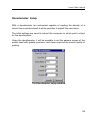
The Densitometer setup window
89
Power Plotter Manual
DPI calculation
The Calculate DPI command is used to establish the minimum resolution
necessary during the acquisition of an image by the scanner so that the
print quality will be satisfactory.
In the Dimension of Image to be Acquired box enter the values of the
horizontal and vertical dimensions of the image it is desired to acquire. In
the Print Dimensions box, enter the horizontal or vertical dimension with
which it is intended to print the image.
The DPI field at the lower part of the window will indicate the resolution with
which the image will have to be acquired. The size the acquired file will
have in bytes and the measurements in pixels are also indicated.
The Calculate DPI window
90
Power Plotter Manual
A useful guideline to heed when setting the acquisition is that of selecting an
acquisition resolution which is a multiple of the actual resolution of the
scanner. For example, if the scanner has an actual resolution of 150 DPI
and the DPI calculation routine suggests acquisition at 120 DPI, it is better
to acquire at 150 DPI; if the recommendation was to use 207 DPI then
acquire at 300 DPI.
For the actual resolution of your scanner consult its manual.
91
Power Plotter Manual
Chapter VII – The commands tabs
92
Power Plotter Manual
There are always a series of TABS displayed in the upper right of the
screen (and also in the upper left activating the choice of printer driver) from
where it is possible to make the most common and frequently used choices
within the digital printing field.
The options are:
Images
Panels
Colour management
Current print jobs
93
Power Plotter Manual
Images
Here you can set all the options in relation to the options, rotation and
position of the images inserted into the workspace.
The main IMAGES window
In the large box to the right hand side you can read the list of images
inserted into the workspace. For each, it is possible to open a list where the
characteristics, dimensions in pixels, resolution in DPI, creation date, size in
MB, colour space, and set colour profiles are summarised (the latter is the
only option that can be modified here and will be described later).
The options in relation to the profiles are:
• input profile which is the description of the colour space with which
94
Power Plotter Manual
•
•
the image has been generated.
Examples of input profiles are the profile of the scanner or digital
camera (if the image originates from a scanner or a digital camera)
or conversion profiles between different colour spaces.
output profile indicated in the program as paper profile which is the
description of the collection of colours which our peripheral may
reproduce on any given print support and allow good quality printing.
simulation profile, which is the profile of another peripheral (for
example an offset printer) which we would like to simulate, this
profile is useful only when using the software to generate digital test
prints.
The settings for each image are collected below.
These refer to the images selected at the time, which are highlighted in
reverse video in the list and bordered in red on the workspace. Selection
may be made directly by clicking on the image or the name in the list.
The dimensions of the image may be modified in various ways:
1. The exact measurements may be inserted in to the Dim X and Dim Y
boxes (if the maintain proportions box appears this is followed
automatically otherwise they are autonomously settable)
2. The resolution at which we desire to print the image may be entered
and the measurements will alter accordingly
3. A value may be selected from the scale menu.
The two Move up or Move down buttons are to be used in the case where
two images are overlapping, allowing the choice of which of the two will be
in the foreground (entirely visible) and which will be in the background.
The X and Y Offset options indicate the distance of the image (in cm) from
the top left of the workspace.
Each image may then be rotated in 90° steps, or (by selecting the Mirror
image option) may be printed flipped (useful if the printing is being done on
a transparent support).
The Cancel button allows the elimination of the selected image from the
workspace.
95
Power Plotter Manual
Setting the Fixed Width box to a value X means that each image inserted
will always have the set width and the height will be scaled accordingly.
The Duplicate button copies the image with the current settings as
indicated in the nearby box. When the images exceed the width of the sheet
they will automatically be sent to the top.
Alternatively, the mouse may be used to move the image on the sheet (left
button) and for resizing it (right button).
Indeed, right clicking on an image accesses a series of actions some useful,
already present in the right hand column, others not so.
Those already present are
Cancel: eliminates the image (alternatively the
keyboard may be used)
CANC button on the
96
Power Plotter Manual
Dimensions: allows resizing the image by drawing on the handles which
appear on the sides.
Rotate: rotates the image clockwise in 90° steps.
Mirror: flips the image (for mirror image prints).
Those additional are:
Update: reloads the image view.
Gamut Check: When it is activated, the viewing of the colour profiles
allows viewing on the screen which areas of the image contain colours
which are not reproducible by the printer and which will then be substituted
with the nearest colour. The areas in question will be in Red.
Simulate Peripheral: show on the screen the colours as they should
appear in print.
Zoom to images: alters the viewing window so as to show all the images
simultaneously.
Zoom to print area: alters the viewing window so as to show all the print
area.
Zoom to selected image: alters the viewing window so as to show the
selected image at maximum viewable enlargement.
Crop image: With this command it is possible to drop a piece of the image
and re-place it on the workspace. This operation can be done by hand,
using the mouse by clicking and tracing around the desired area, or by
moving the red border guides. Or it is possible to insert the desired crop
window values an final image dimensions. If this crop action must be
reproduced on other files with similar dimensions, it may be saved so that it
may be saved in future by reselecting it. The following window is opened:
97
Power Plotter Manual
By inserting a name and pressing the save button, this particular crop is
memorised, so that it may be reloaded (using the open button) and applied
to other images.
Or it may be activated as an automatic crop, this particular function allows
opening a file and automatically applying a crop, if this file corresponds to he
measurements (in pixels) of the predefined mask.
For example the image in the figure is 3240 x 3923 pixels and a crop
window of 1837 x 1611 pixels has been set, displaced horizontally by 1177
pixels and vertically by 192 pixels with respect to the top left corner. If this
setting is saved and activated as an automatic crop (see later in the status
bar settings) each time an image of 3240 x 3923 (or 3923 x 3240) pixels is
opened, it will undergo this crop. It may prove useful when opening scanned
files of slides with a surrounding black border, they generally have very
similar measurements and even the measurements of the black borders are
comparable, hence they could be automatically opened “clean”.
98
Power Plotter Manual
Independent individual image profile handling
The three profile control options in the images list may be used to
autonomously set the colour profiles for the various images.
When the name is Default the profile used will be that set in the section
dedicated to it in the DRIVER column (see the following chapters).
The selection is activated by right clicking on the option to be modified.
This allows inserting images with different origins and printing each of them
correctly (setting a different suitable input profile for each image),
or a different output profile may be selected for each image to see which
better simulates the paper used,
or another different simulation profile to see the effect our image would have
printed on different peripherals (for example an offset printer, or another
plotter).
99
Power Plotter Manual
Positioning
Towards the bottom right, next to the image option there is a second TAB
denominated positioning, from there it is possible to set other options for the
management of the workspace.
A series of parameters are configured which will automatically be used in
image insertion.
The two Shift items indicate the distance (in cm) from the previous image at
which the new image will be inserted. The check on Crop marks spacing
sets this measure to the minimum required to enter the crop marks between
the images.
100
Power Plotter Manual
Snap to grid allows moving the images along the virtual grid created by the
image spacing guides.
Paginate: here there are various options:
In sequence: inserts the images according to the sequence that were
inserted in the workspace and does not change the orientation currently
applied to the single image.
DigiTrim: with this algorithm, the program will try to arrange the images
in the workspace so as to optimise the crops by the automatic guillotine
produced by Fotoba ®. In this case, it will also select the orientation best
suited to place together images with similar sides.
X/Y AutoDigitrim: in this case, the program considers the crop by the
automatic guillotine X/Y of Fotoba® which makes a sequence of
horizontal and vertical cuts.
According to the situations, it may be useful to use one of these systems;
the choice will become easier with experience.
To apply the changes, select Paginate.
The Image Format field provides useful features to optimise the
arrangement of images in the workspace.
To enable it, select Auto nesting, in this way you will disable other features
present in other program sections.
In the first drop-down list you can select among various options:
User: it indicates that an image format differing from
those provided was selected.
Image per page ==>: allows selecting a number of
images to be optimised in the selected sheet layout.
The following list shows standard image formats.
In the two boxes below you can set the desired image
sizes.
The Area Scale bar allows reducing or enlarging the measures set above.
The selection in the following drop-down list indicates:
Fit to area: the images will be inserted into the area defined by the
101
Power Plotter Manual
measures, so a 20 x 40 cm image adjusted to a 10 x 15 format will become
7.5 x 15 cm, keeping the original proportions and the full image.
Cut to area: the images will be cropped to the selected format as follows:
the image is reduced to make it as close as possible to the final one, then
excess sides are cropped.
The Orientation field allows selecting whether we want all images to be
horizontal, vertical or if the most suitable orientation is to be selected
automatically…
The Auto Nesting checkbox enables all these features.
The Apply button applies the changes made that have not brought to an
auto pagination, such as changing the spacing between images…
102
Power Plotter Manual
Panels
The image tiling, integrated in the program, allows printing in sizes that are
larger than those permitted by the plotter print area. It is useful in that it
automatically divides the image into several pieces having the plotter size
with the crop marks that allow the subsequent reconstruction (this is an
optional feature in the program Lite version).
To better understand the use of the tiling feature, let’s analyse a practical
example. Let’s suppose we want to print a 2.5 metre x 2 metre image.
we will have to enter Dim Y = 200 cm and
In the IMAGES section
automatically, we will have Dim X = 242 cm. At this point, the DPI panel will
indicate the file resolution at those dimensions. In the example in figure 1,
the resolution is 42 DPI. For output resolution values, the same indications
given for normal printing apply with the exception that in this case, due to
the large printing dimensions, and the need of viewing these products from
large distance, lower resolutions – around 40 DPI or less – are admissible.
At this point, let’s go on to the Panels TAB
. Here you can select the
number of columns and lines (if any) into which you want to divide the image.
You can do that in manual or automatic mode.
Press the Generate Panels button to automatically divide the workspace
into strips having a width suitable for the plotter.
In manual mode, you can press Lines or Columns to display guides that
indicate how the image will be divided. The number of columns must be
increased until a fixed distance between the lower guides and the plotter
span is reached (90 cm in models A0, 126 cm in 50-inch models, 150 in 60
inches etc., based on the machine margins).
The area below indicates the panels that are suitable and those that are not,
with a check or a cross mark. If you want to cancel the division into panels,
simply press Reset Panel or restore the vertical and horizontal panel
number to 1.
You may also move the guides manually to obtain panels having a different
103
Power Plotter Manual
length, or to crop into specific points of the image, since the program usually
creates equal panels: for example, in our case (84cm wide paper) we may
have 6 equal panels, each 68 cm wide and 1.22m long (even though the
length may be left total as we can print images of almost any length but it is
easier to have a sheet that is not too large).
Two more boxes are used to set the horizontal and vertical overlapping of
the panels that will be created. A one centimetre overlapping means that due
adjacent panels will share one centimetre of the image. It is always useful to
use the overlapping for easier siding of the panels.
Figure 1 – The Tiling window
As shown in Figure 1, the single lines or columns can be sized differently
(for example, to crop the print job in an important point of the image, in the
example the Florence Cathedral dome), but as it can be seen there was a
mistake: the first column is too large and is marked with a cross next to the
Pann. wording No. 1 (and no. 4). In this case you need to suitably resize the
104
Power Plotter Manual
column as follows: you may enter a value compatible with the selected
sheet size in the Dim. X box, or you may click on the vertical dividing line
and drag it so as to reduce the panel.
Figure 2 – The Panel Print window
Once you have made the required selections, you can proceed to printing
as with normal single images. The difference is that we may select the
panels to print and those not to be printed by clicking on the small image on
the right panel. As you can see, the selected panels are 1,2,3,4 e 6, and
this is shown in both the top line and directly into the thumbnail; in fact, the
selected panels are highlighted by a Red number whereas the excluded
ones are marked by a Grey number.
Once you have made your selections, the print jobs will start in a sequence
or you may select among the usual print options (archived print, print to
file…).
105
Power Plotter Manual
Colour management
In this section you can change the image colours independently.
The Preview button displays the current change status.
The Reset button resets all values (for all colour correction tabs, for the
selected image).
The Autopreview checkbox displays the changes as they are being made.
Here there are three main sections that allow controlling the various
parameters:
These are:
Contrast/Brightness
Balance
Saturation/Hue/Brightness
106
Power Plotter Manual
Contrast/Brightness
The Contrast (–100 to +100) and Brightness (–127 to +127) values are
controlled for each image.
The actions are purposely exaggerated in the example.
The two central images are normal whereas the two on the left are
respectively (from top downwards) with Brightness of +127 and –127,
whereas the two on the right are with Contrast of –95 and +91.
The Reset button sets the commands in this window (for the selected
image) to zero.
107
Power Plotter Manual
Balance
Here you can control the balance between complementary colours
Cyan (C) <-> Red (R)
Magenta (M) <-> Green (G)
Yellow (Y) <-> Blue (B)
The six images represented here are all unbalanced towards the one or the
other in the sequence: C – R – M – G – Y – B
The Shadows – Half tones – Lights selection allows making this change
mainly affect the selected brightness range.
The Reset button sets the commands in this window (for the selected
image) to zero.
108
Power Plotter Manual
Saturation/Hue/Brightness
Tone: It shifts the tone around the colour sphere and ranges from –180 to
+180. In the example, the first one has a value of –100, the second one of
+70, the third one of +160.
Brightness: It changes the colour brightness (similar to the brightness in
the other section), ranges from –100 to + 100
Saturation: It changes the colour purity. It ranges from –100 to + 100.
IN the second line, the first image has a value of +100 and very true colours,
whereas the second one is at –100 and is in a greyscale.
The last image is for reference.
The Reset button sets the commands in this window (for the selected
image) to zero.
109
Power Plotter Manual
Current print jobs
It displays the print jobs queue and the archived print jobs.
From here you can reprint archived print jobs or cancel or abort tasks in
progress. You can also manage the print jobs from the application (see
Appendix: Printing from any application)
To perform some actions on the print jobs in progress, right click on the print
name to open a menu with the various options.
If the print is being processed, the available options are Abort and Cancel.
The first option stops the print while the second one closes the menu and
continues printing.
110
Power Plotter Manual
If the print is archived, the options are as follows:
- Print now and eliminate job
Starts the processing and then deletes
the item from the list
- Print now and then put in archive:
Starts the processing and then stores the
item in the list for further actions
- Archived Print
For reminder purpose only
- Load
Creates a new empty workspace and
inserts the image.
- Import
Inserts the image in the workspace along
with those already present.
Delete
Remove the image from the list
- Properties
Shows a summary of image properties
- Process management
Opens another dialog box where you can manage the list of archived
processes in a more complete way as you can also delete or import multiple
processes at the same time, using SHIFT or CTRL shortcuts (the first key
allows selecting various consecutive processes, while with the second key
they may be individual).
-
When a print job is started from the application, it is put into this list as
archived print job (if the automatic printing is set, it is entered as print in
111
Power Plotter Manual
progress).
Besides the commands already described there is also:
-
Save as
This allows copying the postscript file generated by the virtual printer to
another location on the disk.
In addition, the “Delete” item deletes the PS file that is put in the
temporary Power Plotter folder. For images archived from within the RIP,
source images are not deleted.
In the next page you will see how the Windows 2000™ test page printed
with Power Plotter looks like.
112
Power Plotter Manual
113
Power Plotter Manual
Chapter VIII – The Printer DRIVER commands
114
Power Plotter Manual
Printer Drivers
The following commands are provided in this panel:
XXXX
XXXX
XXXX
The Printer Drivers panel
In this screen you can select the printer type and the print quality as follows:
Brand – Model – Type of paper – Quality – Resolution – Linearisation.
Linearisation
Press the button next to linearisation to open the linearisation generation
window (this feature will be added in future manual revisions).
Output Curves
115
Power Plotter Manual
It opens the panel to set the output colour curves:
Output Curves Panel
In the first box on the left you can manually retouch the active curve shape.
The colour curve can be selected from the centre list or clicking the selected
colour.
The two buttons in the middle, RESET and PREVIOUS, restore the curves
to the neutral or to the last saved one, respectively.
The two Black ink limit and Total ink limit boxes allow limiting the colour
amount on the sum.
In general it may be convenient to use the Total limit setting only when the
print tends to be too wet. This parameter decreases the colour sum value
without excessive alteration of the chromatic quality.
116
Power Plotter Manual
At the bottom, the commands on the left change the colour curves
selectively in the light, half-tones and shadow areas.
The commands on the right adjust:
Contrast: the value set multiplies the input curve
Brightness: the value set is added to the curve
Gamma: changes the curve shape as curve power.
The buttons at the bottom
CANCEL: closes the window and cancels the changes
APPLY: applies the changes and remains in the window
CONFIRM: applies the changes and closes the window.
117
Power Plotter Manual
Selected Printer
The destination of the print job can be selected by browsing the printers
already installed on the system. Or, you can enter the IP address of a net
printer, select the relevant port (generally 515 for LPR and 9100 for Jet
Direct). Using the printer on a direct IP you should also assign it a name so
as to easily find what it corresponds to without having to remember all of the
network IP addresses.
Using the printer name, you can use the Windows spooler that allows faster
processing, while if you use the direct IP address the program will process
at the printer data reception rate.
118
Power Plotter Manual
Roll / Paper Format
In this tab you can enter the size of the paper to be printed.
Enter the height and width values to automatically resize the area delimited
by the red dotted line.
This feature is useful to immediately know the size of the paper that will be
printed and it is directly linked to the panel calculation for tiling. The program
does not limits the image size, even if they are larger than the paper set, but
margins larger than xx cm are prompted to the user.
If the “Roll” feature is enabled, the Dim Y dimension is not considered as
the area that can be taken by the image is only defined by its width; this
feature is important in that it changes the output during the tiling and
positioning steps. In fact, when an image is tilted on a sheet, it is divided
both in height and in width, so as to allow inserting it into the sheets,
otherwise (if roll is selected), it is only divided in its width.
119
Power Plotter Manual
ICC Profiles
In this panel you can set the colour profiles for optimum printing of the
images on the various media.
In the ICC Input Profile field you must set the colour profile the print is
based on. This is the source image profile and can be RGB or CMYK. To
have good results, the image input profile must be known exactly so that it
may be interpreted appropriately.
Default profiles are the most common ones and most programs work with
them.
The Use Internal Profile field is used when the profile is embedded in the
file to be printed; it should always be enabled unless you know that the
profile embedded in the file is not valid or if you want to print with another
profile.
The Media Profile field is used to set the colour profile for the printer on the
120
Power Plotter Manual
paper being used.
Generally, there is on for each type of paper and mode, and it is
automatically associated to the driver selection.
The Simulation Profile field allows setting the profile of another device
(printer, offset machine, etc…) to simulate using our printer.
A device simulation is generally used with Offset machines (that are in
CMYK) and the files of which the simulation has to be printed are already in
CMYK, so it is sufficient to enter the profile of the machine to simulate in the
ICC Input Profile / CMYK field.
The list below is used to set the method of simulation of the print colour, if
some colours cannot be perfectly obtained by the printer.
Perceptual is best suited for photographs as the global effect is kept as
even as possible.
Relative/Absolute Colorimetrical tries to use the exact image colours,
where possible (suited to simulate other devices with colour space more
restricted that the current one).
Saturation tries to use the closer colours and, where not possible, it uses
the most saturated colour (suitable for graphic prints with solid colours,
and without considerable shading).
To add a profile to one of said windows, the Advanced Mode must be
enabled. To this end, select Configurations / Program Preferences,
select Viewing and select the “Advanced mode” box. You will be prompted
for a password; enter power plotter, confirm all windows; at this point, you
will see a small button with three dots next to each profile box.
Press to scroll the disk searching for a profile; once you have selected one,
it is automatically copied to the proper program folder and displayed in the
relevant drop-down menu.
The Enable Profile field is used to enable these settings. Otherwise, it
works without using the profiles and it converts the colours in the
conventional way, so deviations may occur in the colours that are more
difficult to render.
121
Power Plotter Manual
When Enable Profile is disabled, the icon above is displayed to open the
black generation interface, used to convert RGB files to CMYK files directly,
without using ICC profiles, but ensuring a certain control over the image
quality by managing colours and black amounts (see chapter entitled:
Black management (CMY/CMYK).
122
Power Plotter Manual
Chapter IX – The status bar
123
Power Plotter Manual
The status bar commands
Printer driver XXXX
The status bar
This bar includes:
the button to access the printer driver configuration section.
A small field displaying printer name, print quality, paper type used and
resolution.
The zoom commands:
The first two symbols are used to enlarge and reduce the area displayed,
respectively.
The drop-down menu is used to directly enter the zooming value.
The last two buttons are used to zoom in the page to zoom the images and
the selected image.
The display commands:
the open eye symbol indicates that the display is enabled; if it is closed,
only the image overall dimensions are displayed. Click the icon to go to
another mode. When it is enabled, it recalculates the preview of all images
on the workspace and this may require some time.
The print commands:
These three icons (shown above in both on and off mode) are used to:
124
Power Plotter Manual
Enable and disable profile management. When on, ICC profiles are
used; if not, profiles are managed by the standard black generation curves.
Access the marks configuration and print description. Click this icon to
open the mark management interface; disable all of the items in this window
to close it.
Access the output curve management. It is disabled when all curves are
restored to the basic one (pressing the reset button).
Automatic crop:
The automatic crop icon can have three states:
Disabled, images are loaded normally
Enabled, images are compared with default automatic crop sizes (this
feature is described above in this manual) and, if matching, they are
cropped based on the selected mask. Click the icon to enable and open the
following screen:
You may select one or more crop models at the same time, which will work
according to the needs.
Disabled, the feature cannot be used, this occurs when Auto nesting is
enabled in the Positioning section.
125
Power Plotter Manual
Multipage management:
If this icon is disabled, the program inserts the images in the workspace,
regardless of the sheet length.
If it is enabled, this means that the multipage sheet management has been
enabled; this indicates that (if the sheet paper format is enabled) a second
page will be created at the end of the page with the following images, and so
on, to insert all images. Click the icons at the bottom left to go to the next
pages. The negative (black) one is the currently displayed one.
126
Power Plotter Manual
APPENDICES
127
Power Plotter Manual
Printing from any application
128
Power Plotter Manual
Installing a Virtual Printer
Printing Documents Not Supported by Power Plotter
To print a document created with a software not supported by Power Plotter
you need to convert it into a compatible format, such as TIFF, BMP, JPG,
PICT, TGA, EPS, PS, PDF, HP-GL, HP-GL2 (driver hp-gl2 compatible up to
the version for Designjet HP1050 plotter).
The best formats for photographic images and rendering are TIFF or JPG.
The TIFF format is the best since it maintains the best image quality (also
when ZIP or LZW compression activated) and allows including your ICC
profiles to keep colours matching to your screen (if your screen is correctly
calibrated).
The JPG format also preserves a rather good quality (even giving some
fault on highly contrasted borders) with the advantage of generating small
files that can easily be stored and moved.
In both cases it is advisable to set a minimum resolution of 60 dpi (for final
print size) and for photographic images with shades or gradual passages of
colours; a minimum resolution of 100 dpi for rendering or also images with
very small details and highly contrasted borders, and finally, 150 dpi for text
on white background.
When you are working on software producing vector formats (e.g. Corel
®Draw®, Adobe ® Illustrator ®, Macromedia ® Freehand® etc.) or with DTP
programs (Adobe® PageMaker® Quark® Xpress® etc.), it is preferable to
export the file in eps or in pdf.
These formats preserve vector data as they are and this allows obtaining
high quality on text and line objects.
To make sure the fonts used are readable, if possible you should export the
file using the “Include fonts” command or convert text to curves (you should
know that you will get bigger files).
When you work on software that is not able to generate eps files (e.g.
Microsoft ® Word®), the best thing to do is print the document to a file using
a postscript printer.
Below are the instructions to obtain this using the Power Plotter Printer
driver.
129
Power Plotter Manual
Virtual Printer Description and Use
A Virtual Printer appears on your system as any other printer. Following the
procedure described below you will find a new printer in the Printers folder of
your system (usually called PowerPlotterPrinter). You may use it from any
application and its output will be displayed in the RIP process list, on the
main interface in the rightmost window.
Creating a PS File from Windows
To generate a PostScript file to read with Power Plotter, using any Windows
application you need to install the Power Plotter Printer using the following
wizard.
The following icon is displayed on your desktop
When you start the program, the following interface is displayed:
Clicking the “Add” button:
Clicking on the button with the three dots you will open a network search
window; select the PC on which you have installed (and running) Power
Plotter.
130
Power Plotter Manual
Or, you can type the PC name; if the PC to search is the one you are
working on, select “Local PC” 127.0.0.1 (internal address, called Loop back,
of the local machine) and click “Continue”.
A quick search will be run , at the end of which a window like the one below
will be displayed (if any):
Here you will find the list of default settings (this step will only occur if you
have already made settings from Power Plotter, otherwise the program will
go to step 3). Now you can select one of the items (or none) and continue.
In the “Print Queues” tab there is a window similar to the previous one
where you can select the print queues managed with the server version of
the program.
Click “Continue” to display the following window:
131
Power Plotter Manual
The most important part is that displaying the Virtual Port. Remember the
name to use it in the next screen where you activate the installation
procedure for Windows printers.
Follow the onscreen Windows instructions (these instructions might be
different based on the version installed on your system) and when you are
prompted to enter the printer port, select that indicated in the previous
window (PPP4 in our case).
The driver file may be found on your installation CD or on your system:
installation folder of your program, PostScript printers, choosing the folder
relating to the Operating System in use.
You may install this procedure on any PC, using the RIP installation CD,
selecting Printer Manager in the window where you select the installation
type.
Each printer thus created can be set to print directly or to store the files to
the RIP process queue.
To do so, open the printer configuration, and select the printer you want to
configure
and then, select “Configure” to display the following window.
132
Power Plotter Manual
When you have set a valid configuration (in this case it is called Nero90)
and Print is set in the options, your print job will automatically be moved to
the active print job of the RIP and will be processed; if not, on “Store” it will
be placed in stand-by, and finally on “Print and Store” it will be printed and
stored in the print queue for any further printing.
If Power Plotter is set to print (directly) on a printer to file, the RIP will
automatically generate a print file (PRN) in the PRN_FILE folder
in
the
program
folder
(usually
C:\Program
Files\Devstudio\PowerPlotter\).
These files can be sent to a printer with Direct Print (see the relevant
chapter in the program user manual).
133
Power Plotter Manual
Note for Printing from Autocad®
In some special cases, it is not advisable to print directly from vector
programs because of a low output quality (e.g. for printers without optimized
drivers or without HP-GL2 translator) or there could be problems to
complete prints due to large print dimensions, driver limits or low printer
memory.
For this reason it may be useful to print through the Power Plotter RIP.
In this case, the procedure is similar to that described above up to the
Virtual Port PPPX creation step, after which you have to use the Autocad
ADI printers in place of a Windows PS printer.
This due to a constraint of the OS Windows in the communication with
AutoDesk program, so the maximum printable size is 6m and the time
needed to generate the file might be very long. Using the ADI driver, the
maximum size is 15m x 914mm.
To create a PS printer from AutoCAD you have to select the Plotter
Manager menu
and enable “Add a Plotter Wizard” (add a plotter with a guided procedure).
134
Power Plotter Manual
Follow the instructions step-by-step and select “My Computer” (local
machine)
From the list of Models, select “Adobe à PostScript Level2”
The next window will prompt you to import a
previously configured file, but since you do not
have any you can skip this step.
Now you have to select the file destination
port.
If you wish to send the file directly to Power
Plotter, select one of the Virtual Ports PPPX you have created before.
Now you have to name the printer and set its properties:
135
Power Plotter Manual
Set units and output resolution and click the “Edit Plotter Configuration”...
button.
To begin, set the resolution from “Graphics”:
Set a high value for the colours and at least 600 dpi for resolution (or even
higher if the printer supports it) on “Vector Graphics”; for dithering set, if
possible, a much diffused dithering (which gives you softer images)
otherwise use one of those you have.
On “Raster”, set all values to the right, i.e., maximum quality.
For a defect on AutoCAD 2000, it may happen that some images are moved
to low resolution; in this case, try to close the program and repeat the print.
The second step may be setting a custom list of paper dimensions.
136
Power Plotter Manual
To do so, select “Custom Page Sizes” (customised dimensions) and click
“Add”.
A new Wizard will start to create default
paper sheets that will be displayed in the
paper list during the print process. Creating
a new format:
Set dimensions, width and length. There will be different limits depending on
the AutoCAD version in use.
Set dimensions and borders in the two interfaces above and click “Next”.
You should set the border limits to 0 as the RIP will set them automatically
during the print process.
Clicking “Next” you will have to assign a name to the paper format and
define a file where you want to save it (in our case it will be the file that
defines the previously created printer).
137
Power Plotter Manual
Then, set the format that will use
these dimensions, whether they will
be displayed under the settings of
“Sheet of paper” “Roll” or “Width”.
Now you can use this new type of
printer driver and print your AutoCAD
jobs with the powerful RIP.
Another setting to be remembered is inside Power Plotter and relates to
colour settings.
In fact, Postscript files often contain both RGB and CYMK items but at
present, Power Plotter only recognizes one colour space at a time. In
AutoCAD, images and data are certainly in RGB, so you have to check that
the image imported to the workspace of Power Plotter is RGB. If not, make
sure that the image will be opened in the correct colour space using the PP
configuration (Image Quality Menu in Program Preferences).
The important benefit of this operation is that if you have to print lines with
black ink, you can disable the profile management and enable printing with
100% black in the Black Generation Panel. When you use the profiles,
image colours will be more accurate.
When you launch a print job from Autocad, a message will be displayed
indicating that the printer port is already in use. This happens as the PPPX
port set on Autocad is the same used by Windows Power Plotter Printer.
This is only a reminder and will not affect the outcome: you can simply
138
Power Plotter Manual
ignore it. If you want to avoid this reminder, just use a PPPX port for
Autocad with a number not used by Windows.
139
Power Plotter Manual
Printing from Macintosh
Power plotter has an internal active LPR print server that needs not be
configured by the user. This feature allows printing directly on the RIP from
other operating systems that do not communicate with Windows. The
supported systems are: UNIX, Linux, sun and MacOs 9 or later.
Under MacOs 9 you can use the following procedure: (in MacOS X the
procedure is the same). First, connect and configure the Tcp/Ip protocol of
both Mac and pc in the network. Then, run the program called “Desktop
printers utility” in Mac.
The first time, the following window will be displayed (or you will have to
select a new one).
Here you have to select Printer (LPR) in the list, and in the drop-down menu,
select “AdobePS” or “LaserWriter 8“ (only the method for enabling the
printer will change in Select resources). Continuing with the wizard (clicking
OK), the following window is displayed:
140
Power Plotter Manual
Select the printer PPD and the printing path.
The PPD is on the Power Plotter installation CD, under the Postscript
printer\mac folder.
The printer path is selected from the following interface:
Enter the Ip address of the computer where you have installed power plotter
in Printer address, under the Queue item, enter the name of a valid
configuration previously saved on the RIP (be careful to uppercase and
lowercase characters) in exactly the same way as written in Power Plotter
without spaces. In this way, the print jobs launched from Mac will be printed
directly without any settings saved in the chosen configuration.
If an invalid name is entered, the print jobs will be stored to the print queue
and will be in standby waiting for a user’s action. The “verify” button checks
the address typed in.
Clicking on “ok” will display a dialogue box where you can enter the name of
the desktop printer to be used to print from Power Plotter.
141
Power Plotter Manual
Now you can print on any printer supported by Power Plotter directly from
any Mac program. For multipage print jobs, use the same procedure as
printing with the virtual printer.
Optionally, you may print from Mac by configuring a Power Plotter printer
shared by the PC using a software as PC MacLan® by Miramar® or a
Windows server NT 4.0 or later with AppleTalk printer administration.
Use PC Maclan® to share virtual printers under MAC.
To do so, create a virtual printer on the PC where you have installed PC
MacLan®.
142
Power Plotter Manual
Then, take the POWERLO.PPD file from the installation CD of Power
Plotter, printer folder “postscript printers\mac\” and copy it to main folder of
Mac LAN that should be under “c:\program files\Miramar\pc MacLan for
Windows 2000\” (or similar depending on version and language).
Then, go to “printer manager” and select the virtual printer you want to move
to Mac.
143
Power Plotter Manual
Clicking with the right mouse button, select “Apple Talk Sharing”
A PC MacLan® window will be displayed.
Assign a name, select the ps extension, check that the destination is
Windows Printer, that the printer name is the previously selected Power
Plotter Printer and that in the list of the PPD files there is the
144
Power Plotter Manual
“powerplo.ppd” name and that it is selected.
Click “Options” and select Send as is.
Your printer will be displayed in the list of AppleTalk printers and will be
visible in Select resources (for OS9) or in Print center for OSX. From the
Power Plotter installation CD, select the PPD once again: now you can print
from any Mac program directly to the RIP.
145
Power Plotter Manual
Printing by sharing Mac with NT4.0 server, 2000 Server o 2003 Server
Using a pc with Windows Server OS (version 4.0 sp6 or later), you can
create a Power Plotter printer that you can share in a Mac network using
the Mac LAN protocol.
Usually, in Windows Server, Mac services are already enabled; if not,
enable them through the Windows Service:
146
Power Plotter Manual
Then, locate the Mac services item:
Now, create the Power Plotter printer on the Server following the procedure
already described above and install the Power Plotter Printer Manager on
the Server from the Power Plotter installation CD.
The printer thus created can be shared and, having enabled Apple Print
services, each Mac will be connected and you will find it in Select resources
(for Os9) or in Print center for OsX.
In System 9, select the Adobe PS printer or LaserWriter and then link it to
the PPD from the installation CD, in the Postscript Printers\Mac folder (to be
unzipped).
In System X, open the Print center and select “Add Printer” / AppleTalk. Also
in this case you have to link the same PPD.
147