1
IP High Speed Dome Camera User’s Manual
9. System Settings
9.1 Camera Title
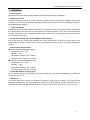
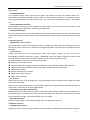
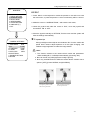
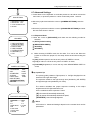
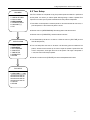
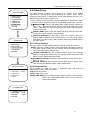
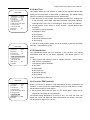
MAIN MENU
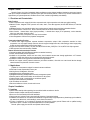
Dome title, it is the title of the dome. Assigning a name to a dome helps user
1. DISPLAY SETTINGS
2. CAMERA SETTINGS
3. PRIVACY MASK
4. USER PROGRAM
5. SYSTEM SETTINGS
6. LANGUAGE/语言
7. EXIT
to remember which dome it is.
1. Press ‘Menu’ on the keyboard or evoke the presets no. 95 and 64 to enter
the main menu, or press the preset no.1 twice continuously within 1
second.
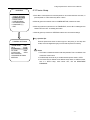
2. Move the joystick down to select the ‘System Settings’, then move the
joystick left or right to access the sub-menu.
3. Move the joystick down to ‘Camera title’.
Operation Tips:
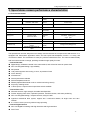
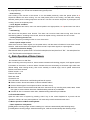
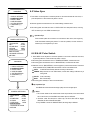
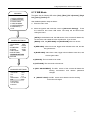
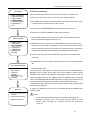
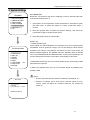
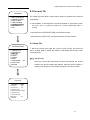
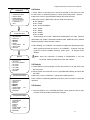
SYSTEM SETTINGS
1. CAMERA TITLE
2. INFORMATION
3. PAN & TILT
4. DELETE
5. DEFAULT
6. RESET
7. VIDEO SIGNAL
8. DATE & TIME
9. RETURN
PAL
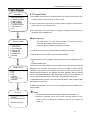
1. Chinese Character Inputs:
Choose ‘PINYIN’ from ‘INPUT METHODS’; move the flashing cursor to the underline beneath
the alphabets; move the joystick left and right, and move the spelling of relevant Chinese
characters to the underline, .press [OPEN] on the keyboard to confirm. At the moment, the
Chinese characters appear at the underlines above the alphabets. Move the flashing
cursor to the underline beneath the Chinese characters; move the joystick left and right, and
move the relevant Chinese character to the underline, press [OPEN] to confirm edition.
2. Delete Edited Content: Move the cursor to the title, the title will flash. Press [Close] to delete
the characters from right to left
3. Delete Pinyin Alphabets: Move the cursor to the underline beneath the alphabets, press
[CLOSE] to delete.
Notice:
1. Choose preset number before the operation, like deleting, and editing title, etc.
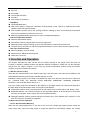
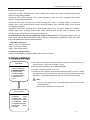
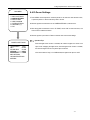
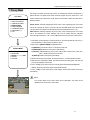
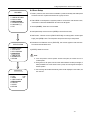
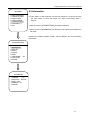
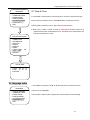
EDIT TITLE
2. Maximum 16 characters can be set for the title, with input methods of Pinyin,
1. TITLE
numbers, symbol and English, etc. Characters include 0-9, A-Z, Chinese and
2. RETURN
symbol, etc.
3. INPUT METHODS
PINYIN
-ABCDEFGHIJKLMNOPQ
--
- 23 -