1
Mahara documentation, Release 1.4
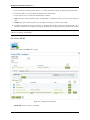
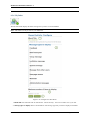
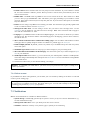
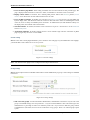
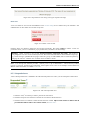
When you want to return to your own account again, click the Become [your user name] again link at the top of the
browser window.
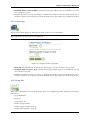
Change site account settings
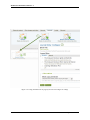
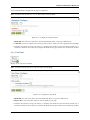
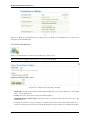
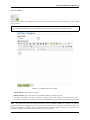
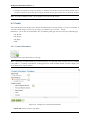
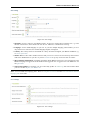
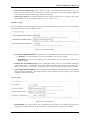
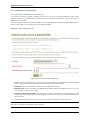
You can view and change a number of settings for a user's account.
Note: Depending on the authentication method that is associated with this user, you may not be able to edit all
settings.
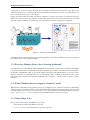
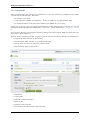
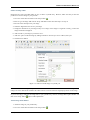
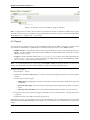
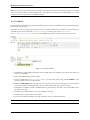
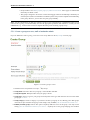
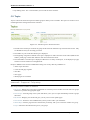
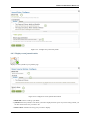
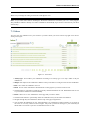
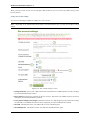
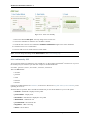
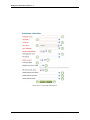
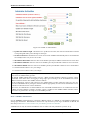
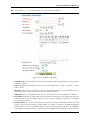
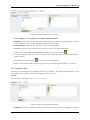
Figure 8.32: Site account settings of a user
1. Change username: Give the user a different username. This field is not available when the account is managed
by an external authentication method.
2. Reset password: Change the password for this user account. This field is not available when the account is
managed by an external authentication method.
3. Force password change on next login: Check this box if the user shall change his password when he next logs
in. This field is not available when the account is managed by an external authentication method.
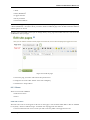
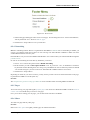
4. Site staff: Check this box if the user shall be able to create controlled groups.
5. Site administrator: Check this box if the user shall have full administrative rights.
126
Chapter 8. Site administration