1
Mahara documentation, Release 1.4
Note: Depending on your server settings and / or the size of your installation, you may not be able to upload all user
accounts at once. You may wish to upload them in bunches of 100 instead.
8.4 Groups
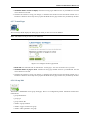
In the Groups menu of the Site administration you can:
• add administrators to groups
• delete groups
• manage group categories
8.4.1 Overview
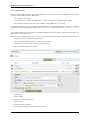
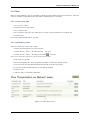
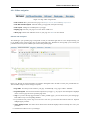
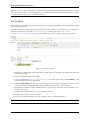
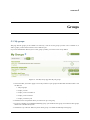
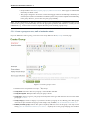
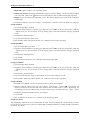
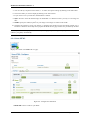
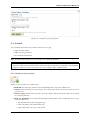
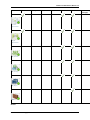
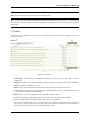
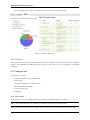
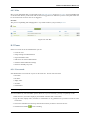
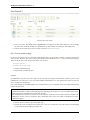
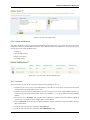
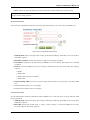
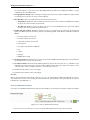
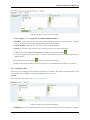
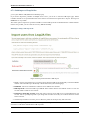
The first page you see when you click on the Groups menu is the Administer Groups page.
1. Search a group by its name or category.
2. Group name. The table is sorted alphabetically according to the group names.
3. Number of group members
4. Number of group administrators
5. Group type
6. Group category
7. Visibility
8. Click the Manage button
9. Click the Delete button
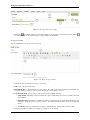
to add or remove group administrators.
to delete a group.
8.4.2 Add / remove group administrators
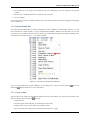
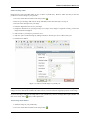
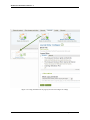
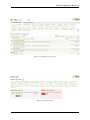
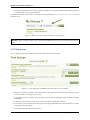
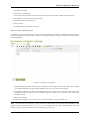
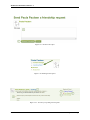
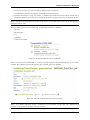
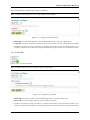
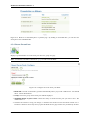
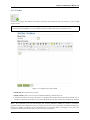
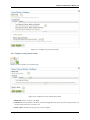
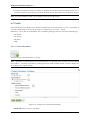
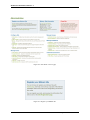
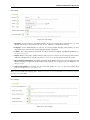
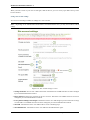
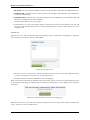
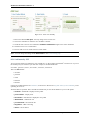
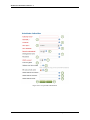
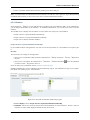
You can add to or remove administrators from a group by clicking on the Manage button
page.
on the Administer Groups
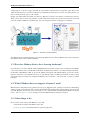
Figure 8.44: Add or remove group administrators
134
Chapter 8. Site administration