1
Archivists' Toolkit User Manual
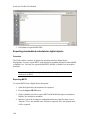
Exporting MODS
To export MODS from a digital object description:
1. Open the digital object to be exported.
2. Press the Export MODS button.
3. Indicate if you wish to suppress components and notes when the status is set to
"Internal." If yes, the internal notes will not be exported. If no, the internal notes
will be exported.
4. Open the folder where the file is to be saved, and indicate the name of the file.
5. Press Save to export MODS.
Exporting Dublin Core
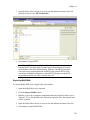
To export Dublin Core from a digital object description:
1. Open the digital object to be exported.
2. Press the Export Dublin Core button.
3. Indicate if you wish to suppress components and notes when the status is set to
"Internal." If yes, the internal notes will not be exported. If no, the internal notes
will be exported.
4. Open the folder where the file is to be saved, and indicate the name of the file.
5. Press Save to export Dublin Core.
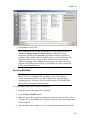
Managing data exports
The Archivists’ Tookit is designed to produce data exports, or metadata records, such as
EAD, MARCXML, MODS, DC, METS. The application does not, however, provide the
means to manage, access, or display those export products. It is assumed the exports will
be added to external access delivery systems such as an EAD database, an Integrated
Library System (ILS), or a METS database where the objects can be searched and
displayed to end users. However, you can and should edit the data in the AT.
188