1
Archivists' Toolkit User Manual
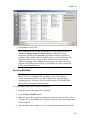
1. From any list screen, press the Reports button.
2. Select Print Screen as the Report.
3. Enter any text you wish to appear in the Report Header.
4. Select Output for the report. Options are: Printer, Preview, PDF, XML, HTML,
RTF, Excel, or CSV.
5. Press Print.
Printing a single record
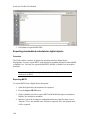
You may print the contents of any individual record by pressing the Reports button.
To print a single record:
1. From any record press the Reports button.
180