1
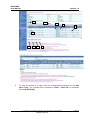
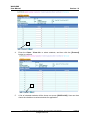
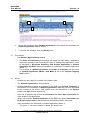
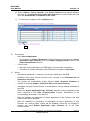
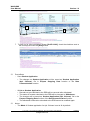
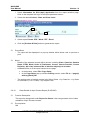
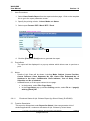
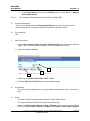
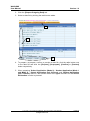
WebSAMS User Manual Version 1.9 5 7 6 8 6. ApL Chinese courses are automatically enrolled. 7. To restore all records as previously saved, click the [Reset] button. 8. To confirm the changes, click the [Save] button. Post-effects - Add Student Application by Batch The changes on Student Application will be saved as ‘Student Application (ApL Chinese)’ file in the Prepare Outgoing Data function. Notes - The Mode of Student application for ApL Chinese is set to ‘2’ by default. - Student can only apply for courses of the latest cohort. - Record(s) marked with ‘*’ has/have not yet been submitted to the EDB. - The Student Agreement is student-based. - Student Applications of ApL Chinese cannot be submitted to the EDB if the Contact Telephone is not available or Student Agreement Form has not been submitted by the student to the school. User should enter the information in the Student module and ApL module respectively. - After the deadline for submission of student application, the outstanding student applications cannot be amended. - After the deadline for submission of withdrawal of student application of ApL Chinese, users are not allowed to prepare and send Student Application (ApL Chinese) file in the Data Communication - The sorting order of student records is by School Class -> by Class No. -> by Subject Code. Copyright © 2014. Education Bureau. The Government of the HKSAR. All Rights Reserved. Page 48