1
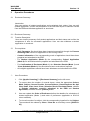
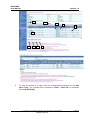
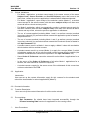
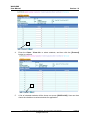
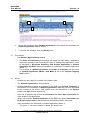
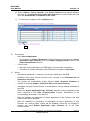
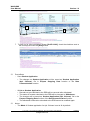
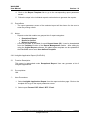
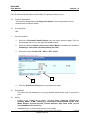
WebSAMS User Manual Version 1.9 In the browser, select File->Page Setup. In the Page Setup pop-up window Scaling section, select Fit to: 1 page(s) wide by [blank] tall. - The generation of Enrolment Details report [R-APL005] from 2010-12 cohorts onwards should be disabled. Only options 2007-09 & 2008-10 will be available in the pull down menu under Cohort. - Enrolment Detail report [R-APL005] will be removed after system migrates to school year 2012. 2.8.7 Class Details Report (R-APL006) Function Description This report is categorized under Report for School. User can generate a list of class schedules. Pre-requisites N/A User Procedures 1. Select Class Details Report from the report selection page. Click on the template link to go to the report parameter screen. 2. Specify the printing criteria - Cohort, Mode and Status. 3. Select report Format: PDF / Word / RTF / Excel. 3 4 4. Click the [Preview & Print] button to generate the report. Copyright © 2014. Education Bureau. The Government of the HKSAR. All Rights Reserved. Page 66