1
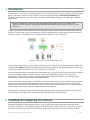
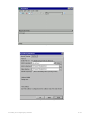
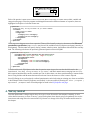
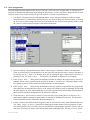
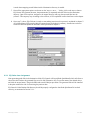
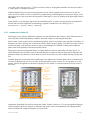
Illustration 4: Dialog for assigning the palm’s name at first synchronization.
If the palm has been previously synchronized using a different computer and has a name already assigned, Palm
Desktop will keep the previously designated name. If one is interested in changing a palm’s name, it can be done by
selecting the Users menu which can be accessed in the upper right corner drop down menu of the Palm Desktop
software, and then selecting the Edit users… option [Illustration 3]. You must synchronize the device afterwards
so as to refresh the new name.
2.1.2. Windows Mobile devices setup
To let your PC communicate with a Windows Mobile device, Microsoft ActivesSync, for Windows XP computers, or
Microsoft Windows Mobile Device Center (WMDC), for Windows Vista computers, is required. This software is
included in the CD bundled with the device, or can be downloaded from the Microsoft download center.
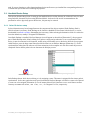
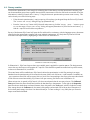
Once the appropriate software is installed, an icon will appear in the task bar, this is a piece of software the silently
waits for a device to be connected through a USB cable. When this occurs, the ActiveSync/WMDC application will
show up. If it’s the first time the device is connected, an installation wizard will start; this program will help in
synchronizing contacts, emails, favorites and other. This feature might be useful if you’re interested in using the
device for managing personal information, but if the PDA is used for census and surveys data collecting this might
not be the case, so you may cancel the assistant.
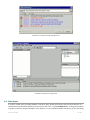
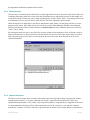
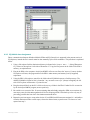
ActiveSync/WMDC allows the internal memory and the memory card (if available) of a device connected, to be
accessed using Windows Explorer. It can be launched from different places, for example, by right clicking over the
ActiveSync/WMDC icon in the taskbar and then Explore. This file manager has a reduced set of features, such as
copy or move files between the computer’s hard drive and PDA.
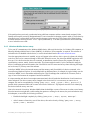
It is important that each device has a unique name associated; this will make the identification of each interviewer
easier and quick. The device’s name can be changed in the device itself, it’s not necessary to connect it to a
computer, this can be accomplished by clicking "[PDA] Start | Setup | System | About | Device ID". If
possible stick a permanent label with it's name in the back of the device. EQ-Software uses this ID for identifying
the device where the survey was done.
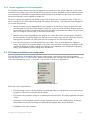
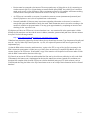
After a few seconds of inactivity Windows Mobile dims the backlight or turns off the screen in order to save battery.
Since the interviewer might take a while reading the question or waiting for the answer, the previous behavior may
be inadequate, to avoid this, the following is advised:
•
Disable the backlight completely by clicking "[PDA] Start | Setup | System | Backlight".
•
After 2 minutes of inactivity, turn off the device, this can be done by clicking "[PDA] Start | Setup |
System | Power | Advanced".
2.Installing and configuring EQ-Software
5 / 24