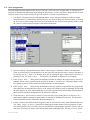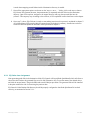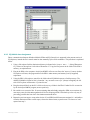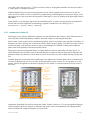
1
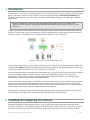
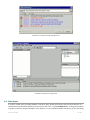
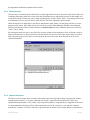
Illustration 8: EQ-Mobile device installation
3. Questionnaire design
To collect data from census and surveys for the research required, one is in need of a tool that allows capturing it.
This tool is called a questionnaire and in a simplistic approach it may be seen as a set of questions.
Through the years, researchers have written questionnaires using office related software (Microsoft Word,
Microsoft Excel, OpenOffice.org...) or graphic design programs (QuarkXPress, Adobe Illustrator...). These
programs are designed to accommodate the aesthetic part of a questionnaire, but are not as useful in the basic
questionnaire making needs. For example, by changing a question’s name a design tool might update all of the flow
control related issues, or could warn about orphan jumps in case that question was to be deleted.
EQ-Software’s EQ-Design is intended to help researchers build a questionnaire in a user friendly way.
Unfortunately, EQ-Design is currently under development and its features are not discussed in this document.
Nevertheless, one can still exploit EQ-Software advantages by using plain text questionnaires that respect
Electronic Questionnaire Markup Language (EQML) syntax, this being a questionnaire writing markup language,
just as HTML is a web page writing language that can be understood by web browsers.
Since electronic questionnaires are plain text files, they can be created by any text editor program as long as it
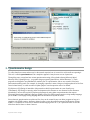
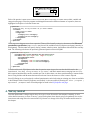
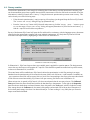
complies with EQML notation. Assume a designer wants to write the question presented in Illustration 9 using
EQML, it’s composed of a text field, a numeric variable ranging from 0 to 25, or a special 99 value in case the
interviewer doesn’t know or doesn’t answer.
3.Questionnaire design
10 / 24