1
Getting Started
2. GETTING STARTED
Once you are ready to use HELIX RAPIDE and connect it to your system, it should come as no
surprise to find that your new unit’s settings conform to the factory defaults. A primary purpose of
this guide is to enable you to configure and customise your HELIX RAPIDE so that its performance
best meets your needs.
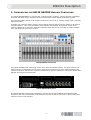
Images within this guide generally relate to a unit that conforms to those factory defaults and you
should be aware that customisation and configuration might mean that the images in this guide differ
slightly from those you see on the unit.
To begin the customisation and configuration process, you will first need to be familiar with the use of
the programming panel, so it is recommended that you check out this section before jumping directly
to Section 2.
2.1. Working With The Programming Panel
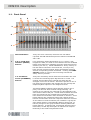
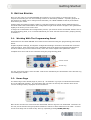
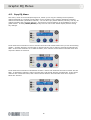
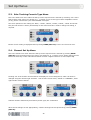
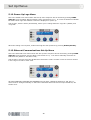
Parameters for the HELIX RAPIDE are monitored and controlled using the programming panel shown
below.
Graphic Equaliser Settings, and System Configuration Settings can both be accessed and controlled
using this panel. Each menu page uses a standard layout that relates the displayed parameters to
the three data entry encoder control knobs, which are used to adjust those parameter values.
Template store and recall is also controlled using the programming panel.
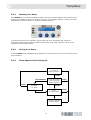
encoder control
annular ring
For any given menu page, active encoder controls are indicated by the illumination of the annular ring
surrounding the control.
2.2. Home Page
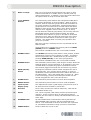
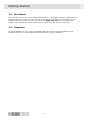
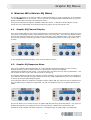
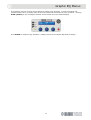
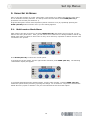
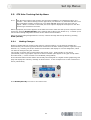
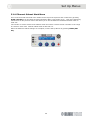
The Home Page is the default page on power-up. No channels or groups are selected and all faders
are in the 0dB (flat) position. The LCD shows the unit name on the top line with the name of the
current working memory displayed on the second line.
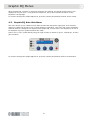
None of the encoders are active and their associated annular rings are not illuminated. Elsewhere on
the unit, all the channel and group select buttons are active to allow selections to be made. A return
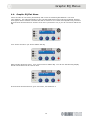
to the Home Page can be made at any time by repeatedly pressing HOME (SET UP).
7